
February 19, 2026


LinkedIn Sponsored Content puts your message directly in the feed alongside organic posts from connections and companies your audience follows. When done well, these native ads feel helpful rather than intrusive—and they convert.
This guide covers how to create Sponsored Content that drives real business results.
Sponsored Content refers to paid posts that appear in the LinkedIn feed. Unlike sidebar ads, these appear inline with organic content, making them feel more native to the platform.
Format | Best For |
Single Image | Most versatile, quick to produce |
Carousel | Storytelling, multiple products |
Video | Demonstrations, testimonials |
Document | Whitepapers, guides, reports |
Event | Webinar and event promotion |
All formats can include Lead Gen Forms for direct lead capture without landing pages.
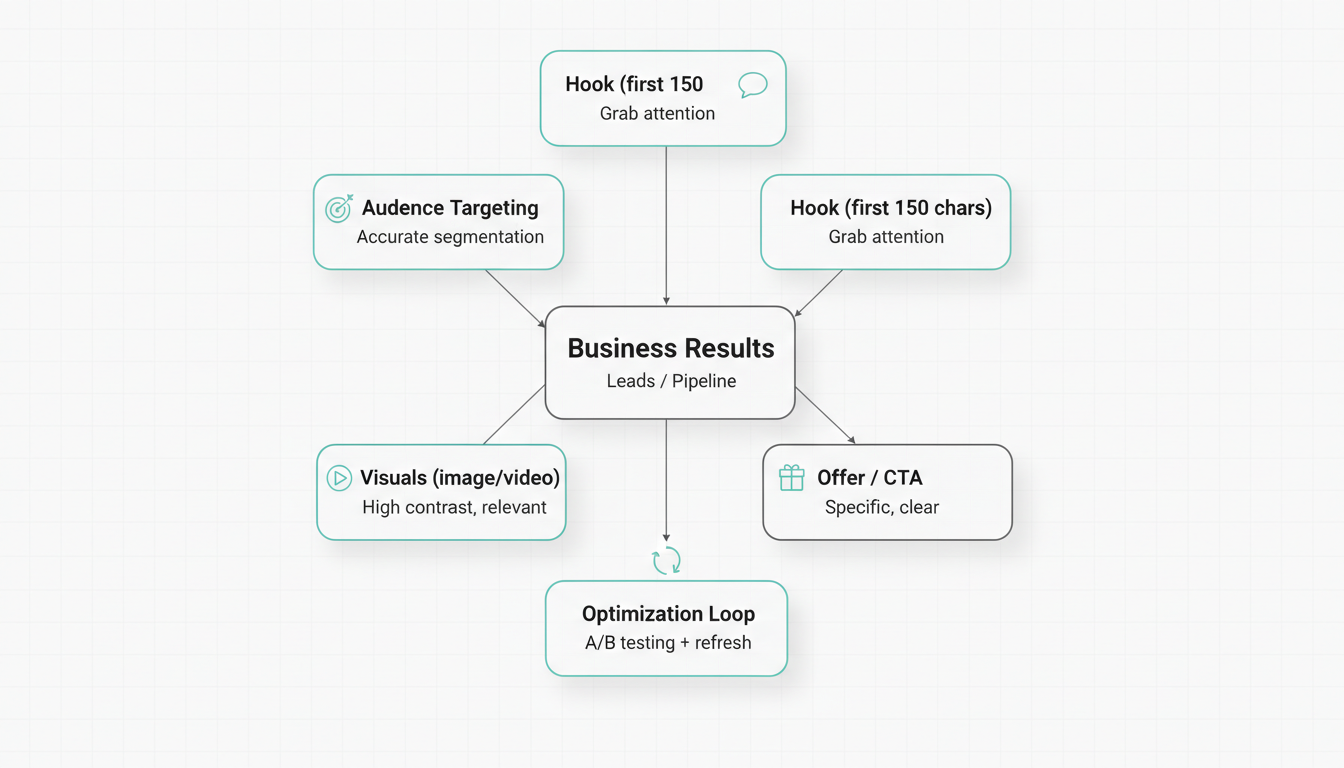
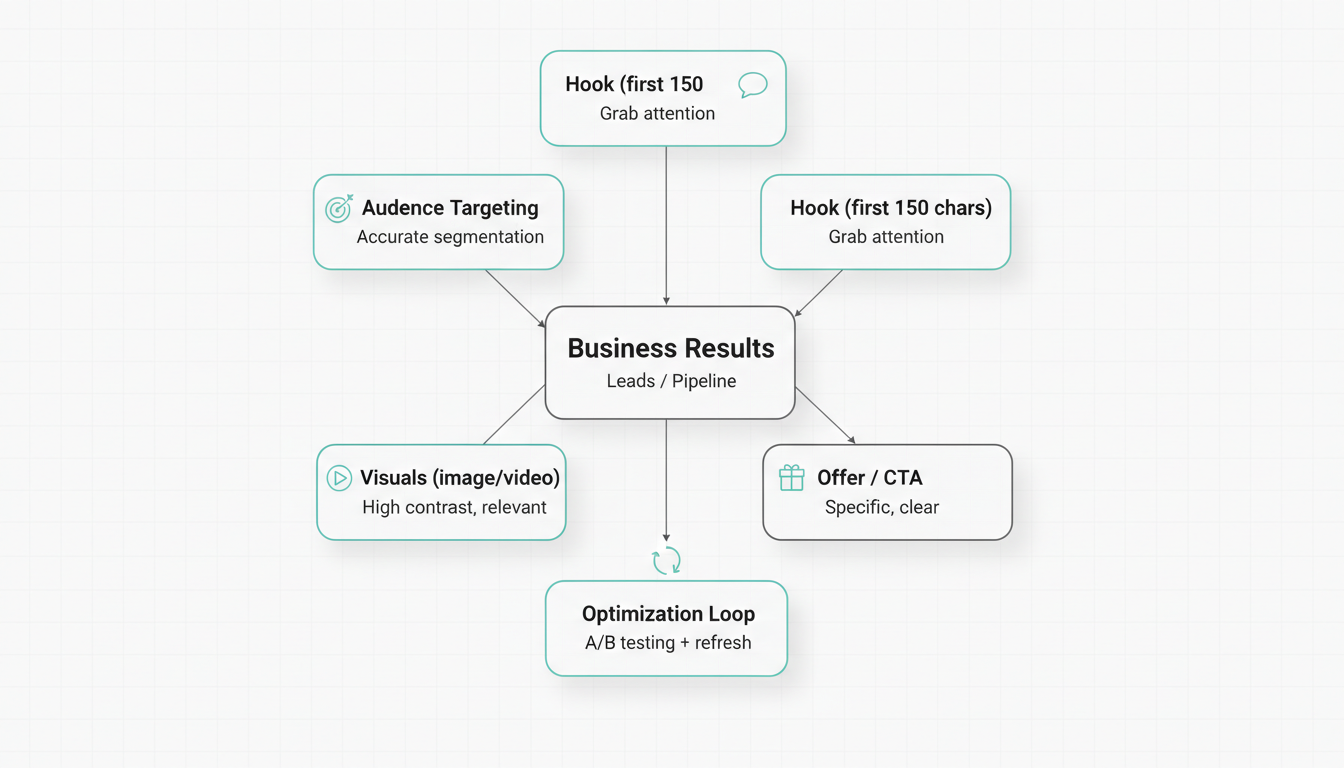
The first 150 characters appear before the "see more" link. Make them count.
High-converting hooks:
Low-converting hooks:
Write as if talking to a single reader, not an audience.
Instead of: "Marketing teams can benefit from..." Write: "If you're leading marketing at a growing SaaS company, you know..."
Your audience cares about outcomes, not capabilities.
Feature-focused (weak): "Our platform has AI-powered analytics and 50+ integrations." Benefit-focused (strong): "See which campaigns drive pipeline—in one click."
Build credibility with evidence:
When creating visual assets, consider working with a LinkedIn ad management company to ensure your creative meets platform specifications and performance benchmarks.
Do | Don't |
Real people (not stock photos) | Generic business imagery |
Data visualizations | Busy, complex graphics |
High contrast colors | Brand colors that blend with LinkedIn blue |
Clear focal point | Multiple competing elements |
For comprehensive guidance on video formats, review our LinkedIn video ads guide.
Precise targeting determines whether your Sponsored Content reaches people who can actually buy.
Don't rely on single attributes. Combine:
Example targeting stack:
This reaches marketing leaders at mid-sized tech companies—a defined, valuable segment.
Upload lists for precision targeting:
Matched Audiences typically drive lower CPLs than attribute-only targeting.
Remove audiences that waste spend:
Run 3-4 ad variations per campaign testing:
Let campaigns run for 1,000+ impressions before judging winners. These fundamentals align with proven LinkedIn ads best practices that drive measurable results.
Match optimization to your goal:
Goal | Optimize For |
Awareness | Impressions, reach |
Consideration | Clicks, engagement |
Conversion | Leads, conversions |
Don't celebrate high CTR if leads aren't converting downstream.
Creative fatigue sets in when frequency exceeds 3-4 impressions per person. Signs include:
Refresh every 4-6 weeks, or sooner if metrics decline.
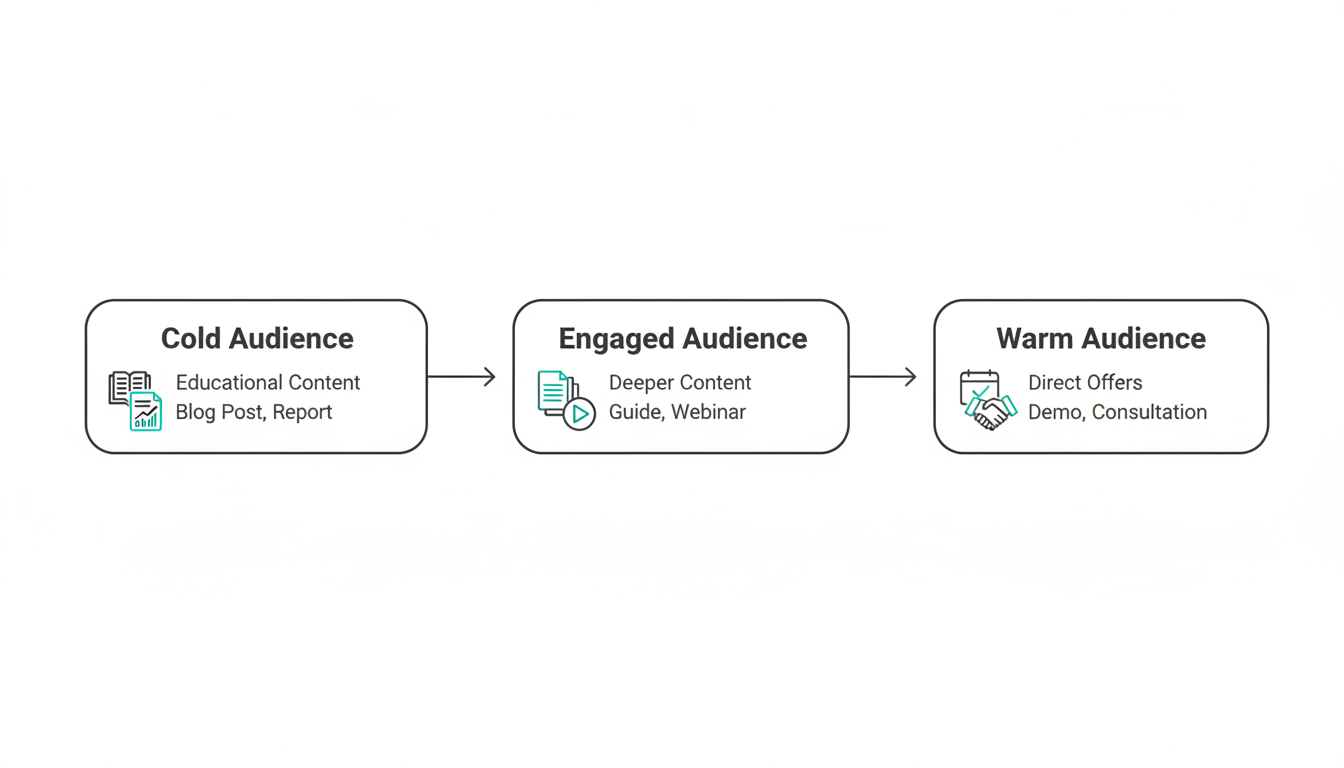
Build campaigns that follow prospects through the funnel:
Retargeting reduces CPL significantly compared to always targeting cold audiences.
Pro tip: Test both approaches for the same offer. Lead Gen Forms often win on conversion rate, but landing pages provide richer engagement data.
"All marketers" wastes budget on people who can't buy. Add filters.
If your first line doesn't create curiosity or address a pain point, people scroll past.
Every ad needs one specific action. "Learn more" is weak. "Get the report" or "Book your audit" is clear.
Over 60% of LinkedIn traffic is mobile. Preview ads on phone before launching.
Sponsored Content requires ongoing optimization. Check campaigns weekly minimum. For strategic guidance on campaign management, explore our LinkedIn advertising strategy resources.
LinkedIn Sponsored Content costs vary by targeting and competition. Expect CPCs of $5-15 and CPMs of $30-60 for most B2B audiences. Lead Gen Form campaigns typically see CPLs of $50-150 depending on offer quality and targeting precision.
Use 1200 x 627 pixels for single image ads (1.91:1 aspect ratio). For carousel ads, use 1080 x 1080 pixels (1:1 square). Maximum file size is 5 MB for images. See our complete LinkedIn ad specs guide for all formats.
LinkedIn allows 600 characters for introductory text, but the first 150 characters appear before "see more." Front-load your hook in those first 150 characters. Total copy length depends on your audience—test short, punchy posts against longer, detailed ones.
By submitting this form, you agree to our Privacy Policy and Terms & Conditions.



