
February 19, 2026


Microsoft Advertising (formerly Bing Ads) offers an alternative to Google Ads that many advertisers overlook. With access to millions of searchers across Bing, Yahoo, AOL, and DuckDuckGo—plus unique audience targeting capabilities—Microsoft Ads deserves a place in your marketing mix.
This guide walks you through everything you need to know to set up and launch your first Microsoft Advertising campaign.
Microsoft Advertising is Microsoft's paid search platform. When someone searches on Bing, Yahoo, AOL, or partner search engines, your ads can appear alongside the results.
Like Google Ads, it operates on a pay-per-click (PPC) model—you bid on keywords and pay when someone clicks your ad. The core mechanics are similar, making Microsoft Ads approachable if you've used other search advertising platforms.
Reach unique audiences. Microsoft powers search for Bing (the default on Windows devices), Yahoo, AOL, and DuckDuckGo. Many of these users never see Google Ads.
Lower competition often means lower costs. Because most advertisers focus primarily on Google, Microsoft Ads typically has less competition and lower cost-per-click for equivalent keywords. If you're evaluating whether the platform fits your strategy, review our detailed analysis on whether Bing Ads is worth your investment.
Different demographics. The Microsoft Audience Network skews toward older users with higher household incomes—valuable for certain products and services.
LinkedIn integration. Microsoft owns LinkedIn, and this integration enables professional targeting unavailable on any other search platform.
Before creating campaigns, understand how Microsoft Advertising is organized and what features are available.
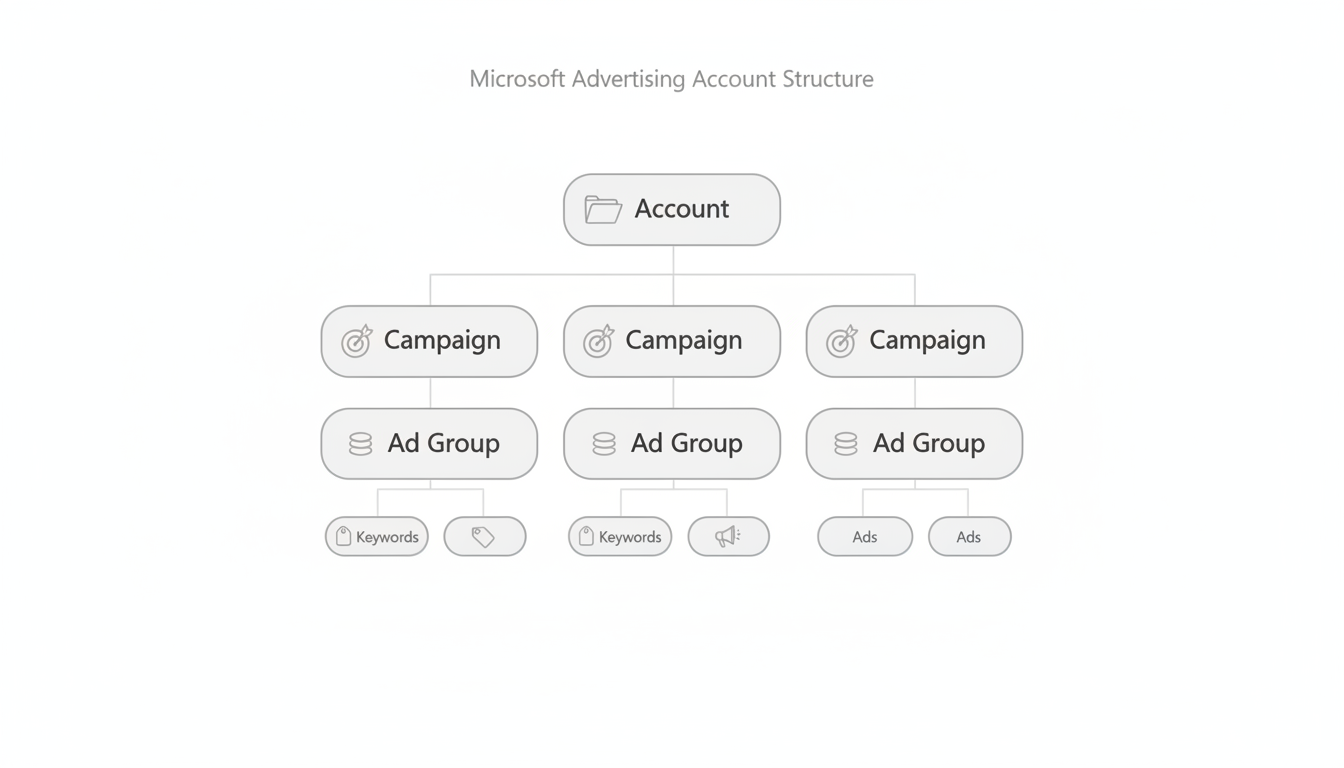
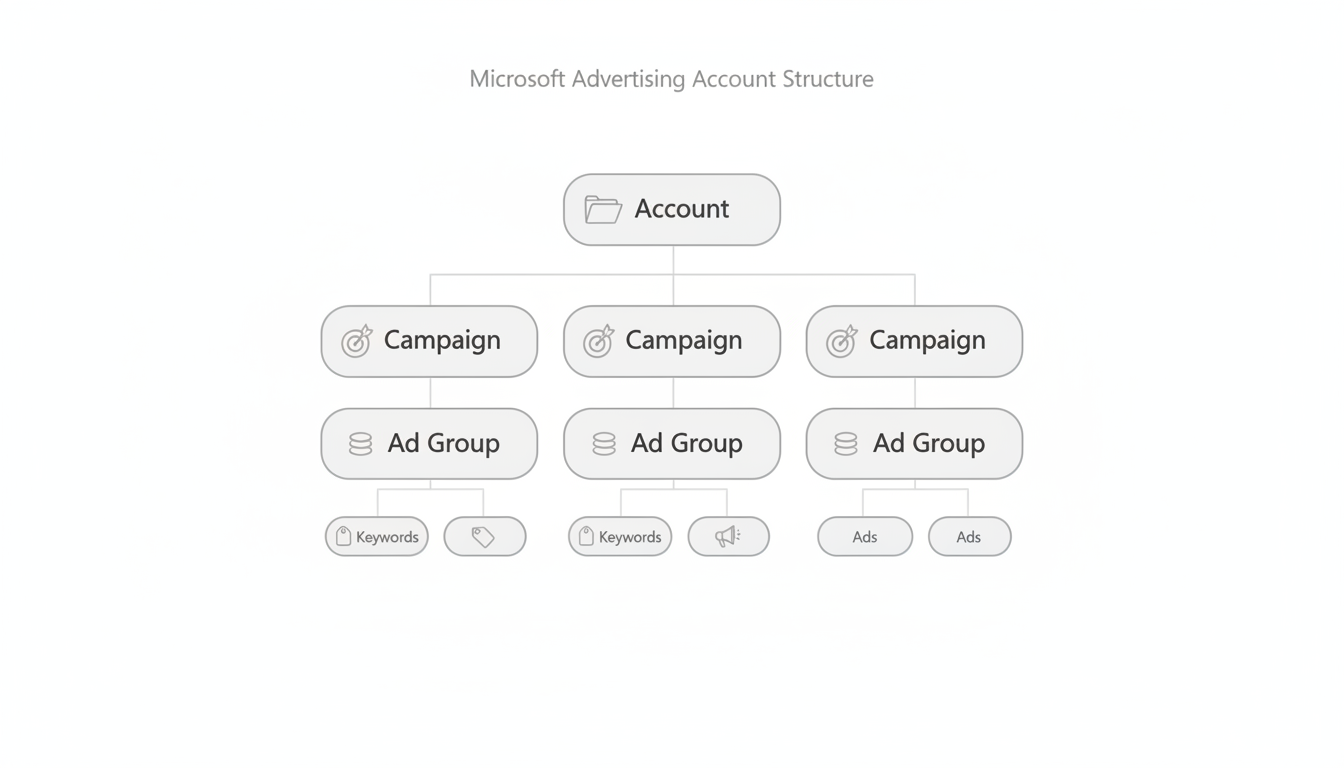
Microsoft Advertising follows a hierarchy similar to Google Ads:
Account: Your top-level container. One account can manage multiple campaigns and includes billing information, user access settings, and account-wide preferences.
Campaigns: Individual advertising initiatives with their own budgets, targeting settings, and goals. You might have separate campaigns for different products, geographic regions, or marketing objectives.
Ad Groups: Collections of related keywords and ads within a campaign. Ad groups let you organize by theme—all ads and keywords in a group should relate to a single topic.
Keywords and Ads: The building blocks. Keywords determine when your ads appear; ads are the actual content searchers see.
Microsoft offers several ad formats:
Search Ads: Text ads appearing on search results pages. Responsive search ads let you provide multiple headlines and descriptions that the system combines automatically.
Shopping Ads: Product listings with images, prices, and merchant information. Essential for e-commerce advertisers.
Audience Ads: Display and native ads appearing across the Microsoft Audience Network—sites like MSN, Outlook, and partner properties.
Performance Max: Automated campaigns that use AI to optimize across multiple formats and placements. Microsoft expanded this in early 2026 to allow 50 search themes per campaign.
LinkedIn Profile Targeting: Layer professional attributes onto your search campaigns—target by job function, industry, company size, or seniority. This is exclusive to Microsoft Advertising.
Import from Google Ads: Already running Google campaigns? Import them directly into Microsoft Ads. Campaign structures, keywords, ads, and settings transfer in minutes.
Universal Event Tracking (UET): Microsoft's conversion tracking tag. Install once, then track multiple conversion actions across your website.
Ready to start? Here's a step-by-step walkthrough.
Visit ads.microsoft.com and sign up. You'll need:
The setup wizard guides you through initial preferences including time zone and currency. Choose carefully—these are difficult to change later.
Before launching ads, install the Universal Event Tracking tag on your website. This enables conversion tracking—without it, you can't measure results effectively.
Click "Create Campaign" and choose your objective:
For most beginners, "Conversions in my website" provides the best foundation.
Name: Choose something descriptive. "Search - Running Shoes - US" beats "Campaign 1."
Budget: Set a daily budget that allows meaningful testing. $20-50/day is reasonable for learning; less may result in too few clicks for optimization. Understanding Microsoft Advertising cost structures helps set realistic expectations.
Location: Target where your customers are. Be specific—"United States" is broad; "California" or specific cities might be more efficient.
Language: Match your ad language to searcher language settings.
Organize keywords into tightly themed ad groups. If you sell shoes:
Use match types to control when ads trigger:
Start with phrase and exact match to maintain control while learning.
Responsive search ads let you provide:
Microsoft's system tests combinations and optimizes automatically. Write variety:
Descriptions should expand on your value proposition and include a clear next step.
Review everything, then click launch. Your ads will typically start appearing within hours (some new accounts require brief review).
Check performance daily during your first weeks:
Your budget determines how much Microsoft Advertising can spend daily. Setting it appropriately affects both learning and results.
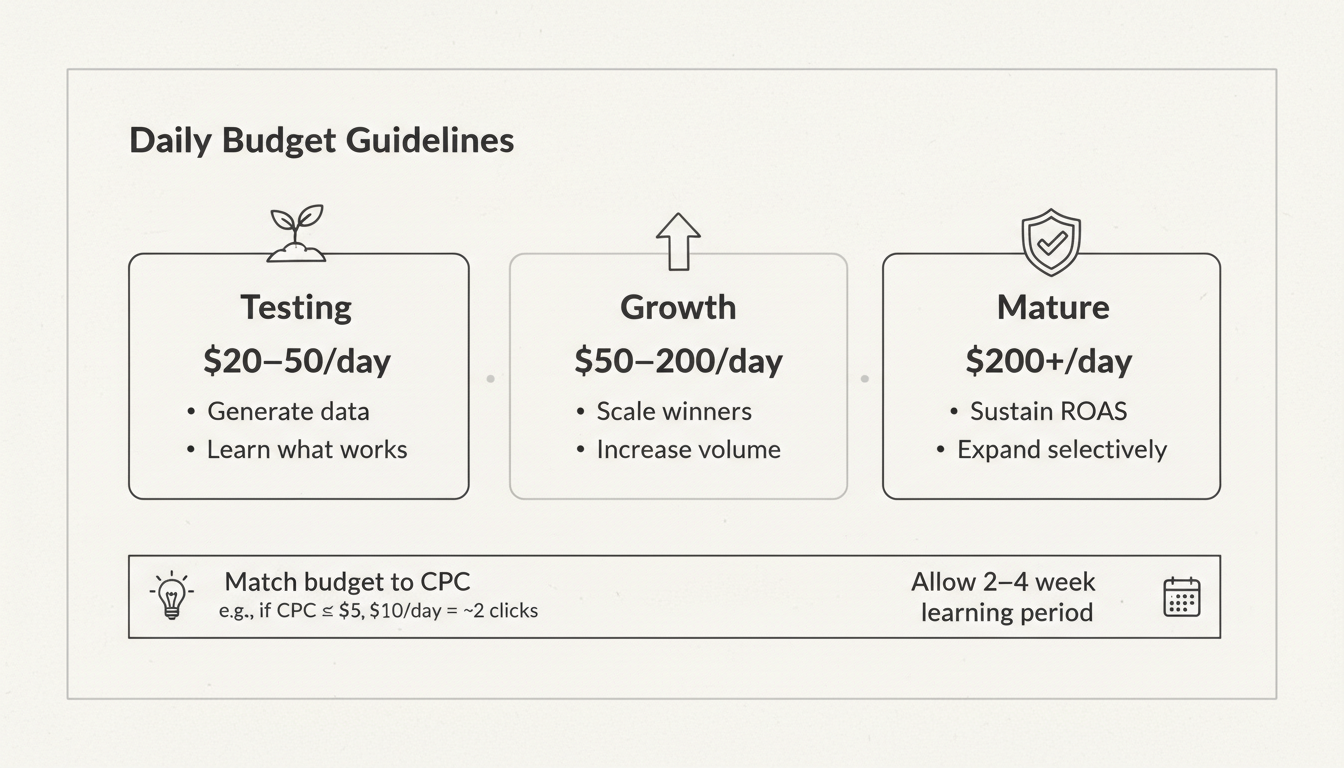
Testing phase ($20-50/day): Enough to generate data without excessive risk while you learn the platform.
Growth phase ($50-200/day): Once you understand what works, scale investment in profitable campaigns.
Mature campaigns ($200+/day): Proven campaigns with consistent returns can justify larger budgets.
Don't spread too thin. Better to fund one campaign adequately than three campaigns poorly. Underfunded campaigns don't gather enough data to optimize.
Account for learning periods. New campaigns need 2-4 weeks to gather meaningful data. Budget accordingly and resist judgments based on early results.
Match budget to keyword costs. If your target keywords average $5 CPC, a $10/day budget means only two clicks daily—not enough data.
Manual CPC: You set maximum bids for each keyword. Maximum control, but requires ongoing attention.
Enhanced CPC: You set base bids; Microsoft adjusts them based on conversion likelihood.
Maximize Clicks: Automated bidding to get maximum clicks within your budget.
Maximize Conversions: Automated bidding focused on generating conversions.
Target CPA: Specify your target cost per acquisition; automation optimizes toward that goal.
Beginners often start with Manual CPC or Enhanced CPC, then transition to Target CPA once conversion data accumulates.
These principles help new advertisers avoid common pitfalls and accelerate results.
If you're running Google Ads successfully, import those campaigns. Same keywords, ads, and structures that perform on Google often work on Microsoft—and importing saves setup time. For guidance on managing campaigns across platforms, consider our PPC management agency selection guide.
LinkedIn profile targeting lets you layer professional attributes onto search campaigns. Start in observation mode to see how different segments perform, then apply bid adjustments or targeting based on data.
Prevent wasted spend by proactively blocking irrelevant terms. Review search term reports weekly and add negatives for queries that don't match your offering.
Run multiple ad variations and let data determine winners. Test different headlines, descriptions, calls to action, and value propositions. Small improvements compound over time.
New campaigns need time to gather data and optimize. Avoid major changes or conclusions based on small sample sizes. Give campaigns at least 2-4 weeks and several hundred clicks before judging performance.
Both are PPC platforms with similar mechanics. Microsoft Advertising has lower competition (often lower CPCs), reaches different audiences (Bing, Yahoo, AOL users), and offers unique LinkedIn targeting. Many advertisers run both platforms.
Yes. Microsoft Advertising offers direct import functionality. Connect your Google account, select campaigns to import, and Microsoft transfers campaign structures, keywords, ads, and settings automatically.
Begin with $20-50/day during your testing phase. This generates meaningful data without excessive risk. Scale based on results—increase budget for profitable campaigns, pause or optimize underperformers.
By submitting this form, you agree to our Privacy Policy and Terms & Conditions.



