
February 19, 2026


Reddit Ads Manager is the self-serve platform where you create, manage, and optimize your Reddit advertising campaigns. Whether you're launching your first campaign or looking to improve your workflow, this tutorial covers everything you need to know about using Reddit Ads Manager in 2026.
Reddit Ads Manager is Reddit's advertising platform, accessible at ads.reddit.com. It's where advertisers:
The platform has evolved significantly, with 2026 bringing new features like MAX Campaigns (AI-powered automation) and improved audience insights. However, the core workflow remains intuitive for anyone familiar with social advertising platforms.
Reddit Ads Manager is available to:
There's no minimum budget to get started, though Reddit recommends at least $5/day for meaningful campaign data.
If you already have a Reddit account, you can use those credentials. Otherwise, you'll need to create an account first.
If you're new to Reddit Ads Manager:
Once complete, you'll have full access to the platform.
Common login problems and solutions:
Issue | Solution |
Forgot password | Use "Forgot Password" link on login page |
Account locked | Contact Reddit support via help.reddit.com |
Two-factor issues | Ensure your authenticator app is synced |
Business account not linked | Check that you're logged into the correct Reddit account |
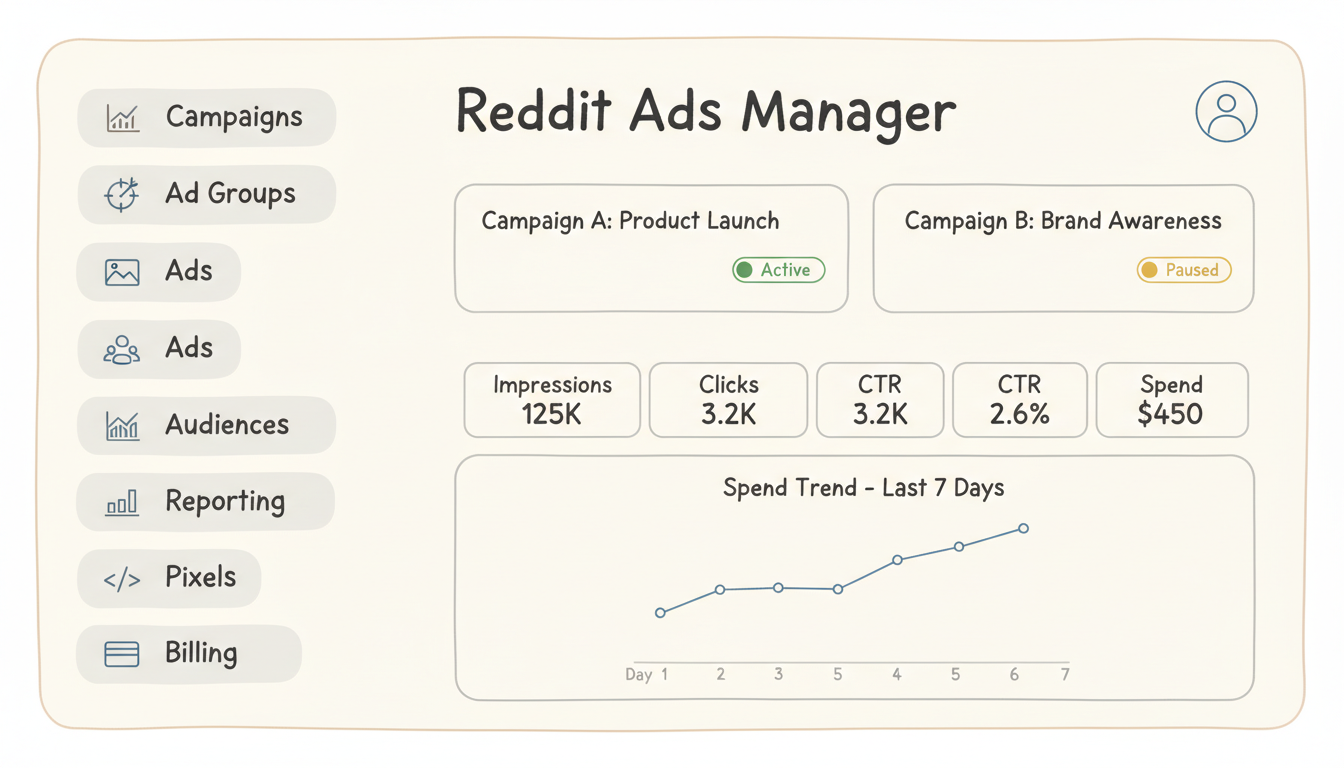
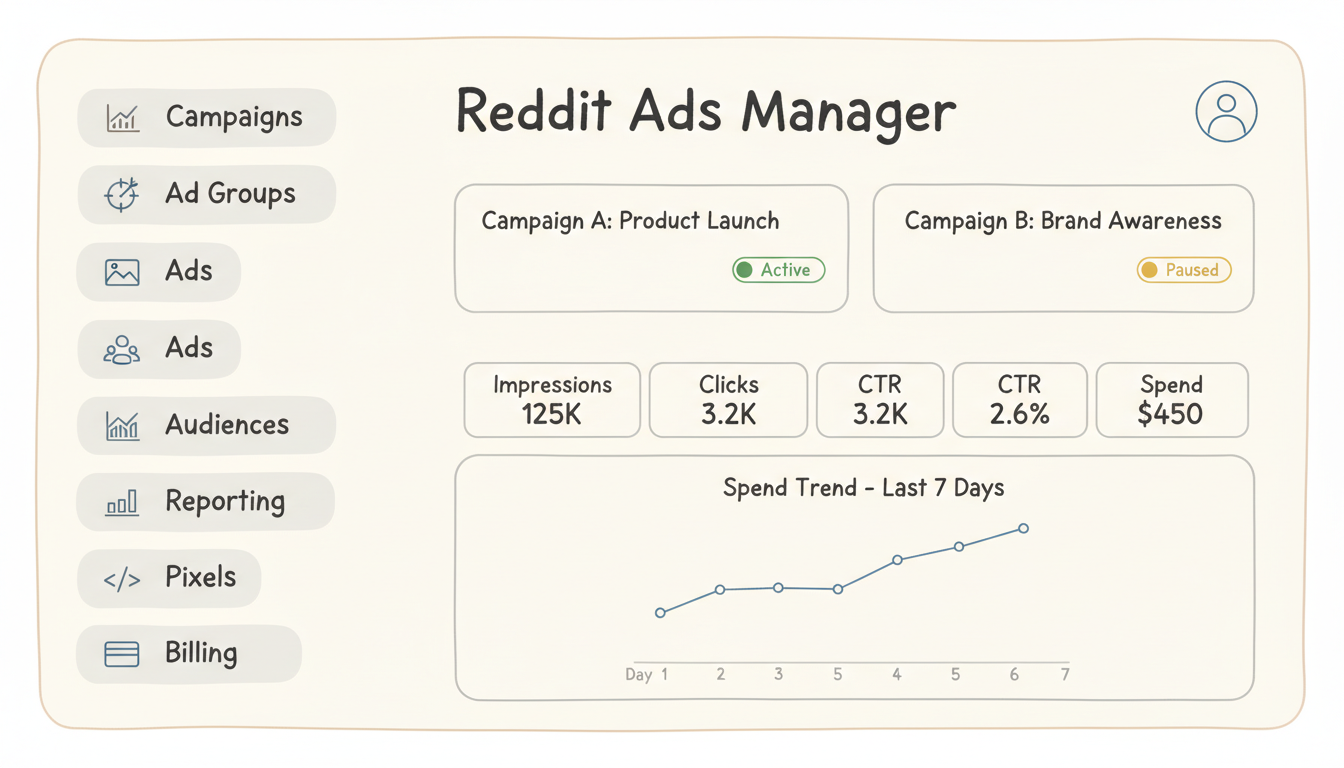
When you log in, you'll see the main dashboard. Here's what each section contains:
The main view shows:
Campaigns — Create, edit, and manage all campaigns Ad Groups — Control targeting, placements, and scheduling Ads — Manage individual ad creatives Audiences — Create and manage custom audiences Reporting — Access detailed analytics and export data Pixels — Set up and monitor conversion tracking Billing — Payment methods, invoices, spending limits
The dashboard prominently shows:
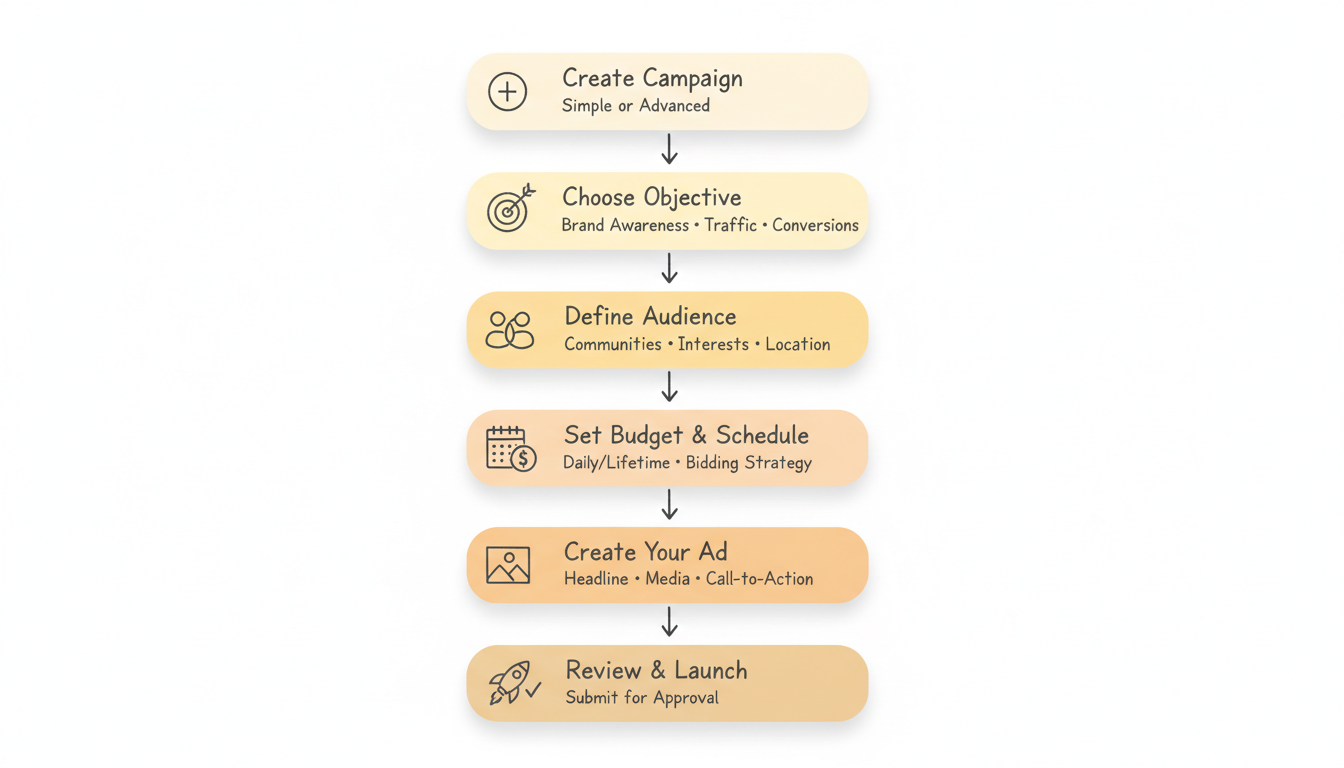
Here's a step-by-step guide to launching a campaign in Reddit Ads Manager:
From the dashboard, click the "Create Campaign" button. You'll choose between:
For most advertisers, Simple Create is sufficient to start. Advanced Create gives access to features like MAX Campaigns (AI-powered automation).
Select what you want to achieve:
Objective | Best For |
Brand Awareness | Reaching new audiences, building recognition |
Traffic | Driving clicks to your website |
Conversions | Purchases, sign-ups, or other actions |
Video Views | Getting people to watch video content |
App Installs | Driving mobile app downloads |
Your objective determines how Reddit optimizes your campaign.
Reddit offers several targeting options:
Community Targeting Target users of specific subreddits based on their interests.
Interest Targeting Reach users interested in predefined categories (technology, gaming, finance, etc.). For more advanced audience segmentation, consider exploring reddit interest targeting strategies that combine behavioral signals with demographic data.
Location Targeting Target by country, region, or metropolitan area.
Device Targeting Focus on desktop, mobile, or specific operating systems.
Custom Audiences Upload customer lists or create retargeting audiences from pixel data.
Configure your spending:
Upload your creative:
Review all settings, then click "Submit." Reddit typically reviews ads within 24 hours before they go live.
MAX Campaigns are Reddit's AI-powered advertising option, now available in beta. Key benefits:
Early testers report 17% lower CPA and 27% more conversions compared to manual campaigns. MAX Campaigns are rolling out through Q1-Q2 2026.
The Reddit Pixel tracks actions on your website after users click your ads:
Setting up the pixel is essential for conversion-focused campaigns and enables retargeting audiences. If you're working with financial services, ensure your pixel implementation complies with industry regulations outlined in guides for reddit ads for finance.
Create custom audiences from:
Access detailed performance data:
Go to ads.reddit.com and click "Log In." Use your existing Reddit account credentials, or create a new account. If you've advertised before, your campaigns and data will be waiting. New advertisers should review the setup process for a reddit ads account to ensure proper configuration from day one.
There's no minimum account budget, but Reddit recommends at least $5/day per campaign for the algorithm to optimize effectively. For meaningful data, $50-$150/day is often recommended for testing.
Formats include: image ads, video ads, carousel ads, conversation ads, and text/link ads. You can also run AMA-style promoted posts and Reddit Takeovers (premium placements). For community-driven formats, explore best reddit conversation ads to see what performs well.
Most ads are reviewed within 24 hours. Complex ads or those in regulated industries may take longer. Ads that violate policies are rejected with an explanation.
Yes, the platform is mobile-responsive, though the full desktop experience offers more features. For complex campaign management, desktop is recommended.
Simple Create guides you through setup with fewer options—good for beginners. Advanced Create gives full control over bidding strategies, placements, and advanced features like MAX Campaigns.
By submitting this form, you agree to our Privacy Policy and Terms & Conditions.



