
February 19, 2026


Knowing which metrics to track means little without systems capturing that data. AEO analytics setup requires configuring existing tools for AI traffic, implementing custom tracking where standard tools fall short, and building dashboards that surface actionable insights. This guide walks through the technical setup process.
GA4 captures AI referral traffic when configured properly.
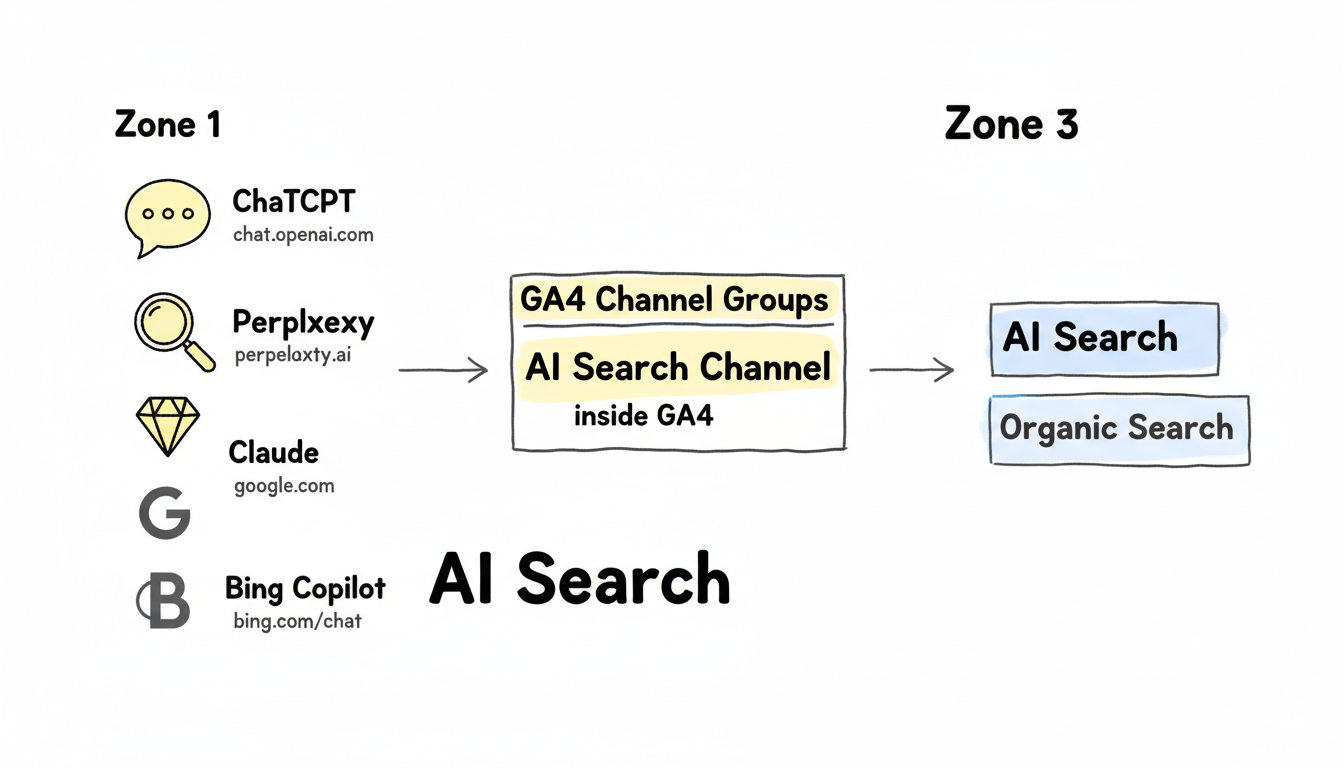
Configure traffic source recognition for major AI platforms.
Key referral sources to track:
AI Platform | Referral Patterns | How to Identify |
ChatGPT | chat.openai.com, chatgpt.com | Direct referral |
Perplexity | perplexity.ai | Direct referral |
Claude | claude.ai | Direct referral |
Google AI | google.com (with AI parameters) | UTM or behavior patterns |
Bing Copilot | bing.com/chat | Referral path analysis |
Separate AI traffic from organic search in GA4.
Setup steps:
Example channel rules:
Channel: AI Search
Conditions (OR):
- Source contains "chat.openai"
- Source contains "perplexity"
- Source contains "claude.ai"
- Source equals "chatgpt.com"
Create reusable segments for ongoing analysis.
Recommended segments:
Segment Name | Definition | Purpose |
All AI Traffic | Combined AI sources | Total AI visibility |
ChatGPT Traffic | chat.openai.com only | Platform-specific analysis |
Perplexity Traffic | perplexity.ai only | Platform comparison |
AI Converters | AI traffic + conversion | ROI measurement |
Standard GA4 events don't capture AEO-specific interactions.
Monitor when AI-optimized content receives visits.
Implementation approach:
DataLayer implementation:
// Add to AEO-optimized pages
window.dataLayer = window.dataLayer || [];
dataLayer.push({
  'event': 'aeo_page_view',
  'aeo_status': 'optimized',
  'content_type': 'faq',
  'schema_types': ['FAQPage', 'Article']
});
Track deeper engagement from AI referrals. Understanding AI search ranking factors helps determine which engagement signals matter most for optimization efforts.
Custom events to implement:
Event | Trigger | Value |
aeo_scroll_depth | 75% scroll on AI traffic | Engagement quality |
aeo_time_threshold | 2+ minutes from AI source | Content relevance |
aeo_internal_click | Navigation from AI landing | Journey continuation |
aeo_conversion | Goal completion from AI | Business impact |
Connect Search Console data to understand how AI visibility affects traditional search.
Pull Search Console data programmatically for correlation analysis.
Required setup:
Monitor whether AI citations drive branded search increases.
Correlation tracking approach:
Dedicated tools fill gaps in standard analytics. Platforms like AEO optimization software provide specialized tracking capabilities beyond what general analytics tools offer.
Several platforms specialize in tracking AI mentions and citations.
Tool categories:
Category | Function | Setup Requirement |
Brand monitoring | Track mentions across AI platforms | API integration or manual queries |
Citation tracking | Monitor source attribution | Regular platform queries |
Competitive analysis | Compare visibility vs. competitors | Platform subscription |
When automated tools aren't available, structured manual tracking works.
Weekly manual audit process:
Tracking spreadsheet structure:
Keyword | Platform | Cited | Position | Competitors | Date |
[query] | ChatGPT | Yes | 1st source | competitor.com | [date] |
[query] | Perplexity | No | - | other.com | [date] |
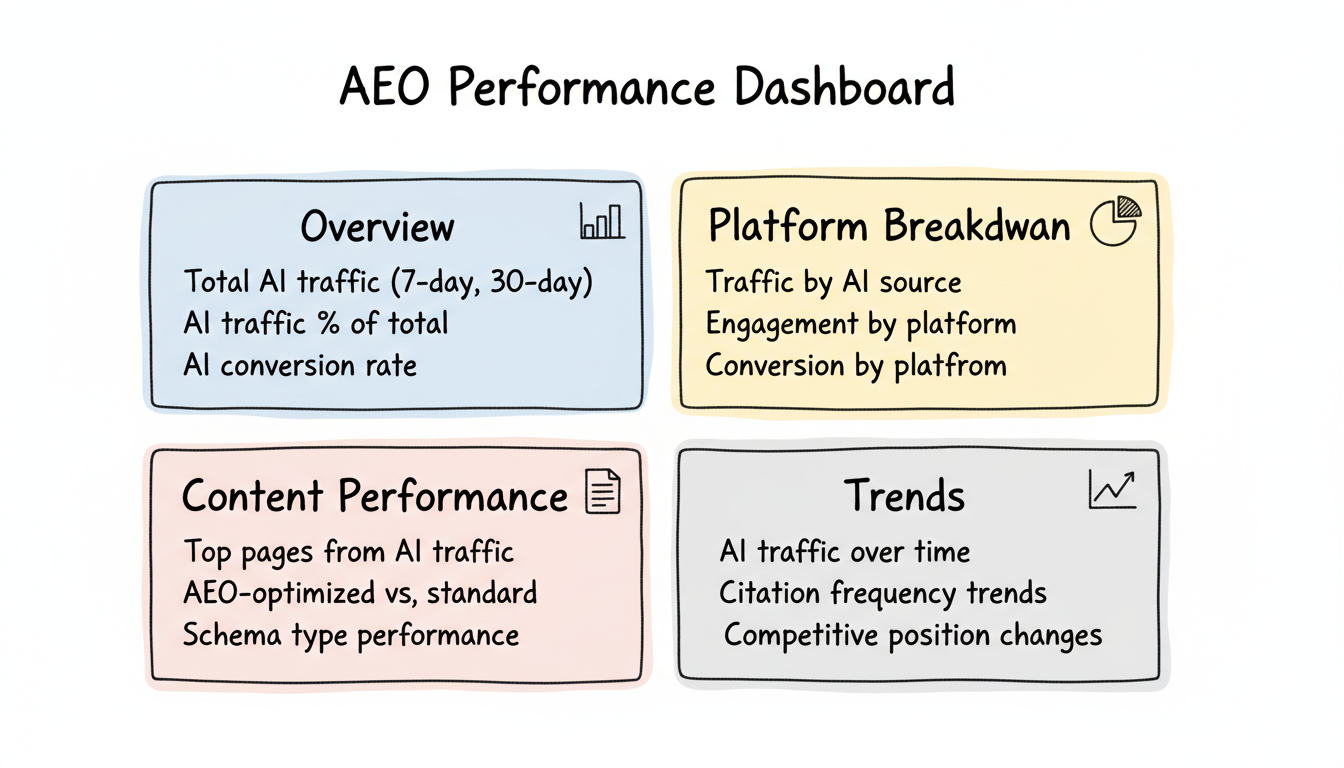
Build dashboards that surface actionable AEO insights.
 For Perplexity-specific tracking, Perplexity SEO optimization strategies require dedicated dashboard views to monitor citation patterns and traffic quality.
Create views answering key questions.
Recommended dashboard structure:
AEO Performance Dashboard
├── Overview
│   ├── Total AI traffic (7-day, 30-day)
│   ├── AI traffic % of total
│   └── AI conversion rate
│
├── Platform Breakdown
│   ├── Traffic by AI source
│   ├── Engagement by platform
│   └── Conversion by platform
│
├── Content Performance
│   ├── Top pages from AI traffic
│   ├── AEO-optimized vs. standard
│   └── Schema type performance
│
└── Trends
    ├── AI traffic over time
    ├── Citation frequency trends
    └── Competitive position changes
Build custom explorations for AEO analysis.
Setup explorations for:
Configure attribution to credit AI traffic appropriately.
AI often assists conversions completed through other channels.
Configuration considerations:
Assign values to AI-driven conversions for ROI calculation.
Implementation:
Verify tracking works before relying on data.
Component | Test Method | Expected Result |
AI referral detection | Visit from AI link | Appears in AI channel |
Custom events | Trigger event manually | Event appears in realtime |
Segments | Apply to historical data | Reasonable numbers |
Dashboard | Review all visualizations | Data populates correctly |
Issues to check:
Analytics setup requires ongoing maintenance.
Monthly tasks:
Quarterly tasks:
Set up AEO analytics systematically:
Analytics setup transforms AEO from guesswork to data-driven optimization. Invest time in proper configuration to measure what matters.
By submitting this form, you agree to our Privacy Policy and Terms & Conditions.



