
February 19, 2026


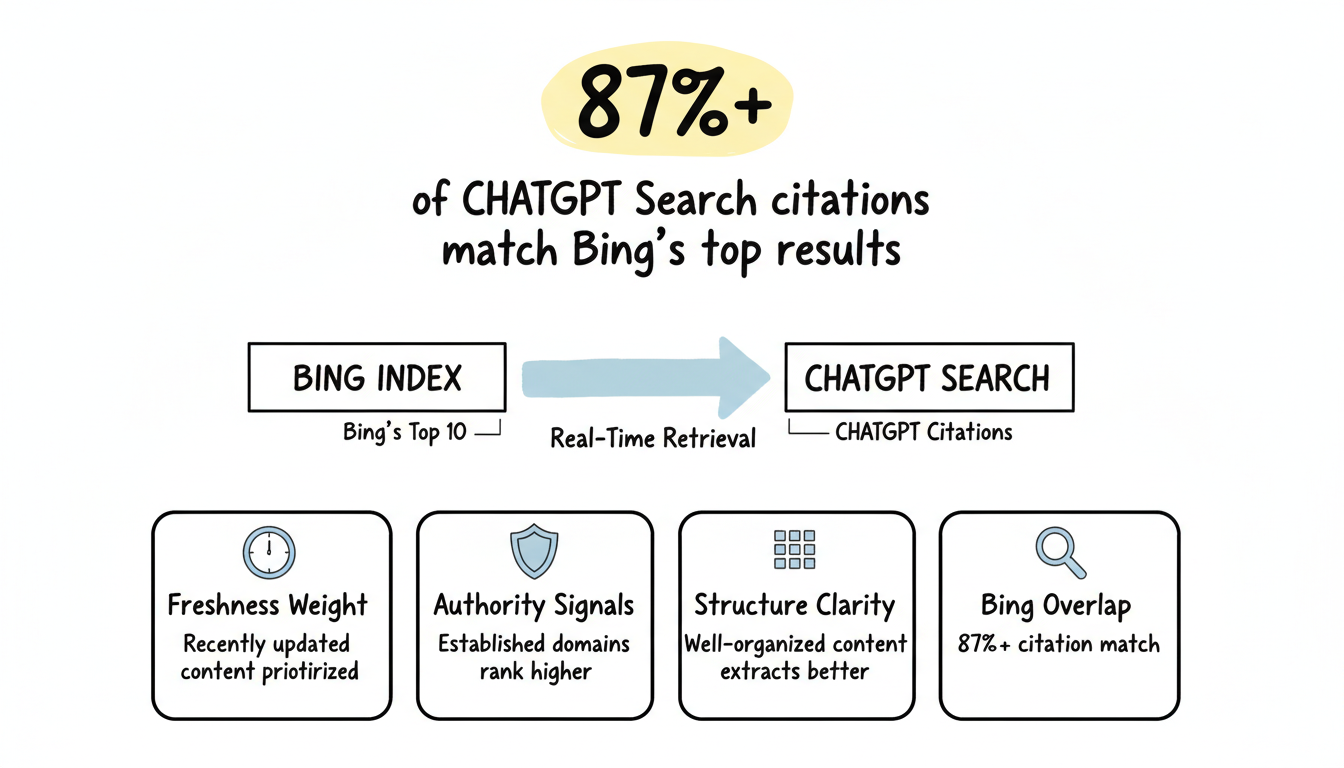
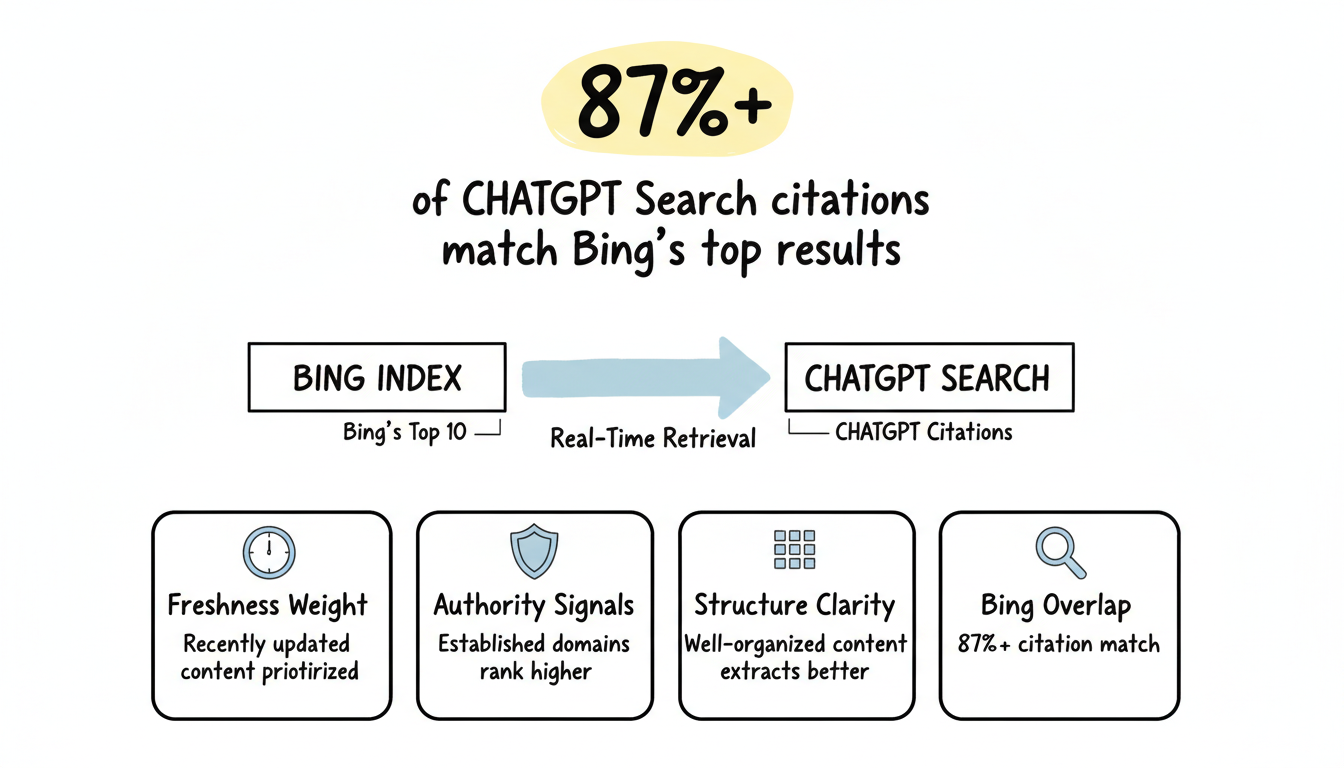
ChatGPT Search doesn't operate in isolation—it relies heavily on Bing's search index to provide real-time information. Research shows 87%+ of SearchGPT citations match Bing's top results. This means optimizing for Bing directly improves your ChatGPT visibility.
Bing Webmaster Tools is your control center for this optimization. This guide covers how to leverage Bing's tools specifically for AI search performance.
The connection between Bing and ChatGPT runs deep.
ChatGPT's search functionality uses multiple data sources:
Bing's search index – When ChatGPT's browse feature queries the web, it pulls primarily from Bing's indexed content. If your pages rank well in Bing, they're more likely to appear in ChatGPT responses.
OpenAI crawlers – ChatGPT also uses its own crawlers (OAI-SearchBot, ChatGPT-User, GPTBot) to access content directly, but Bing rankings still heavily influence which content gets surfaced.
Real-time retrieval – Unlike static training data, ChatGPT's browse mode fetches current information from Bing's index, meaning fresh, well-indexed content has immediate visibility opportunities.
Studies analyzing ChatGPT Search responses show:
Pattern | Finding |
Bing overlap | 87%+ of citations match Bing's top 10 results |
Freshness weight | Recently updated content gets priority |
Authority signals | Established domains rank higher |
Structure clarity | Well-organized content extracts better |
Ranking in Bing's top 10 for target queries significantly increases your ChatGPT citation probability.
If you haven't verified your site with Bing, start here.
Bing offers several verification approaches:
XML file upload – Download Bing's verification XML file and upload to your root directory.
HTML meta tag – Add Bing's verification meta tag to your homepage's head section.
DNS verification – Add a CNAME record to your domain's DNS settings.
Google Search Console import – If already verified in GSC, import settings with one click—this is the fastest method for most sites.
After verification, complete these setup tasks:
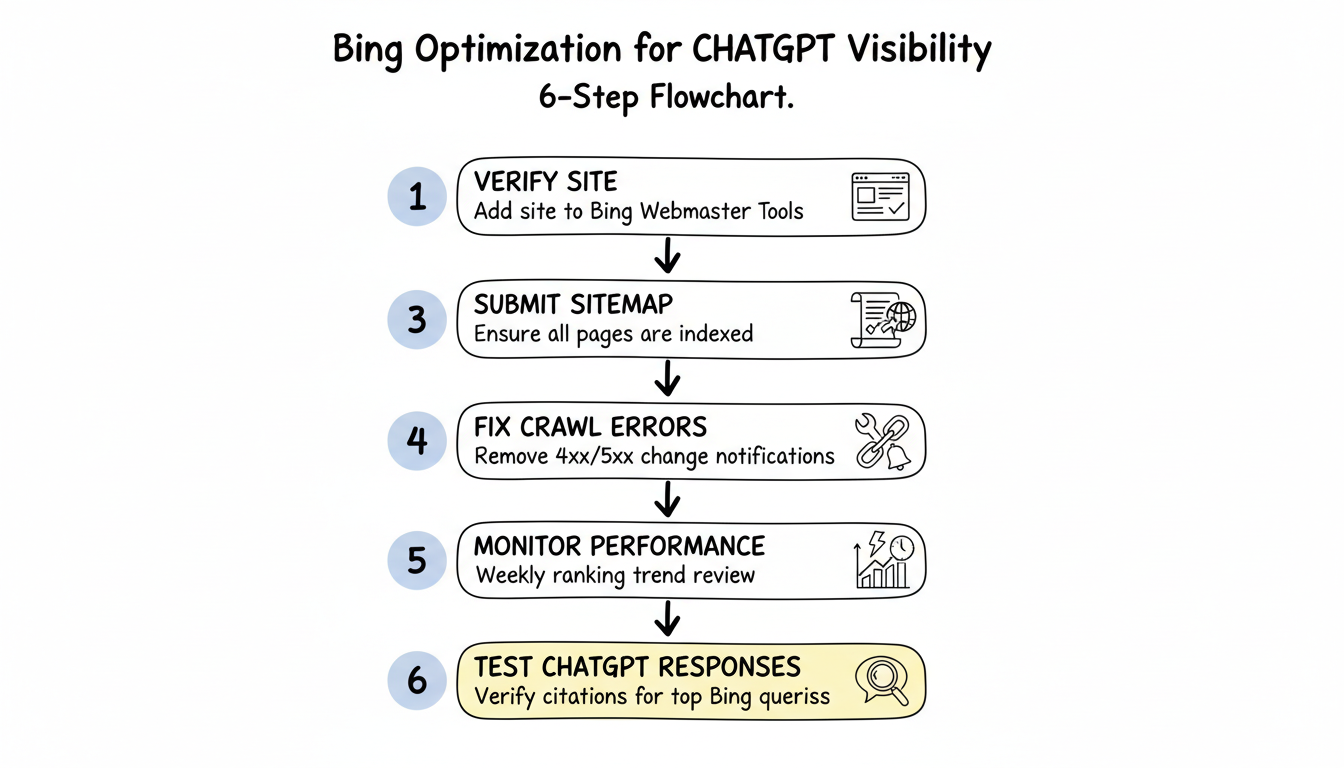
Submit your sitemap – Navigate to Sitemaps in Bing Webmaster Tools and submit your XML sitemap. This accelerates discovery and ensures Bing indexes all important pages.
Configure crawl settings – Review crawl rate settings to ensure Bing can efficiently access your content without overloading your server.
Enable IndexNow – IndexNow protocol notifies Bing immediately when you publish or update content, potentially accelerating your appearance in both Bing results and ChatGPT responses. This is essential for effective ai-search-engine-optimization.
Review user-agent access – Verify your robots.txt allows Bingbot access to important content.
Bing Webmaster Tools provides specific insights that inform AI search optimization.
Use URL Inspection to verify individual pages are properly indexed:
For high-priority content you want ChatGPT to cite, confirm Bing has properly indexed those pages.
Analyze your Bing search performance to understand baseline visibility:
Query data – See which search terms drive impressions and clicks from Bing. High-performing Bing queries indicate topics where ChatGPT may also surface your content.
Page performance – Identify which pages rank best in Bing. These pages have the highest ChatGPT citation potential.
Position tracking – Monitor ranking changes over time. Improvements in Bing rankings often correlate with increased AI visibility, making this crucial for your aeo-strategy.
Review crawling data to ensure Bing can access your content:
Crawl errors – Identify and fix 4xx/5xx errors preventing indexing. Pages Bing can't access won't appear in ChatGPT responses.
Crawl stats – Monitor how frequently Bing crawls your site. Low crawl rates may indicate issues requiring attention.
Blocked URLs – Review robots.txt and meta robots issues preventing indexing.
Bing's SEO reports highlight optimization opportunities:
Addressing these issues improves both Bing rankings and AI citation likelihood.
Apply these strategies within Bing Webmaster Tools to maximize ChatGPT performance.
Ensure your most important content is properly indexed:
ChatGPT can only cite content Bing has indexed.
Analyze Bing search queries to identify AI optimization opportunities:
Queries driving Bing visibility often translate to ChatGPT citations. Understanding these patterns helps when working with an aeo-agency to maximize your AI search presence.
Address technical problems surfaced in Bing Webmaster Tools:
Crawl errors – Fix blocked or error pages to ensure complete indexing.
Mobile issues – Resolve mobile rendering problems affecting user experience.
Speed problems – Improve page load times for better crawl efficiency.
Security warnings – Address any security issues flagged by Bing.
Technical problems in Bing impact AI visibility.
IndexNow provides instant notification to Bing when content changes:
Faster indexing means faster potential ChatGPT citations—especially valuable for time-sensitive content. This protocol represents a key difference when comparing aeo-vs-digital-marketing approaches.
Optimizing for Bing differs from Google optimization in several ways.
Exact match keywords – Bing weighs exact keyword matches more heavily than Google. Include target phrases directly in titles, headings, and content.
Social signals – Bing considers social media engagement as a ranking factor. Content shared on Facebook, X, and LinkedIn may rank better.
Multimedia optimization – Bing indexes images and videos more aggressively. Optimize multimedia with descriptive file names and alt text.
Backlink quality – Bing emphasizes backlink quality and domain age. Older, established domains often outperform newer sites.
Meta keywords – While Google ignores meta keywords, Bing may still consider them. Include relevant terms in meta keyword tags.
Clean HTML – Bing prefers cleaner HTML structure. Validate markup and minimize unnecessary code.
Flash/Silverlight – Legacy consideration—Bing historically handled Flash content better, though this matters less in 2026.
Bing Webmaster Tools fits into broader AI visibility efforts.
Use Bing data alongside AI visibility tracking:
Improvements for Bing often benefit other platforms:
Bing optimization serves as foundation for broader AI search presence.
Begin Bing optimization with these steps:
Bing Webmaster Tools provides the foundation for ChatGPT search visibility. Master these basics before investing in advanced AI optimization tools.
No, but it significantly increases probability. Research shows 87%+ of ChatGPT Search citations match Bing's top results. However, ChatGPT also considers content structure, authority, and relevance to the specific query context. Bing rankings are necessary but not sufficient for consistent AI citations.
IndexNow notifies Bing within minutes of content changes. Bing typically processes submissions within hours to a day. ChatGPT's browse feature then accesses Bing's updated index. For time-sensitive content, IndexNow can reduce visibility lag from days to hours.
By submitting this form, you agree to our Privacy Policy and Terms & Conditions.



