
February 19, 2026


Microsoft Copilot in Word has transformed document creation from a blank-page challenge into an interactive, conversational experience. With Agent Mode and what Microsoft calls "vibe writing," users can describe what they want and let Copilot generate, refine, and enhance content using context from across the Microsoft 365 ecosystem. Understanding how Copilot discovers and uses content helps you optimize your documents for maximum AI visibility.
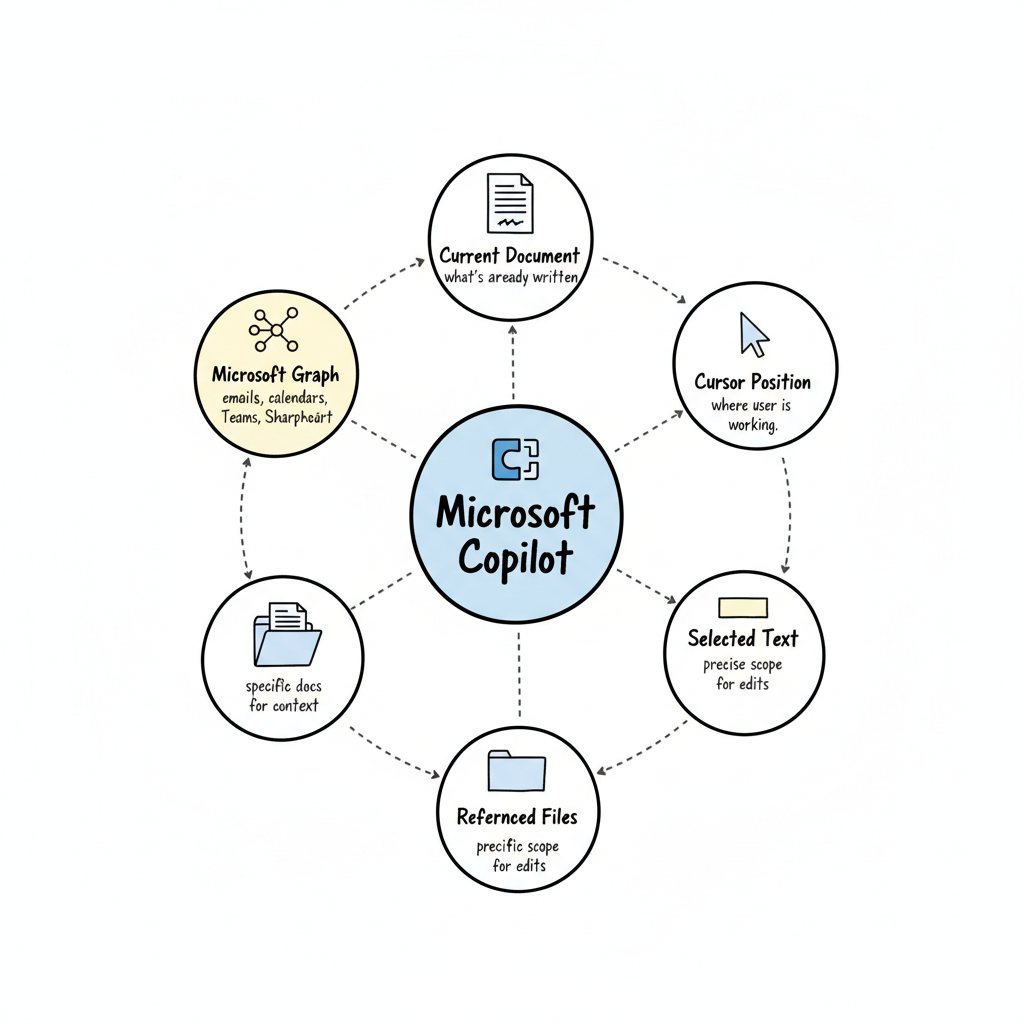
Copilot in Word operates differently from standalone AI assistants. It's deeply integrated with Microsoft Graph, giving it access to organizational context including documents, spreadsheets, emails, calendars, Teams conversations, and SharePoint files.
When a user prompts Copilot, it considers:
This means Copilot doesn't just generate generic responses—it creates contextually relevant content grounded in actual business data and documents.
Microsoft's Agent Mode represents a shift in how AI assists with document creation. Rather than single-prompt interactions, Copilot can now handle multi-step workflows while maintaining context. Users describe the "vibe" they want—professional, casual, persuasive, technical—and Copilot adapts its output accordingly. This approach to microsoft-copilot-optimization differs from traditional AI writing tools by maintaining conversational continuity across multiple edits.
For your content to be discoverable by Copilot when users reference documents or search organizational knowledge, it needs proper structure and clarity.
Clear, descriptive file names help Copilot understand document purpose:
Copilot pulls context from files users have access to. Organize content for discoverability:
Well-structured documents allow Copilot to extract and reference specific sections accurately. These structural principles align with broader generative-search-engine-optimization strategies that help AI systems parse and understand content hierarchies.
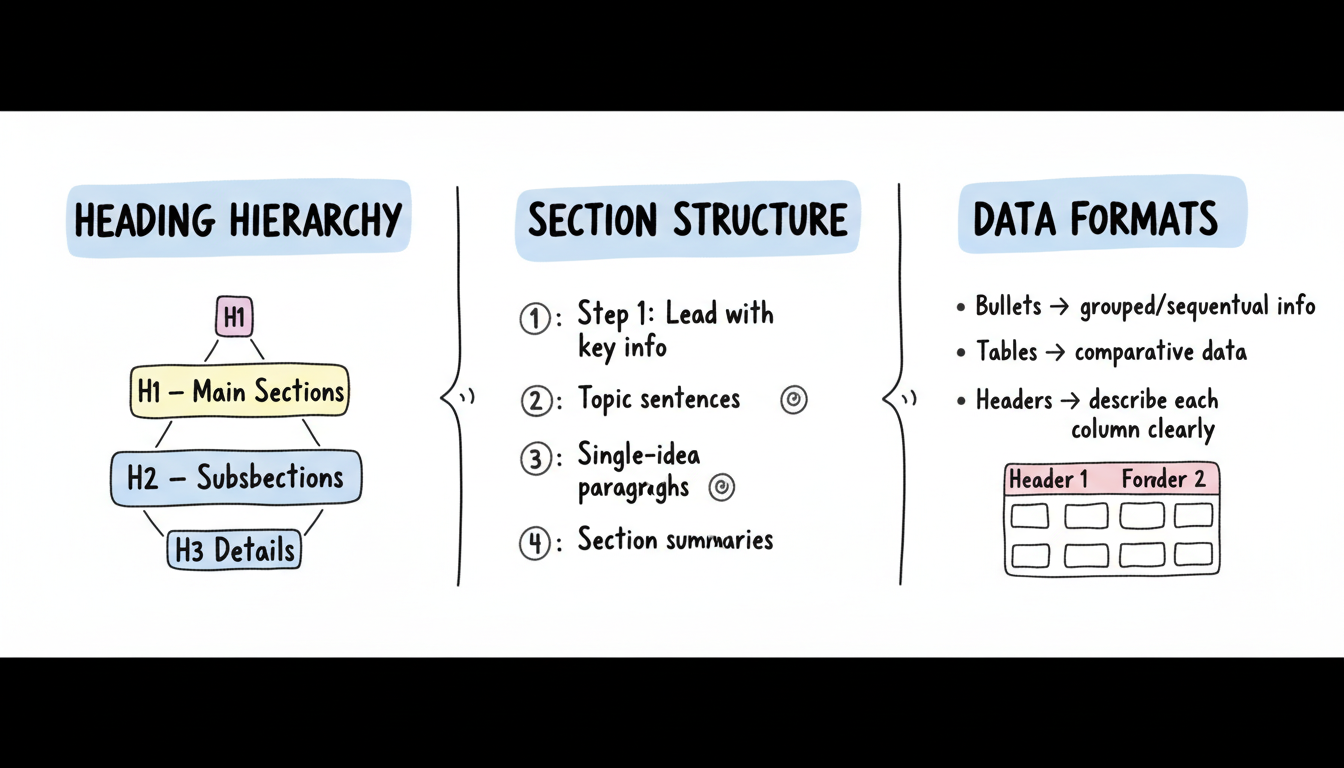
Use Word's built-in heading styles (Heading 1, Heading 2, etc.) rather than manually formatted bold text:
This hierarchy helps Copilot understand document organization and navigate to relevant sections when users ask questions.
Structure content so each section has a clear purpose:
Copilot excels at extracting structured data:
AI systems understand content better when language is precise and unambiguous.
Make relationships and conclusions explicit rather than implied:
Include Q&A sections or FAQ formats when appropriate. These patterns work well for chatgpt-optimization-tactics and other AI systems that recognize structured question-answer formats:
When Copilot generates content referencing your documents, proper citations and references help maintain accuracy.
Organizations can optimize their entire content ecosystem for Copilot effectiveness.
Establish standards that improve AI discoverability:
For organizations using SharePoint or other knowledge repositories, implementing comprehensive aeo-implementation-services can ensure your content infrastructure supports AI discovery:
Copilot only accesses content users have permission to view:
No. Good document structure and clear writing benefit both human readers and Copilot. The same practices that make documents easy to read—clear headings, organized sections, explicit language—help Copilot understand and reference content accurately.
Copilot respects existing permissions. It only accesses documents the individual user has permission to view. Content in restricted folders or with limited sharing won't appear in Copilot responses for unauthorized users.
Copilot prioritizes content based on relevance to the prompt, recency, and context. Documents that directly answer user questions, are recently updated, and are well-structured tend to be referenced more frequently.
Focus on creating well-structured, comprehensive documents for human audiences. These same documents will serve Copilot well. Avoid creating duplicate "AI-optimized" versions—maintain single sources of truth.
By submitting this form, you agree to our Privacy Policy and Terms & Conditions.



