The Reddit Pixel enables conversion tracking for your advertising campaigns, connecting ad clicks to actions on your website. Without proper reddit pixel setup, you're flying blind—unable to measure ROI, optimize campaigns, or build retargeting audiences.

This guide covers complete installation, event configuration, and verification to ensure accurate conversion tracking.

What the Reddit Pixel Does

The Reddit Pixel is a JavaScript code snippet that:

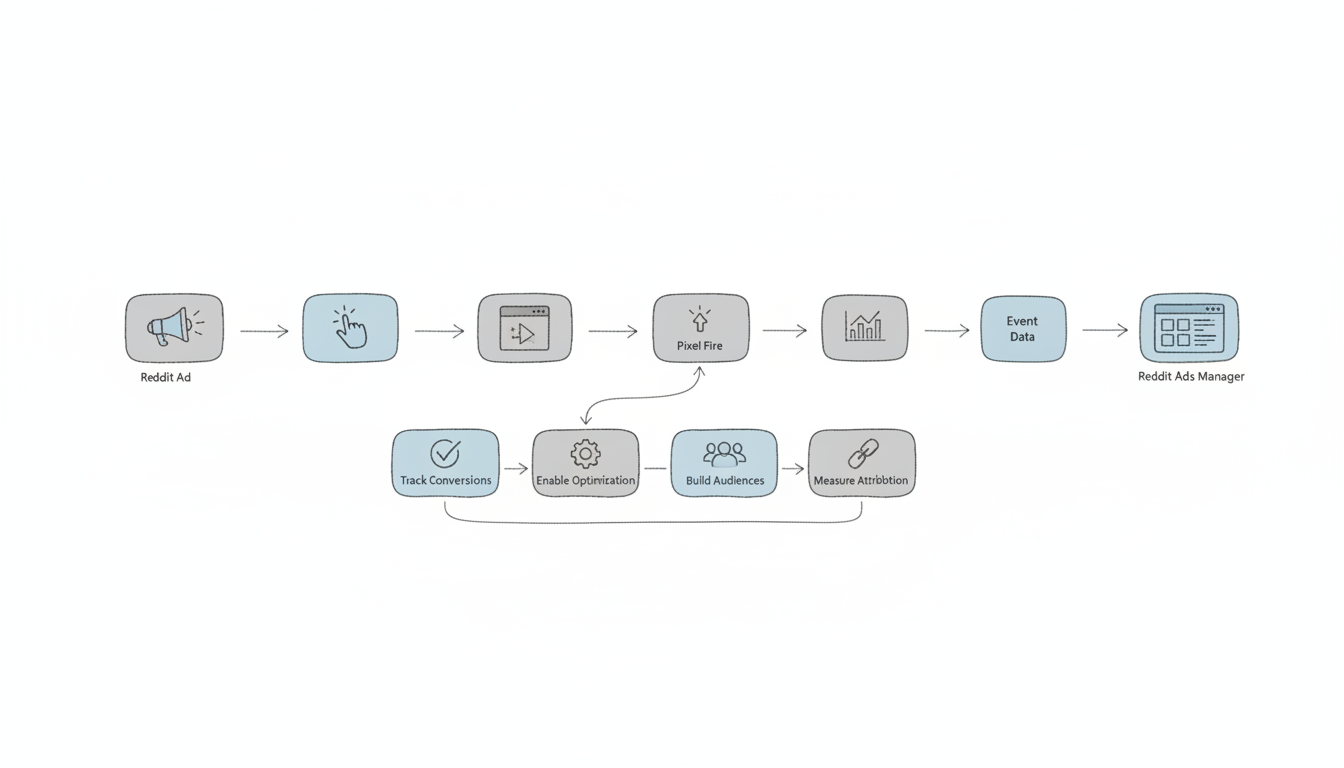
  • Tracks conversions: Records when ad viewers complete desired actions
  • Enables optimization: Provides data for Reddit's algorithm to optimize delivery
  • Builds audiences: Creates retargeting segments from website visitors
  • Measures attribution: Connects ad spend to business outcomes

Without the pixel, Reddit Ads operates without feedback signals. With it, campaigns can optimize toward actual business results.
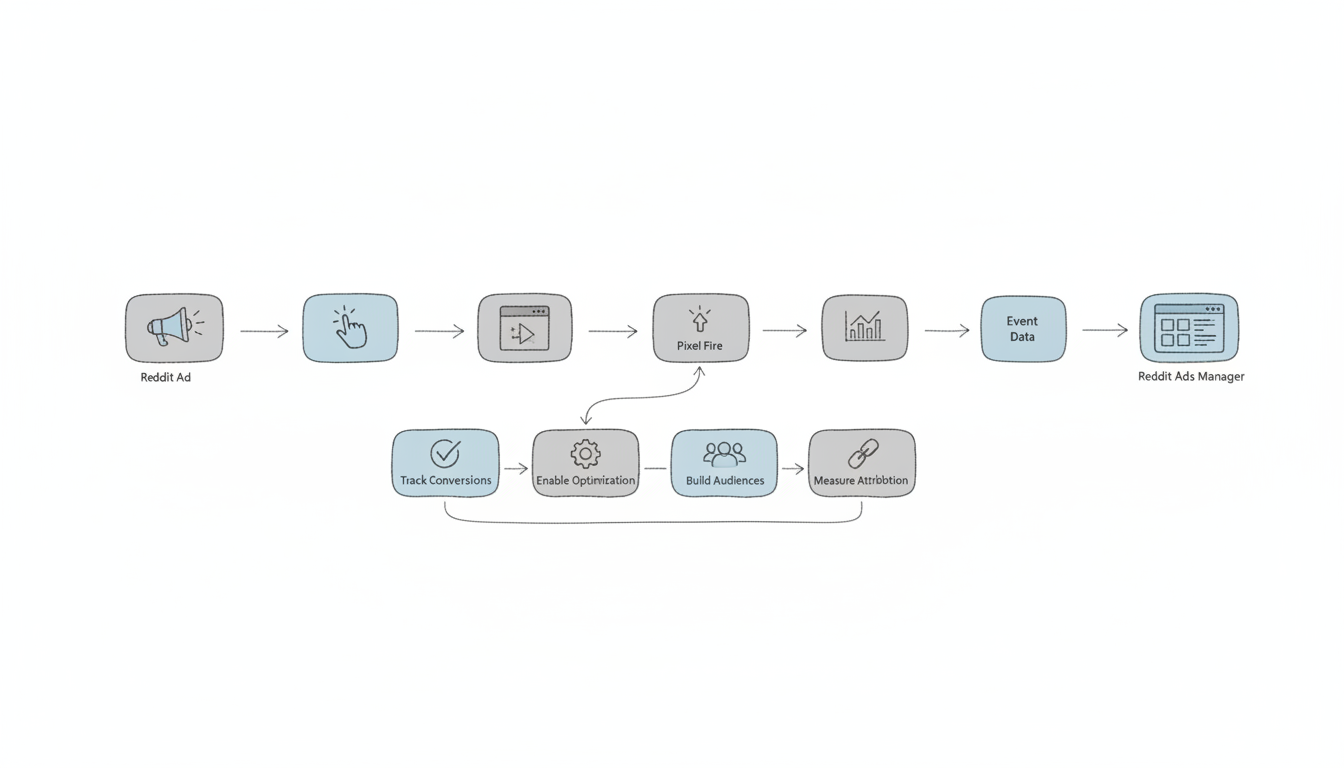
Reddit Pixel tracking flow showing how ad clicks connect to website conversions

Prerequisites

Before starting installation:

  1. Reddit Ads account: Active advertiser account with billing configured
  2. Website access: Ability to edit your site's HTML or use a tag manager
  3. Admin permissions: Access to Reddit Ads Manager conversion settings
  4. SSL certificate: Your website must use HTTPS

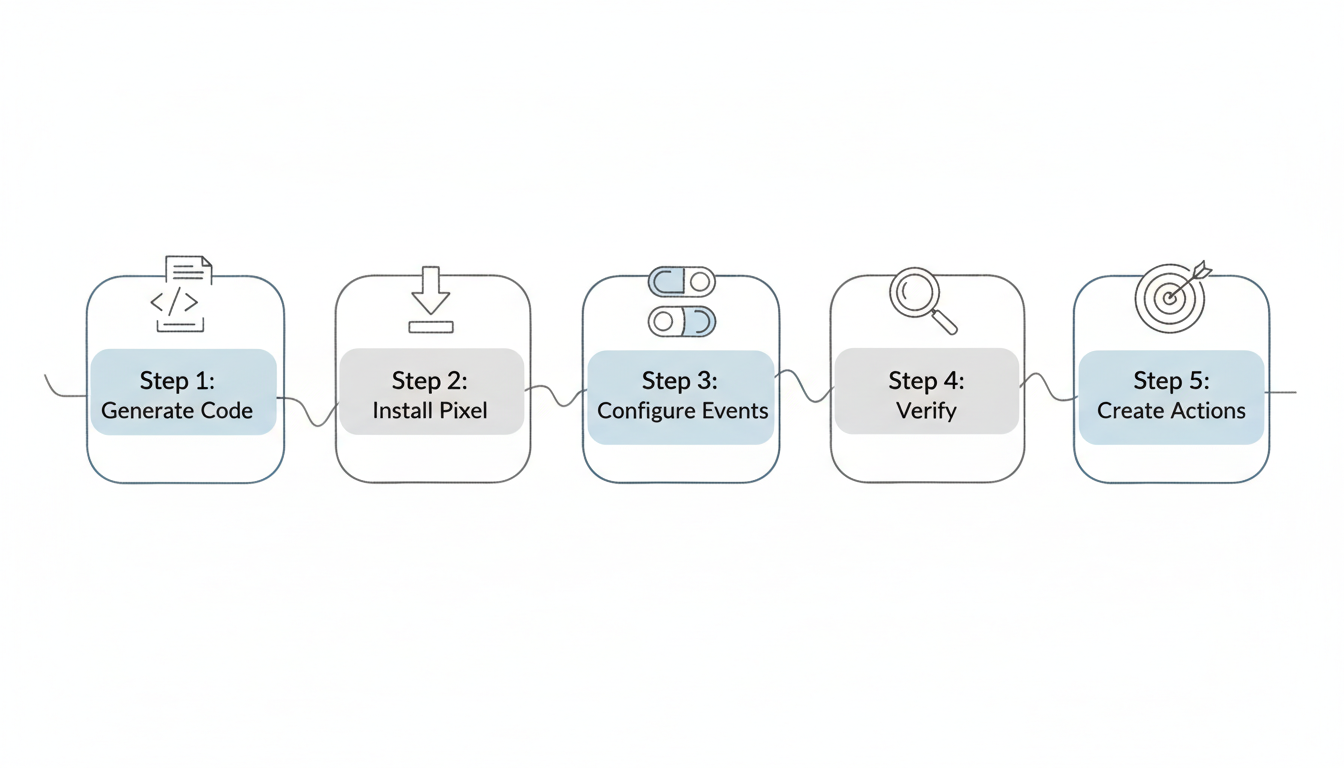
Reddit Pixel setup process overview showing 5 steps from code generation to conversion actions

Step 1: Generate Your Pixel Code

  1. Log into Reddit Ads Manager
  2. Navigate to Events Manager (left sidebar)
  3. Click Set Up Reddit Pixel
  4. Reddit generates your unique pixel code

Your pixel code looks like this:

<!-- Reddit Pixel -->
<script>
!function(w,d){if(!w.rdt){var p=w.rdt=function(){p.sendEvent?p.sendEvent.apply(p,arguments):p.callQueue.push(arguments)};p.callQueue=[];var t=d.createElement("script");t.src="https://www.redditstatic.com/ads/pixel.js",t.async=!0;var s=d.getElementsByTagName("script")[0];s.parentNode.insertBefore(t,s)}}(window,document);
rdt('init','PIXEL_ID');
rdt('track', 'PageVisit');
</script>
<!-- End Reddit Pixel -->

The PIXEL_ID is your unique identifier. Keep this code—you'll need it for installation.

Step 2: Install the Base Pixel

Option A: Direct Installation

Add the pixel code to your website's <head> section on every page:

  1. Access your website's HTML template or theme files
  2. Locate the <head> section
  3. Paste the pixel code before the closing </head> tag
  4. Save and publish changes

For WordPress, add to your theme's header.php or use the "Insert Headers and Footers" plugin.

Option B: Google Tag Manager

  1. In GTM, click Tags > New
  2. Select Custom HTML tag type
  3. Paste your Reddit Pixel code
  4. Set trigger to All Pages
  5. Save and publish the container

GTM installation allows easier management and doesn't require editing website code directly. For comprehensive setup guidance, review our reddit advertising best practices before configuring your tracking infrastructure.

Option C: Platform Integrations

Popular platforms offer native Reddit Pixel integrations:

  • Shopify: Settings > Customer Events > Add Custom Pixel
  • WordPress/WooCommerce: Use official plugins or header injection
  • Squarespace: Settings > Advanced > Code Injection
  • Webflow: Project Settings > Custom Code > Head Code

Step 3: Configure Conversion Events

The base pixel tracks PageVisit automatically. For meaningful conversion tracking, configure additional events:

Standard Events

Reddit supports eight standard conversion events:

Event

Use Case

PageVisit

All page views (automatic)

ViewContent

Product page views

Search

Site searches

AddToCart

Shopping cart additions

AddToWishlist

Wishlist additions

Purchase

Completed transactions

Lead

Form submissions, sign-ups

SignUp

Account registrations

Implementing Events

Add event tracking code where conversions occur:

Lead capture (form submission):

<script>
rdt('track', 'Lead');
</script>

Purchase confirmation:

<script>
rdt('track', 'Purchase', {
  value: 99.00,
  currency: 'USD'
});
</script>

Add to cart:

<script>
rdt('track', 'AddToCart', {
  value: 49.00,
  currency: 'USD'
});
</script>

Include optional parameters for richer data:

  • value: Transaction amount (numeric)
  • currency: Three-letter currency code (USD, EUR, GBP)
  • itemCount: Number of items
  • transactionId: Unique order identifier

Step 4: Verify Installation

Reddit Pixel Helper

Install the Reddit Pixel Helper browser extension:

  1. Add the extension from Chrome Web Store
  2. Visit your website
  3. Click the extension icon
  4. Verify pixel fires and events trigger correctly

Green indicators confirm proper installation. Red flags identify issues.

Events Manager Verification

In Reddit Ads Manager:

  1. Go to Events Manager
  2. Check Recent Activity for incoming events
  3. Verify events appear within 24 hours of installation
  4. Confirm event counts match expected traffic

Test Mode

Enable test mode during setup:

  1. Trigger events on your website
  2. Verify they appear in Events Manager
  3. Check event parameters display correctly
  4. Disable test mode before launching campaigns

Step 5: Create Conversion Actions

Link pixel events to campaign optimization:

  1. In Events Manager, click Create Conversion Action
  2. Select the pixel event to track
  3. Configure attribution window (7-day click, 1-day view typical)
  4. Name your conversion action descriptively
  5. Enable for campaign optimization

Attribution Windows

Choose attribution windows based on your sales cycle:

  • Short cycles (impulse purchases): 1-day click, 1-day view
  • Medium cycles (considered purchases): 7-day click, 1-day view
  • Long cycles (B2B, high-value): 28-day click, 7-day view

B2B advertisers often undercount conversions with short windows. Extend to 28-30 days for accurate measurement. Understanding these nuances is critical when developing your reddit advertising strategy.

Troubleshooting Common Issues

Pixel Not Firing

Symptoms: No events in Events Manager, Pixel Helper shows errors

Solutions:

  • Verify pixel code is in <head> section, not <body>
  • Check for JavaScript errors blocking execution
  • Confirm PIXEL_ID matches your account
  • Clear cache and test in incognito mode

Duplicate Events

Symptoms: Event counts higher than actual conversions

Solutions:

  • Remove duplicate pixel installations
  • Check GTM for multiple tags
  • Verify events fire once per action, not on page load

Events Not Matching Conversions

Symptoms: More conversions reported than actual transactions

Solutions:

  • Fire Purchase events only on confirmation pages
  • Add transaction ID to prevent duplicates
  • Verify thank-you page doesn't reload/trigger multiple events

Cross-Domain Tracking

Symptoms: Conversions lost when users cross domains

Solutions:

  • Install pixel on all domains in conversion path
  • Configure cross-domain tracking in pixel settings
  • Use consistent PIXEL_ID across all properties

Advanced Configuration

Conversion API (CAPI)

For enhanced tracking accuracy, implement server-side Conversion API alongside the pixel:

  • Captures conversions blocked by ad blockers
  • Provides more reliable data for optimization
  • Reduces dependence on browser-side tracking
  • Recommended for high-value conversion tracking

Programmatic integration via the reddit ads api enables more sophisticated conversion handling for enterprise implementations.

Dynamic Remarketing

Use pixel data to build custom audiences:

  • Website visitors (all pages)
  • Product viewers (specific categories)
  • Cart abandoners (AddToCart without Purchase)
  • Past purchasers (for exclusion or upsell)

FAQs

How long does it take for pixel data to appear?

Events typically appear in Events Manager within a few hours of installation. Full data population may take 24-48 hours. If no events appear after 48 hours with confirmed website traffic, revisit installation steps and use the Pixel Helper to diagnose issues.

Can I use the same pixel across multiple websites?

Yes, a single pixel can track across multiple domains you own. Install the same pixel code on each website. This provides unified audience data and cross-site conversion tracking. Use URL parameters or event customization to distinguish between properties in reporting.

You must comply with privacy regulations in your jurisdiction. The pixel should only fire after users consent to tracking where required (GDPR, CCPA). Most consent management platforms support conditional pixel loading. Configure your CMP to gate Reddit Pixel activation on user consent.

Get started with Stackmatix!

Get Started

Join thousands of venture-backed founders and marketers getting actionable growth insights from Stackmatix.

Thank you! Your submission has been received!
Oops! Something went wrong while submitting the form.

By submitting this form, you agree to our Privacy Policy and Terms & Conditions.

Related Blogs