
February 19, 2026


When TikTok ads aren't spending or delivering impressions, it's frustrating—especially when your campaign is time-sensitive. The good news is that most delivery issues have identifiable causes and straightforward fixes.
This guide walks through the most common reasons TikTok ads fail to spend and provides step-by-step troubleshooting to get your campaigns delivering again.
TikTok ads can stop spending for several reasons, ranging from simple configuration errors to account-level issues.
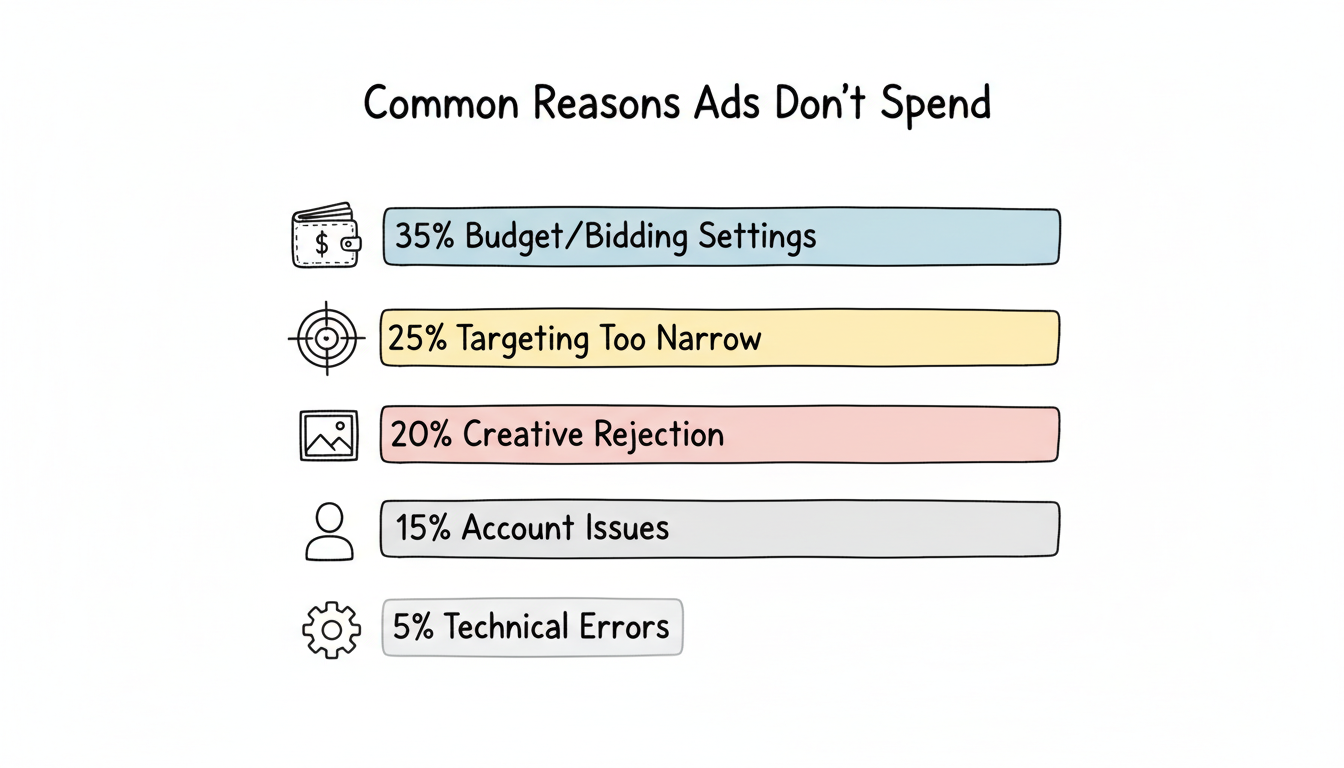
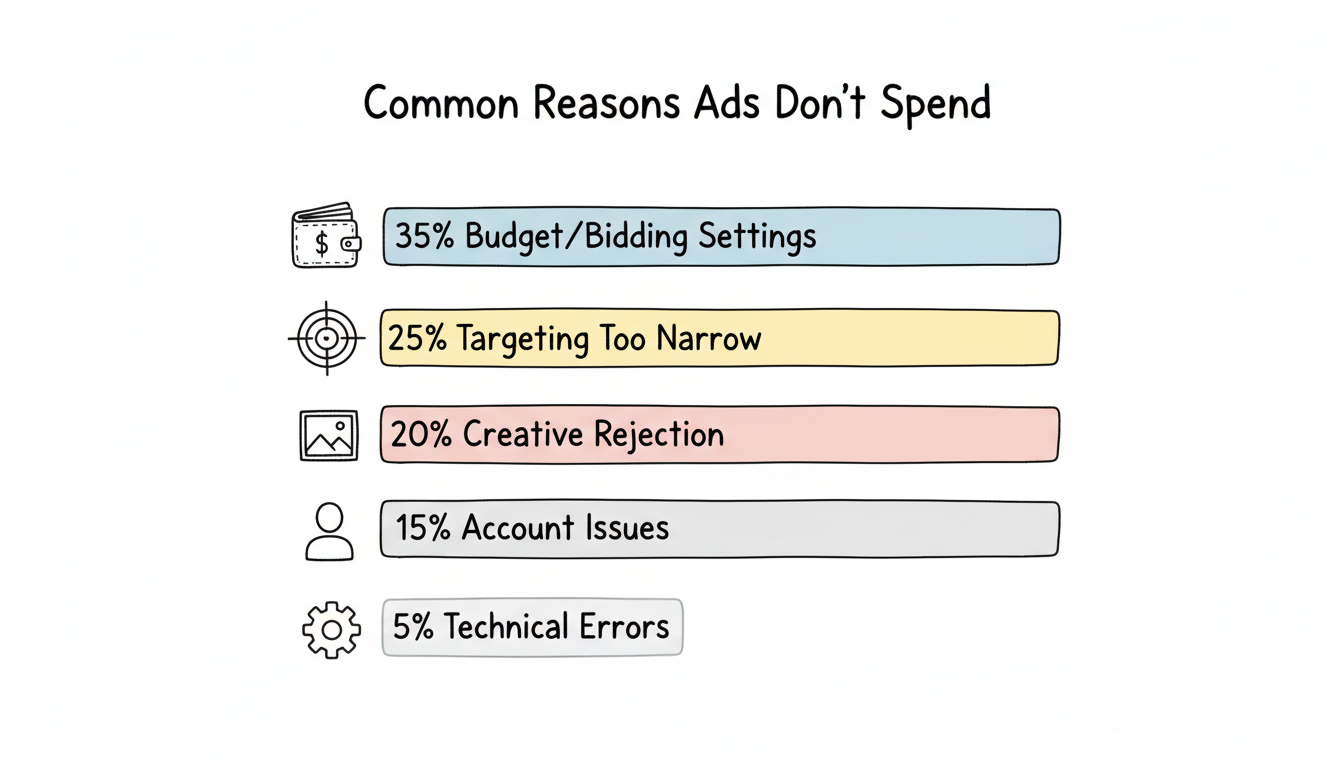
According to TikTok advertising troubleshooting resources, the most common delivery problems in 2026 fall into these categories:
Issue Category | Frequency | Typical Fix Time |
Budget/bidding settings | 35% | Minutes |
Targeting too narrow | 25% | Minutes to hours |
Creative rejection | 20% | Hours to days |
Account issues | 15% | Days to weeks |
Technical errors | 5% | Variable |
Start troubleshooting with the most common causes before investigating complex issues.
Budget configuration problems are the leading cause of ads not spending. Understanding tiktok-roas-benchmarks can help you set appropriate budgets and bids for your campaigns.
TikTok requires minimum budgets to participate effectively in the ad auction:
Level | Minimum Budget |
Campaign | $50/day |
Ad group | $20/day |
If your budget falls below these thresholds, TikTok may limit or prevent delivery entirely.
Fix: Increase your daily budget to at least $20 per ad group. For new campaigns, TikTok recommends starting with higher budgets to exit the learning phase faster.
If you're using Cost Cap bidding with a bid that's too low for your audience, TikTok won't be able to win auctions.
Signs of bid issues:
Fix:
Lifetime budget campaigns stop spending once the budget is depleted—even if the end date hasn't arrived.
Fix: Check remaining budget in Ads Manager. Either add more budget or switch to daily budget pacing.
Failed payments immediately halt all campaign delivery.
Check for:
Fix: Navigate to Payment Settings in Ads Manager and verify your payment method. Add a backup payment method to prevent future interruptions.
Overly restrictive targeting limits the available audience pool, making it difficult for TikTok to deliver ads efficiently.
TikTok shows estimated audience size when configuring targeting. If this number is too small (under 1 million), delivery may be inconsistent or nonexistent.
Common causes of narrow audiences:
Fix: Expand targeting incrementally:
Running multiple ad groups targeting the same audience creates internal competition, fragmenting delivery.
Signs of overlap:
Fix: Use TikTok's Audience Overlap tool to identify conflicts. Either consolidate overlapping ad groups or create distinct audience segments.
Custom audience exclusions that are too broad can eliminate most of your target audience.
Fix: Review exclusion lists. Remove overly aggressive exclusions or verify that exclusion audiences haven't grown unexpectedly.
Creative issues prevent ads from entering the auction entirely. If you're considering tiktok-ugc-ads-strategy as part of your creative approach, ensure your content follows TikTok's guidelines to avoid rejection.
TikTok reviews all ads before delivery. Rejected ads show "Not Approved" status and include rejection reasons.
According to TikTok policy guidelines, common rejection reasons include:
Violation | Description |
Prohibited content | Adult content, weapons, drugs, etc. |
Misleading claims | Unsubstantiated results, fake reviews |
Safe zone violations | Text obscured by UI elements |
Landing page mismatch | Ad content doesn't match destination |
Low quality | Blurry video, unclear audio |
Fix:
New ads undergo review before delivery begins. Review typically takes 24-48 hours but can extend during high-volume periods.
Fix: Wait for review completion. Avoid editing ads during review, as this restarts the process. Plan creative submissions 2-3 days before launch dates.
TikTok's interface covers portions of the ad creative. Text or important visuals placed in these areas won't be visible to users.
Safe zones to avoid:
Fix: Use TikTok's Creative Center preview tool to verify safe zone compliance before uploading.
Ads that previously performed well may stop delivering after extended use due to audience saturation.
Signs of fatigue:
According to TikTok marketing research, creative fatigue accelerates on TikTok due to high content consumption rates. Refresh creative every 7-14 days.
Fix: Upload new creative variations. Test different hooks, formats, or messaging approaches.
Account-level problems affect all campaigns simultaneously. If you're facing persistent delivery challenges, you might be wondering is-tiktok-advertising-worth-it-2026 given these hurdles.
New accounts or accounts flagged for policy concerns may be placed under review, pausing all ad delivery.
Fix: Check for notifications in Ads Manager. If under review, wait for TikTok to complete their assessment. Contact TikTok support if review extends beyond 7 days.
Policy violations can result in account suspension. According to TikTok brand safety guidelines, repeated violations—especially regarding prohibited products or misleading claims—lead to suspension. For help with this issue, see our guide on tiktok-ad-account-suspended-reinstatement.
Fix:
Some regions and ad types require business verification before delivery.
Fix: Navigate to Account Settings > Business Verification and complete the required documentation.
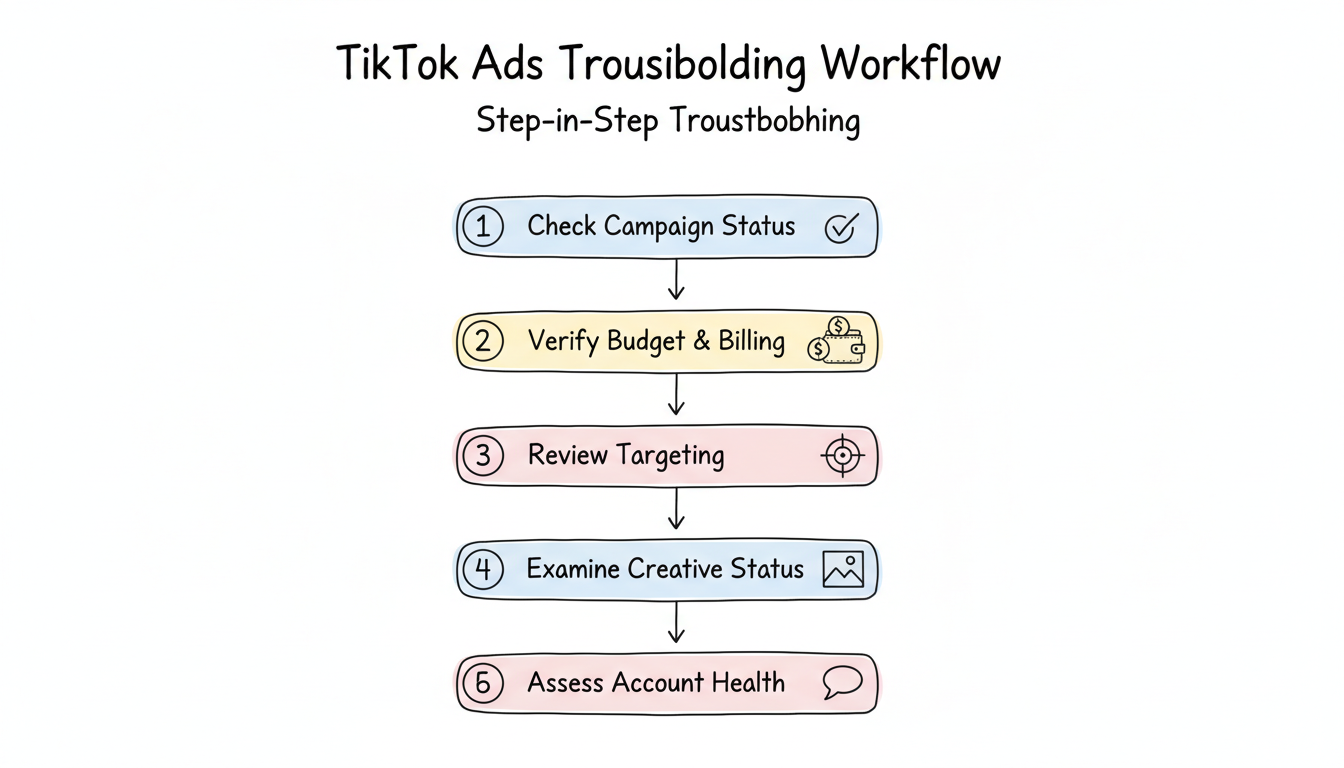
Follow this systematic approach when ads aren't spending:
If issues persist after troubleshooting:
An "Active" status only means the campaign is turned on—it doesn't guarantee delivery. Zero impressions typically indicate bid issues (too low to win auctions), targeting too narrow (insufficient audience pool), or creative still under review. Check the delivery column for specific warnings like "Limited by bid" or "Learning" phase indicators.
Allow 24-48 hours for new campaigns to begin delivering. TikTok's learning phase requires time to identify your optimal audience. According to TikTok bidding documentation, performance fluctuates before passing the learning phase—this is normal. If you see zero impressions after 48 hours, begin troubleshooting.
Sudden spending stops usually indicate payment failures, budget exhaustion, or policy violations. Check your payment method first (most common cause), then verify remaining budget. If both are fine, look for any new notifications about creative rejection or account review that may have triggered after a policy audit.
By submitting this form, you agree to our Privacy Policy and Terms & Conditions.



