
February 19, 2026


Google AI Overviews have become a fixture of the search experience, appearing at the top of results for roughly 15% of queries. For users who prefer traditional blue-link results—or SEO professionals researching competitor rankings—the question of disabling AI Overviews comes up frequently. The honest answer: there's no permanent off switch, but several workarounds exist to get closer to a traditional search experience.
According to H2S Media's AI mode guide, there is no single, permanent OFF switch that completely removes AI from your Google search experience. Google controls the search service through their servers, not through your browser—Chrome is just the window, and what you see through that window is determined by Google's infrastructure.
Understanding motivations helps determine which workaround fits your needs.
According to LinkedIn's AI Overview analysis, Google's quiet admission reflects ongoing issues with AI Overviews producing inaccurate information, fabricated sources, wrong citations, and hallucinated content. These problems stem from limitations in large language model synthesis combined with retrieval challenges and ambiguous or rapidly changing queries.
Common reasons to disable AI Overviews:
Reason | Use Case | Priority |
Research accuracy | Verifying sources directly | High |
SERP analysis | Studying traditional rankings | SEO professionals |
Information verification | Avoiding AI hallucinations | Quality-focused users |
Click-through preference | Wanting full page context | Traditional searchers |
Performance | Faster page loads | Speed-conscious users |
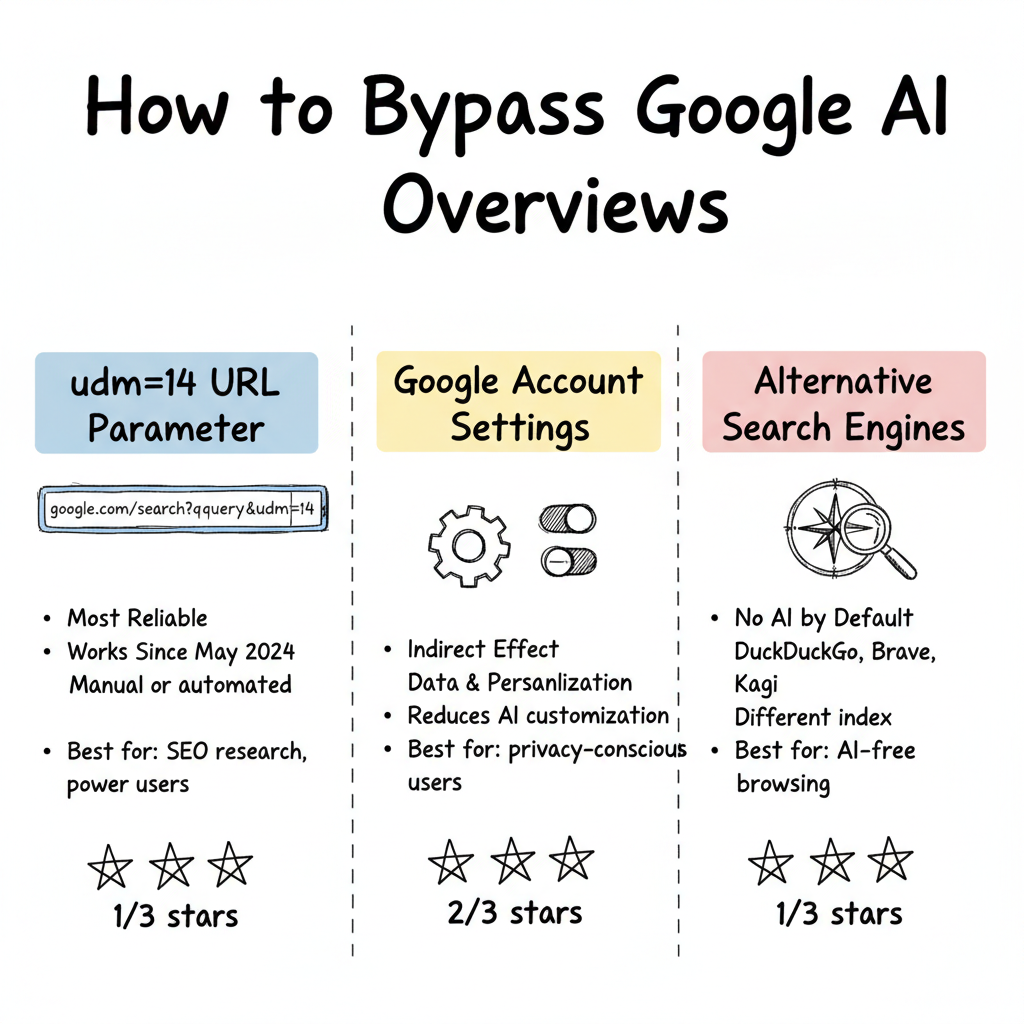
The most reliable workaround uses a URL parameter to force traditional results.
According to H2S Media, the URL parameter &udm=14 forces Google to display Web-only results automatically. When you search Google, appending &udm=14 to the URL achieves the same effect as clicking the Web filter, but it can be automated. This parameter has been available since May 2024 and continues to work as of January 2026.
How to implement udm=14:
Standard Method
├── Manual Addition
│   ├── Search normally on Google
│   ├── Add &udm=14 to URL
│   ├── Results show without AI Overview
│   └── Bookmark modified URL
│
├── Custom Search Engine
│   ├── Chrome: Settings → Search Engines → Add
│   ├── URL: https://www.google.com/search?q=%s&udm=14
│   ├── Set as default if desired
│   └── All searches bypass AI
│
├── Alternative Sites
│   ├── udm14.com - Adds parameter automatically
│   ├── tenbluelinks.org - Same functionality
│   └── Simple search portals
│
└── Browser Extensions
    ├── Various extensions redirect
    ├── Less reliable than manual methods
    └── May break with updates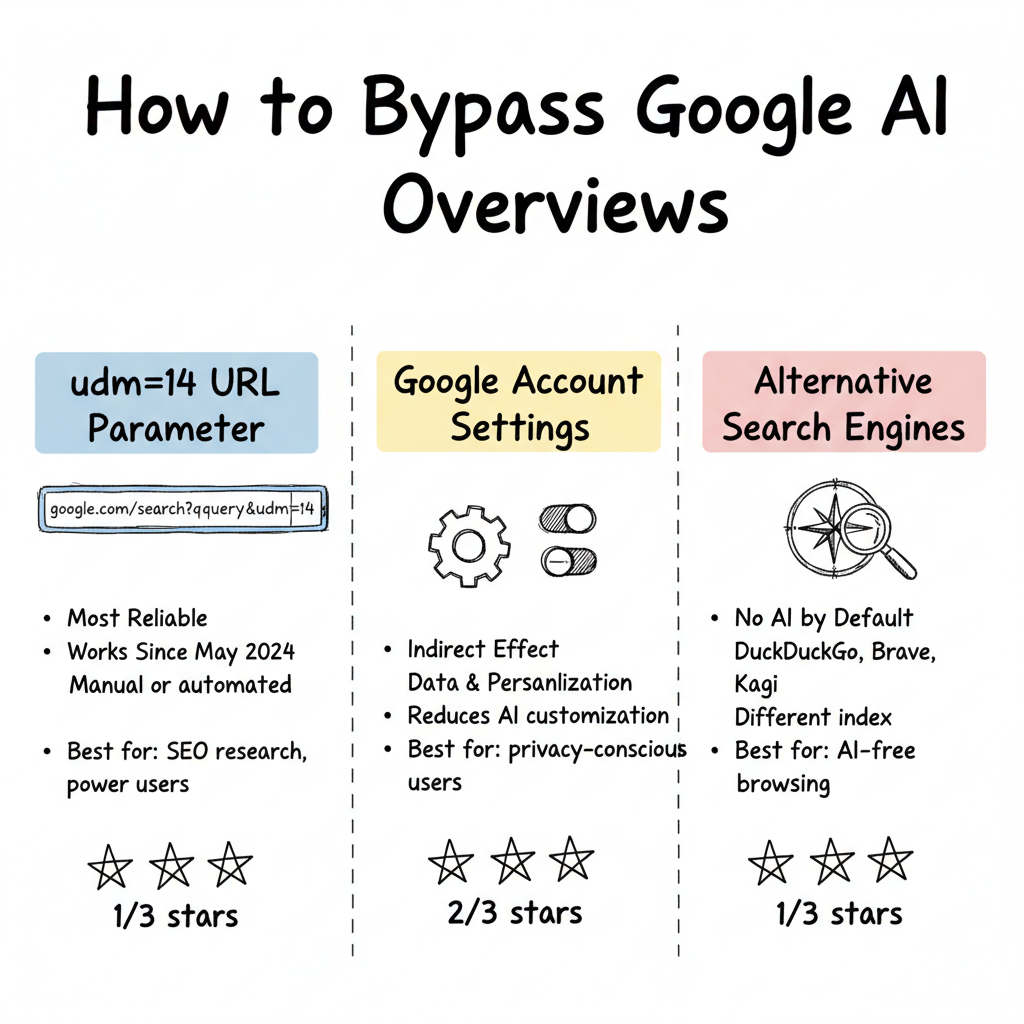
While no direct toggle exists, account settings affect some AI behavior. This becomes particularly relevant when considering the broader shift toward generative AI in SEO strategies.
According to Oreate AI's settings guide, while there's no direct toggle labeled "turn off AI," diving into account settings yields helpful adjustments. Navigate to Data & Personalization options, then Activity Controls where you can manage Web & App Activity settings—disabling certain data collection may reduce tailored AI recommendations over time.
Settings to review:
Setting Location | What It Affects | Impact on AI Overviews |
Web & App Activity | Personalization signals | May reduce customization |
Search settings | SafeSearch, language | Indirect influence |
Data & Personalization | Activity controls | Limits AI learning |
Incognito mode | Tracking avoidance | Reduces personalized AI |
For Gmail-specific AI features, separate controls exist.
According to ABC10's Gmail AI guide, the new AI features in Gmail can be turned off by going to Settings and scrolling down to the "Smart Features" section. Users can uncheck "Turn on smart features in Gmail, Chat, and Meet" and turn off sliders in "Google Workspace smart features."
Gmail AI disable process:
Important tradeoff: Disabling Gmail AI also turns off autocorrect, spell check, desktop notifications, package tracking, and email category sorting.
Understanding Google's strategy explains the lack of user controls.
According to H2S Media, based on Google's trajectory, a permanent user-controlled opt-out for AI features appears unlikely. Google has positioned AI as the future of search, presenting AI Overviews and AI Mode as core features, not experiments. The integration of Gemini into Search is part of Google's broader strategy to compete with ChatGPT, Perplexity, and other AI-first platforms.
Google's strategic considerations:
SEO professionals have specific scenarios where avoiding AI Overviews matters, particularly when analyzing the differences between AEO vs SEO ranking factors.
According to Search Engine Land's AI Overview analysis, Google shows AI Overviews largely based on whether users engage with them—and removes them when they don't. If searchers don't interact with AI Overviews for certain query types, Google may stop showing them altogether.
SEO use cases for traditional results:
Scenario | Why Traditional Results Matter |
Rank tracking | Accurate position monitoring |
Competitor analysis | See actual organic rankings |
SERP feature research | Identify non-AI opportunities |
Local SEO audits | Assess map pack visibility |
Client reporting | Show traditional rank data |
Content publishers face significant constraints on AI Overview control. Understanding these limitations is crucial when evaluating answer engine optimization tools for your content strategy.
According to ALM Corp's Semrush study analysis, Google currently provides no mechanism to opt out of AI Overview citations while maintaining normal search visibility. Options are limited to blocking Googlebot entirely (eliminating all Google indexing), noindexing specific content, or paywalling content—none allow selective AI Overview exclusion.
Publisher options and tradeoffs:
AI Overview Opt-Out Attempts
├── Block Googlebot
│   ├── Removes from AI Overviews ✓
│   ├── Removes from all Google search ✗
│   └── Nuclear option, rarely practical
│
├── Noindex Pages
│   ├── Removes from AI Overviews ✓
│   ├── Removes from organic search ✗
│   └── Loses traffic completely
│
├── Paywall Content
│   ├── May exclude from AI training
│   ├── Limits audience reach
│   └── Requires subscription model
│
└── No Selective Opt-Out Available
    ├── Publishers have advocated for this
    ├── Google shows no implementation intent
    └── Accept citation or block entirely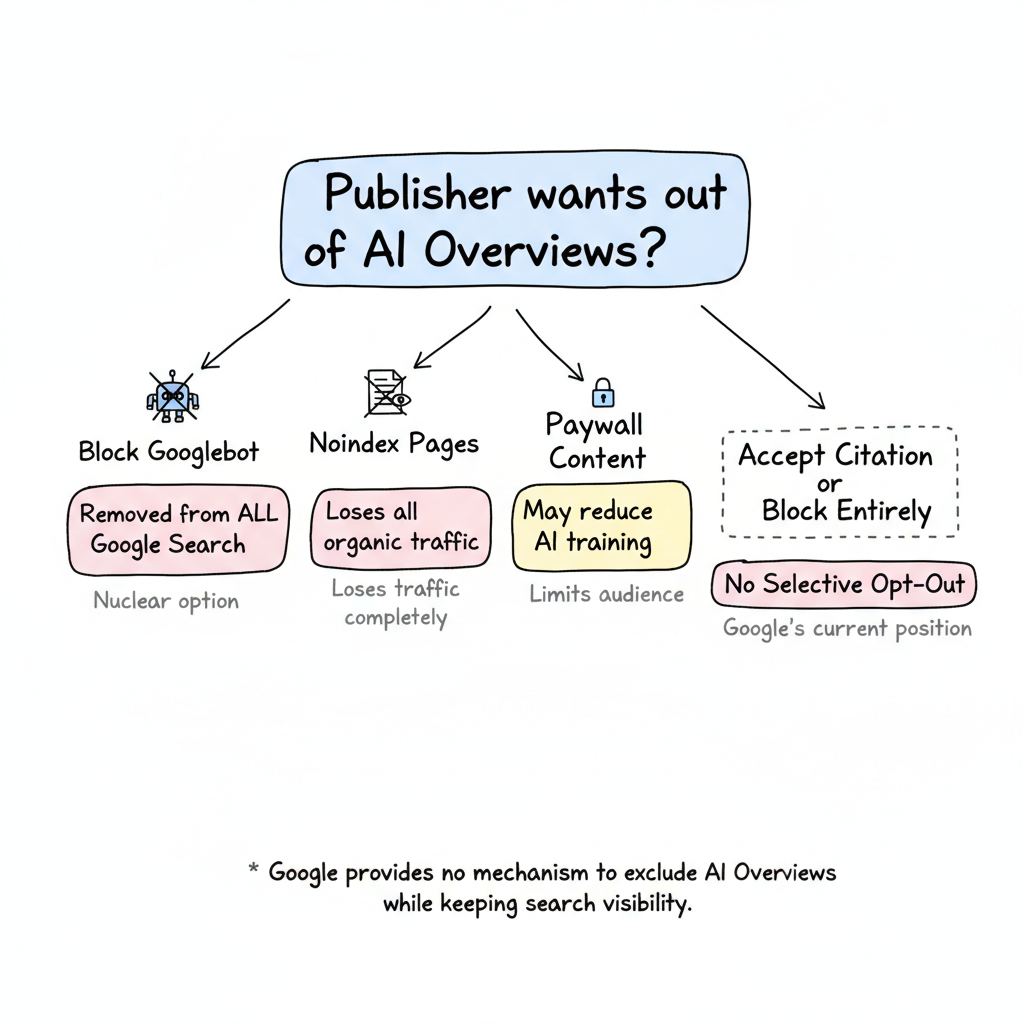
For users wanting no AI summaries, alternative search options exist. Those exploring comprehensive strategies may also want to review optimizing FAQ schema for Google AI Overviews as a complementary approach.
AI-free search alternatives:
Search Engine | AI Status | Notes |
DuckDuckGo | Optional AI | Can use without AI features |
Brave Search | No AI default | Traditional results focused |
Mojeek | No AI | Fully independent index |
Kagi | Customizable | Premium, user-controlled |
Ecosia | Limited AI | Privacy-focused alternative |
Managing Google AI Overviews requires understanding both workarounds and limitations:
According to LinkedIn's analysis, while users can reduce AI Overviews through workarounds, Google continues expanding these features due to strategic importance. For SEO professionals, understanding both how to bypass AI Overviews for research and how to optimize for citation remains essential—the traditional search experience exists alongside, not instead of, the AI-driven future.
By submitting this form, you agree to our Privacy Policy and Terms & Conditions.



