
February 19, 2026


Facebook advertising remains one of the most effective ways to grow a business in 2026. With over 3 billion monthly active users across Meta's platforms, the opportunity to reach your ideal customers has never been greater. But for beginners, the platform can feel overwhelming.
This guide breaks down everything you need to know to launch your first successful Facebook ad campaign—from setting up your account to avoiding the mistakes that waste most beginners' budgets.
Before running any ads, you need a Meta Business Manager account. This is your central hub for managing Facebook pages, ad accounts, and team members.
To get started:
Business Manager keeps your personal Facebook profile separate from your advertising activities. This is essential for professional use and required if you ever work with a Facebook agency partner.
Inside Business Manager, create a dedicated ad account:
According to Facebook ads experts, getting your currency and timezone wrong is one of the hardest mistakes to fix, so double-check before confirming.
The Meta Pixel is a snippet of code that tracks visitor behavior on your website. It's essential for:
Install the pixel before running your first campaign. Even if you start with awareness campaigns, the pixel collects data that makes your future conversion campaigns more effective.
Domain verification proves you own your website and gives you more control over how your links appear in ads. In 2026, this step is increasingly important for avoiding ad restrictions.
Meta offers several campaign objectives, but beginners should focus on three:
Traffic: Sends people to your website. Good for building awareness and collecting pixel data when you're starting out.
Leads: Collects contact information directly on Facebook. Ideal for service businesses wanting phone numbers or emails.
Sales: Optimizes for purchases on your website. Use this once you have pixel data from at least 50 conversions.
According to the 2026 Meta ads best practices, starting with the wrong objective is a common beginner mistake. Choose Traffic or Leads first, then graduate to Sales once you have sufficient conversion data.
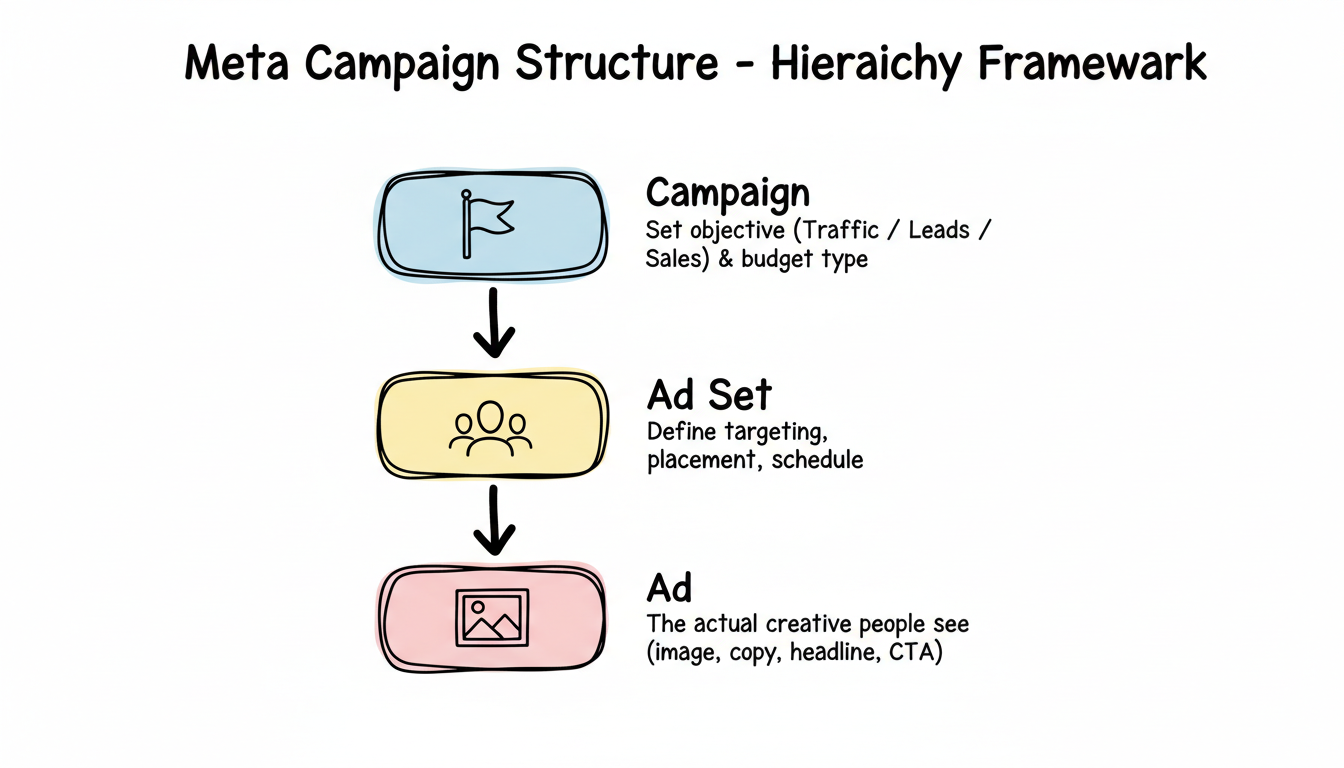
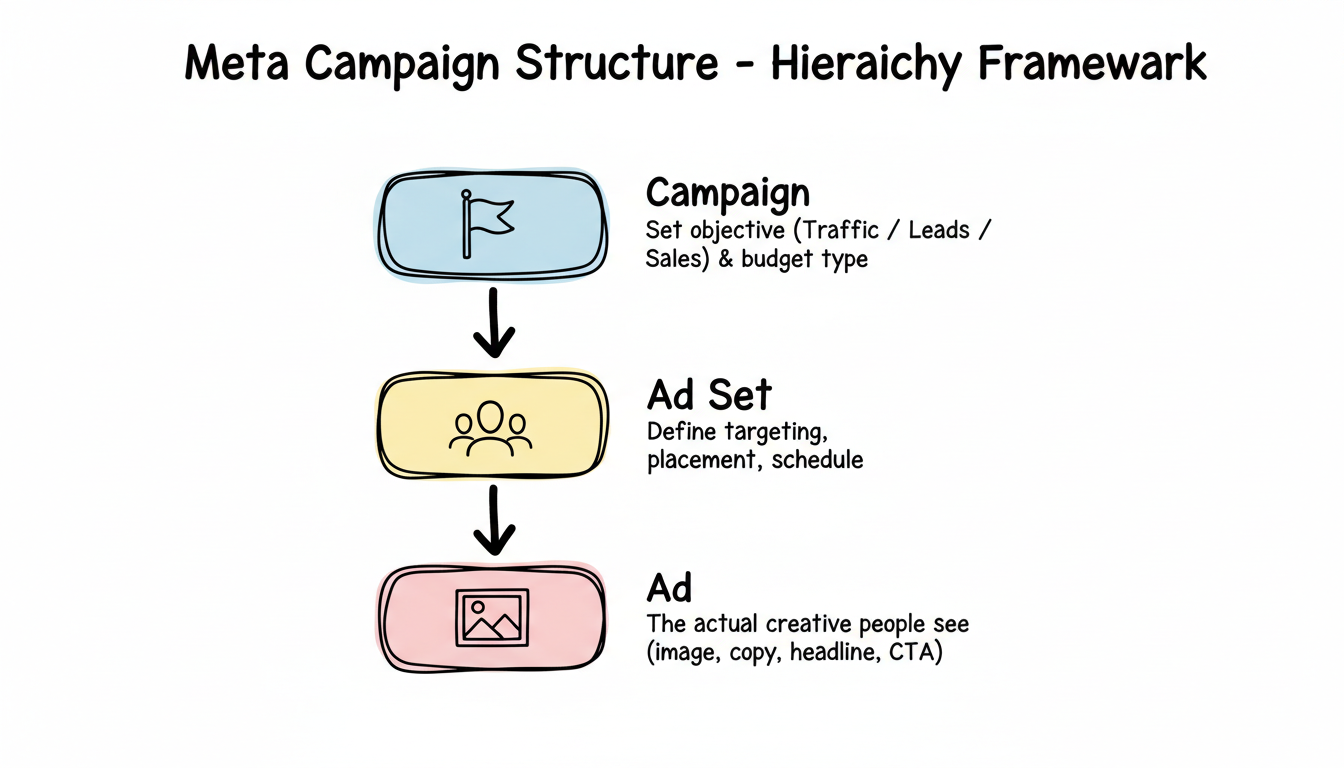
Meta campaigns have three levels:
For beginners, start with one campaign containing one ad set and three to five ad variations. This gives Meta's algorithm options to optimize while keeping things simple enough to learn from.
Your ad needs four elements:
Primary text: The main copy above your image or video. Lead with your strongest benefit or hook.
Headline: Short, attention-grabbing text below your image. Focus on what the viewer gets.
Description: Optional supporting text. Use it to reinforce your offer or add credibility.
Creative: Your image or video. Static images still drive 60-70% of conversions on Meta, so don't assume you need video to succeed.
Meta's targeting has evolved significantly. With the Andromeda update, the algorithm now determines who sees your ad based on how people respond to your creative, not just the targeting parameters you set.
This means your creative is effectively your targeting. A compelling ad will find its audience; a weak ad will struggle regardless of targeting settings.
Broad targeting: Let Meta find your audience based on your creative and objective. This works surprisingly well in 2026 and is often recommended over narrow interest targeting.
Interest targeting: Add 3-5 broad interests related to your product or service. Avoid stacking 20+ interests—this limits the algorithm's ability to find your best customers.
Custom audiences: Upload your customer email list or target website visitors. Essential for retargeting.
Lookalike audiences: Let Meta find new people similar to your existing customers. Start with a 1% lookalike of your best customers.
Understanding Facebook ads cost per day is crucial for beginners. A testing budget of $10-30 per day is sufficient to start learning. This allows you to gather data without risking significant spend on unproven campaigns.
The key insight for beginners: your first ads are about learning, not profit. Treat initial spend as market research that informs your profitable campaigns later.
Daily budget: Spend up to a set amount each day. Best for beginners because it's predictable and limits risk.
Lifetime budget: Spend a total amount over a campaign's duration. Better for time-limited promotions.
Once you find ads that work, scale gradually:
Aggressive scaling is a common cause of account problems in 2026. Meta's AI monitors spending patterns, and sudden increases can trigger restrictions.
Give new ads at least 3-5 days and $50-100 in spend before making decisions. After that:
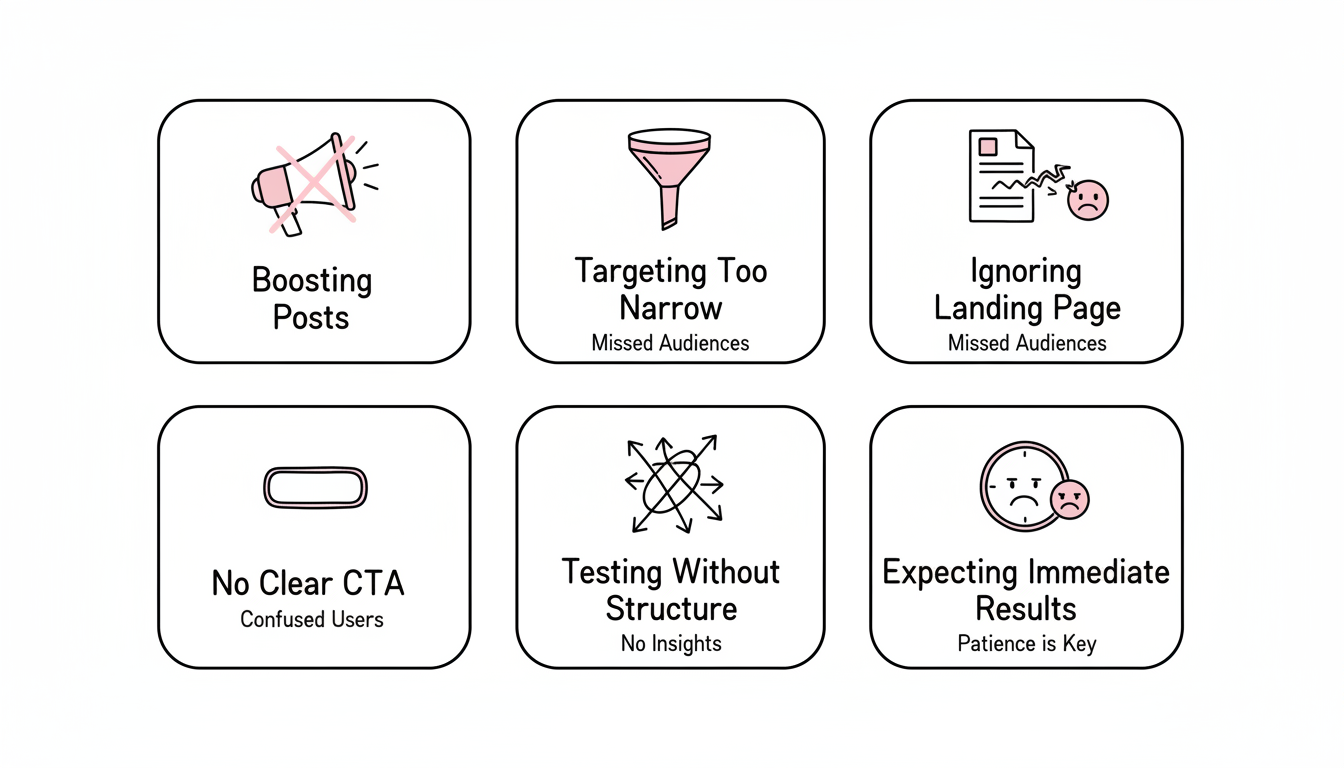
Boosting posts is the easiest way to run Facebook ads, but it offers limited targeting, optimization, and reporting. Use Ads Manager for real campaigns—the extra complexity pays for itself.
Selecting small, specific interest niches is one of the top mistakes beginners make. In 2026, broad targeting often outperforms narrow targeting because it gives Meta's algorithm more room to optimize.
Your ad and landing page must work together. High CTR with bad CPA means people click but don't convert—usually because the landing page doesn't match the ad's promise or loads too slowly.
Make sure your landing page:
Every ad needs to tell people exactly what to do next. "Learn More," "Shop Now," "Sign Up," and "Get Quote" are effective because they're specific. Vague CTAs hurt conversion rates.
Beginners often change too many variables at once, making it impossible to know what's working. Test one element at a time:
Most beginners give up too early. Meta's algorithm needs 50+ conversions to exit the learning phase. Before that, performance is inconsistent. Give campaigns time and budget to gather sufficient data before judging success.
Start with $10-30 per day as a testing budget. This is enough to learn what works without significant financial risk. If you're planning longer-term, consider researching Facebook ads cost per month to set realistic expectations. Plan to spend at least $500-1,000 over your first month of testing before expecting consistent results.
Initial data appears within 24-48 hours, but meaningful optimization requires 7-14 days minimum. The learning phase—when Meta figures out who responds to your ads—typically takes 50 conversions. Budget accordingly and avoid making major changes during this period.
Start with static images. They're easier to create, test quickly, and still drive the majority of conversions on Meta platforms. Once you have winning image ads, test video versions to see if they improve performance. For more guidance, learn how to run effective Facebook ads using proven creative strategies.
By submitting this form, you agree to our Privacy Policy and Terms & Conditions.



