
February 19, 2026


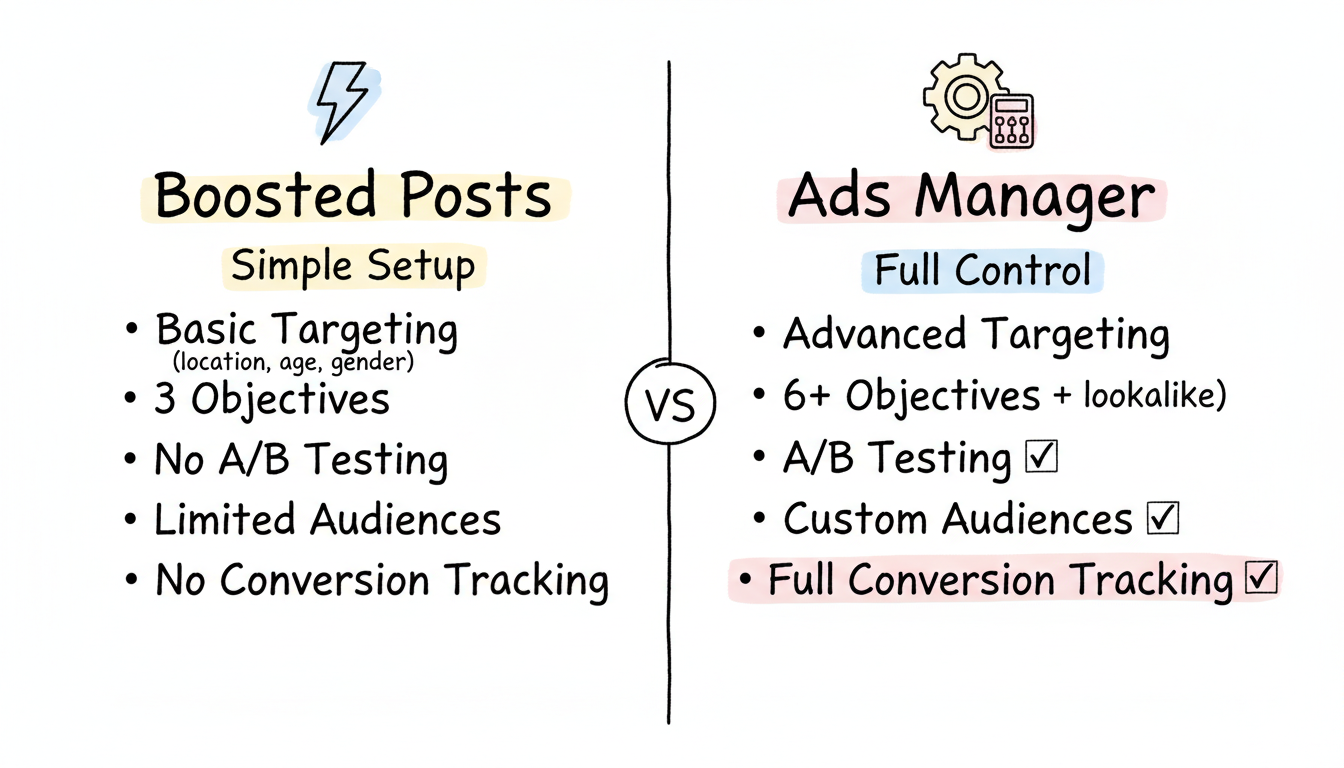
Many businesses start their Facebook advertising journey by clicking the "Boost Post" button without understanding what they are giving up. While boosted posts serve a purpose, they are fundamentally different from ads created in Ads Manager. Understanding these differences helps you choose the right approach for your goals and budget.
This guide breaks down the key differences between boosted posts and Facebook ads, when each makes sense, and how to build a strategy that uses both effectively.
The distinction between boosted posts and Ads Manager campaigns comes down to control, targeting options, and campaign capabilities.
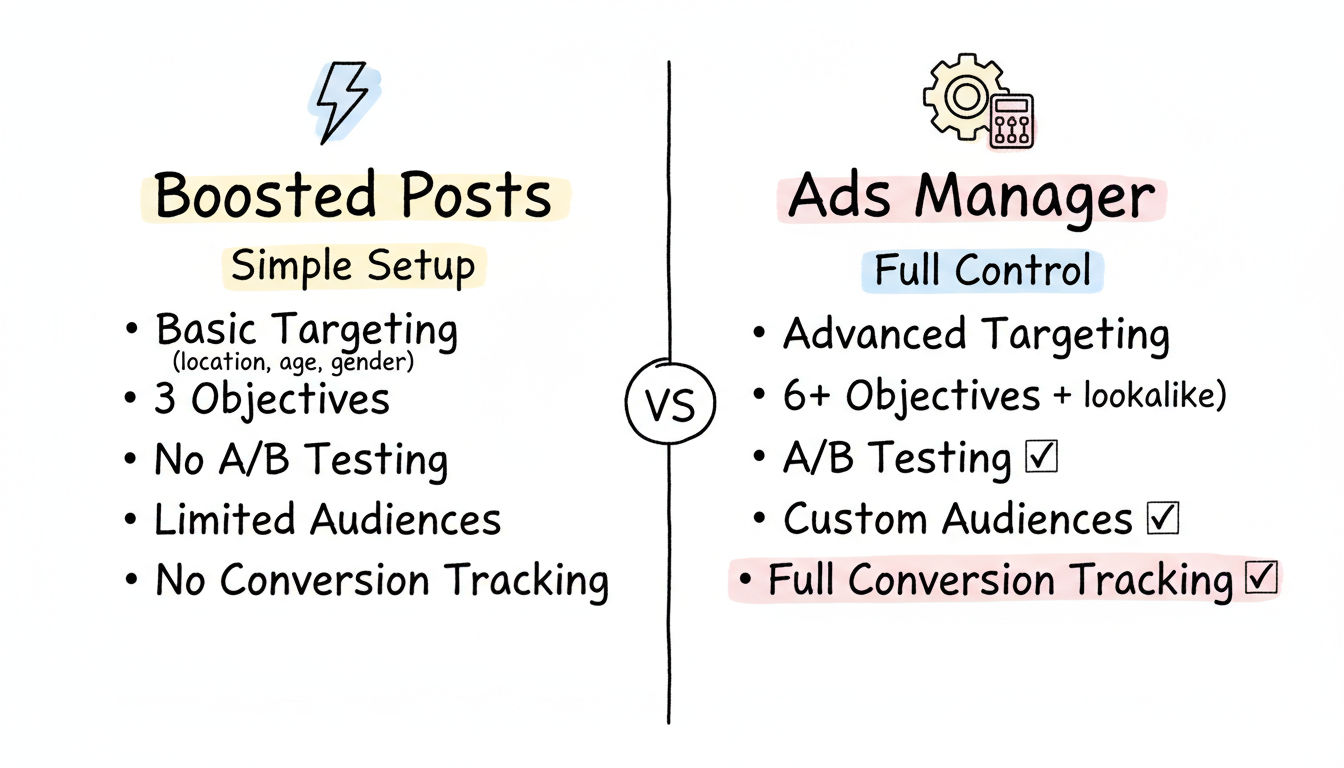
When you boost a post, you are taking existing organic content and paying Facebook to show it to more people. According to Facebook advertising guides, boosted posts are designed to be simpler and far easier to set up, giving busy business owners a chance to dip into Facebook advertising without a high learning curve.
Boosted post capabilities:
Boosted post limitations:
Ads Manager provides full control over your campaigns. According to Ads Manager tutorials, when you create ads directly in Ads Manager, you get full flexibility compared to boosting existing posts where functionality is limited.
Ads Manager capabilities:
Feature | Boosted Posts | Ads Manager |
Setup Time | Minutes | 30+ minutes |
Learning Curve | Low | Moderate to High |
Targeting Options | Basic | Advanced |
Conversion Tracking | Limited | Full |
Objectives | 3 | 6+ |
A/B Testing | No | Yes |
Custom Audiences | Limited | Full |
Placement Control | No | Yes |
Bidding Options | Basic | Advanced |
Boosted posts make sense in specific situations where simplicity outweighs the need for advanced features.
Building initial engagement: New pages with limited followers can use boosted posts to build an initial audience quickly. According to Facebook advertising comparisons, newly created pages and businesses with tight budgets benefit most from boosted campaigns as great tools to get a new audience quickly with little time investment.
Amplifying high-performing organic content: When an organic post performs exceptionally well, boosting it extends that success to a wider audience. The content is already proven to engage, reducing risk.
Event or announcement promotion: Time-sensitive announcements that need quick reach without complex funnel tracking are good candidates for boosting.
Limited time or expertise: If you lack the time to learn Ads Manager or need to launch something immediately, boosting gets your content in front of more people without the learning curve.
For boosted posts, start with modest budgets:
Boosted posts are not designed for significant budget allocation. If you are spending more than $500/month, you should be using Ads Manager to understand what is good ROI Facebook ads can deliver.
Ads Manager campaigns make sense for any serious advertising effort where results matter.
Driving conversions: If your goal is purchases, leads, or sign-ups, Ads Manager's conversion optimization dramatically outperforms boosted posts. The algorithm learns who converts and finds more people like them.
Retargeting campaigns: Ads Manager allows you to create custom audiences from website visitors, email lists, and engaged users. These warm audiences convert at much higher rates than cold traffic.
Scaling spend efficiently: According to Facebook algorithm research, Meta's machine learning has become so advanced that broad targeting in Ads Manager often outperforms manual interest-based targeting. You cannot access this optimization through boosted posts. Many businesses partner with a Facebook ads agency near me to maximize these advanced capabilities.
Testing creative and messaging: Ads Manager's A/B testing capabilities let you systematically test different images, headlines, and copy to find what works best.
Full-funnel marketing: Building awareness, nurturing consideration, and driving conversion requires different campaign types that only Ads Manager provides. Understanding Facebook ads objectives is crucial for building effective full-funnel campaigns.
According to Facebook objectives guidance, the six current campaign objectives are:
Objective | Best For |
Awareness | Brand reach and video views |
Traffic | Website visits |
Engagement | Post interactions, video views, event responses |
Leads | Form submissions and contact generation |
Sales | Ecommerce purchases and conversions |
App Promotion | App installs and engagement |
Each objective triggers different optimization algorithms, so choosing the right one significantly impacts results.
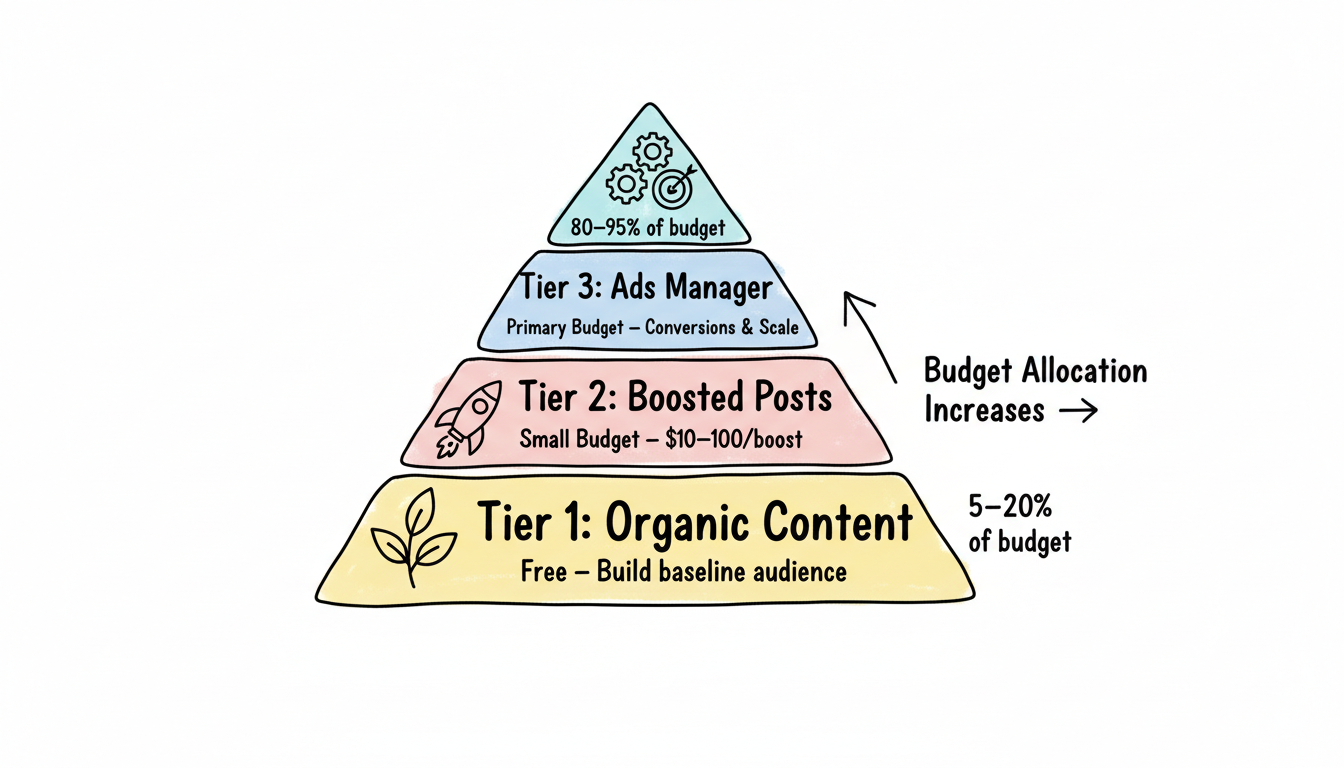
The most effective approach uses both boosted posts and Ads Manager campaigns strategically.
Tier 1: Organic Content (Free) Post valuable content consistently without any paid promotion. This builds your baseline audience and tests what resonates.
Tier 2: Boosted Posts (Small Budget) When organic posts perform well, boost them to extend reach. Keep individual boosts under $50 and focus on engagement and reach rather than conversions.
Tier 3: Ads Manager Campaigns (Primary Budget) Run your primary advertising through Ads Manager with proper conversion tracking, audience segmentation, and creative testing. This is where most of your budget should go, especially when managing Facebook ads cost per day at scale.
For businesses serious about Facebook advertising:
Budget Level | Boosted Posts | Ads Manager |
$500/month | 20% | 80% |
$2,000/month | 10% | 90% |
$5,000+/month | 5% | 95% |
As budget increases, the percentage allocated to boosted posts should decrease. Ads Manager simply delivers better results per dollar at scale.
This workflow lets boosted posts serve their purpose (quick reach extension) while Ads Manager handles serious advertising objectives.
Technically, both are paid advertising on Facebook. However, boosted posts offer significantly fewer features and optimization options than Ads Manager campaigns. According to comparison research, the only real difference is control. Boosting is quick and easy, but you give up control on targeting, conversion tracking, and optimization.
Once a post is boosted, you cannot convert it to an Ads Manager campaign. However, you can create a new ad in Ads Manager using the same content by selecting "Use Existing Post" when creating your ad.
Yes, but selectively. Boosting still makes sense for quick content amplification and engagement campaigns where conversion tracking is not important. It saves time compared to setting up full campaigns for simple reach goals.
By submitting this form, you agree to our Privacy Policy and Terms & Conditions.



