
February 19, 2026


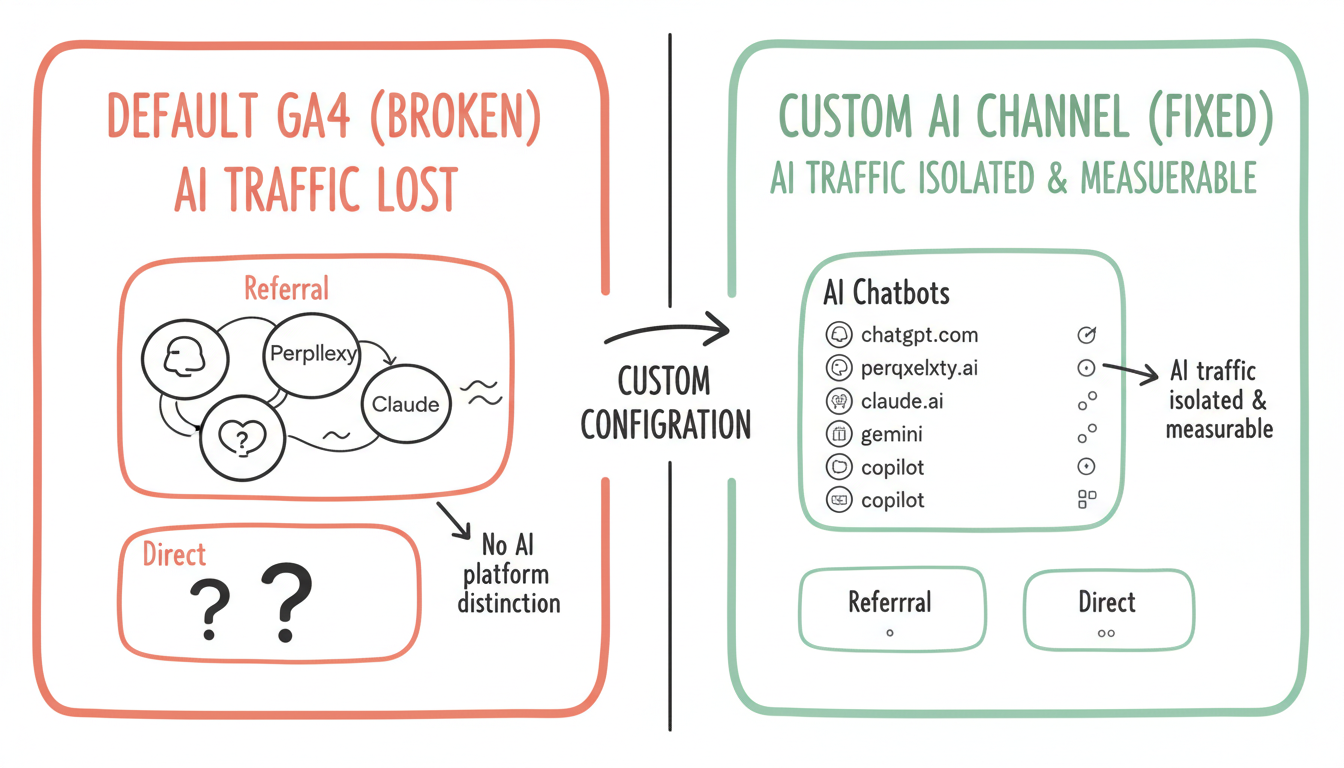
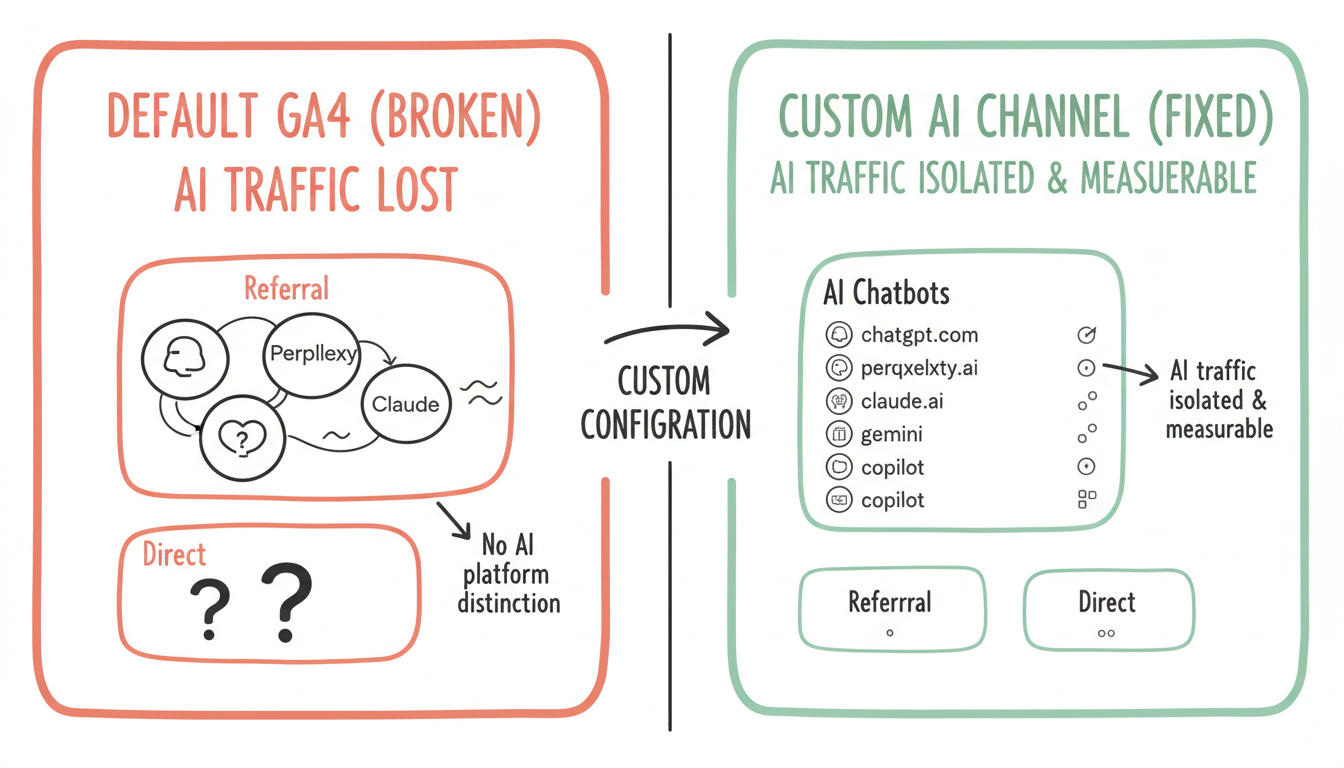
Tracking AI search traffic in Google Analytics 4 requires custom configuration that most default setups miss entirely. Without proper channel groupings and referral tracking, traffic from ChatGPT, Perplexity, Claude, and other AI platforms gets lumped into generic "Referral" or even "(direct)" categories—making it impossible to measure your AI search optimization ROI.
According to Coalition Technologies' AI traffic guide, brands need specific tracking configurations to accurately measure and increase AI referral traffic from ChatGPT, Perplexity, and other LLMs. The default GA4 setup wasn't designed for AI search attribution.
Standard channel definitions don't recognize AI search platforms.
According to Medium's GA4 AI tracking guide, you should add a new "AI Chatbots" channel with a regex filter for sources like chatgpt.com, perplexity.ai, claude.ai, and reorder your channels so AI appears above Referral in the processing order. Without this configuration, AI traffic gets miscategorized.
Default GA4 channel limitations:
Issue | Description | Impact |
No AI channel | Default channels don't include AI platforms | Traffic miscategorized |
Referral bucket | AI traffic lumps with all referrals | Can't isolate AI performance |
Direct attribution | Some AI traffic appears as direct | Invisible traffic source |
No platform distinction | ChatGPT vs Perplexity undifferentiated | Platform comparison impossible |
Step-by-step configuration for AI traffic isolation.
Custom channel setup process:
GA4 AI Chatbots Channel Configuration
├── Navigate to Admin
│   ├── Select property
│   ├── Click "Data display"
│   └── Choose "Channel groups"
│
├── Create New Channel Group
│   ├── Name: "AI Chatbots" or "AI Search"
│   ├── Create custom channel definition
│   └── Add source conditions
│
├── Define Source Regex Pattern
│   ├── chatgpt\.com
│   ├── perplexity\.ai
│   ├── claude\.ai
│   ├── gemini\.google\.com
│   ├── copilot\.microsoft\.com
│   ├── you\.com
│   └── Combine with OR operators
│
└── Set Channel Priority
    ├── Move AI channel above Referral
    ├── Ensure proper processing order
    └── Test with real-time reports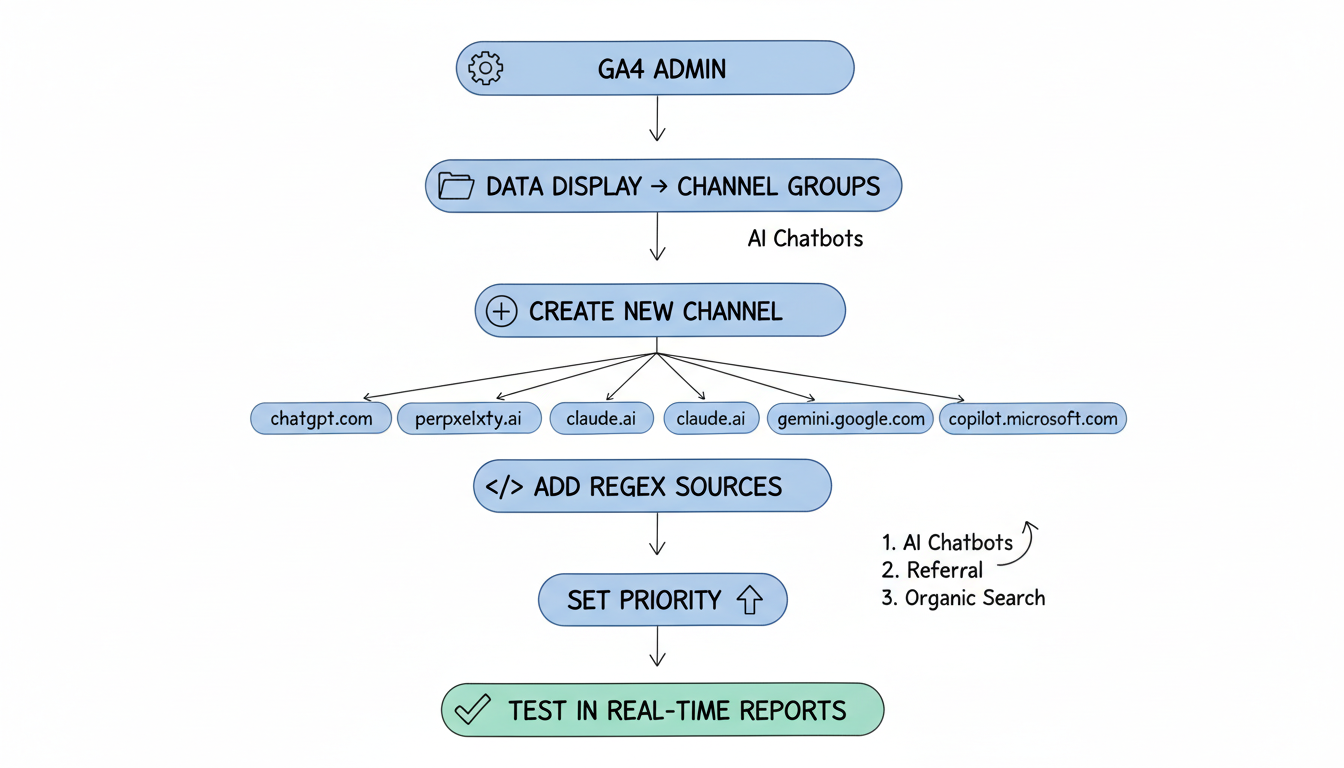
Different AI platforms pass referral data differently.
According to Reddit discussions on AI traffic tracking, Perplexity actually passes referrer data so it shows up in GA4 under traffic acquisition, while other platforms like ChatGPT have messier referral attribution that may appear as direct traffic. Understanding these patterns is crucial for building an effective AI SEO strategy.
Referral data passing by platform:
Platform | Referral Passing | GA4 Behavior | Tracking Difficulty |
Perplexity | Yes - consistent | Shows in referrals | Easy |
ChatGPT | Inconsistent | Mixed referral/direct | Moderate |
Claude | Limited | Often direct | Difficult |
Gemini | Google ecosystem | Complex attribution | Moderate |
Copilot | Microsoft ecosystem | Bing attribution | Moderate |
Custom dimensions enable deeper AI traffic analysis.
Recommended custom dimensions:
Dimension | Scope | Purpose |
AI Platform | Session | Distinguish ChatGPT vs Perplexity |
AI Query Type | Event | Informational vs transactional |
Citation Position | Event | Track specific citation appearances |
AI Traffic Flag | Session | Boolean for any AI source |
Implementation approach:
Custom Dimension Setup
├── Create Session-Scoped Dimensions
│   ├── ai_platform: Specific platform name
│   ├── ai_traffic: Boolean flag
│   └── ai_session_type: First visit vs return
│
├── Create Event-Scoped Dimensions
│   ├── landing_from_ai: Page entry point
│   ├── ai_content_type: Article type clicked
│   └── conversion_from_ai: Goal completion
│
└── Configure Data Collection
    ├── GTM tag for referrer parsing
    ├── Regex matching for sources
    └── Custom event triggers
Manual testing enables controlled AI traffic attribution.
According to Analytify's UTM guide, UTM parameters attached to URLs allow precise source tracking in GA4. When testing AI platform citations, using tagged URLs confirms whether traffic actually originates from AI responses.
UTM testing strategy:
Parameter | Value | Purpose |
utm_source | chatgpt, perplexity, claude | Platform identification |
utm_medium | ai-search, ai-citation | Traffic type |
utm_campaign | ai-visibility-test | Testing identification |
utm_content | [topic-keyword] | Content tracking |
Combine GA4 with Search Console for query-level insights.
According to LinkedIn analysis by Matt Diggity, tracking 7+ word queries in Search Console helps identify AI mode usage patterns. Filtering Search Console for queries with 7+ words reveals conversational searches likely originating from AI interactions. This approach complements your overall GEO implementation guide.
Search Console AI query identification:
AI Query Indicators in Search Console
├── Query Length
│   ├── 7+ words suggests conversational
│   ├── Natural language phrasing
│   └── Question formats
│
├── Query Patterns
│   ├── "What is the best..."
│   ├── "How do I..."
│   ├── "Compare X vs Y"
│   └── Full sentence queries
│
├── Click-Through Behavior
│   ├── Higher CTR on long queries
│   ├── Different position distribution
│   └── Engagement differences
│
└── Integration with GA4
    ├── Connect properties
    ├── Landing page correlation
    └── Conversion path analysis
Create actionable reporting for AI visibility measurement.
Essential AI traffic reports:
Report Type | Metrics | Insight Provided |
AI Channel Overview | Sessions, users, engagement | Overall AI traffic volume |
Platform Comparison | Sessions by AI source | Platform performance |
Content Performance | Pages from AI traffic | What content gets cited |
Conversion Attribution | Goals from AI channel | AI traffic value |
Trend Analysis | AI traffic over time | Growth trajectory |
Quantify the business impact of AI search visibility.
According to AI search market analysis, AI search currently holds approximately 0.21% combined traffic share of all web traffic. While small, this percentage represents highly qualified traffic from users actively researching topics. Understanding the distinction between traditional SEO vs AI search optimization helps contextualize these metrics.
AI traffic value calculation:
AI Traffic ROI Framework
├── Volume Metrics
│   ├── Total AI sessions
│   ├── AI new users
│   └── AI returning users
│
├── Engagement Metrics
│   ├── Pages per session (AI vs overall)
│   ├── Average engagement time
│   └── Bounce rate comparison
│
├── Conversion Metrics
│   ├── Goal completions from AI
│   ├── E-commerce revenue
│   └── Lead generation
│
└── Comparative Analysis
    ├── AI vs organic search value
    ├── AI vs paid search value
    └── AI traffic growth rate
Address frequent GA4 AI tracking problems.
Common issues and solutions:
Issue | Cause | Solution |
AI traffic showing as direct | Missing referrer | Check source regex patterns |
No AI channel data | Channel priority wrong | Move AI above Referral |
Duplicate sessions | Cross-domain issues | Configure cross-domain tracking |
Missing conversions | Attribution window | Extend attribution settings |
Inconsistent data | Regex errors | Test regex patterns |
Google Analytics 4 AI search tracking requires intentional configuration:
According to Hostinger's analytics guide, proper GA4 configuration enables understanding of where your traffic comes from and how users behave. For AI search traffic specifically, this understanding requires moving beyond default channel definitions to capture the unique referral patterns of AI platforms. As AI search grows from its current 0.21% share, having proper tracking in place now positions you to measure and optimize this emerging channel.
By submitting this form, you agree to our Privacy Policy and Terms & Conditions.



