
February 19, 2026


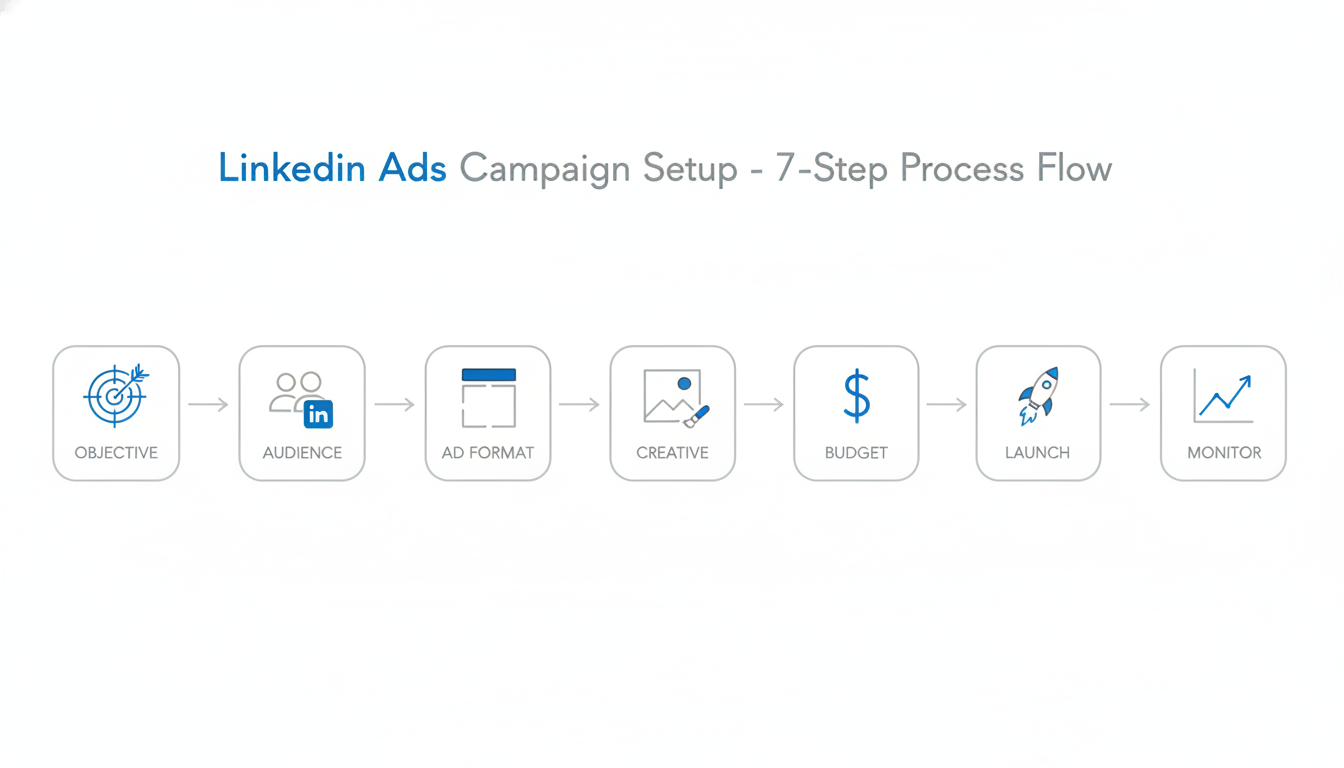
LinkedIn advertising reaches decision-makers where they're already thinking about work. With over 1 billion professional users, it's the platform for B2B marketers who want to reach buyers directly.
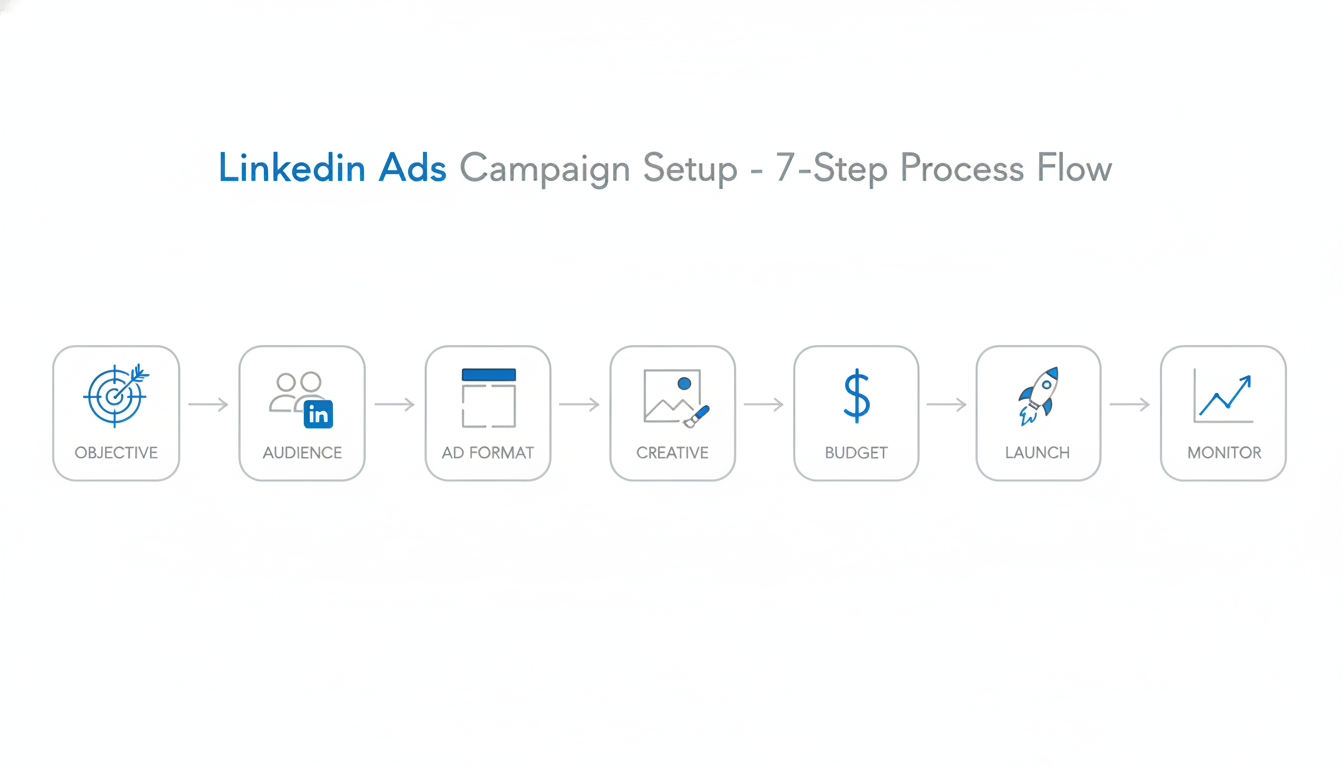
This step-by-step tutorial walks you through setting up and running your first LinkedIn ad campaign.
Before launching ads, ensure you have:
LinkedIn Company Page: Campaign Manager requires a Company Page. You can't run ads from a personal profile.
Campaign Manager Account: Go to linkedin.com/campaignmanager and sign in with your LinkedIn credentials.
Payment Method: Add a credit card or set up invoicing for your ad account.
Insight Tag (Optional): Install tracking on your website for conversion tracking and retargeting.
In Campaign Manager, click Create and select Campaign. You'll be guided through the setup process.
LinkedIn organizes advertising into three levels:
For your first campaign, you can skip campaign groups and create a standalone campaign.
Your objective tells LinkedIn what you want to achieve. According to Campaign Manager guidance, this choice affects "which ad formats you can use, how LinkedIn optimizes your campaign, and what metrics you'll track."
Awareness:
Consideration:
Conversion:
Goal | Recommended Objective |
Launching new product | Brand Awareness |
Content distribution | Website Visits |
Building community | Engagement |
Collecting leads | Lead Generation |
Driving demos/signups | Website Conversions |
For most B2B campaigns, Lead Generation is the best starting point—it keeps users on LinkedIn (higher completion rates) and captures verified professional data. When you're ready to scale your campaigns, working with a LinkedIn advertising company can help optimize your lead generation strategy.
LinkedIn's targeting is the platform's core strength. You can reach specific job titles at specific companies with precision no other platform matches.
Company:
Job:
Demographics:
Interests:
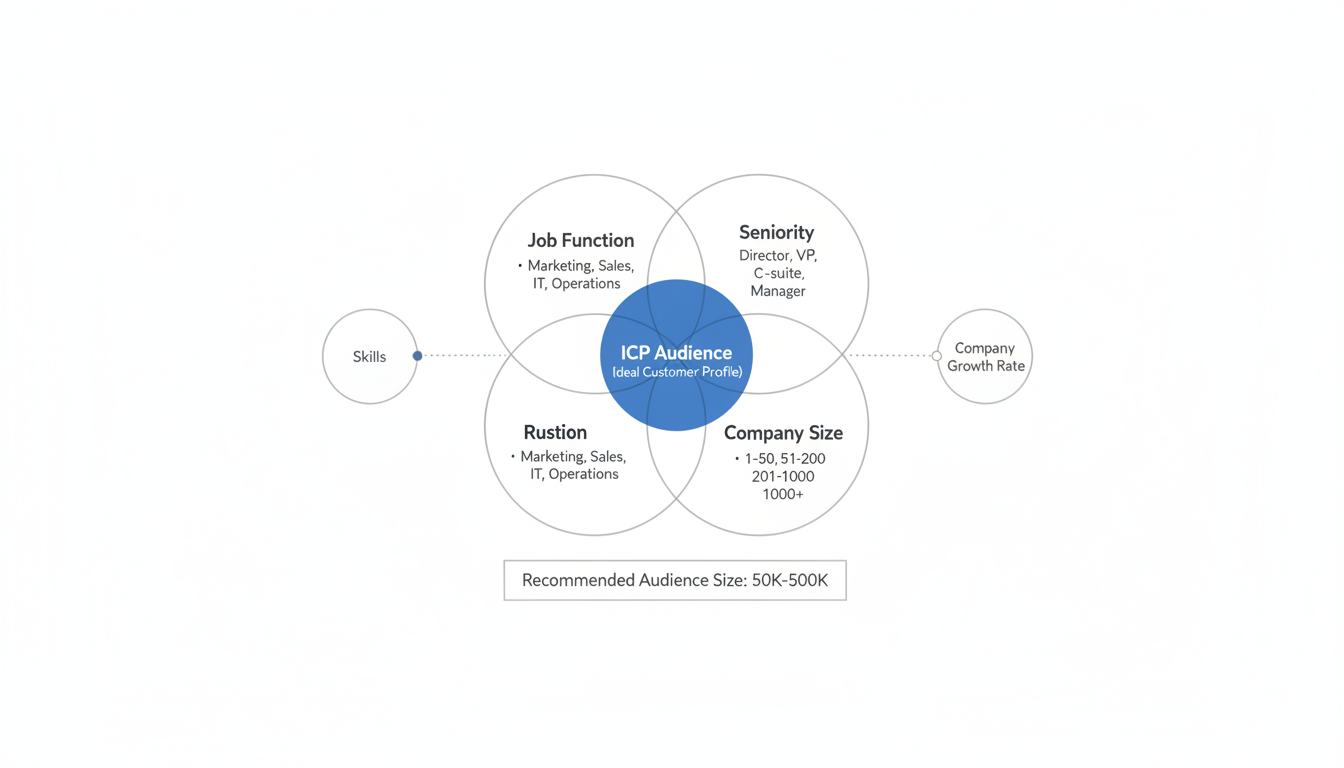
Start with a focused audience using 2-3 targeting layers:
According to audience targeting research, the recommended audience size is 50,000-500,000 for most campaigns. Smaller audiences can work for ABM, but need higher budgets.
LinkedIn offers "Audience Expansion" to reach similar professionals beyond your targeting. For your first campaign, turn this off—you want to test your core audience before expanding.
Different formats work for different objectives. LinkedIn advertising analysis identifies these key options:
Appears in the LinkedIn feed alongside organic posts.
Format Options:
Best For: Brand awareness, lead generation, website traffic
Delivered directly to LinkedIn inboxes.
Best For: Personalized offers, event invitations, high-value prospects
Simple ads appearing in the right column.
Best For: Low-cost brand awareness, supplementary reach
Personalized ads using profile data (name, photo, company).
Best For: Follower campaigns, personalized CTAs
For most B2B campaigns, start with Single Image Sponsored Content with Lead Gen Forms. It's the most straightforward format with the clearest performance data. Understanding the LinkedIn single image ad specifications and best practices will help ensure your creative performs optimally.
Strong ad creative drives performance. Include these elements:
Introductory Text: Hook readers in the first line. You have 600 characters, but the first 150 appear before "see more."
Headline: 70 characters maximum. Clear value proposition beats clever wordplay.
Description: Additional context (not shown on all placements).
According to 2026 LinkedIn advertising research:
For comprehensive details on all ad formats and their specifications, refer to our guide on LinkedIn ad specs sizes.
Daily Budget: LinkedIn spends up to this amount per day. Minimum $10/day.
Lifetime Budget: Total spend for the campaign duration.
Best Practice: Start with daily budgets to maintain control. You can always increase after seeing results.
Maximum Delivery: LinkedIn optimizes for maximum results at the lowest cost. Recommended for most campaigns.
Manual Bidding: Set your own CPC or CPM bid. Use when you have specific cost targets.
Cost Cap: Set maximum cost per result. Useful for lead gen with strict CPL targets.
Minimum $50-100/day to gather meaningful data. LinkedIn's learning phase needs volume—underfunding delays optimization.
Before launching, review:
Click Launch to start your campaign.
Check these metrics daily:
Metric | What to Look For |
Impressions | Audience being reached |
CTR | Ad resonance (benchmark: 0.4-0.8%) |
Spend | Pacing against budget |
Lead Form Opens | Interest level |
Leads | Conversion volume |
According to campaign optimization guidance, "Give it two weeks to gather data, then optimize based on what you learn. Most successful LinkedIn advertisers didn't nail it on their first try." For deeper performance analysis, implement comprehensive LinkedIn ads reporting to track your campaign metrics over time.
Starting Too Broad: Narrow targeting outperforms broad targeting on LinkedIn. Be specific about who you want to reach.
Underfunding: LinkedIn needs data to optimize. Budget too low = slow learning = poor results.
Too Many Variables: Test one thing at a time. Don't launch 10 different ads to 5 different audiences simultaneously.
Ignoring Insight Tag: Without conversion tracking, you're flying blind. Install before launching.
Expecting Immediate Results: B2B sales cycles are long. LinkedIn builds pipeline over weeks and months, not days.
LinkedIn CPCs average $5-8, with CPMs around $30-65. Lead generation typically costs $75-150 per lead. Higher than other platforms, but lead quality is substantially better for B2B.
LinkedIn requires $10/day minimum, but $50-100/day is recommended to gather meaningful optimization data within a reasonable timeframe.
Allow 2 weeks minimum for initial learning phase. Meaningful lead volume and optimization typically take 30-60 days.
By submitting this form, you agree to our Privacy Policy and Terms & Conditions.



