
February 19, 2026


Running ads on Instagram through Meta Ads Manager gives you access to powerful targeting options and ad formats that simple post boosting cannot match. Whether you want to build brand awareness, drive website traffic, or generate sales, understanding how to use Meta ads on Instagram is essential for reaching the platform's highly engaged audience.
This guide walks you through everything you need to know about Instagram meta ads in 2026, from choosing the right ad format to optimizing your campaigns for better results.
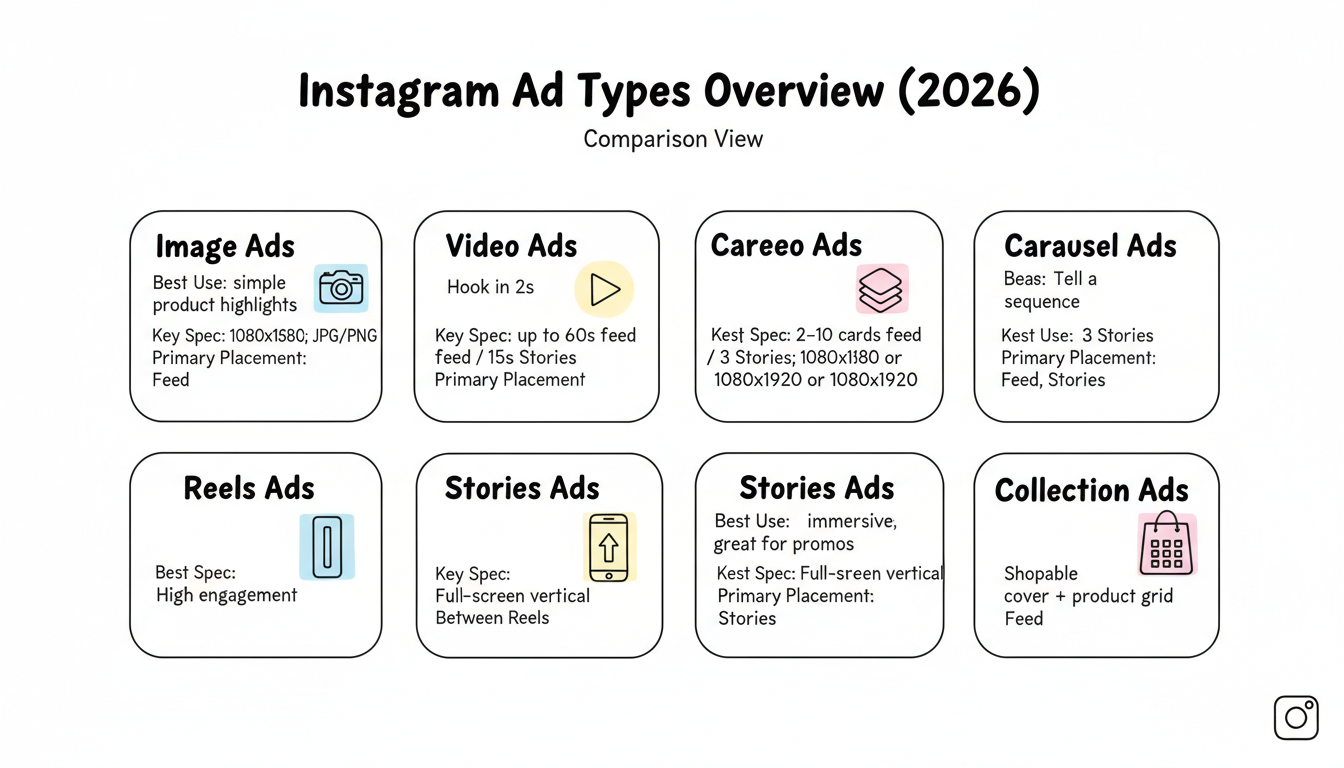
Meta offers several ad formats for Instagram, each designed for different marketing goals and creative approaches.
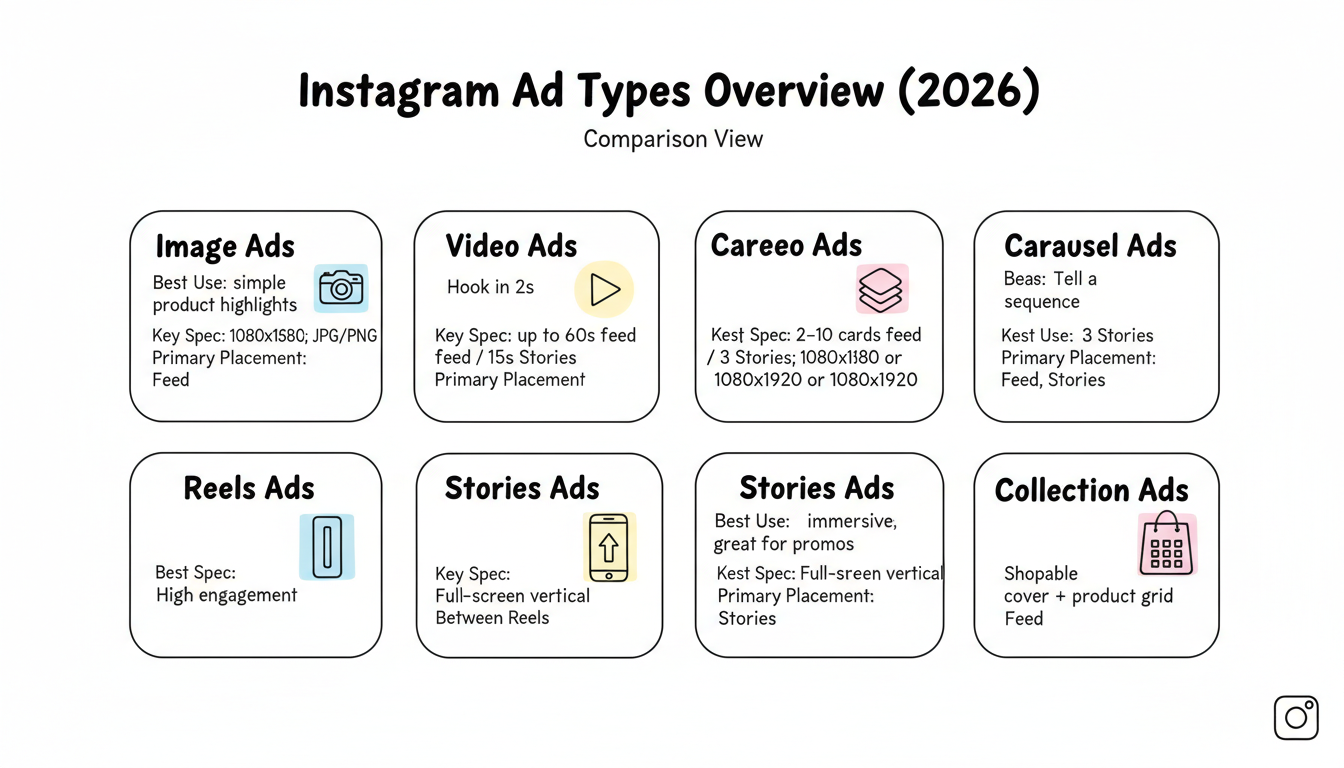
Static image ads appear in the Instagram feed between organic posts. They work best when your visual tells a complete story without needing additional context.
Specifications:
Video ads capture attention through movement and sound. According to Meta's best practices, videos should grab attention within the first few seconds and work with sound on or off.
Specifications:
Carousel ads let users swipe through multiple images or videos in a single ad unit. They're effective for showcasing product collections or telling a sequential story.
Specifications:
Reels ads appear between organic Reels content and benefit from the format's high engagement rates. According to Meta, more than half of time spent on Instagram is devoted to Reels, making this format essential for reach.
Full-screen vertical ads that appear between user Stories. These create immersive experiences and work well for time-sensitive promotions.
Collection ads feature a cover image or video with product images below, letting users browse and purchase without leaving Instagram.
Follow these steps to create your first Instagram ad campaign in Meta Ads Manager.
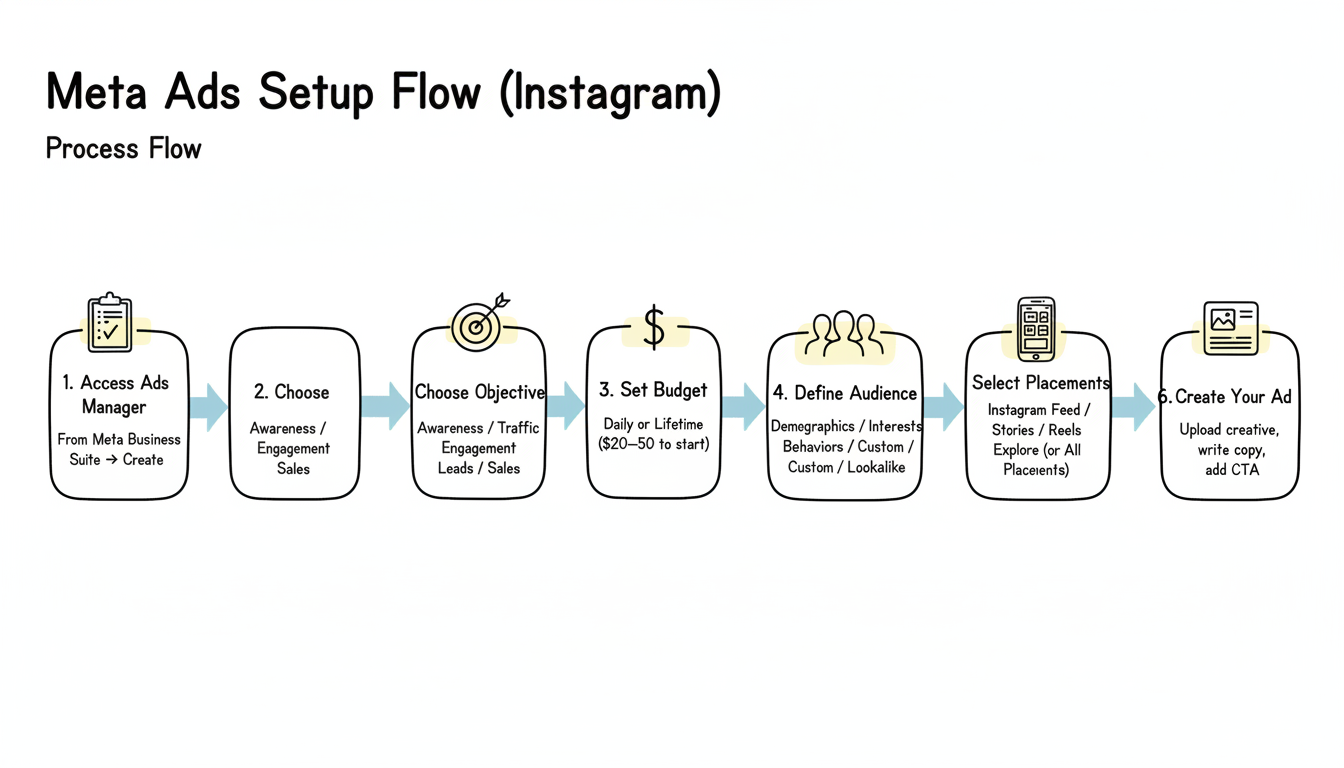
Navigate to your Facebook Page, click Meta Business Suite in the left sidebar, then select Ads Manager. Click "Create" to start a new campaign.
Select an objective that matches your business goal:
Your objective determines which ad formats and optimization options are available.
Choose between two budget types:
For Instagram ads, average CPC ranges from $0.50 to $3.00 depending on your industry and targeting. If you're wondering how much to run ads on Facebook and Instagram combined, start with a daily budget of $20-50 to gather initial performance data.
Create your target audience using:
In 2026, broad targeting often outperforms manual interest-based targeting due to Meta's improved machine learning. Consider letting Advantage+ audiences find your best customers automatically.
For Instagram-only campaigns, manually select placements and uncheck Facebook options. Available Instagram placements include:
However, Meta recommends selecting "All Placements" for most advertisers, as 60-80% of impressions naturally serve on Instagram anyway when using Advantage+ placements.
Upload your creative assets, write your ad copy, and add your call-to-action button. Match your creative format to your chosen placements for best results.
Apply these proven strategies to improve your Instagram ad performance.
Instagram users scroll quickly—you have under two seconds to make an impression. Use movement, bold visuals, or intriguing hooks in the first frame of videos.
Aim for 125 characters or fewer in your primary text. Get to the point immediately and focus on a single, clear message.
Nearly all Instagram usage happens on mobile devices. Use vertical formats (9:16) for Stories and Reels, and ensure text is large enough to read on small screens.
Meta recommends designing videos for both sound-on and sound-off viewing. Add captions or on-screen text so your message lands even when muted.
Create variety in your ad library including static images, short videos, UGC-style content, and carousels. Static images still drive 60-70% of conversions on Meta, so don't abandon them for video only.
Every ad needs a clear call-to-action. Choose CTA buttons that match your objective—"Shop Now" for sales, "Learn More" for awareness, "Sign Up" for leads.
Optimize your Instagram campaigns with these advanced strategies.
Track these metrics to evaluate performance:
Meta's algorithm needs data to optimize. Avoid making changes during the first 3-7 days while the system gathers learnings. Making frequent changes resets the learning phase. Understanding the meta ads bidding strategy helps you make smarter optimization decisions during this period.
People who've already visited your website or engaged with your content convert at higher rates. Retargeting warm audiences can reduce costs by up to 70% compared to cold prospecting.
Ad fatigue occurs when the same audience sees your creative too many times. Refresh your ads every 2-4 weeks to maintain performance.
Collaborating with creators through Meta's Partnership Ads can deliver 19% better CPA and 13% higher CTR than regular ads. This format lets you amplify authentic creator content.
Instagram ad costs vary by industry, targeting, and competition. Average CPC ranges from $0.50 to $3.00, with CPM typically between $5-15. When comparing platforms, reviewing Facebook ads vs Google ads cost can help you allocate budget more effectively. Start with a small budget to test performance before scaling.
No, you need a Facebook page connected to your Instagram account through Meta Business Suite to run ads in Ads Manager. You can create ads that only appear on Instagram, but the Facebook page is required for account structure.
Boosted posts offer limited targeting and objectives, while Ads Manager provides full access to audiences, placements, ad formats, and optimization options. For serious advertising, learning how to run Facebook ads for business through Ads Manager delivers significantly better results than simple post boosting.
By submitting this form, you agree to our Privacy Policy and Terms & Conditions.



