
February 19, 2026


LinkedIn carousel ads let you tell a story across multiple swipeable cards, making them one of the most engaging formats for B2B marketers. Whether you're showcasing product features, walking through a case study, or delivering educational content, carousels keep users engaged far longer than static images.
This guide covers everything you need to create high-converting carousel campaigns in 2026: specs, design best practices, strategic use cases, and examples that work.
Getting your technical specs right ensures your carousel ads display properly across all devices. Here are the current requirements:
Specification | Requirement |
Recommended Size | 1080 x 1080 pixels |
Aspect Ratio | 1:1 (square) |
File Format | JPG, PNG, or non-animated GIF |
Maximum File Size | 10 MB per card |
Number of Cards | 2-10 cards |
Minimum Resolution | 1080 x 1080 pixels |
According to LinkedIn's official guidelines, maintaining the 1:1 square ratio ensures consistency across all carousel slides and optimal display on both desktop and mobile devices.
Element | Character Limit |
Headline | 255 characters (recommended: 45 max) |
Ad Name | 255 characters |
Introductory Text | 600 characters (recommended: 150 max) |
Card Headlines | 45 characters (recommended) |
Specification | Requirement |
Aspect Ratio | 1:1 recommended |
File Size | 75 KB - 200 MB |
Duration | 3 seconds - 30 minutes |
Format | MP4 |
Carousel ads excel in specific scenarios. Choose this format when your content benefits from a sequential, multi-card presentation.
Product Feature Walkthroughs
Break down complex products into digestible feature cards. Each swipe reveals another benefit, keeping prospects engaged while educating them about your solution. When planning your LinkedIn advertising ROI, consider that carousel ads typically drive higher engagement than static formats.
Example: A SaaS company used carousel ads to walk prospects through a product workflow, resulting in a 40% increase in demo signups.
Step-by-Step Guides
Educational content thrives in carousel format. Walk users through processes, frameworks, or methodologies one step at a time.
Case Study Highlights
Share customer success stories across multiple cards: challenge, solution, results. This format lets you tell the full story without overwhelming readers. For companies tracking LinkedIn conversion tracking, carousel ads provide more data points to measure engagement depth.
Multiple Product Showcase
Display different products or service tiers in a single ad unit. Each card can feature a different offering with its own headline and description.
Before/After Comparisons
Show transformation or results clearly by dedicating cards to the "before" state and "after" outcomes.
Data Visualization Series
Present statistics, survey results, or benchmark data across multiple slides for better absorption and impact. When comparing performance against LinkedIn ads benchmarks, carousel ads often exceed average engagement rates.
According to LinkedIn ad format analysis, carousels work particularly well at these funnel stages:
Funnel Stage | Carousel Use Case |
Top of Funnel (Awareness) | Educational content, industry trends |
Middle of Funnel (Consideration) | Product features, case studies |
Bottom of Funnel (Decision) | Pricing tiers, implementation guides |
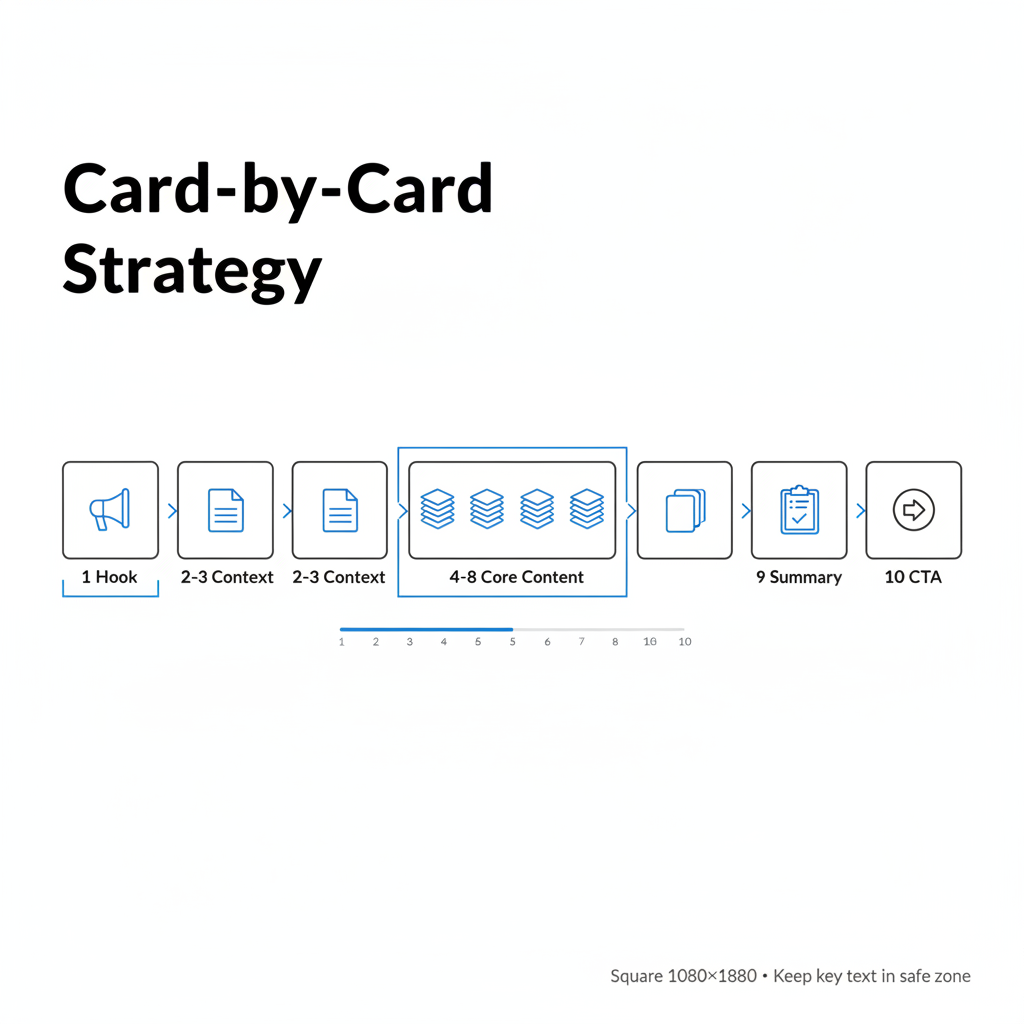
Card 1: The Hook
Your first card determines whether users swipe. Make it count:
Cards 2-3: Context and Setup
Build the foundation for your core message:
Cards 4-8: Core Content
Deliver your main value:
Card 9: Summary or Recap
Synthesize key points:
Card 10: Call-to-Action
Close with clear direction:
Design research shows carousels keep users engaged for an average of 3-5 minutes—far longer than other formats. Maximize this engagement with smart design:
Typography
Layout
Branding
Mobile Optimization
Most LinkedIn users view content on mobile. According to platform best practices:
Both formats have their place. Here's when to choose each:
Scenario | Why Carousel Works |
Complex products/services | Multiple cards explain different aspects |
Storytelling required | Sequential format builds narrative |
Multiple CTAs/offers | Each card can drive to different destinations |
Educational content | Step-by-step presentation aids understanding |
High engagement goal | Swipe interaction increases time on ad |
Scenario | Why Single Image Works |
Simple, clear message | No need for multiple slides |
Brand awareness | One powerful visual creates impact |
Quick announcements | Concise message doesn't require story |
Testing new audiences | Simpler format for initial data |
Budget constraints | Faster to create and test |
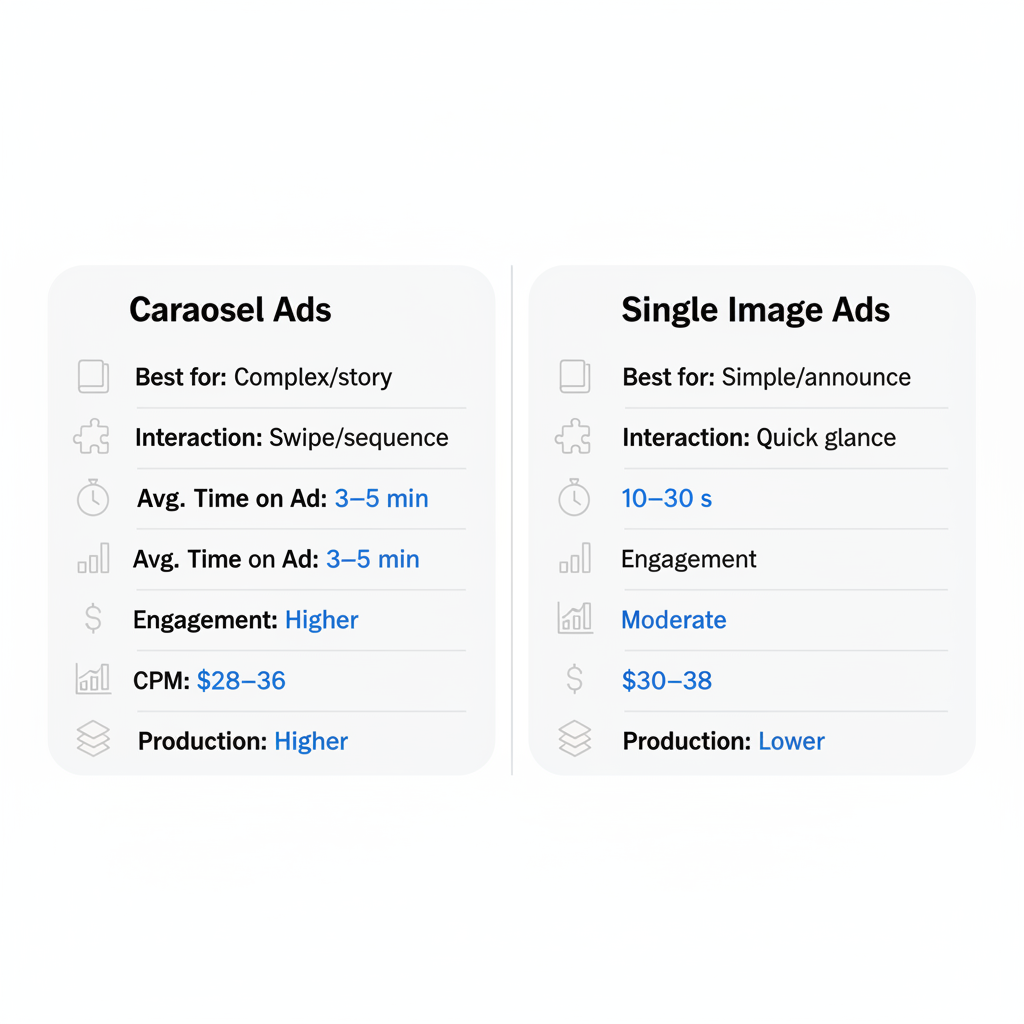
Metric | Carousel Ads | Single Image Ads |
Avg. Time on Ad | 3-5 minutes | 10-30 seconds |
Engagement Rate | Higher | Moderate |
CPM | $28-$36 | $30-$38 |
CTR | Generally higher | Variable |
Production Time | Higher | Lower |
According to 2026 format analysis, carousel ads achieve "high" engagement levels compared to "moderate" for single image formats, making them worth the additional production investment. Understanding LinkedIn CPM explained helps you evaluate whether the format's higher production cost is offset by better performance.
Structure:
Structure:
Structure:
Before creating your carousel:
LinkedIn now offers AI-driven A/B testing that can optimize carousel creative in real time. Upload multiple versions and let the algorithm identify winning combinations. If you're working with a LinkedIn advertising company, they can help set up these tests for maximum impact.
Create carousel sequences where each campaign builds on the previous:
LinkedIn Document Ads (PDF-based) offer an alternative to image carousels:
Aspect | Carousel Ads | Document Ads |
Format | Individual image cards | PDF document |
Lead Gen Form Completion | ~15% | ~23% |
Best For | Visual storytelling | Gated content, reports |
CPL | Moderate | Often lower |
Platform data shows Document Ads achieve 22.73% lead form completion rates versus 2.26% for video—consider testing both formats.
Optimal length is 5-10 cards. Engagement data shows interaction drops after the 6th or 7th slide, so front-load your most important content. Never use fewer than 2 or more than 10 cards. When planning your LinkedIn lead generation campaign, consider testing different carousel lengths to find what resonates with your audience.
Keep each image under 10 MB, though smaller files (under 5 MB) load faster on mobile. Use compression tools to reduce file size without sacrificing quality.
Yes, each card can have its own headline and link to different destinations. However, maintaining a consistent CTA across cards typically performs better for clear conversion goals. For comprehensive strategies, refer to our complete guide to LinkedIn advertising.
CPM for carousels is often slightly lower ($28-$36) than single image ads ($30-$38), likely because the format drives higher engagement. However, production costs are higher due to multiple creative assets required. Compare this to LinkedIn sponsored content cost to understand your total investment.
By submitting this form, you agree to our Privacy Policy and Terms & Conditions.



