
February 19, 2026


Many businesses want to advertise on Instagram without getting involved with Facebook. Whether you prefer Instagram's audience, don't use Facebook personally, or simply want to focus on one platform—this is a common question.
The short answer: you can promote content on Instagram without a Facebook account, but for full advertising capabilities, you'll need Meta's infrastructure. Here's what you need to know about your options in 2026.
Instagram and Facebook are both owned by Meta, and they share the same advertising system. When you run "Instagram ads" or "Facebook ads," you're actually using Meta Ads—a unified platform that serves ads across Facebook, Instagram, Messenger, and the Audience Network.
As of 2026, Facebook has over 3.07 billion monthly active users and Instagram exceeds 3 billion monthly users. What's particularly interesting for advertisers: approximately 450 million Instagram users are NOT on Facebook. This means both platforms reach distinct audiences.
The Meta Ads system offers significant advantages:
However, this integration means you need some level of Meta agency ad account to access full advertising features.
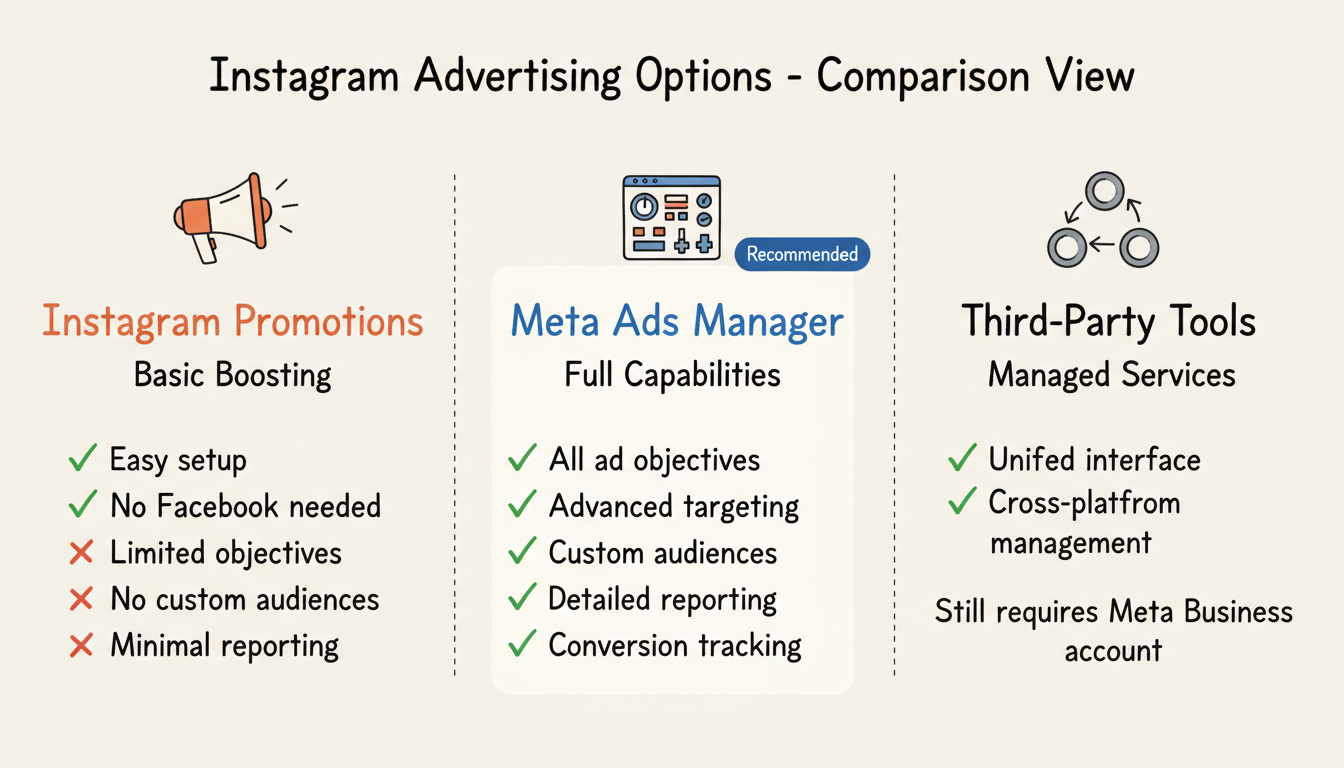
You can promote posts directly from Instagram without a Facebook account. This is called "boosting" or "Instagram Promotions."
How it works:
Limitations:
This option works for simple awareness campaigns but lacks the sophisticated features that make Meta advertising powerful.
For full Instagram advertising capabilities, you need Meta Ads Manager, which requires a Facebook account (even if you never use Facebook itself).
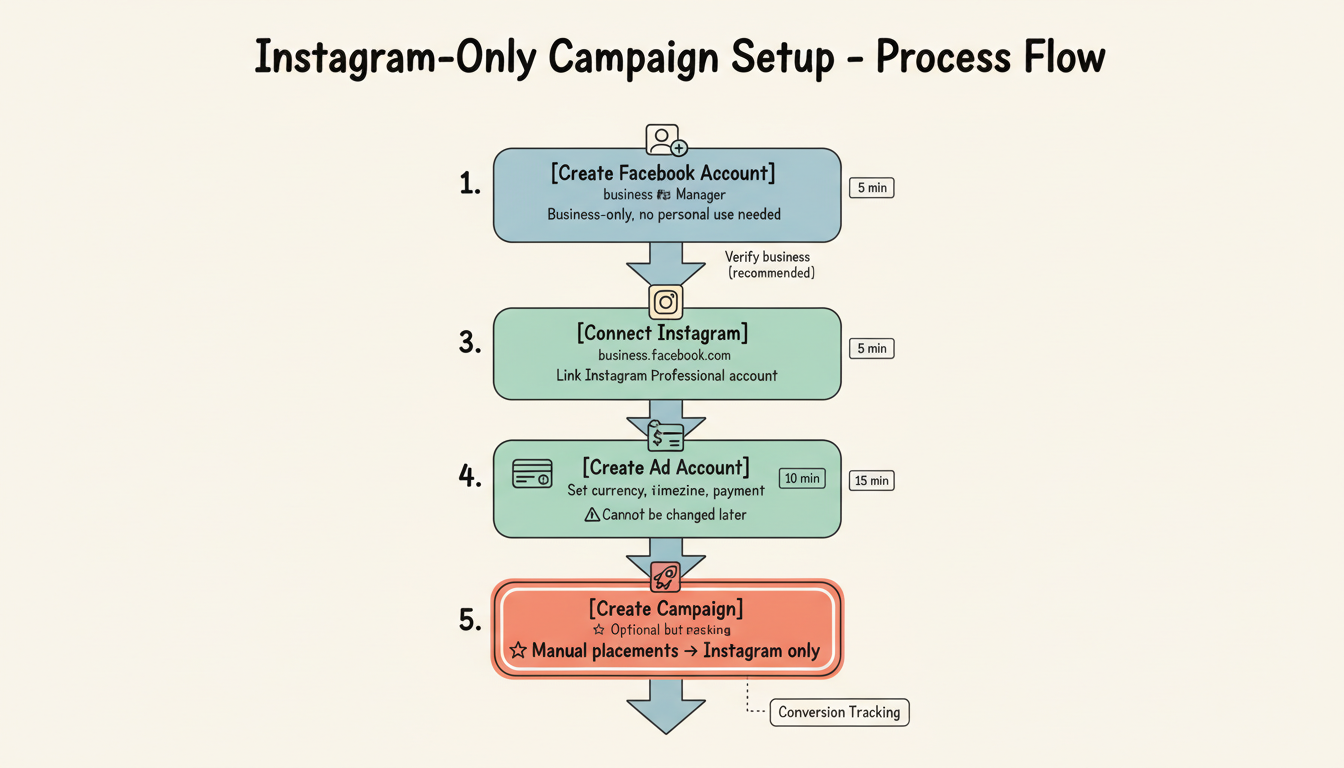
According to Hootsuite's 2026 Instagram ads guide, when setting up campaigns in Ads Manager, you can manually select placements to ensure ads run only on Instagram—not Facebook.
What you get:
Some third-party platforms like Hootsuite allow you to manage Instagram ads through their interface, but they still connect to Meta's advertising system behind the scenes. You'll still need a Facebook Business account to link.
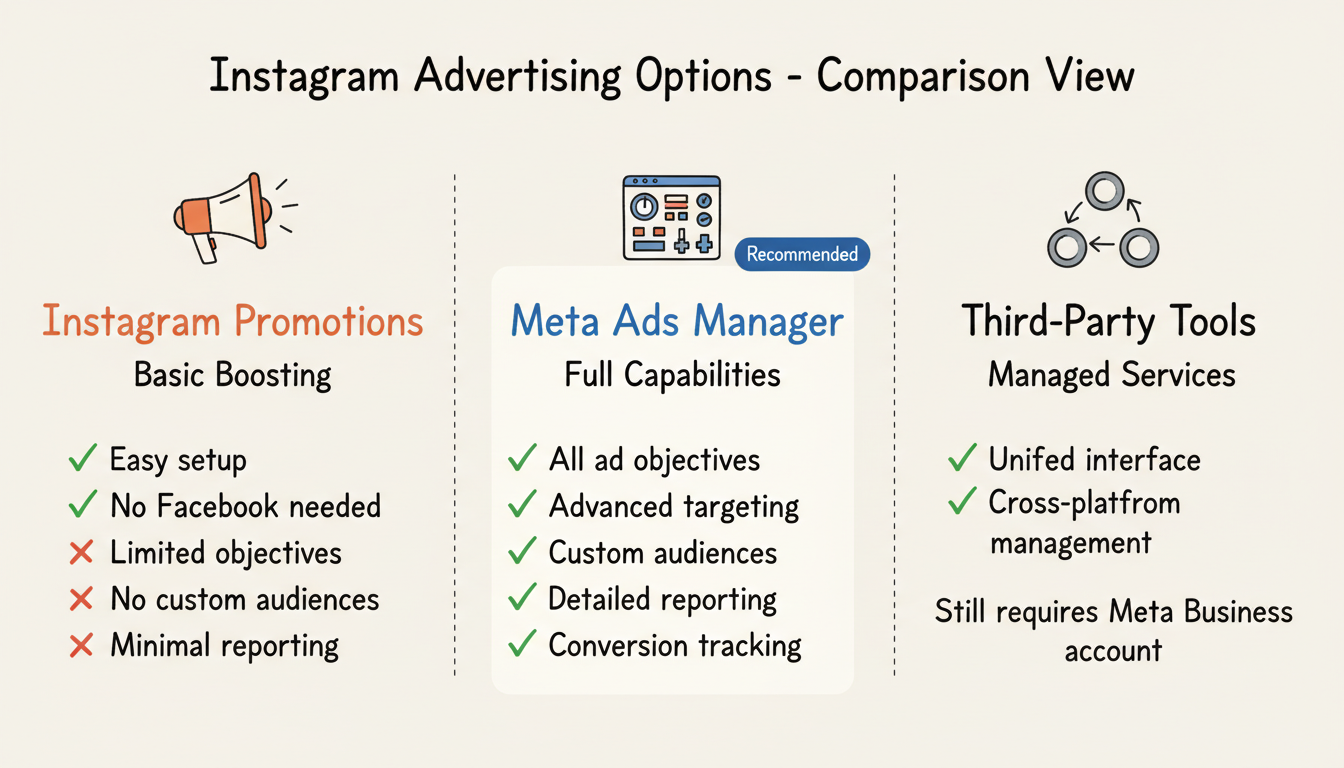
For most businesses serious about Instagram advertising, using Ads Manager is worth the minor inconvenience of creating a Facebook account.
Meta's Advantage+ automation tools in 2026 automatically optimize placements, creatives, and budgets—but only if you're using the full Ads Manager system.
Key advantages:
Targeting capabilities: Ads Manager lets you create custom audiences from your customer data, build lookalike audiences to find similar users, and target based on detailed behaviors and interests. Instagram Promotions offers only basic demographic and interest targeting.
Optimization power: Ads Manager campaigns can optimize for specific outcomes like purchases, lead submissions, or app installs. Instagram Promotions primarily optimizes for profile visits, website clicks, or messages.
Cost efficiency: With proper conversion tracking and optimization, Ads Manager campaigns typically deliver better ROI than simple promotions because Meta's AI learns what drives results for your specific business. Understanding average ROI facebook ads benchmarks can help you set realistic performance expectations.
Basic Instagram promotions can work for:
Create a minimal Facebook Business account specifically for advertising:
You never need to post on Facebook, engage with Facebook users, or maintain a Facebook presence. The account exists solely to access Meta's advertising infrastructure.
Facebook Account:
Business Manager:
If you have a website and want to track conversions:
As noted in Hootsuite's guide: "If you want your ad to run only on Instagram and not Facebook, you should manually select your ad placements."
You can boost posts directly from Instagram without a Facebook account, but this offers limited targeting, optimization, and reporting. For full advertising capabilities, you need a Meta Business account (which is tied to Facebook's infrastructure).
No. You can create a Facebook Business account purely for advertising purposes without ever posting content to Facebook. Many businesses use Facebook only as a gateway to Meta's advertising platform.
It depends on your audience. Testing both platforms often reveals which performs better for your specific business. Many advertisers find that allowing Meta to optimize across both platforms delivers the best overall results, as the algorithm finds conversions wherever they're cheapest. If you're weighing your options, comparing facebook-ads-vs-instagram-ads-vs-google-ads can help you understand the unique advantages of each platform.
By submitting this form, you agree to our Privacy Policy and Terms & Conditions.



