
February 19, 2026


Schema markup only delivers AI search benefits when implemented correctly. Invalid, incomplete, or misconfigured structured data fails silently—your pages don't show errors, but they also don't earn rich results or AI citations. Proper validation and testing ensures your schema investment translates into actual visibility gains across Google AI Overviews, featured snippets, and AI search platforms.
According to Backlinko's schema markup guide, you should always check your structured data markup in the Google Rich Results tool after validating it with Schema.org. The Rich Results Test specifically tells you whether Google will show rich results for the entities you've described with schema markup.
Multiple tools serve different validation purposes.
According to Kinetools' JSON-LD documentation, you can test schema markup using several free tools: the Rich Results Test (search.google.com/test/rich-results) shows if your page is eligible for rich results and previews how it might appear; Schema Markup Validator (validator.schema.org) validates JSON-LD syntax and structure; and Google Search Console's Rich Results report shows which pages have valid markup and tracks performance.
Key validation tools:
Tool | Purpose | What It Checks |
Rich Results Test | Google eligibility | Rich result qualification |
Schema.org Validator | Syntax validation | JSON-LD structure and properties |
Search Console | Performance tracking | Valid pages and click data |
Structured Data Markup Helper | Implementation guidance | Markup generation |
Browser extensions | Quick checks | On-page validation |
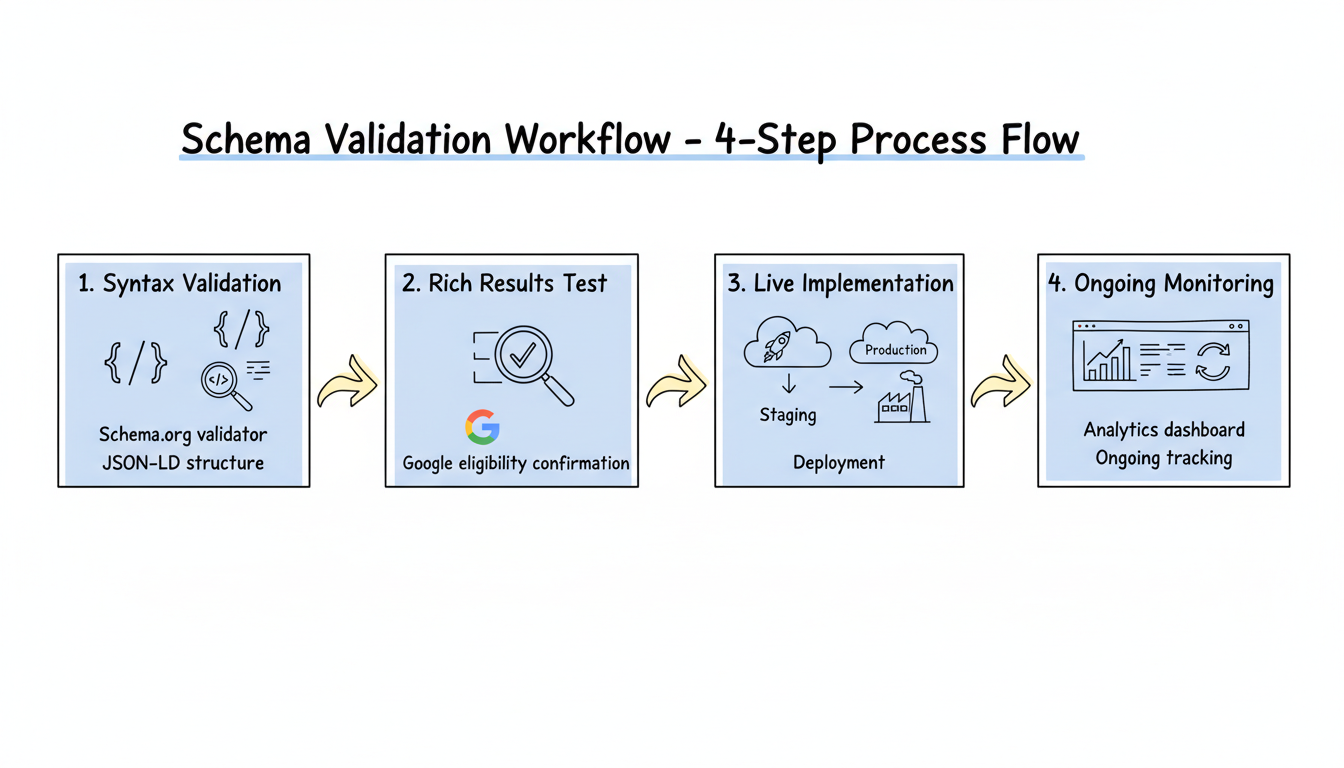
Effective validation requires sequential testing.
According to Backlinko, validating with Schema.org first confirms your JSON-LD syntax is correct, but Google's Rich Results tool then determines whether your specific schema implementation qualifies for enhanced search features. Both steps are necessary for optimizing content for AI search engines.
Validation sequence:
Schema Validation Workflow
├── Step 1: Syntax Validation (Schema.org)
│   ├── Check JSON-LD structure
│   ├── Verify property names
│   ├── Confirm data types
│   └── Validate nesting
│
├── Step 2: Rich Results Test (Google)
│   ├── Confirm eligibility
│   ├── Preview appearance
│   ├── Identify missing properties
│   └── Check required fields
│
├── Step 3: Live Implementation
│   ├── Test on staging first
│   ├── Deploy to production
│   ├── Request indexing
│   └── Monitor Search Console
│
└── Step 4: Ongoing Monitoring
    ├── Track rich result performance
    ├── Monitor for new errors
    ├── Update when content changes
    └── Check competitor implementations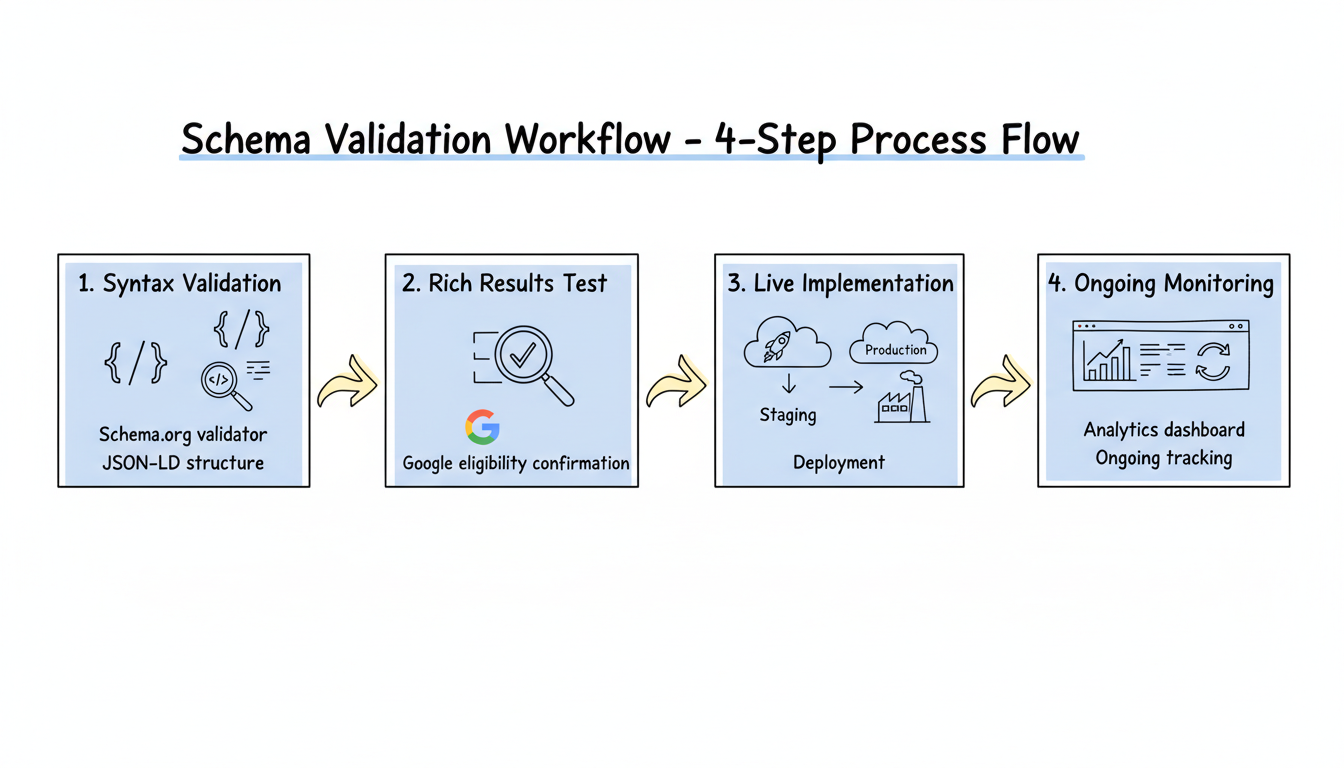
Validation catches issues before they impact visibility.
According to ALM Corp's schema guide, common mistakes include content mismatches where schema claims different information than visible on the page, incomplete implementation missing required properties that prevent rich result eligibility, duplicate schema from multiple plugins or tools creating conflicts, marking up content not visible to users, using incorrect data types, and neglecting to update schema when content changes.
Error categories:
Error Type | Description | Impact |
Content mismatch | Schema data differs from visible content | Potential penalty |
Missing required fields | Incomplete properties | No rich results |
Duplicate schema | Multiple conflicting implementations | Parsing confusion |
Hidden content markup | Schema for invisible elements | Policy violation |
Incorrect data types | Strings instead of numbers | Validation failure |
Outdated data | Old prices, hours, availability | User trust issues |
Structural errors prevent schema from being parsed.
According to WebCare's structured data guide, JSON-LD syntax errors like missing commas, incorrect curly braces, square brackets, or unescaped characters will cause complete validation failures, preventing any schema benefits. Understanding how AI SEO works helps you appreciate why proper syntax is critical for AI platforms to interpret your content correctly.
Syntax checklist:
AI platforms may process schema differently than Google.
According to TheeDigital's AI search analysis, AI search systems like Google's AI Overviews and ChatGPT increasingly pull information directly from websites with proper schema markup. Businesses with comprehensive schema markup maintain visibility across current and future AI search technologies. This requires prioritizing AEO schema markup that AI systems rely on most.
AI-specific validation:
AI Search Schema Validation
├── Entity Relationships
│   ├── sameAs links to authoritative profiles
│   ├── author connections verified
│   ├── Organization entity complete
│   └── Cross-platform consistency
│
├── Content Matching
│   ├── Schema aligns with visible content
│   ├── Factual accuracy verified
│   ├── No speculation or errors
│   └── Current information
│
├── Semantic Completeness
│   ├── Entity type appropriate
│   ├── Properties comprehensive
│   ├── Relationships established
│   └── Context provided
│
└── Multiple Schema Types
    ├── FAQ schema validated
    ├── HowTo schema validated
    ├── Article schema validated
    └── Person/Organization linked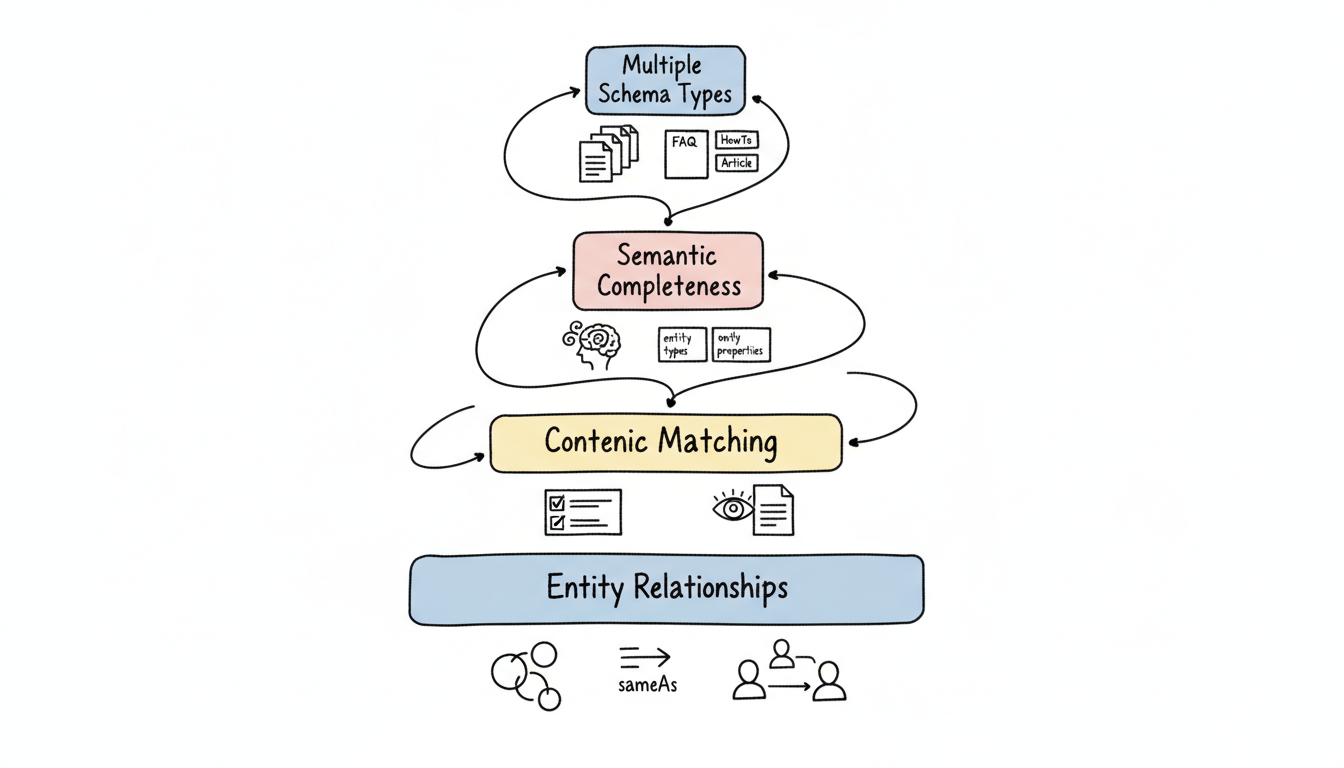
Ongoing validation catches issues after deployment.
According to Orange Owl's AI Overviews guide, validating structured data using the Rich Results Test tool should be combined with regular auditing to ensure schema remains accurate and effective over time.
Search Console monitoring:
Report | Information | Action |
Rich Results | Valid/invalid pages | Fix errors promptly |
Enhancements | Specific schema types | Monitor coverage |
Performance | Click data with rich results | Optimize CTR |
Index Coverage | Crawling status | Ensure discovery |
Test thoroughly before going live.
Comprehensive checklist:
Tools can automate ongoing validation.
Monitoring approaches:
Schema validation and testing ensures your structured data delivers results:
According to Wellows' AI search optimization guide, schema markup helps turn your content into a format that machines can understand through AI-readable structuring. Using specific and accurate schema types helps AI systems match your content to the right search intent—but only when validation confirms your implementation works correctly across both traditional search and AI platforms. Learning from AEO success stories and case studies can help you refine your validation approach based on what has worked for others.
By submitting this form, you agree to our Privacy Policy and Terms & Conditions.



