
February 19, 2026


Understanding your TikTok advertising performance requires mastering the platform's reporting capabilities. With the right metrics, attribution settings, and reporting tools, you can identify what's working, optimize underperforming campaigns, and demonstrate ROI.
This guide covers TikTok's key advertising metrics, how to set up custom reports, attribution window considerations, and third-party tools that enhance measurement.
TikTok Ads Manager provides comprehensive metrics across awareness, engagement, and conversion objectives.
TikTok Ads Manager's Dashboard and Campaigns pages display performance data:
Dashboard view includes:
Campaigns page provides:
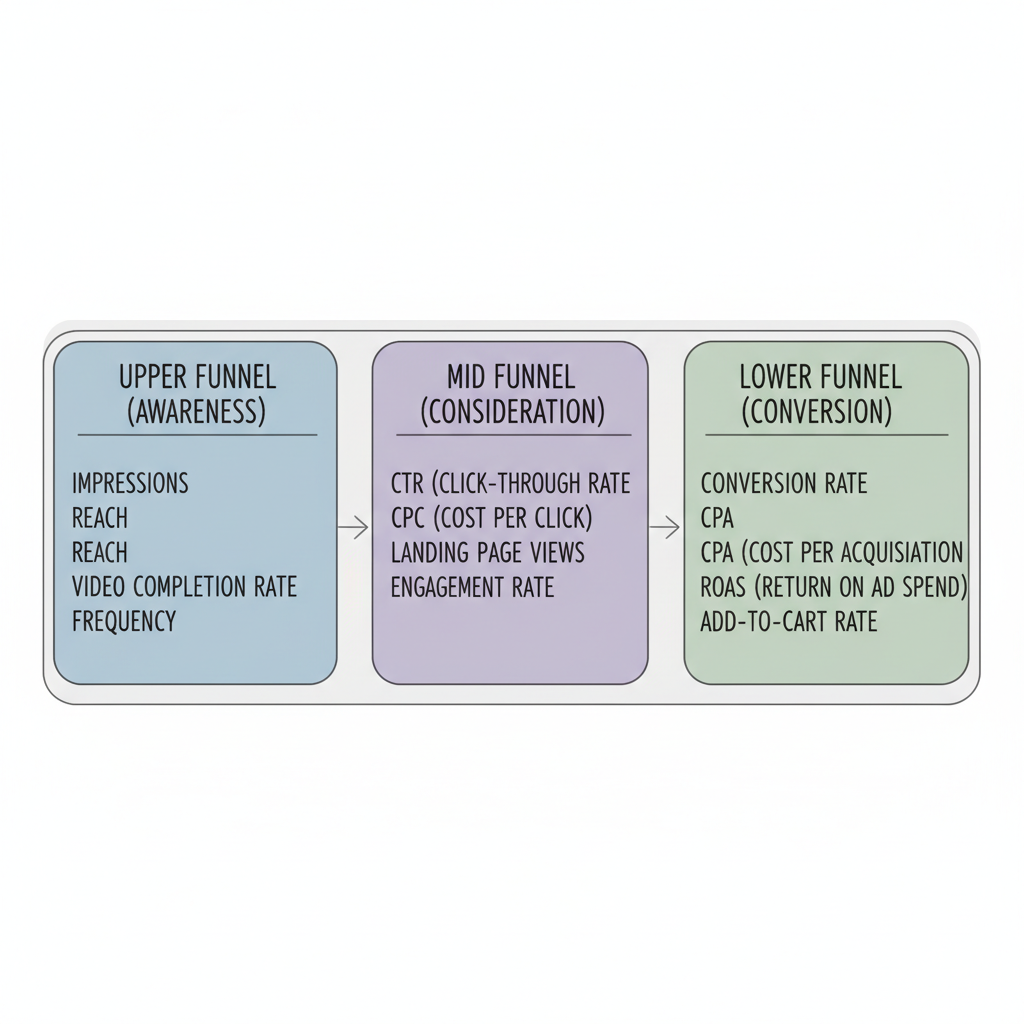
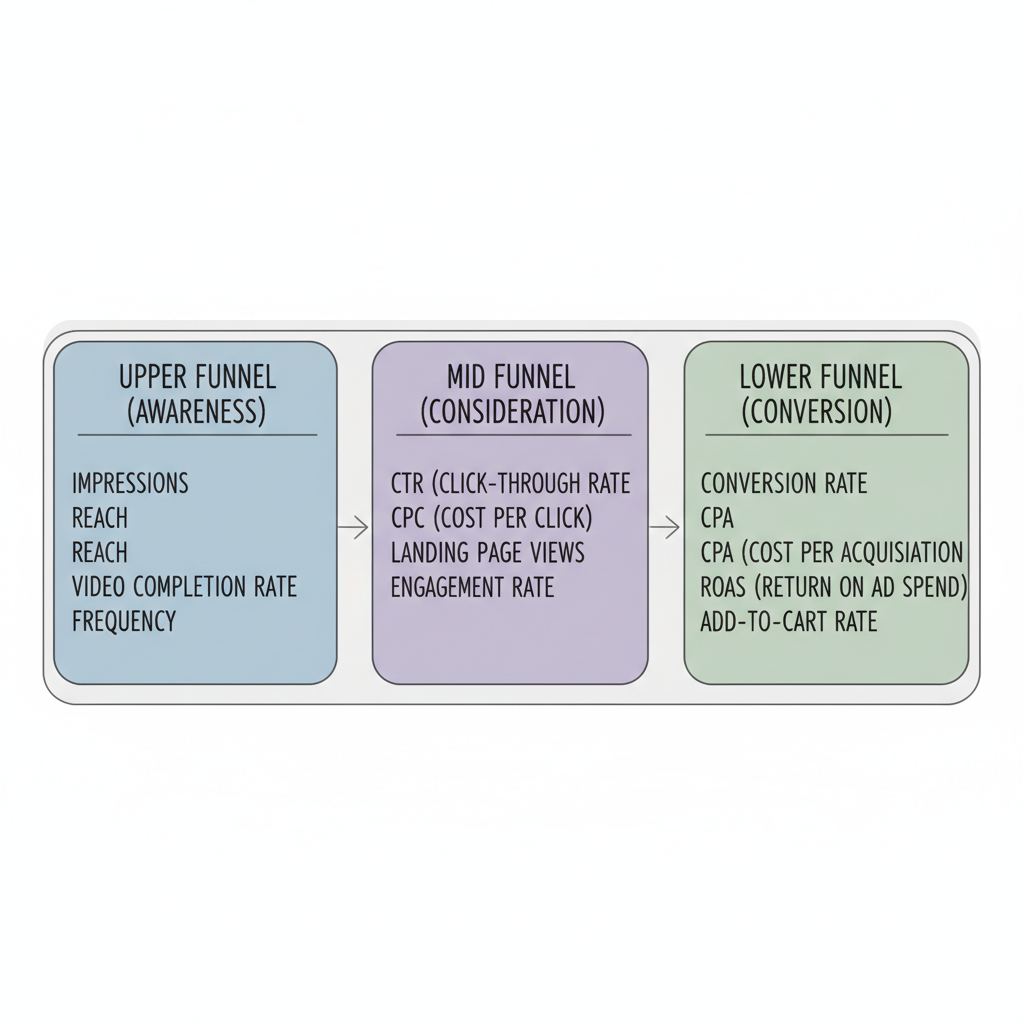
TikTok organizes metrics into three levels based on funnel stage:
Upper funnel (awareness):
Mid funnel (consideration):
Lower funnel (conversion):
Understanding benchmarks helps evaluate whether your campaigns are performing well. For a deeper dive into performance expectations, see our complete TikTok advertising statistics 2026 breakdown.
Current industry benchmarks for TikTok ads:
Metric | Good Performance | Exceptional |
CTR | 1.5%+ | 3%+ |
CPC | $0.50-$1.50 | Below $0.50 |
Video completion rate | 40%+ | 60%+ |
Engagement rate | 2%+ | 5%+ |
Conversion rate | 2-3% | 5%+ |
TikTok ad costs vary by vertical:
Industry | Avg. CPC | Avg. CPM | Expected ROAS |
E-Commerce & Retail | $0.50-$1.50 | $6-$12 | 2.0-4.0+ |
Beauty & Skincare | $0.50-$1.50 | $6-$12 | 0.91 |
Mobile Apps & Gaming | $0.50-$1.80 | $5-$10 | Varies |
B2B / SaaS | $1.50-$3.00 | $5-$12 | High LTV focus |
Home Goods | $0.40-$1.20 | $5-$10 | 4.2 |
Conversion rates differ by destination:
TikTok Shop sees significantly higher conversion rates due to reduced friction from in-app purchasing. If you're considering this channel, our guide on TikTok Shop marketing strategy 2026 covers best practices for maximizing performance.
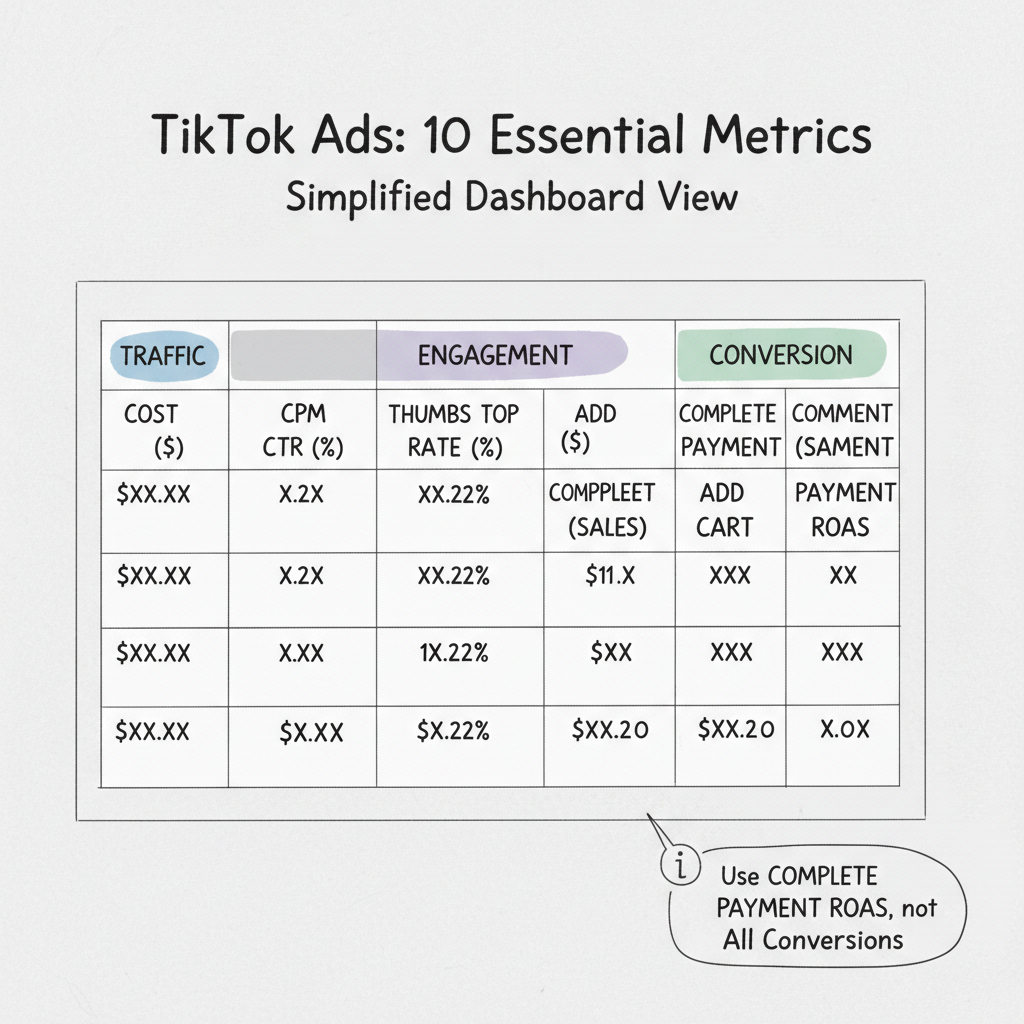
Recommended columns for your TikTok Ads Manager view:
Important note: Ensure you're viewing Complete Payment ROAS, not All Conversions. TikTok sometimes bundles Add to Cart values into generic conversion columns if not configured correctly.
TikTok Ads Manager allows building custom reports tailored to your specific needs.
Access custom reporting:
Useful dimensions:
For awareness campaigns:
For traffic campaigns:
For conversion campaigns:
Set up automated reports:
Reports can be exported as CSV or Excel for further analysis.
Attribution settings significantly impact how TikTok credits conversions to your ads.
TikTok operates at the top of the funnel—creating awareness and interest that may convert days or weeks later through other channels. This makes attribution window settings critical.
Click-through attribution: Credits conversions to users who clicked your ad before converting. More reliable signal of direct intent.
View-through attribution: Credits conversions to users who saw (but didn't click) your ad before converting. Captures awareness influence.
TikTok Ads Manager supports attribution windows up to 28 days:
Available settings:
Choosing the right window:
Last-click attribution systematically under-credits TikTok's contribution because users often discover products on TikTok but purchase through other channels later.
Solutions:
Native TikTok analytics can be enhanced with third-party tools for deeper insights.
Proper tracking setup is foundational for accurate reporting:
TikTok Pixel benefits:
Understanding TikTok retargeting and remarketing strategies can help you maximize the value of your pixel data.
Events API (server-side tracking):
Popular third-party tools for TikTok reporting:
AgencyAnalytics:
Metricool:
Socialinsider:
Triple Whale:
Attribuly:
TikTok integrates with third-party measurement partners:
These partners enable measurement of impressions, clicks, and in-app events across campaign objectives.
Reporting is only valuable when it drives decisions.
Week 1 after launch: Monitor delivery and early engagement metrics. Ensure ads exit learning phase (50+ conversions).
Week 2: Identify top-performing creatives. Pause underperformers, allocate budget to winners.
Ongoing: Test new creative concepts weekly. Refresh audiences as performance plateaus. Adjust bids based on competitive dynamics. If you encounter issues with campaign delivery, our TikTok ads not spending troubleshooting guide can help diagnose the problem.
Use CPA as your primary kill/scale metric. If CPA exceeds your break-even point for more than 3 days, pause the ad group.
Diagnostic framework:
Focus on metrics aligned with your objective. For awareness, track reach, video completion rate, and CPM. For consideration, monitor CTR, CPC, and engagement rate. For conversions, prioritize CPA, ROAS, and conversion rate. Always track Complete Payment ROAS rather than all conversions to ensure accuracy.
ROAS varies by industry. E-commerce typically sees 2.0-4.0x, beauty around 0.91x (lower due to longer consideration), and home goods often achieve 4.2x. A strong general benchmark is 3:1 or higher, but acceptable ROAS depends on your profit margins—higher margin products can profit at lower ROAS.
Install TikTok Pixel on your website and pair it with Events API for server-side tracking. Configure standard events (ViewContent, AddToCart, Purchase) and use event_id for deduplication between pixel and API. Set appropriate attribution windows based on your typical purchase cycle—7-day click, 1-day view is a common starting point.
By submitting this form, you agree to our Privacy Policy and Terms & Conditions.



