
February 19, 2026


TikTok Business Center is the command hub for managing your professional presence on TikTok. Whether you run a single brand or manage multiple clients as an agency, understanding this platform is essential for TikTok advertising success in 2026.
Think of it this way: if TikTok Ads Manager is the cockpit where you fly the plane, TikTok Business Center is the control tower that owns the airport. This guide walks you through everything you need to know about TikTok for Business setup and management.
TikTok Business Center (formerly TikTok Business Suite) is a centralized platform that unifies all your TikTok business tools in one place. According to Metricool's 2026 guide, you can access TikTok Ads Manager, Creator Marketplace, Business Account, and TikTok Shop from this single dashboard.
Business Center provides several key capabilities:
FeatureDescriptionAsset ManagementManage ad accounts, pixels, catalogs, and TikTok profiles in one placeTeam CollaborationInvite team members and assign specific roles and permissionsPartner SharingGrant external agencies access without sharing login credentialsAnalytics DashboardView content trends, follower demographics, and conversion insightsCreative HubAccess trending content and the Commercial Music Library
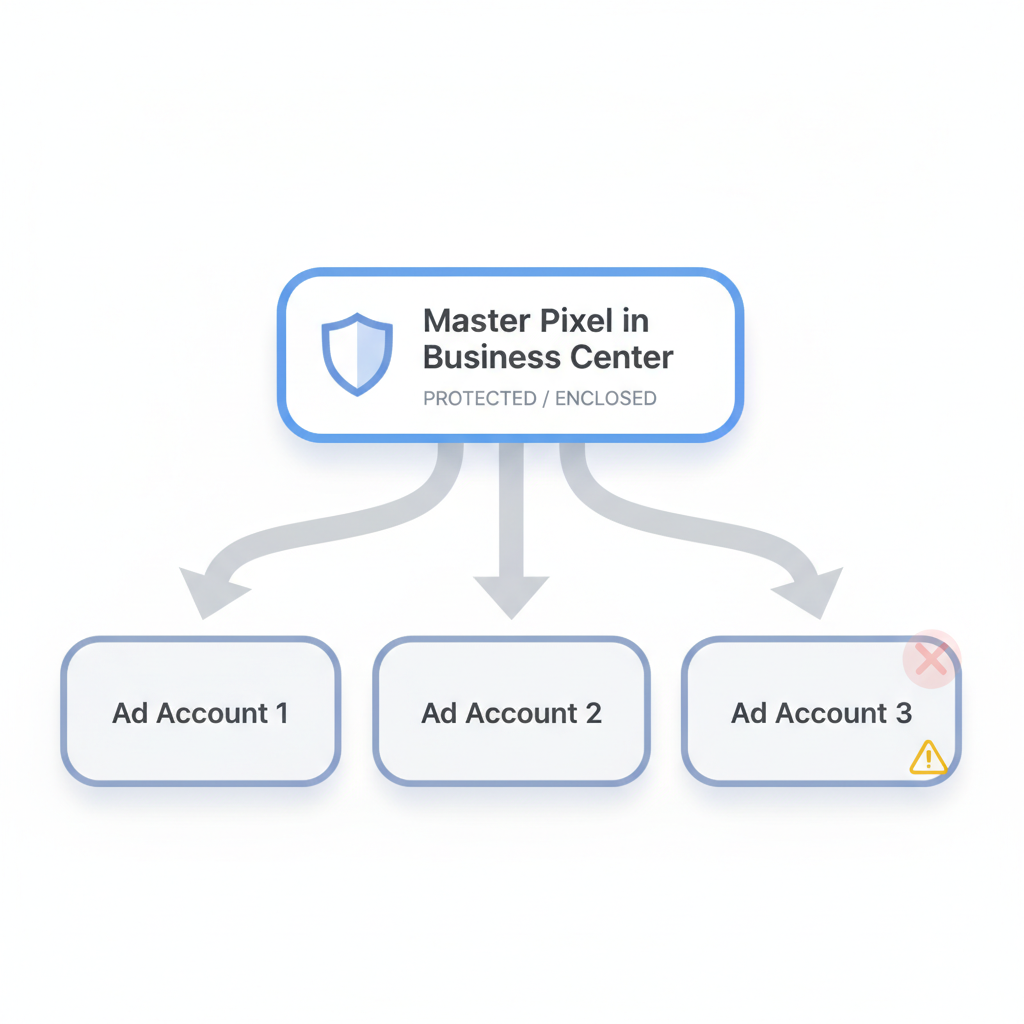
With the rise of Smart+ campaigns and Catalog Sales, proper asset structure determines whether your data flows correctly or gets blocked. Building pixels and managing audiences within Business Center provides protection—if an ad account gets restricted, your core assets remain intact.
For agencies looking to scale their operations, learning how to start a TikTok ad agency in 2026 requires mastering Business Center's multi-account management capabilities.
Getting started with TikTok Business Center requires a TikTok for Business account first. Here's how to set everything up properly.
If you have a personal TikTok account, switching to a business account is straightforward:
Once you have a TikTok Business Account:
After creating your Business Center, connect and organize your assets:
One of Business Center's greatest strengths is multi-account management—essential for agencies and brands with multiple product lines.
You can create separate ad accounts for:
According to industry best practices, treating ad accounts as "disposable execution units" while keeping core assets in Business Center protects your business from catastrophic data loss.
Business Center allows you to share assets across multiple ad accounts:
Asset TypeSharing CapabilityPixelsAssign to multiple ad accountsAudiencesShare custom and lookalike audiencesCatalogsUse across different campaignsCreativeAccess from any connected account
Understanding TikTok retargeting and remarketing strategies becomes much more effective when you properly configure audience sharing across your ad accounts.
Manage finances across all accounts from one dashboard:
Proper permission management keeps your Business Center secure while enabling team collaboration.
Business Center offers several predefined roles:
RoleCapabilitiesAdminFull control over all settings, assets, and usersAnalystView-only access to analytics and reportsOperatorManage specific tasks like creating ads or responding to commentsFinance AdminAccess to billing and payment management
To add team members:
Working with an external marketing agency? Add them as a "Partner" rather than sharing credentials:
This approach provides transparency and security—partners manage your assets using their own accounts while you maintain ownership.
Understanding the distinction between these two platforms is critical for effective TikTok advertising.
FunctionAds ManagerBusiness CenterRun AdsYesNoView ROAS DataYes (detailed)Aggregated onlyCreate PixelsYes (risky)Yes (recommended)Manage CatalogsNoYesTeam ManagementIndividualBulk/TeamsShare AudiencesNoYesVerify DomainNoYes
Use Ads Manager for:
Use Business Center for:
If you're experiencing issues with your campaigns, our guide on troubleshooting TikTok ads not spending covers common problems that can stem from improper Business Center configuration.
For the most secure structure in 2026:
This ensures your pixel history and audience data survive even if an individual ad account faces issues.
Yes, both Business Center and Ads Manager are completely free. You only pay for your advertising budget (ad spend). There are no subscription fees or platform charges for using these business tools.
If you only boost posts using TikTok's Promote feature, Business Center isn't required. However, if you plan to run conversion campaigns, sell products through TikTok Shop, or scale your advertising, Business Center is essential for proper asset management and security. Small business owners should review our TikTok ads for small business guide to understand the full setup requirements.
Yes, you can request access to an existing pixel. Go to Business Center > Assets > Pixels > Add Pixel > Request Access and enter the Pixel ID from the personal ad account. However, creating a new Master Pixel in Business Center is cleaner if you're starting fresh.
New in 2026, TikTok introduced an optimization score within Business Center that measures how well you utilize platform tools. It evaluates factors like pixel health, Commercial Music Library usage, and comment response time. Higher scores can improve overall account health and reach.
By submitting this form, you agree to our Privacy Policy and Terms & Conditions.



