
February 19, 2026


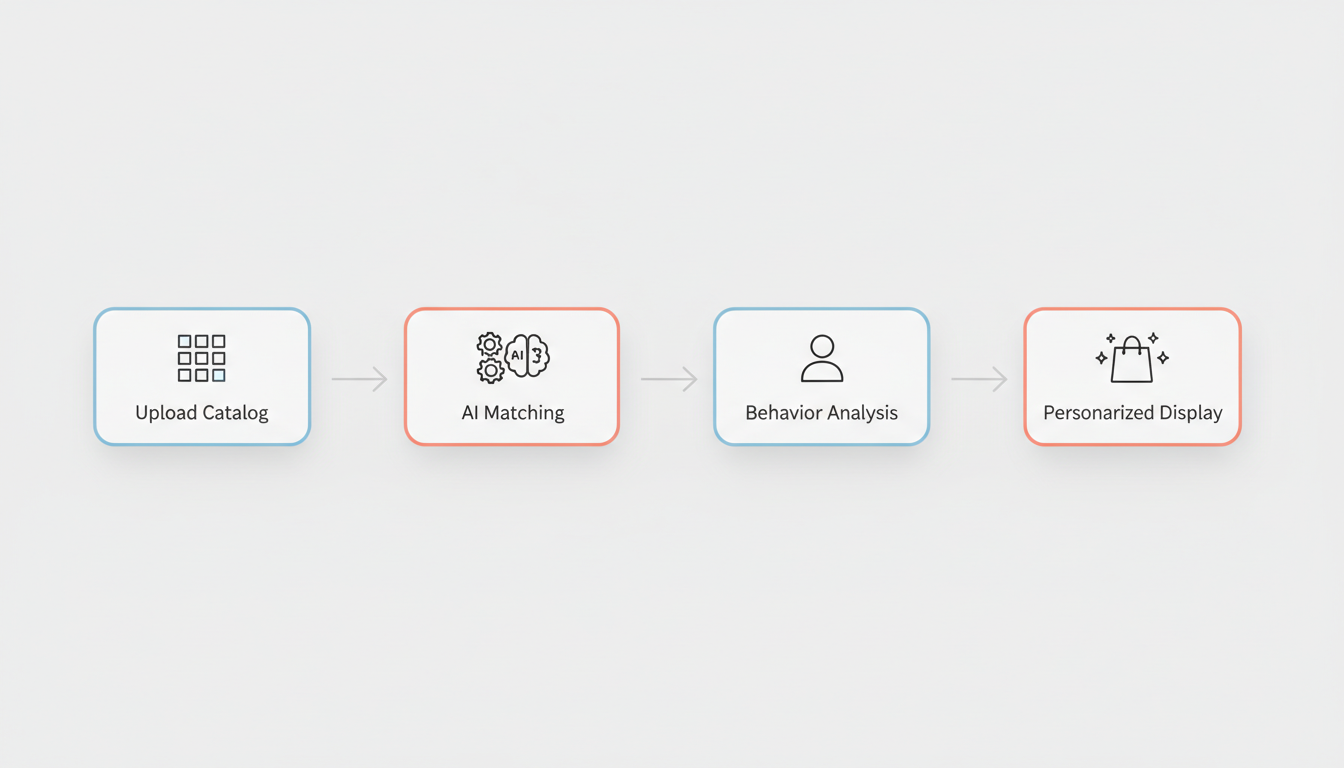
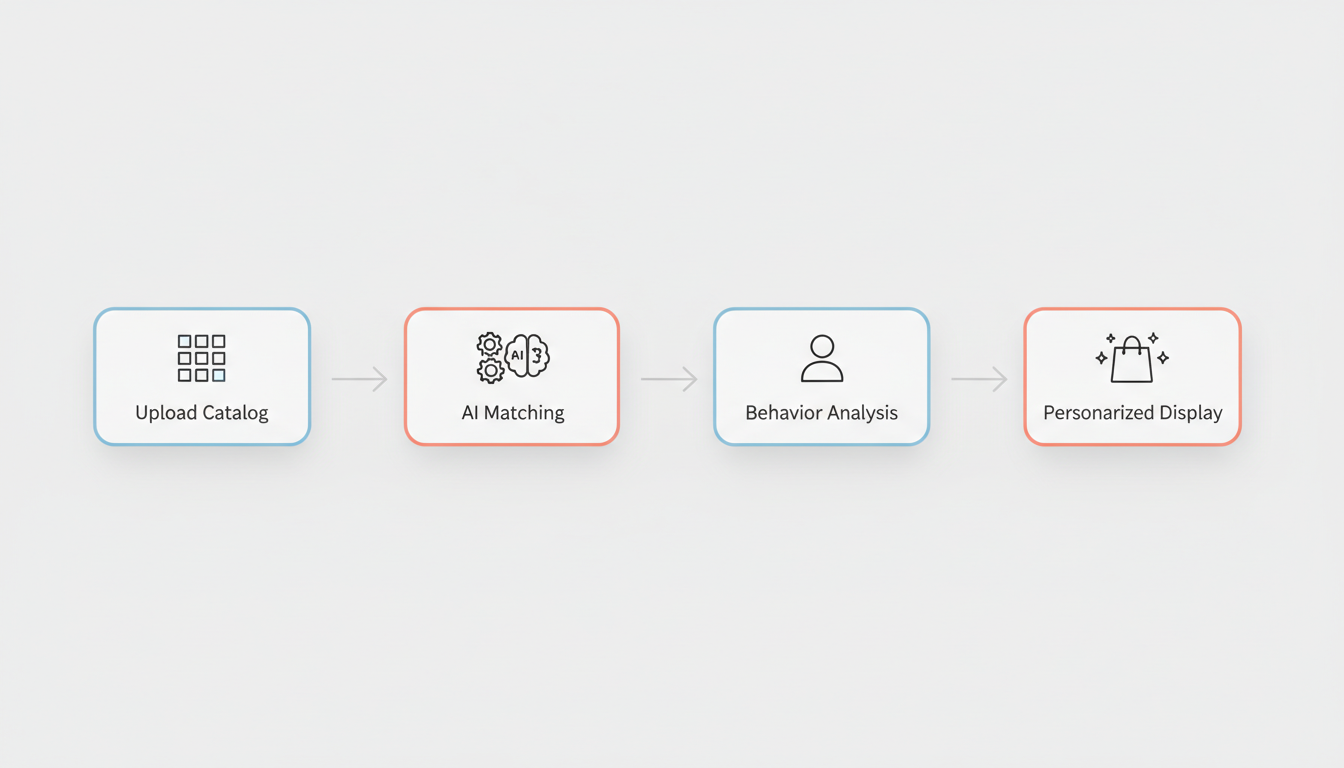
TikTok catalog ads let you automatically show personalized product recommendations to users based on their behavior and interests. Instead of creating individual ads for each product, you upload your product catalog once, and TikTok dynamically generates ads featuring relevant items. This guide covers everything you need to set up and optimize your TikTok product catalog.
Catalog ads (also called Dynamic Showcase Ads or DSA) automatically display products from your feed to users most likely to be interested in them. The system pulls product information—images, titles, prices, descriptions—directly from your catalog and assembles ads in real-time.
According to ecommerce advertising guides, TikTok's Dynamic Showcase Ads create personalized advertising experiences by combining real-time user behavior data with machine learning algorithms. These ads automatically customize product recommendations based on how users have previously engaged with items.
The process:
Feature | Catalog Ads | Standard Video Ads |
Product display | Dynamic, personalized | Single product per ad |
Creative production | Automated from feed | Manual creation required |
Scalability | Hundreds/thousands of products | One product at a time |
Personalization | User behavior-based | Same for all viewers |
Best for | Large catalogs, retargeting | Hero products, brand stories |
Ideal scenarios:
Less ideal for:
Creating your TikTok product catalog involves connecting your ecommerce platform or uploading a product feed manually. For businesses just getting started, understanding whether TikTok advertising is worth it in 2026 can help determine if catalog ads align with your marketing goals.
According to TikTok ecommerce guides, supported platforms include:
Platform | Integration Type | Setup Difficulty |
Shopify | Native integration | Easy |
BigCommerce | Native integration | Easy |
WooCommerce | Plugin required | Moderate |
Magento | Manual feed | Complex |
Custom | Manual feed upload | Complex |
The Shopify-TikTok integration guide outlines the process:
Post-connection checklist:
For custom websites or unsupported platforms, you'll upload a product feed file:
Your product feed must include specific data fields and meet format requirements for TikTok to accept it.
Field | Description | Example |
id | Unique product identifier | SKU-12345 |
title | Product name | "Women's Running Shoes" |
description | Product details | "Lightweight mesh..." |
availability | In stock status | "in stock" or "out of stock" |
condition | Product condition | "new" or "refurbished" |
price | Price with currency | "59.99 USD" |
link | Product page URL | |
image_link | Primary image URL | |
brand | Brand name | "Nike" |
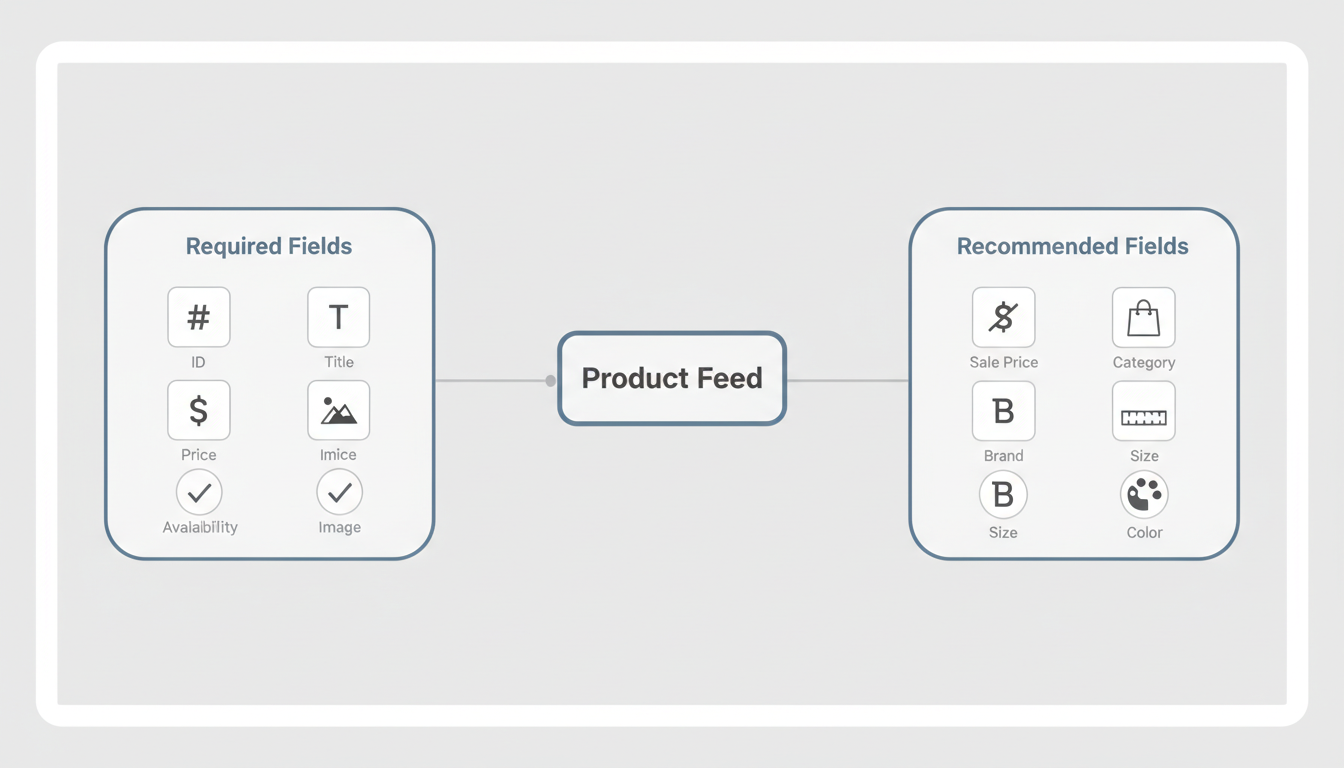
Adding optional fields improves ad performance:
Field | Purpose | Impact |
sale_price | Shows discounts | Higher CTR |
product_type | Category hierarchy | Better targeting |
google_product_category | Standard categories | Improved matching |
additional_image_link | Multiple images | Richer ads |
size | Size options | Better relevance |
color | Color variants | Better relevance |
gender | Target gender | Improved targeting |
Product images significantly impact catalog ad performance:
Specification | Requirement |
Minimum resolution | 500 x 500 pixels |
Recommended resolution | 1000 x 1000 pixels |
Aspect ratio | 1:1 (square) preferred |
File format | JPG, PNG |
File size | Under 4MB |
Background | Clean, non-distracting |
Best practices:
TikTok accepts several feed formats:
Format | Best For | Notes |
CSV | Simple catalogs | Easy to create in spreadsheets |
XML | Large catalogs | Standard for feed management tools |
TSV | Alternative to CSV | Tab-separated values |
Google Merchant | Existing feeds | Reuse your Google Shopping feed |
Once your catalog is connected, you can create dynamic product ad campaigns that automatically show relevant products to users. When planning your budget and goals, reviewing TikTok ROAS benchmarks can help set realistic expectations for catalog campaign performance.
Objective | Description | Best For |
Catalog Sales | Optimize for purchases | Direct response |
Conversions | Custom conversion events | Flexible goals |
Traffic | Drive website visits | Consideration stage |
Retargeting (highest intent):
Prospecting (new customers):
Create product sets to target specific inventory:
Product Set Type | Use Case |
All products | Broad campaigns |
Category-based | Vertical targeting |
Price range | Budget-based targeting |
New arrivals | Launch campaigns |
Sale items | Promotional campaigns |
Best sellers | Proven performers |
According to TikTok's help documentation, Product GMV Max is TikTok's automation solution for Shop Ads that optimizes for total channel ROI.
GMV Max features:
Improve catalog ad performance with ongoing optimization. Understanding how to use TikTok lookalike audiences can help expand your reach beyond existing catalog retargeting.
Regularly check your catalog for issues:
Common problems:
Recommended frequency:
Track catalog-specific metrics:
Metric | What It Measures | Target |
Catalog match rate | Products matching users | 80%+ |
Product click rate | Clicks per impression | 1-3% |
Add to cart rate | Carts per click | 5-15% |
Purchase rate | Purchases per click | 1-5% |
ROAS | Revenue per ad spend | 3x+ |
Even with automated ads, you control creative elements. The TikTok Creative Center guide provides insights into which product visuals and formats perform best across different industries.
Customize:
Test:
Keep your catalog current:
While there's no strict minimum, catalog ads work best with at least 20-50 products. Larger catalogs (100+ products) provide more optimization opportunities for TikTok's algorithm to find the best matches for each user.
Yes, TikTok accepts Google Merchant Center feed format. You can often repurpose your existing Google Shopping feed with minimal modifications, though you may want to optimize images for TikTok's 1:1 aspect ratio preference.
Daily updates are recommended for accuracy. According to ecommerce setup guides, keeping catalog data current—especially inventory and pricing—prevents showing out-of-stock items or incorrect prices that waste ad spend.
Catalog ads use your product feed to create dynamic advertisements that drive traffic to your website. TikTok Shop is an in-app marketplace where users can purchase directly within TikTok. You can use both—catalog ads for website traffic and TikTok Shop for in-app purchases.
By submitting this form, you agree to our Privacy Policy and Terms & Conditions.




