
February 19, 2026


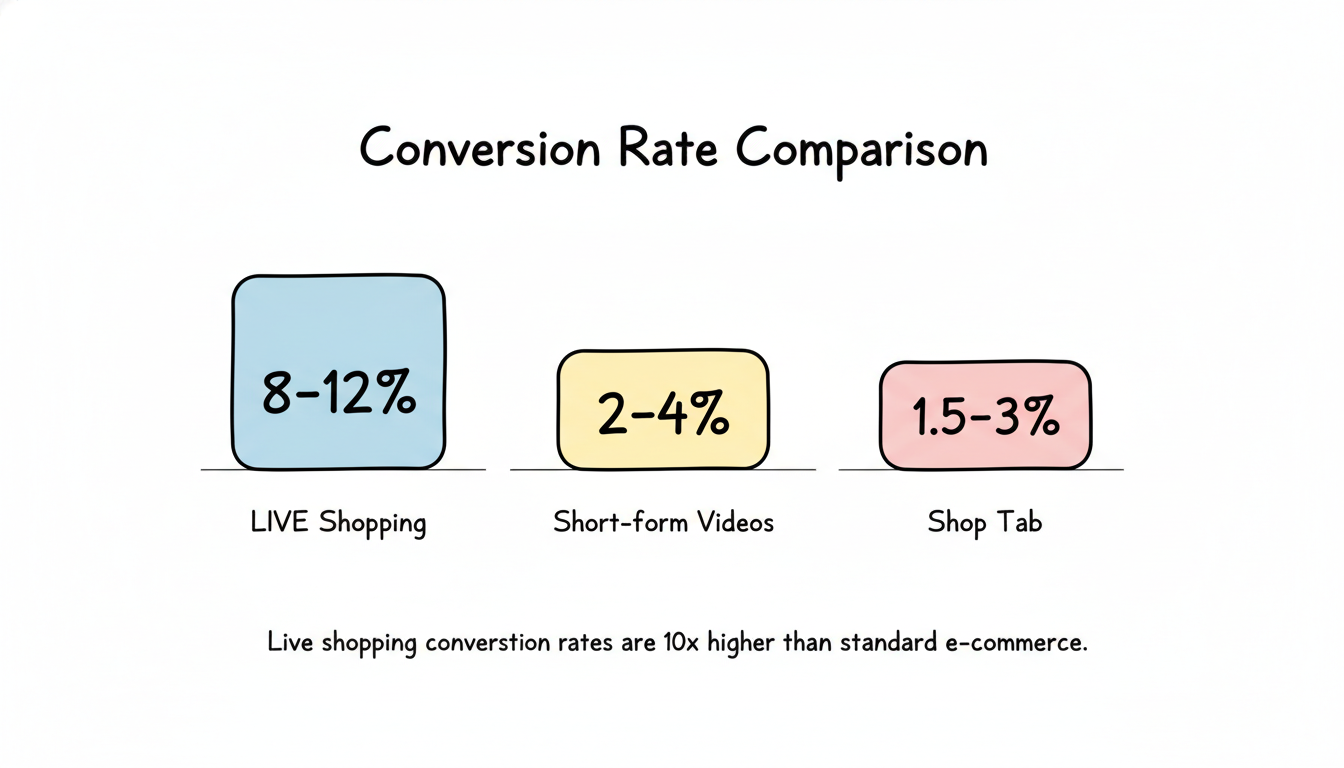
TikTok Live Shopping has emerged as the highest-converting format in social commerce. While shoppable videos and the Shop Tab bring steady traffic, live streams create urgency, build community, and drive conversion rates that traditional e-commerce can't match.
With TikTok expecting $77 billion globally from TikTok Live by 2027, brands that master live selling now will have a significant competitive advantage. This guide covers everything you need to launch and optimize TikTok Live Shopping for your brand.
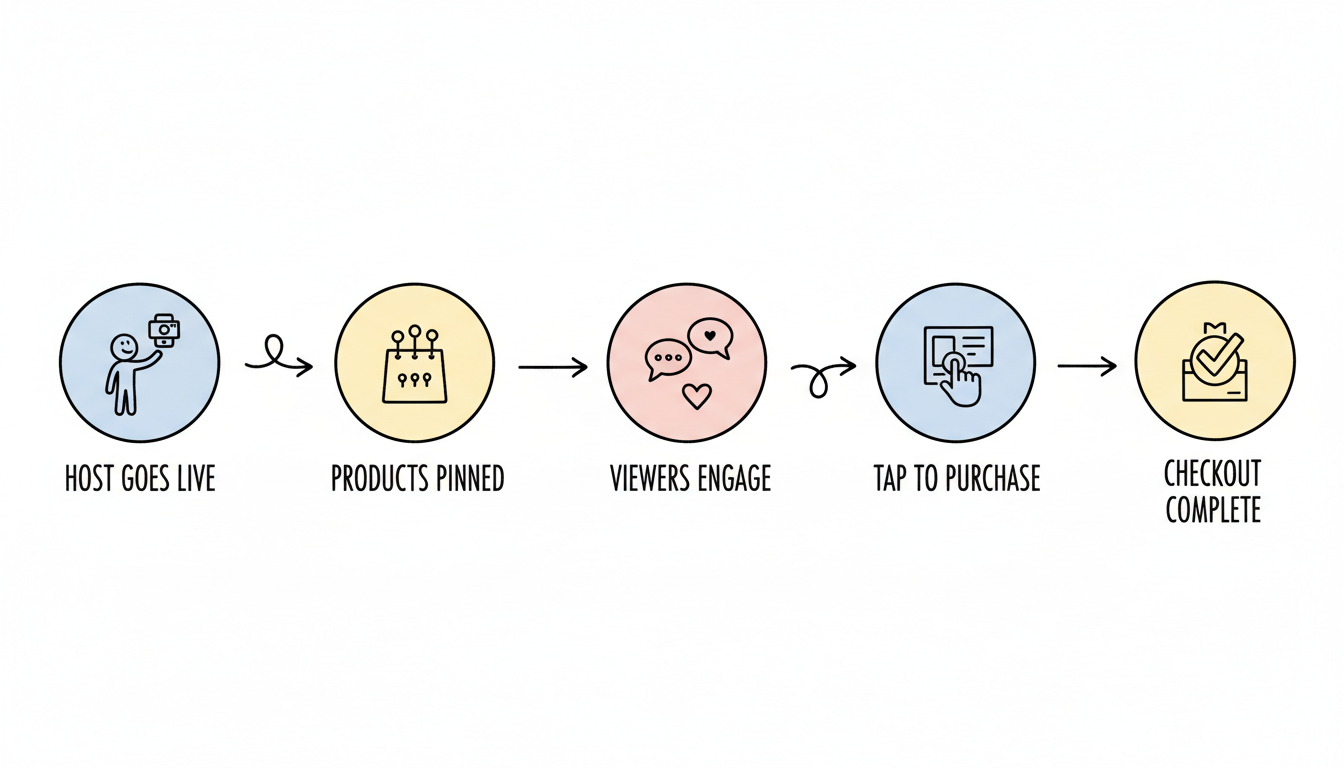
TikTok Live Shopping combines real-time video streaming with integrated checkout functionality. Hosts demonstrate products, answer viewer questions live, and viewers can purchase featured items without leaving the stream.
How it works:
Unlike pre-recorded content, live shopping creates genuine interaction. Hosts respond to comments, demonstrate products on request, and create urgency through limited-time offers—all factors that drive significantly higher conversion rates.
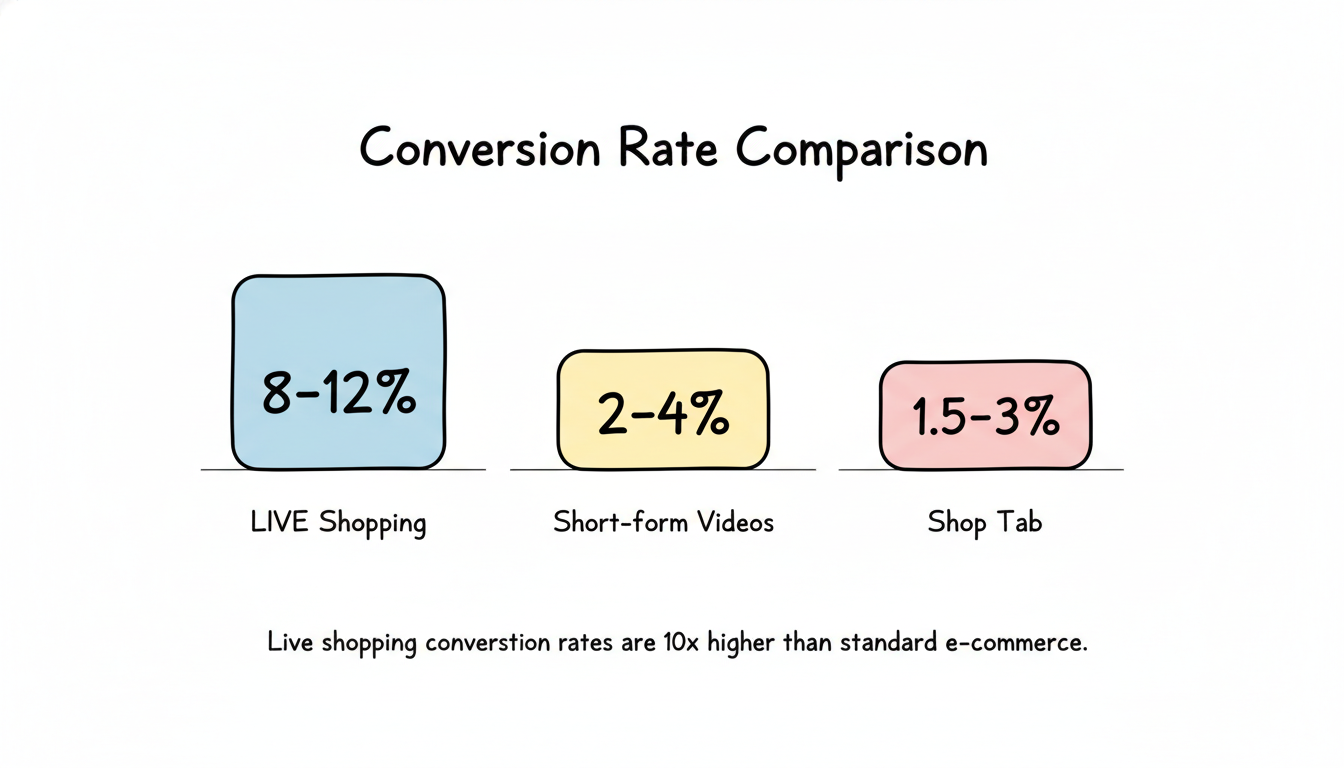
According to industry benchmarks, TikTok Live Shopping dramatically outperforms other formats:
Traffic Source | Benchmark Conversion Rate |
LIVE Shopping | 8-12% |
Short-form Videos | 2-4% |
Shop Tab | 1.5-3% |
Some brands report even higher performance—conversion rates through livestreams can be 10x higher than standard e-commerce formats. Half of TikTok users report buying something after watching a TikTok Live.
Before going live, you need to meet TikTok's requirements and prepare your technical setup.
Understanding TikTok ads pricing 2026 can help you budget for promotional campaigns alongside your organic live shopping efforts.
Equipment basics:
Product preparation:
Success in live shopping comes from combining entertainment with strategic selling.
Effective live shopping sessions follow a pattern:
Opening (first 5 minutes):
Body (main content):
Closing:
Respond to comments in real-time. Call out viewer names, answer questions immediately, and make the audience feel heard. This personal touch builds trust and keeps viewers watching longer.
Demonstrate products authentically. Don't just talk about features—show products in action. Try them on, unbox them, compare sizes, or demonstrate functionality. Visual proof reduces purchase hesitation.
Create urgency without being pushy. Limited quantities, live-only discounts, and countdown timers drive action. Live shopping creates urgency that static posts can't replicate.
Keep energy consistent. Live streams can run 30 minutes to several hours. Maintain enthusiasm throughout—viewers can join at any point, and each moment is someone's first impression.
Going live is only effective if viewers show up. Build an audience before, during, and after your streams.
Announce your schedule in advance. Post videos 24-48 hours before each live. Use TikTok's event feature to let followers set reminders.
Build anticipation with teasers. Show sneak peeks of products you'll feature. Hint at exclusive deals only available during the live.
Cross-promote on other channels. Share your live schedule on Instagram, email newsletters, and your website to bring existing customers to TikTok.
Use LIVE Shopping Ads. TikTok allows you to boost your live broadcast with paid promotion, expanding reach beyond your followers. Willow Boutique combined LIVE selling with LIVE Shopping ads to gain 10,000+ followers and generate $250,000+ GMV within 90 days. If you're new to the platform, check out our guide on TikTok ads for small business 2026 to maximize your promotional strategy.
Encourage shares. Ask viewers to share the stream with friends who might be interested. Offer incentives like giveaways for sharing.
Extend your runtime. TikTok's algorithm favors longer streams with sustained engagement. Aim for 60+ minutes when possible to maximize discovery. Learn more about how the TikTok algorithm advertising 2026 works to optimize your live sessions.
Save and repurpose highlights. TikTok allows you to save live recordings. Cut key moments into short-form videos to drive traffic to future lives.
Maintain consistency. Regular streaming schedules train both the algorithm and your audience. Viewers are more likely to tune in when they know when to expect you.
Track these metrics after each stream to optimize future sessions.
Viewers and watch time:
Engagement metrics:
Sales metrics:
Use TikTok's analytics dashboard to review each live's performance. Look for patterns:
Live shopping accounts for approximately 10% of total TikTok Shop sales, but its impact on community building and brand engagement extends much further.
Luxe Collective: The luxury resale platform saw a 20% increase in revenue after launching on TikTok Shop, with over 36% of gross sales attributed directly to livestream shopping events.
Pop Mart: 85% of their TikTok Shop sales in June 2025 originated from livestreams.
goPure: The skincare brand generated $1 million in revenue from 483 hours of TikTok Live, along with 64 million impressions. For e-commerce brands looking to replicate this success, our TikTok ads for ecommerce 2026 guide provides comprehensive strategies.
You need at least 1,000 followers to access TikTok Live. For shopping features, you also need to be 18+ and have an approved TikTok Shop seller account.
Aim for 60 minutes minimum. Longer streams get more algorithmic distribution and allow you to feature more products. Many successful sellers run 2-4 hour sessions.
Products that benefit from demonstration work best—fashion, beauty, electronics, home goods. Items with visual appeal, clear benefits, and price points under $100 tend to convert well in the live format.
Yes, TikTok offers LIVE Shopping Ads that boost your broadcast to targeted audiences beyond your followers. This is especially effective for building initial audience for new sellers.
By submitting this form, you agree to our Privacy Policy and Terms & Conditions.



