
February 19, 2026


Last Updated: January 2026
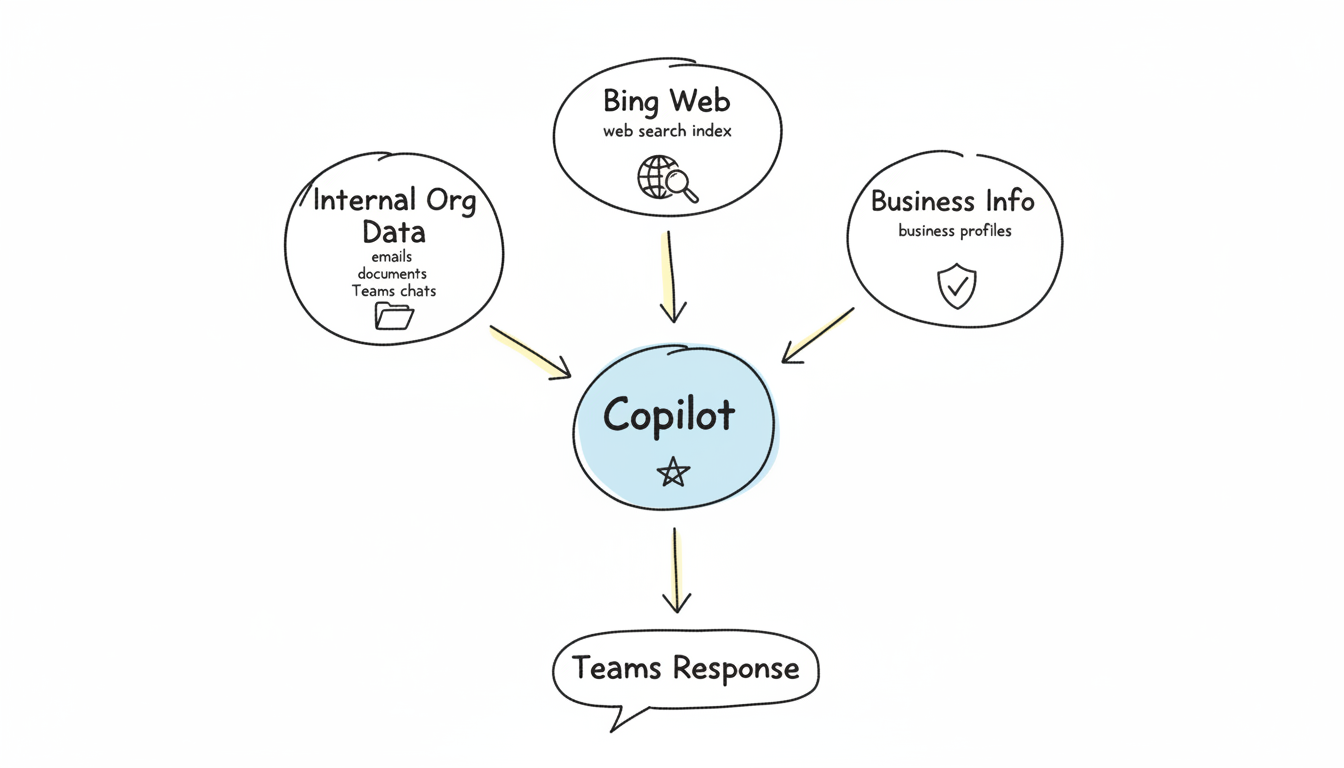
Microsoft Copilot integration across Microsoft 365—particularly within Teams—creates new visibility opportunities for B2B brands. When enterprise users ask Copilot questions, the AI pulls from both web sources and organizational data through Microsoft Graph.
This guide covers how to optimize your content for visibility when Copilot assists Microsoft Teams users with research, recommendations, and decision-making.
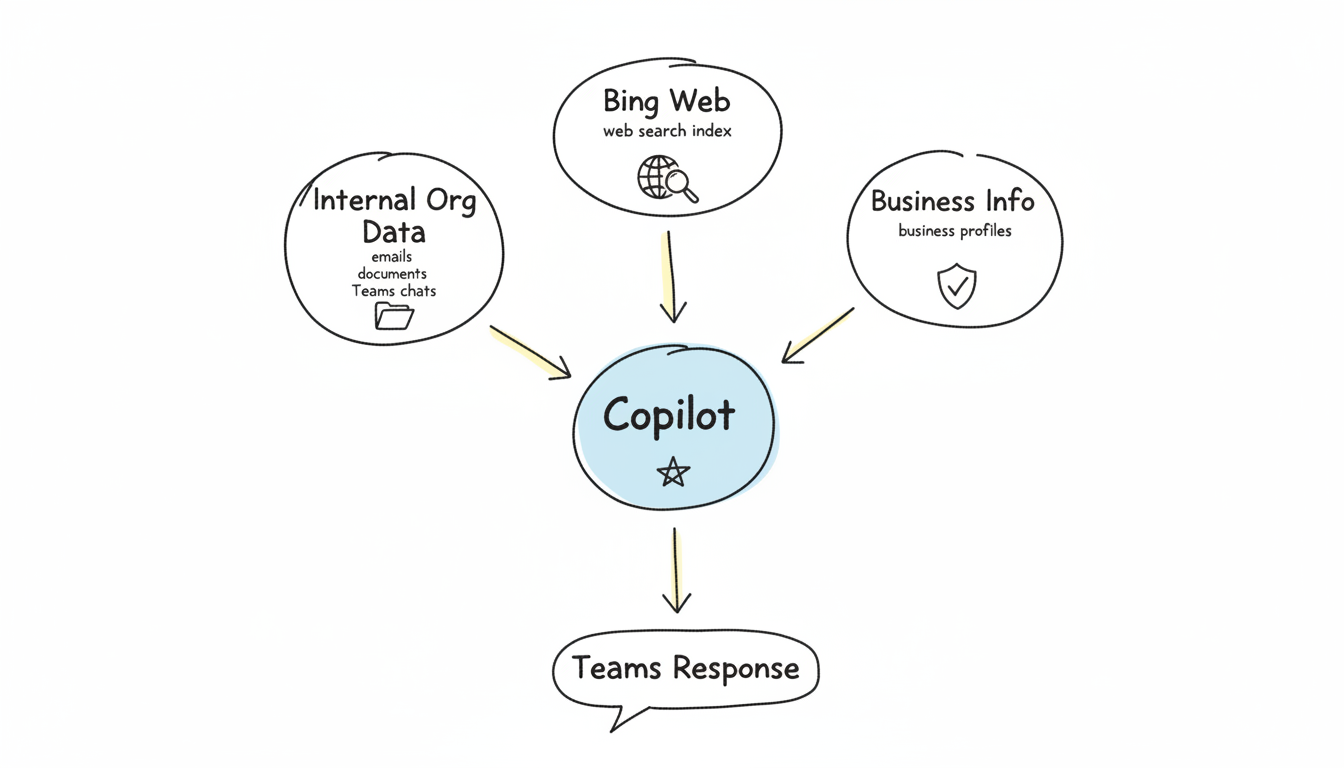
Microsoft 365 Copilot operates as an AI-powered universal search experience optimized for organizational contexts. Unlike consumer AI assistants, Copilot grounds its responses in Microsoft Graph data—documents, emails, calendars, Teams conversations, and SharePoint content.
When Teams users query Copilot about vendors, solutions, or industry topics, the AI combines:
This hybrid approach means B2B visibility requires optimization across both web presence and how your content integrates with enterprise workflows. Understanding generative AI search optimization principles helps you adapt to these new visibility channels.
Enterprise buyers increasingly use Copilot within Teams to:
When your brand appears in these Copilot-assisted workflows, you reach decision-makers at critical moments—often before they've even visited your website.
Microsoft Copilot's web knowledge comes from Bing. Strong Bing visibility directly influences Copilot citations. Unlike Google-focused SEO, Bing optimization requires specific attention.
Register your site with Bing Webmaster Tools to:
Bing crawls less frequently than Google. Ensuring clean technical SEO and explicit sitemap submission helps your content get indexed faster.
Bing emphasizes factors that influence Copilot visibility:
Clear Authorship Bing values explicit author attribution. Include author names, credentials, and author pages that establish expertise. This signals E-E-A-T (Experience, Expertise, Authoritativeness, Trustworthiness) to both Bing and Copilot.
Page Quality Signals Bing evaluates content quality through:
Exact Match Relevance Bing weighs keyword matching more heavily than Google. Include exact-match keywords naturally within your content, particularly in headings and early paragraphs. While many marketers focus on ai-seo-best-practices-2026 for Google, Bing requires additional consideration of exact-match signals.
Ensure your site meets Bing's technical expectations:
Copilot extracts and synthesizes information differently than traditional search engines. Structure content to maximize extraction value.
Copilot serves business users. Content that addresses enterprise concerns performs better:
Decision-Support Content
Procurement-Ready Information
Implement schema markup that helps Copilot understand your business:
Organization Schema
{
  "@context": "https://schema.org",
  "@type": "Organization",
  "@id": "https://yourcompany.com/#organization",
  "name": "Your Company Name",
  "description": "Brief description of what your company does",
  "url": "https://yourcompany.com",
  "foundingDate": "2015",
  "numberOfEmployees": {
    "@type": "QuantitativeValue",
    "value": 150
  }
}
Product/Service Schema Include detailed Product or Service schema that describes your offerings with pricing, features, and target audience.
FAQ Schema Enterprise buyers have common questions. FAQ schema makes these Q&A pairs explicitly extractable:
Copilot favors long-form, educational content that demonstrates expertise. Research indicates content that supports deeper exploration—rather than surface-level overviews—gains more visibility in AI-assisted search.
Create comprehensive resources that:
Visibility within the Microsoft ecosystem extends beyond web search. Consider how your brand appears across Microsoft properties.
Microsoft owns LinkedIn. Strong LinkedIn presence creates additional visibility signals:
Copilot may reference LinkedIn data when answering questions about companies and solutions.
If you offer software, list in Microsoft AppSource:
AppSource listings appear in Copilot responses about Microsoft-compatible solutions.
For Microsoft partners, directory presence matters:
Teams users ask Copilot questions in conversational, context-rich ways. Optimize for these query patterns.
Vendor Research Queries
Comparison Queries
Implementation Queries
Create content that directly addresses these query patterns:
Since AI search engines prioritize different signals than traditional SEO, consider how entity-optimization-ai-search strategies improve your business's recognizability in Copilot responses.
Tracking Copilot-specific visibility requires multiple approaches.
Regularly test Copilot responses using Microsoft 365:
Monitor Bing Webmaster Tools for:
Configure analytics to track Microsoft-related referrals:
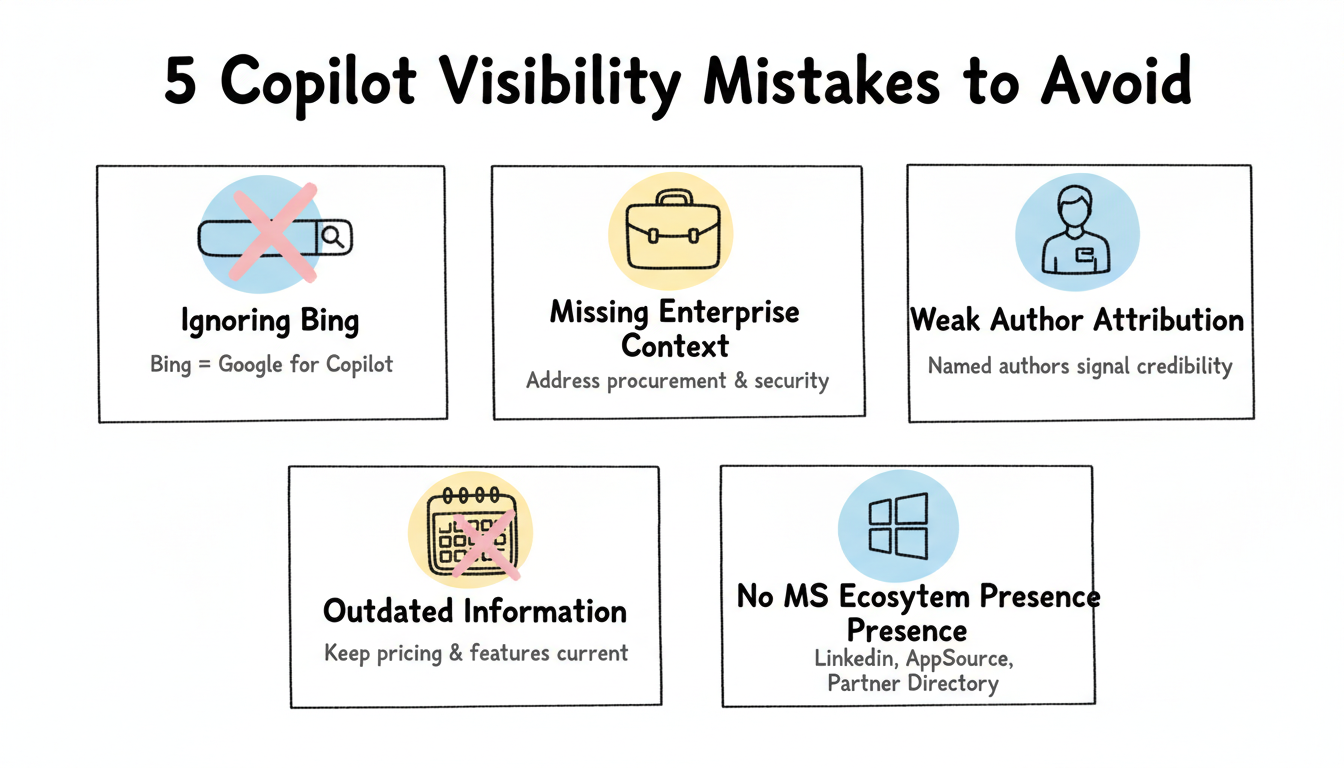
Avoid these errors that reduce Copilot visibility:
Ignoring Bing Entirely Many B2B marketers focus exclusively on Google. Bing optimization requires separate attention for Copilot visibility.
Missing Enterprise Context Consumer-focused content doesn't serve enterprise Copilot users. Address procurement, security, compliance, and integration concerns.
Weak Author Attribution Anonymous content lacks the credibility signals Bing and Copilot value. Attribute content to named authors with visible expertise.
Outdated Information Copilot users make business decisions based on AI responses. Outdated pricing, features, or company information damages credibility and conversions.
No Microsoft Ecosystem Presence Copilot draws from Microsoft properties. Absence from LinkedIn, AppSource, or partner directories limits visibility.
By submitting this form, you agree to our Privacy Policy and Terms & Conditions.



