
February 19, 2026


Yes, Facebook ads cost money. Running paid advertisements on Facebook and Instagram requires a budget—there's no free tier for actual advertising. However, you have complete control over how much you spend, and you can start with very small budgets.
This guide explains the difference between free and paid options on Facebook, how ad pricing works, minimum costs to get started, and how to launch your first campaign.
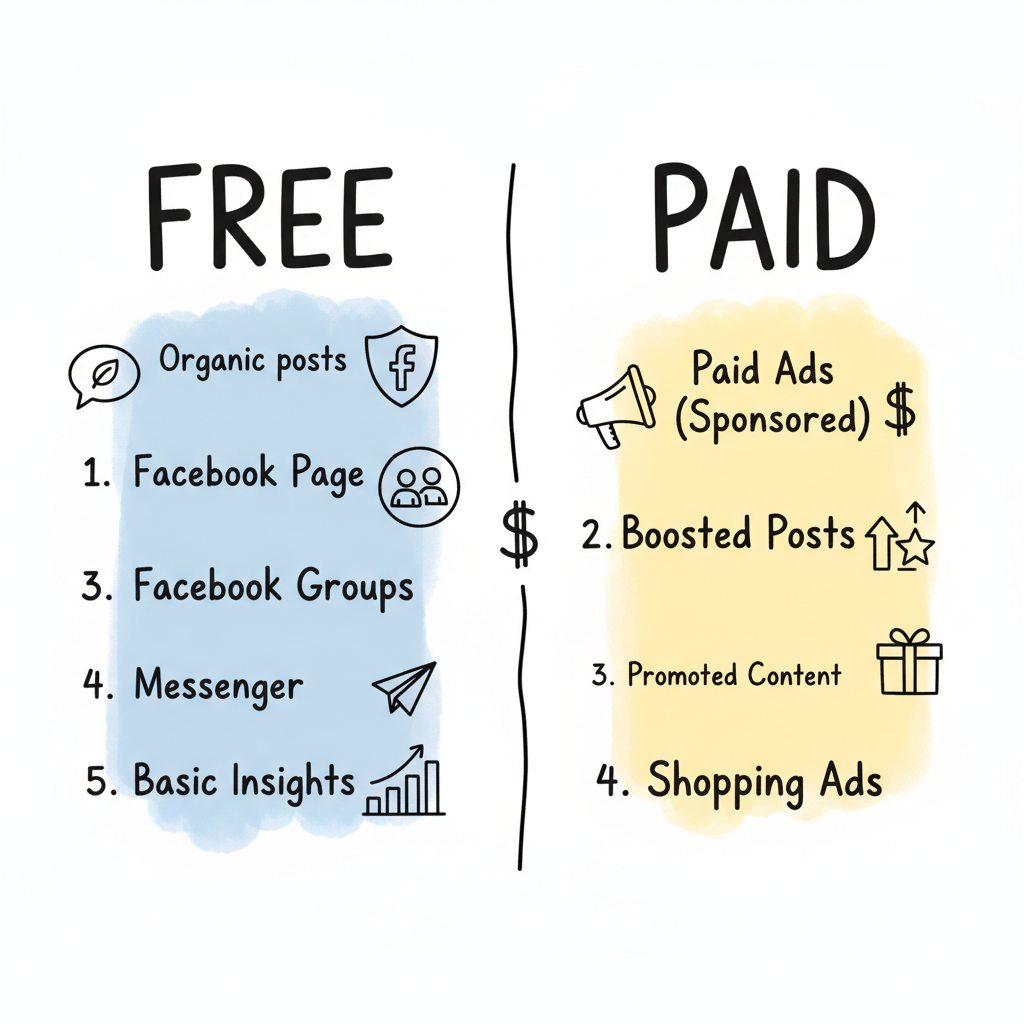
Before diving into paid advertising, understand what's free and what costs money on Meta's platforms.
Organic posting – Publishing posts to your Facebook Page or Instagram profile costs nothing. You can share updates, photos, videos, and stories without paying.
Facebook Page – Creating and maintaining a business page is completely free.
Facebook Groups – Building and managing community groups requires no payment.
Messenger – Communicating with customers through Messenger is free.
Basic insights – Access to page analytics and audience data at no cost.
Paid ads – Any advertising that appears in feeds, Stories, Reels, or other placements with a "Sponsored" label requires budget.
Boosted posts – Paying to extend the reach of organic posts.
Promoted content – Amplifying content to reach beyond your existing followers.
Catalog and shopping ads – Product advertisements in feeds and shops.
While organic posting is free, organic reach has declined significantly. According to platform data, most business pages reach only 2-5% of their followers organically. This is why businesses invest in paid ads—to reach the audience they want reliably.
Facebook uses an auction-based system where you compete with other advertisers for ad placements. You don't pay a fixed rate—costs vary based on competition and targeting.
Meta offers three primary pricing models:
Model | What You Pay For | Best For |
CPC (Cost Per Click) | Each click on your ad | Website traffic, leads |
CPM (Cost Per Mille) | Every 1,000 impressions | Brand awareness |
CPA (Cost Per Action) | Specific conversions | Sales, signups |
According to Facebook ads cost research, average costs in 2026 are:
These are averages—your actual costs depend on multiple factors.
Industry competition – Highly competitive industries (finance, insurance, legal) pay more than less competitive ones.
Audience targeting – Narrower, more valuable audiences cost more to reach.
Ad quality – Better-performing ads get rewarded with lower costs.
Time of year – Q4 (holiday season) sees higher costs due to advertiser competition.
Placement – Some placements (Instagram feed) cost more than others (Audience Network).
Bidding strategy – Your choice of automatic vs. manual bidding affects spend.
The key point: you set your budget, not Facebook. If you set a $10 daily limit, you won't spend more than $10. You can pause or adjust campaigns anytime with no penalties or contracts.
Facebook requires minimum daily budgets depending on your campaign type.
According to Meta ads policy guidelines, minimum budgets are:
Campaign Type | Minimum Daily Budget |
Impressions (CPM) | $1.00/day |
Clicks, Likes, Views (CPC) | $5.00/day |
Conversions, App Installs | $40.00/day |
What this means in practice:
While minimums exist, most advertisers see better results starting above them:
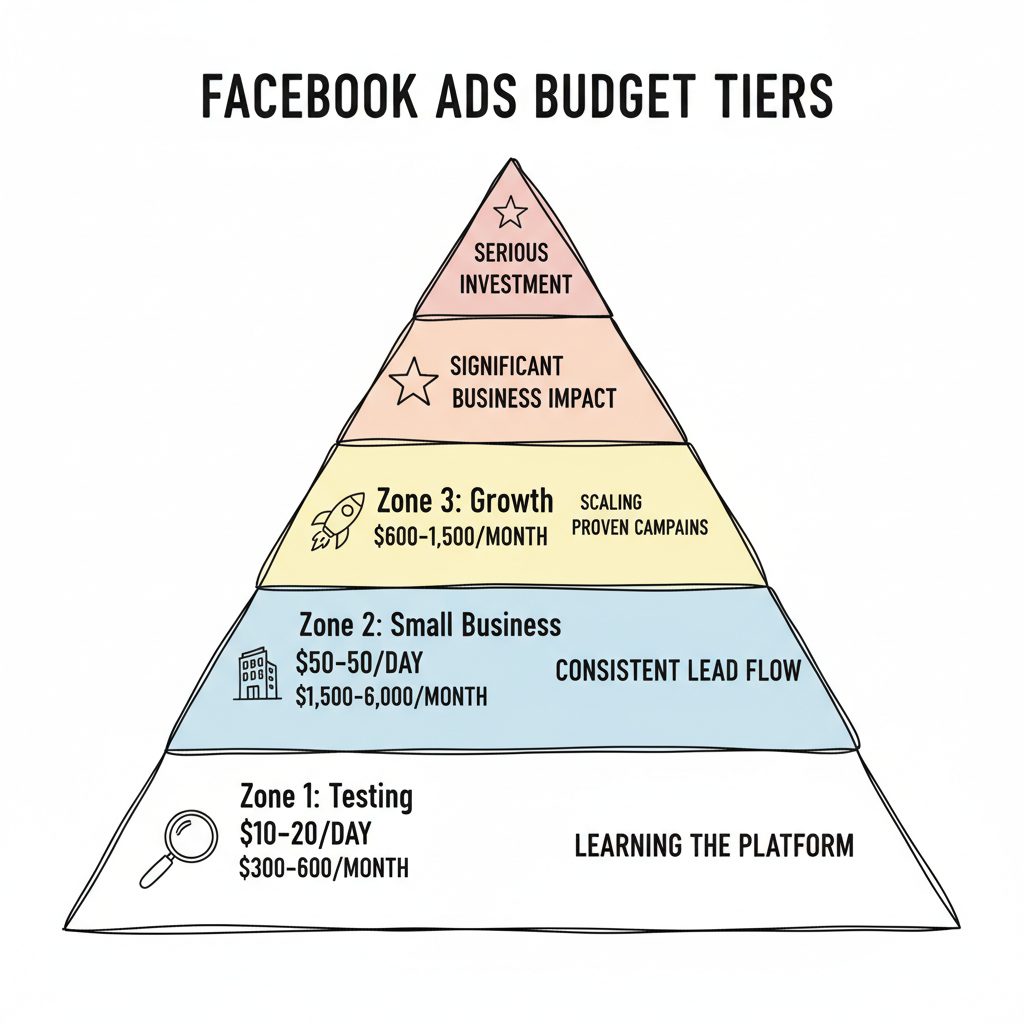
Budget Level | Daily Spend | Monthly Spend | Best For |
Testing | $10-20 | $300-600 | Learning the platform |
Small business | $20-50 | $600-1,500 | Consistent lead flow |
Growth | $50-200 | $1,500-6,000 | Scaling proven campaigns |
Serious investment | $200+ | $6,000+ | Significant business impact |
The algorithm learns faster with larger budgets. As advertising experts note, "Set your starting budget to 1x your target cost per acquisition" to give the system enough data to optimize.
$5/day ($150/month)
$20/day ($600/month)
$100/day ($3,000/month)
Ready to run your first Facebook ads? Here's how to begin.
Create a Meta Business Manager account. This is your hub for managing ad accounts, pages, and pixels.
Link your business's Facebook Page to Business Manager. You need a Page to run ads.
Set up an ad account within Business Manager. Add a payment method (credit card, PayPal, or other supported options).
Add the Meta Pixel to your website to track conversions and build audiences for retargeting.
In Ads Manager:
Understanding what is good ROI for Facebook ads will help you set realistic expectations and measure success as you launch your campaigns.
No. While creating a Page and posting organically is free, actual advertising (reaching people beyond your followers with paid placements) requires a budget. There's no free trial or credit for new advertisers from Meta directly, though some promotions exist occasionally.
Start with a traffic or engagement campaign at $5/day. Use broad targeting initially and let Meta find your audience. Focus on one product or offer, and use simple creative (static images often outperform video at low budgets). Test for 7 days, then decide whether to scale or adjust. Many businesses also explore Facebook ads vs Google ads to determine which platform delivers better value for their specific goals.
By submitting this form, you agree to our Privacy Policy and Terms & Conditions.



