
February 19, 2026


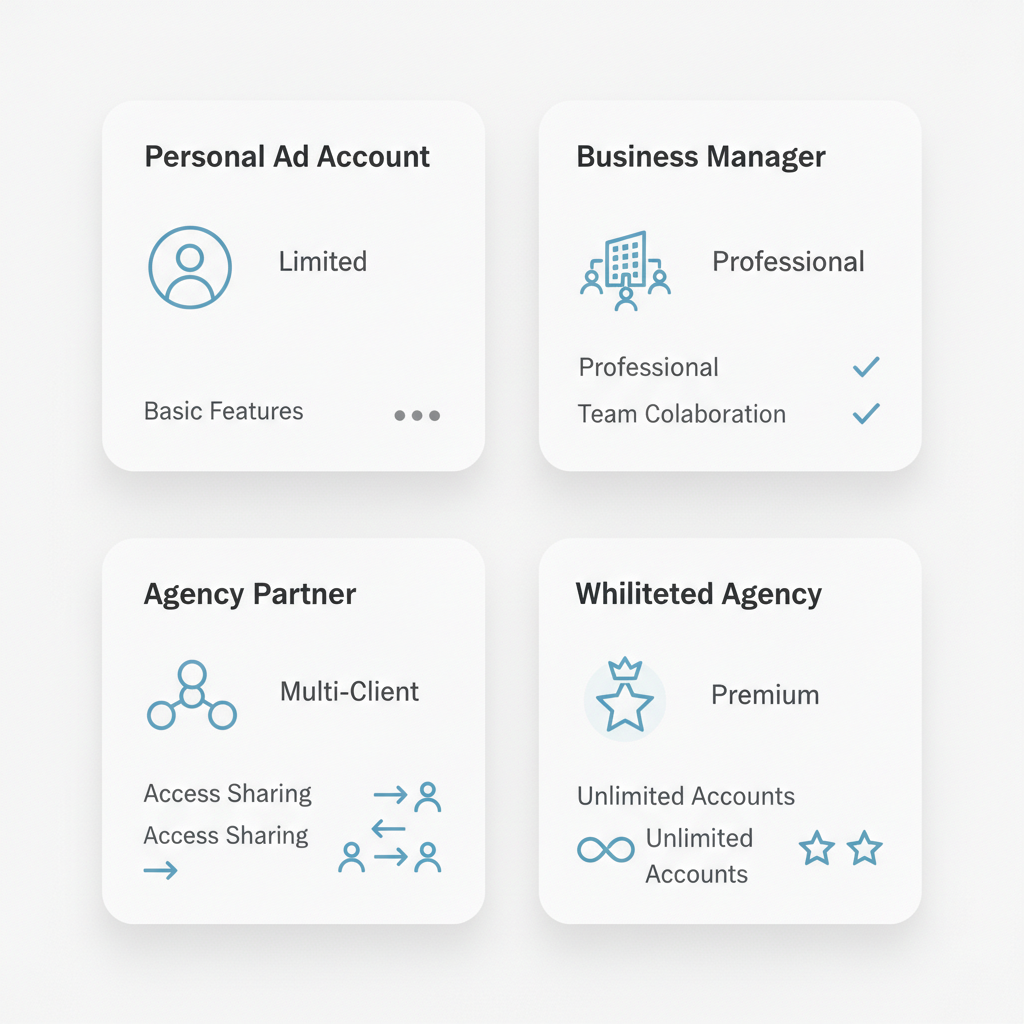
Facebook ads agency accounts provide advertising professionals with enhanced capabilities, higher spending limits, and improved account stability compared to standard personal ad accounts. Whether you manage campaigns for multiple clients or run high-volume advertising for your own business, understanding agency account structures helps you scale effectively while avoiding common pitfalls.
This guide explains the different account types available, their advantages, and how to set up proper agency infrastructure in Meta Business Manager.
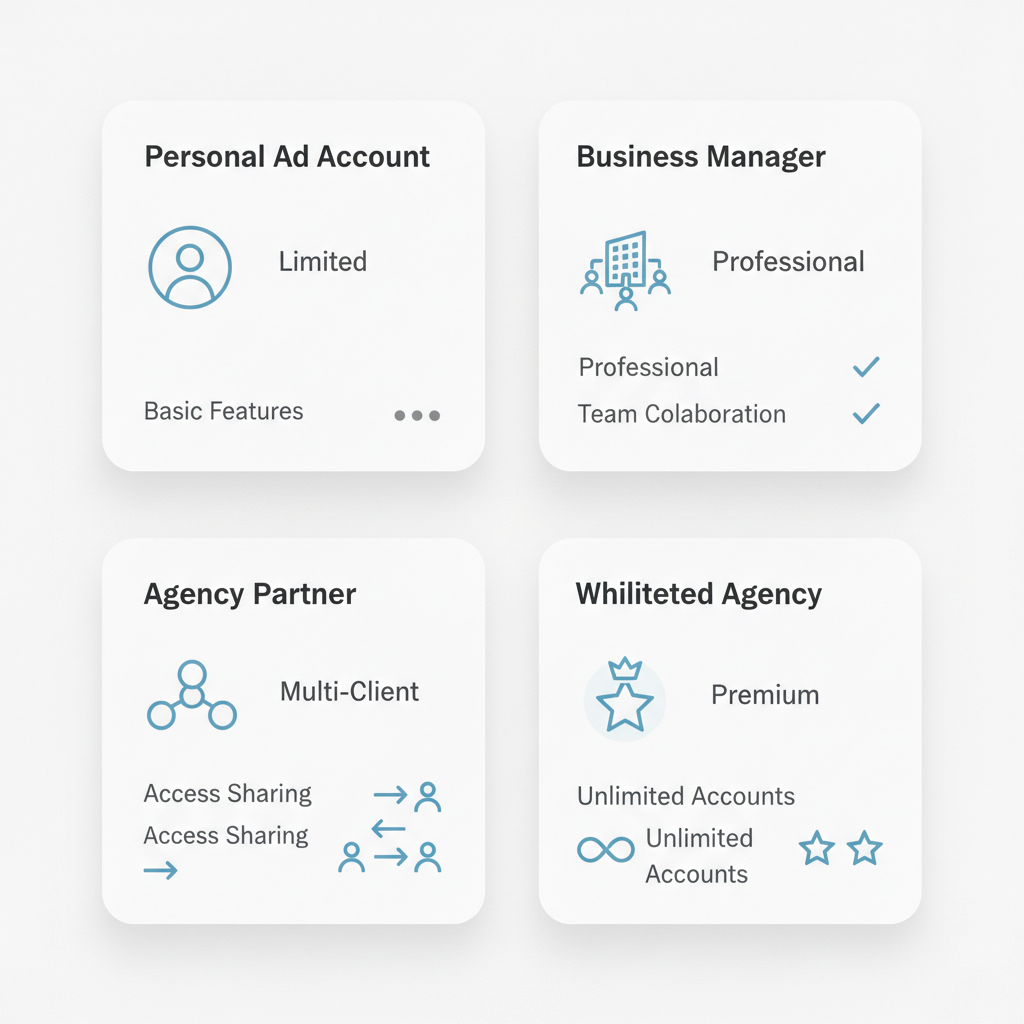
Meta offers several account structures for advertisers, each with distinct characteristics and use cases.
When you create an ad account through your personal Facebook profile, you get a personal ad account. These accounts work fine for small advertisers but come with limitations:
Meta Business Manager ad accounts represent the standard for professional advertising. These accounts offer:
According to Meta Business Manager experts, this centralized approach "delivers several advantages over managing assets through personal profiles," including security separation, team collaboration, and scalable multi-asset management.
Agencies working with multiple clients use Partner relationships within Business Manager. This structure allows agencies to request access to client ad accounts without taking ownership—maintaining clear boundaries around billing and asset control.
High-volume advertisers and established agencies may qualify for whitelisted agency accounts with enhanced privileges. According to industry sources, these accounts offer:
Meta assigns trust scores (sometimes called HIVA scores) to Business Managers, with higher-tier accounts receiving preferential treatment across platform interactions.
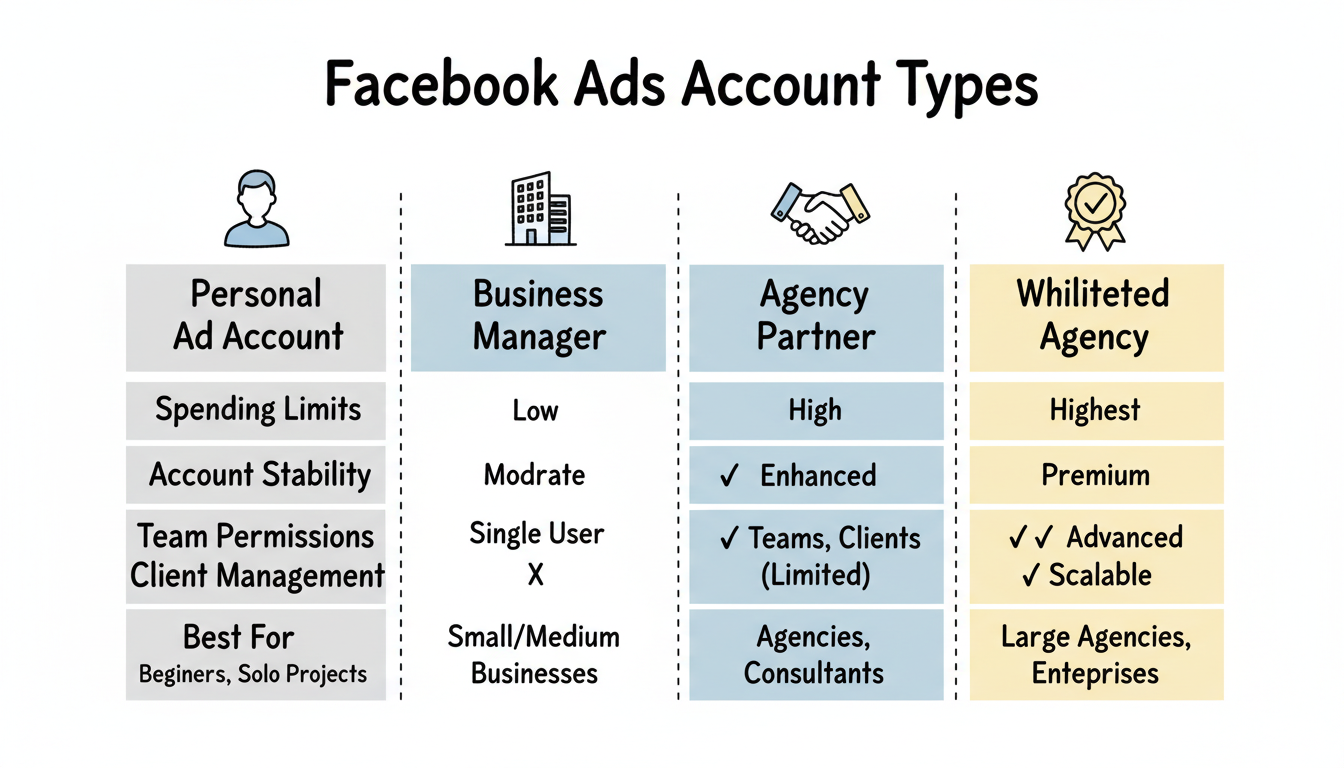
Using proper agency infrastructure provides significant operational advantages.
New personal ad accounts start with conservative spending limits that gradually increase with account history. Agency ad accounts demonstrate clear advantages for medium to large budgets, with stable spending histories, corporate payment methods, and established trust enabling higher limits from day one.
Account restrictions represent one of the biggest challenges for advertisers. Agency accounts tied to established Business Managers with good standing face fewer disruptions. The organizational separation also means issues with one account don't necessarily impact others in your portfolio.
Business Manager enables granular access control at two levels:
This structure enables separation of duties, reducing both mistakes and security incidents while allowing you to onboard team members or contractors safely.
For agencies serving multiple clients, Partner access relationships maintain proper boundaries. As outlined in agency setup guides, the recommended approach includes:
This structure ensures financial transparency and avoids ownership disputes if relationships end. Understanding how to get meta agency ad account access properly is crucial for maintaining professional client relationships.
Managing payment methods, spending limits, and financial reporting across multiple accounts becomes straightforward with proper Business Manager setup. You gain visibility into spend across your entire portfolio without logging into individual accounts.
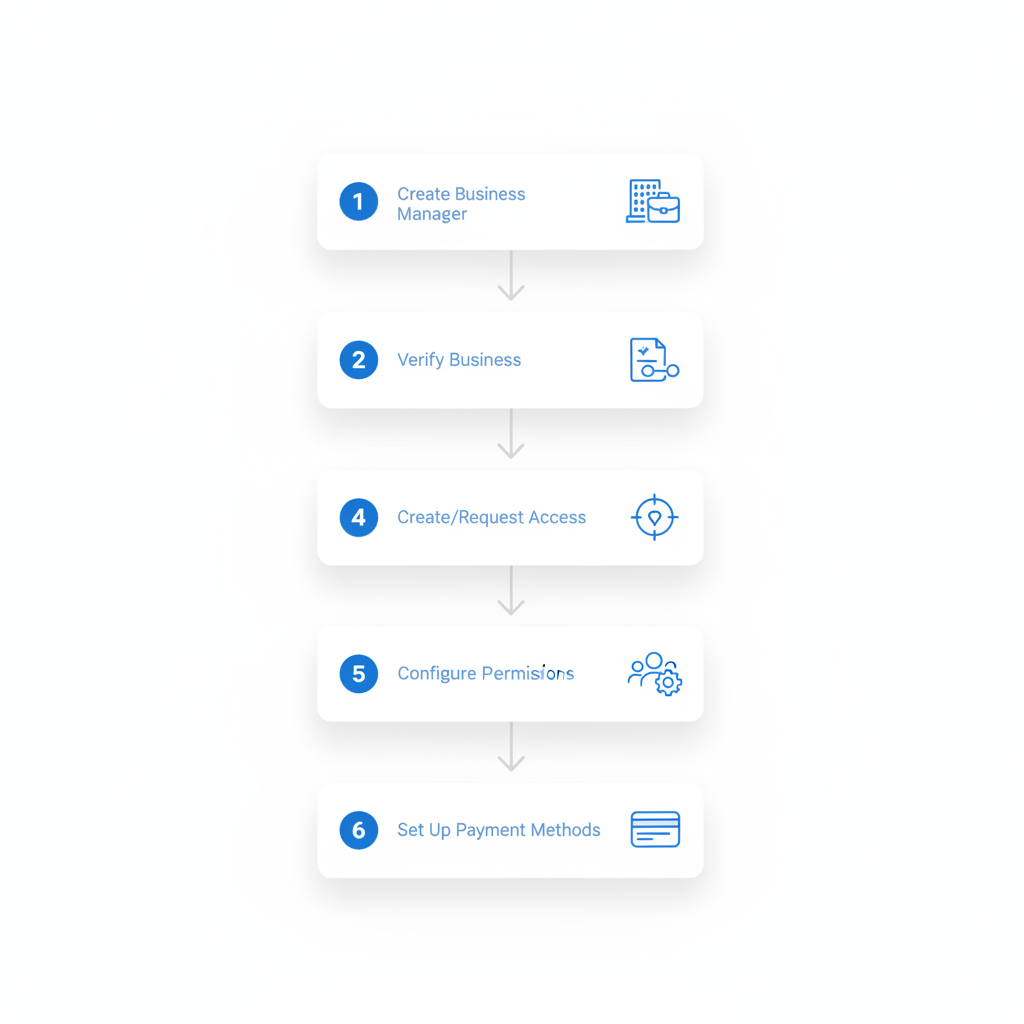
Follow these steps to establish professional agency account structure.
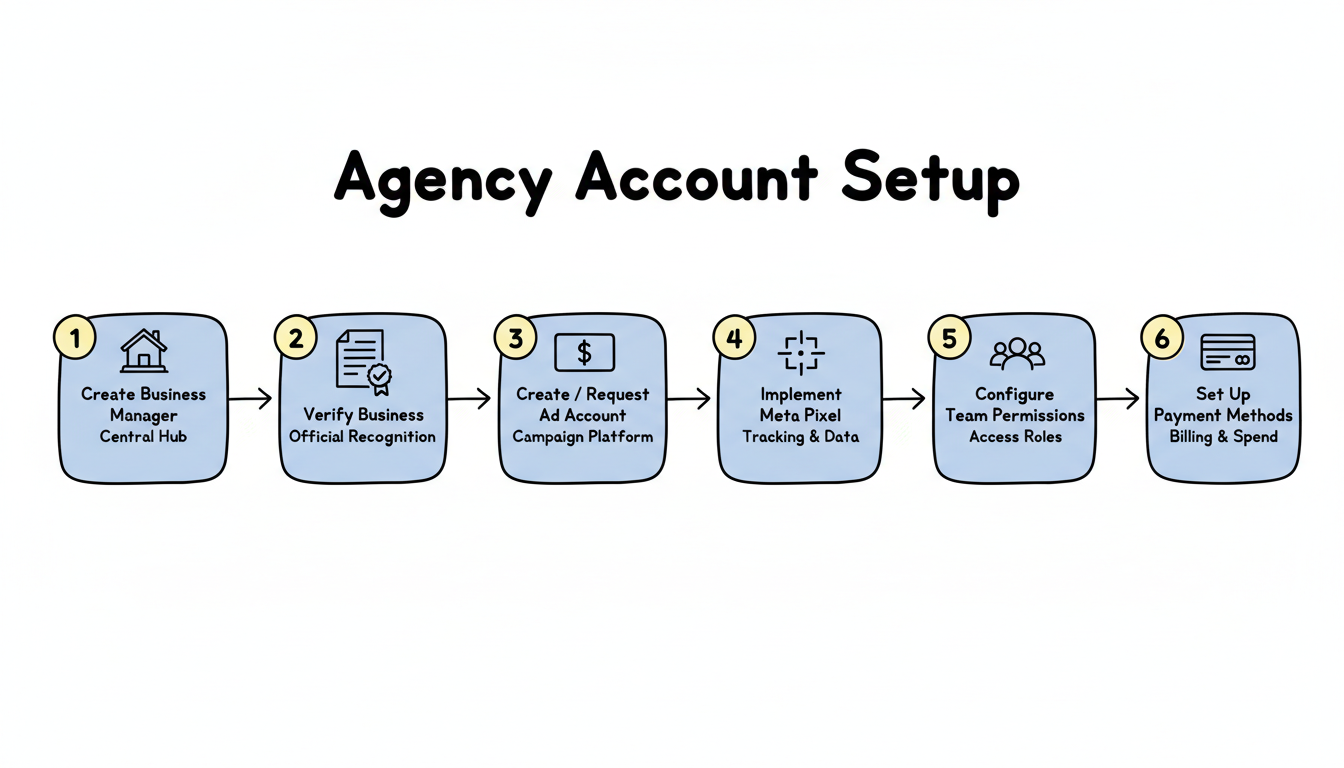
Visit business.facebook.com and create a Business Manager using your business name and email. This becomes your central hub for all advertising operations.
Business verification increases trust scores and unlocks additional features. Submit your business documentation (registration, tax ID, utility bills) through Business Settings to complete verification.
For your own accounts: Create ad accounts within your Business Manager, selecting appropriate timezone and currency settings.
For client accounts: Request Partner access through Business Settings > Partners. Enter the client's Business Manager ID and request the specific access level needed for your work.
Install the Meta Pixel and Conversions API on client websites to enable conversion tracking, audience building, and optimization. According to campaign setup guides, proper pixel implementation enables "precise event tracking and retargeting, improving data reliability in a privacy-centric world."
Add team members to your Business Manager and assign appropriate access levels for each asset they need to touch. Keep admin count low—most work should happen under scoped permissions.
Add business payment methods (credit cards, lines of credit) to enable ad spending. For client accounts, ensure clients maintain ownership of their billing to keep financial responsibilities clear. When planning budgets, consider using a Facebook ads cost calculator to estimate monthly expenditures.
Maintain healthy accounts with these operational guidelines.
According to Meta ads account structure experts, "Segmenting your account into 'Test' and 'Scale' campaigns is essential to allow for high creative testing velocity, without resetting your largest campaigns into the learning phase."
Account restrictions often stem from policy violations in ad creative or landing page content. Review Meta's advertising policies regularly and ensure all content complies.
Keep records of account access, permissions granted, and billing arrangements. Clear documentation protects both your agency and clients if questions arise.
New accounts benefit from gradual spend scaling. Start conservatively and increase budgets as the account establishes positive history with the platform.
Even well-managed accounts occasionally face restrictions. Maintain backup accounts and documented appeal processes to minimize disruption when issues arise. Many businesses also explore Facebook ads vs Google ads to diversify their advertising channels and reduce platform dependency.
Personal ad accounts are tied to individual Facebook profiles with limited permissions and spending capabilities. Agency accounts operate within Business Manager, offering team permissions, higher spending limits, improved stability, and professional separation between personal and business activities.
Request Partner access through Business Manager rather than asking for direct admin access. Navigate to Business Settings > Partners, enter the client's Business Manager ID, and request the specific permissions needed. This maintains clear ownership boundaries and billing separation.
Yes, established Business Managers with good standing typically receive higher spending limits than new personal accounts. Limits increase automatically as Meta detects healthy account behavior and spending history. Whitelisted agency accounts may have no practical spending caps.
By submitting this form, you agree to our Privacy Policy and Terms & Conditions.



