
February 19, 2026


Quality content optimization doesn't require a subscription. Several capable AI tools offer free tiers, free versions, or completely free access that handle essential optimization tasks. The trade-off: limitations on usage volume, feature depth, or both. For freelancers, small sites, and teams testing approaches before committing budget, free tools deliver genuine value.
This guide covers the best free AI content optimization tools available in 2026—what they offer, where they fall short, and how to combine them effectively.
The free versions of major AI assistants have transformed content optimization workflows.
What You Get Free
Both ChatGPT and Claude offer free access with usage limits. These AI assistants handle content optimization tasks that previously required specialized software:
Practical Applications
Paste your draft and ask for optimization suggestions. Request analysis of keyword placement naturalness. Generate alternative phrasings for repetitive sections. These assistants understand SEO principles and apply them to your specific content, making them valuable for generative AI search optimization workflows.
Limitations
Free tiers impose message limits. Neither tool crawls websites or checks live rankings. You're working with static analysis—feed content in, get suggestions out. Real-time SERP data requires other tools.
Frase offers over 40 free AI writing and optimization tools without requiring signup.
Available Free Tools
The collection includes tools for specific content tasks:
Each tool handles a discrete optimization task. The paragraph rewriter improves clarity and engagement. The FAQ generator extracts questions from topics. The headline analyzer evaluates title effectiveness. For a comprehensive look at this platform's capabilities, see our Frase.io review.
Best Use Cases
These tools work best for quick, specific tasks. Need five headline options? Use the generator. Want to refresh a stale introduction? Run it through the rewriter. The discrete approach fits into existing workflows without learning a new platform.
Limitations
Individual tools don't connect into unified optimization workflows. You're handling tasks piecemeal rather than optimizing holistically. Output quality varies—human editing remains essential.
Google Search Console provides the foundation data that all content optimization builds on.
Free Capabilities
GSC delivers direct data from Google about how your content performs:
This data reveals which content needs optimization, which keywords are close to ranking higher, and where CTR improvements could boost traffic without ranking changes.
Optimization Applications
Use GSC data to identify content optimization priorities. Pages ranking positions 5-15 with high impressions represent optimization opportunities—they're visible but not capturing clicks. CTR below expectations signals title and meta description optimization needs.
GSC isn't AI-powered itself but provides the intelligence that informs AI-assisted optimization decisions.
Rank Math's free WordPress plugin brings AI-assisted optimization directly into content creation.
Free Features
The free tier includes substantial optimization capabilities:
The AI content assistant analyzes your writing and provides specific recommendations for improvement. Suggestions cover keyword usage, heading structure, content length, and readability factors. When implementing structured data, consider our guide on AEO schema markup priority to maximize impact.
Best For
WordPress users wanting integrated optimization without leaving their editor. The plugin works within the familiar WordPress interface, making optimization accessible during writing rather than requiring separate tools.
Limitations
WordPress-only. Advanced features like content AI generation, advanced schema types, and Google Analytics integration require premium plans.
Yoast remains the most widely installed WordPress SEO plugin, with a capable free version.
Free Capabilities
Yoast's traffic light system (red, orange, green) provides immediate feedback on optimization status. The readability analysis evaluates sentence length, passive voice usage, and paragraph structure.
Comparison to Rank Math
Yoast's free tier is more limited than Rank Math's but offers a simpler, less overwhelming interface. Teams wanting straightforward guidance without extensive options often prefer Yoast's focused approach.
Hemingway Editor is a free web-based tool focused on readability and clarity.
Free Features
The visual editor highlights problem areas in different colors—hard-to-read sentences in yellow, very hard in red, passive voice in green, adverbs in blue.
SEO Applications
Readability directly impacts SEO. Content that's difficult to read creates poor user experiences, increasing bounce rates and reducing engagement signals. Hemingway helps create cleaner, more scannable content that performs better in search.
Limitations
No keyword analysis or SEO-specific features. Hemingway addresses readability only—combine with other tools for comprehensive optimization.
Neil Patel's Ubersuggest offers limited free searches daily.
Free Access
Three free searches per day provide:
Optimization Use
Free searches work for occasional research—checking a keyword before writing, validating content angle decisions, or quick competitive glimpses. The limitation prevents daily workflow integration but supports periodic optimization research.
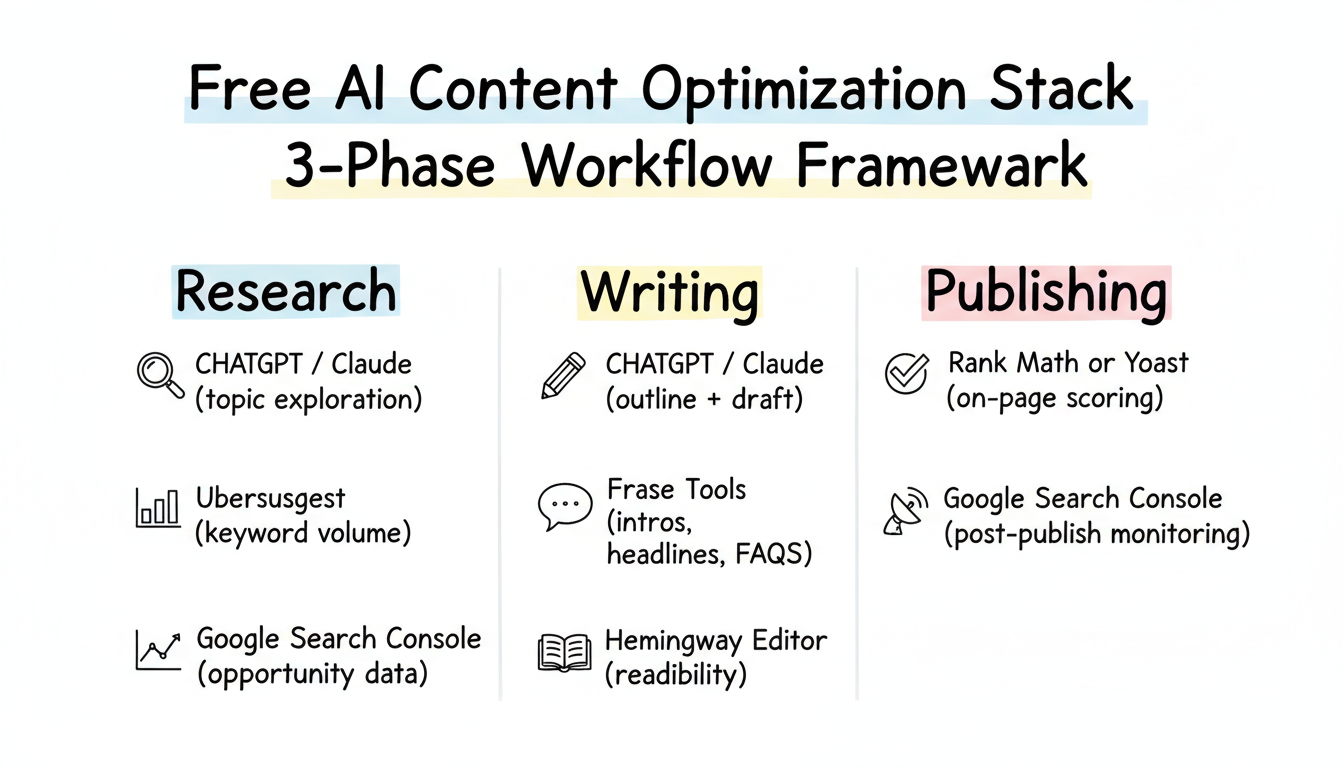
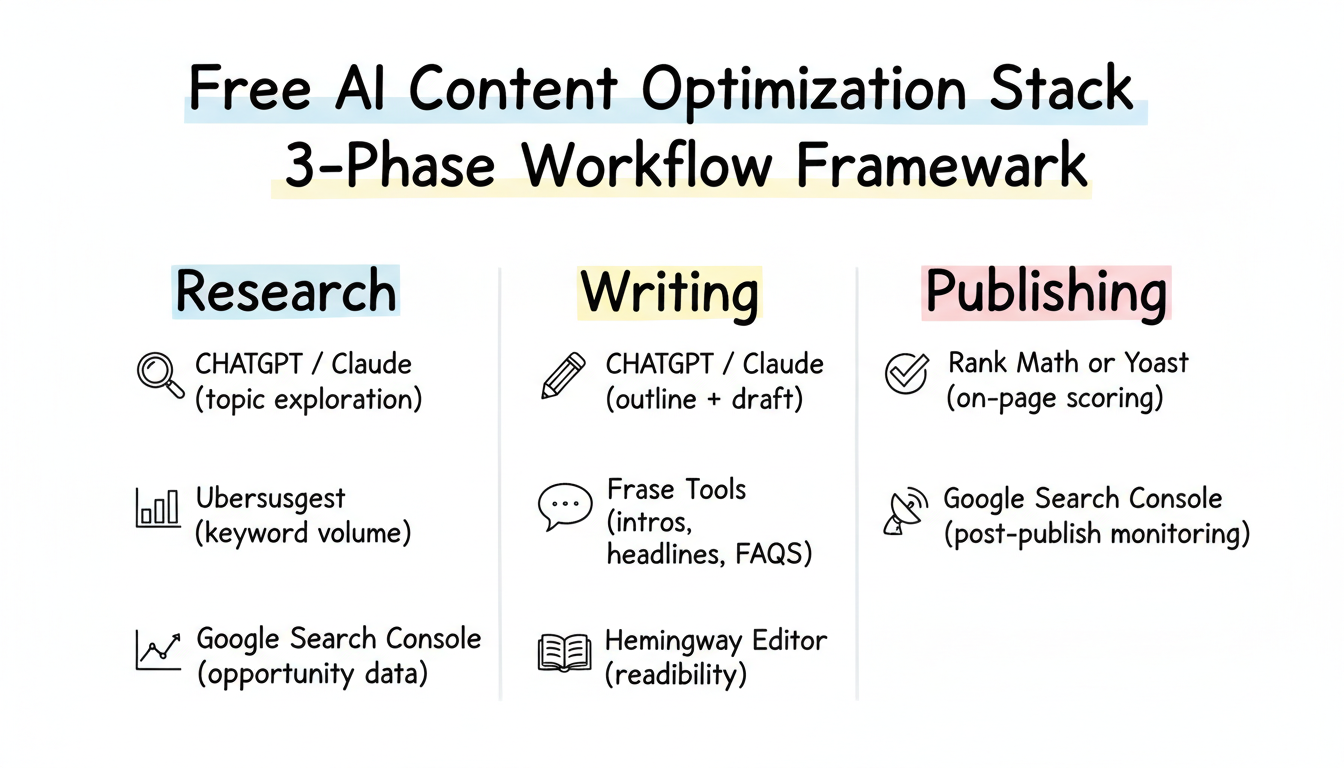
Combine free tools strategically to cover essential optimization functions.
Research Phase
Writing Phase
Publishing Phase
This combination covers the content optimization lifecycle without subscriptions.
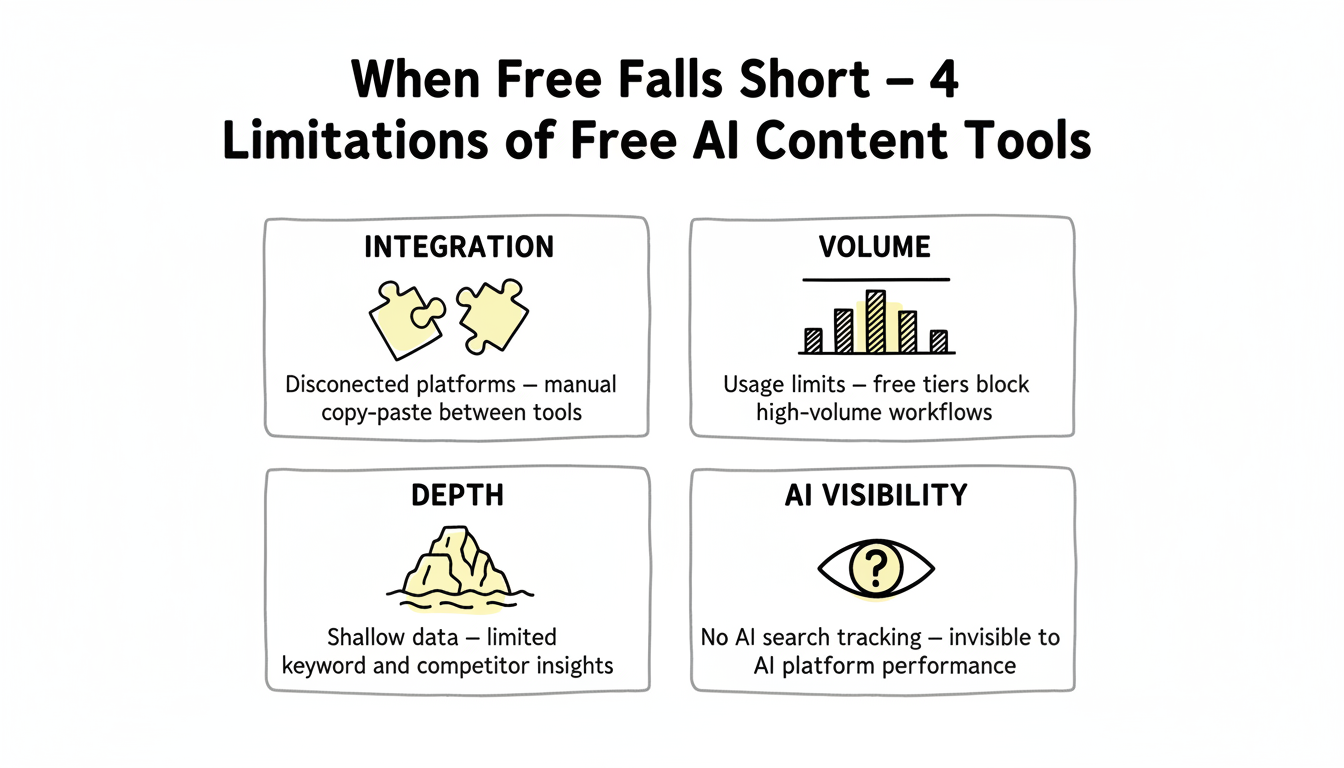
Recognize where free tools can't compete with paid alternatives:
Integration: Free tools don't connect. You're manually moving content between platforms, copying suggestions, and managing workflows across disconnected interfaces.
Volume: Usage limits restrict productivity. Teams producing content at scale hit free tier caps quickly.
Depth: Free keyword data is limited. Competitive analysis is shallow. Real-time SERP tracking doesn't exist.
AI Visibility: Free tools don't track how AI platforms reference your content—an increasingly important optimization dimension in 2026. Understanding AI search market share 2026 trends helps contextualize this gap.
Consider upgrading when free tool limitations cost more time than paid subscriptions would save.
Extract maximum value by:
Combining strategically: Use each tool for its strength rather than trying to make one tool do everything.
Creating workflows: Document your free tool process so optimization becomes efficient and repeatable.
Starting with data: GSC data should drive optimization priorities. Let performance insights guide where you apply other tools.
Accepting limitations: Free tools handle fundamentals well. Master those before investing in advanced capabilities you might not use.
Free AI content optimization tools in 2026 deliver real capability for teams willing to work within constraints. The tools exist—success depends on applying them strategically.
By submitting this form, you agree to our Privacy Policy and Terms & Conditions.



