
February 19, 2026


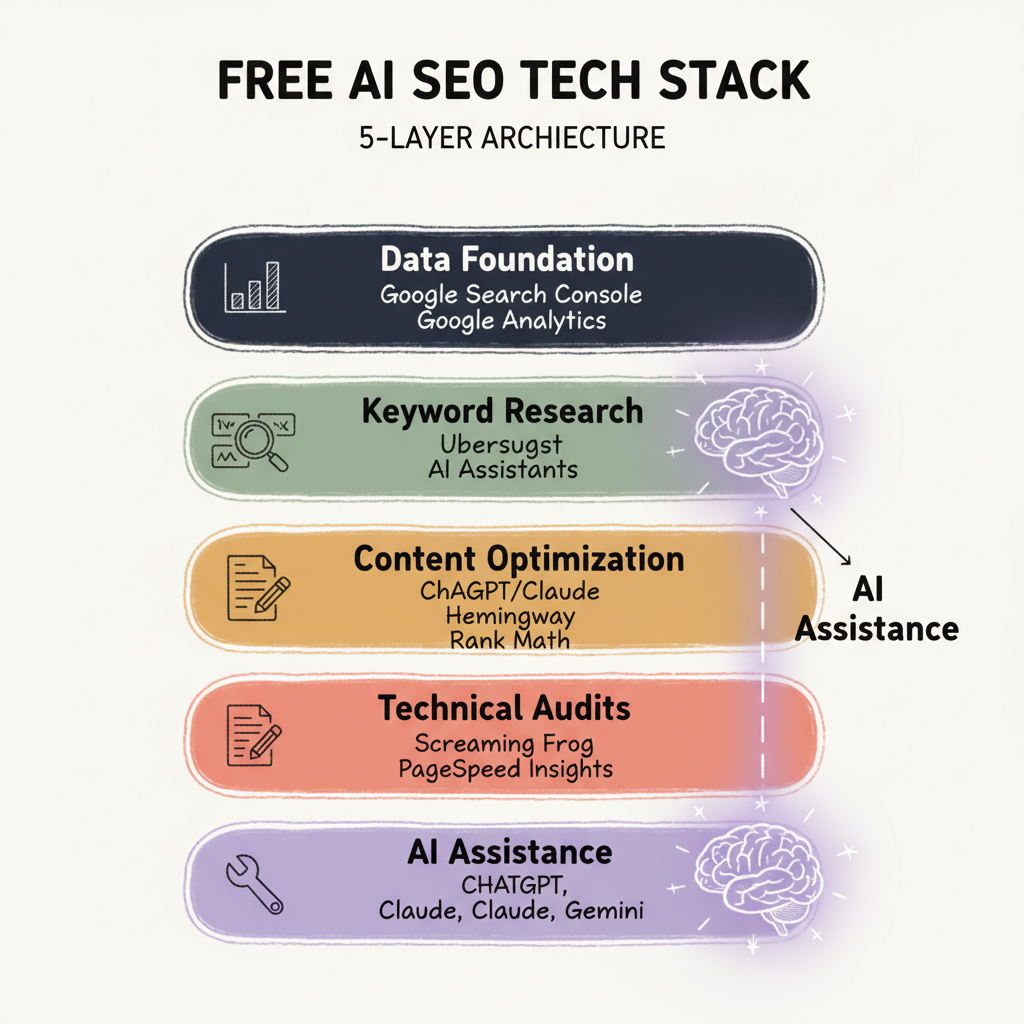
A complete SEO workflow requires tools spanning research, content creation, technical audits, and performance tracking. Paid platforms bundle these functions into unified subscriptions. Free tools exist for each function—the challenge is assembling them into a cohesive workflow.
This guide shows how to build a complete AI SEO tech stack using only free tools. You'll cover every essential SEO function without subscription costs, understanding where free tools excel and where they require extra effort.
A functional free SEO stack requires tools across five categories:
Each category addresses specific workflow needs. The integration between tools requires manual effort—the trade-off for avoiding subscription costs.
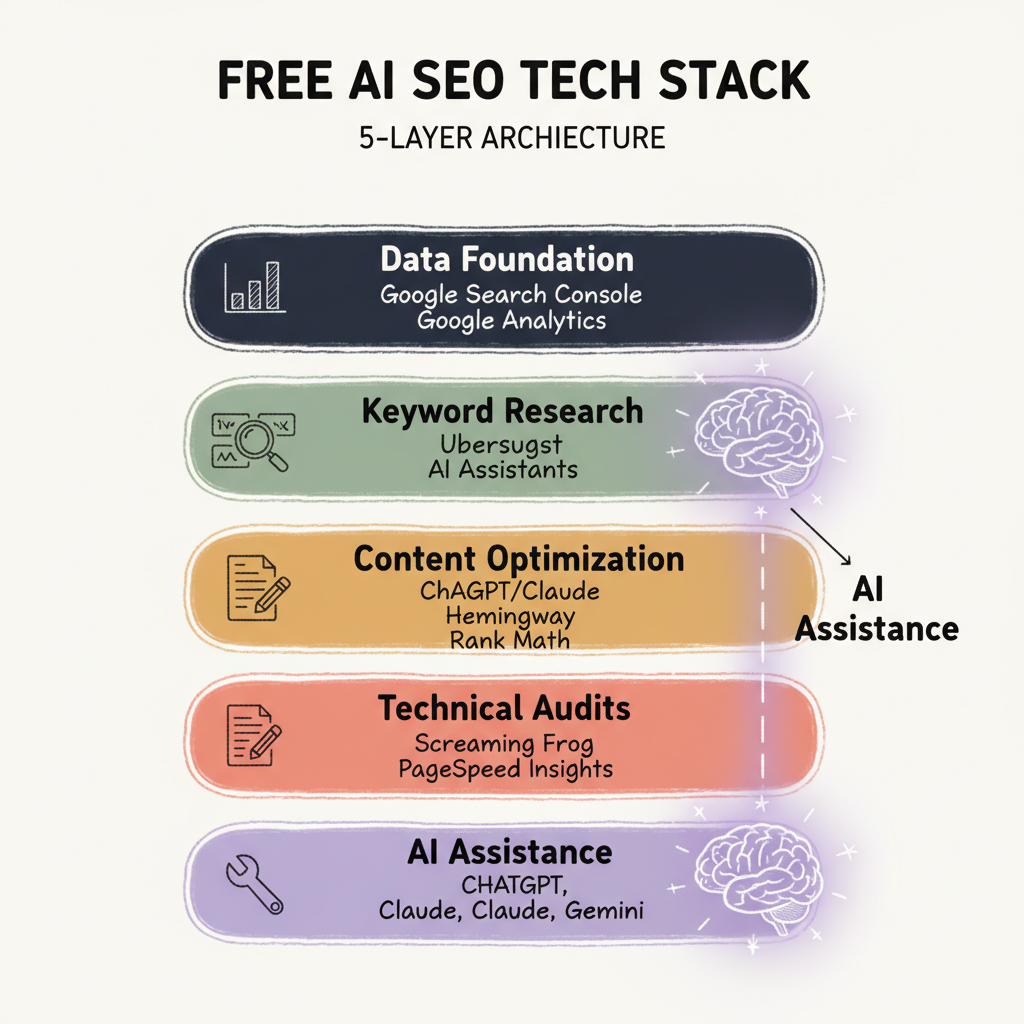
Every SEO stack starts with data. Free tools from Google provide the essential foundation.
GSC delivers direct intelligence from Google about your search presence:
No third-party tool matches GSC accuracy because the data comes directly from Google. Check GSC weekly to identify optimization priorities—pages ranking positions 5-15 with high impressions represent immediate opportunities.
GA4 provides traffic analysis that connects SEO performance to user behavior:
The combination of GSC and GA4 shows not just how search engines see your site, but how users interact once they arrive.
Setup Priority: Connect GSC and GA4 before adding other stack components. These tools inform decisions for everything else.
Keyword research requires volume data, difficulty assessment, and opportunity identification. Free tools handle these needs with limitations.
Neil Patel's Ubersuggest offers three free searches daily:
Three daily searches support spot research—validating keyword choices before writing, checking competitive angles, or exploring new topic areas. The limitation prevents comprehensive research workflows but handles essential checks.
ChatGPT and Claude transform keyword research by handling exploration and analysis:
Feed your GSC data export to an AI assistant and ask it to identify patterns, gaps, and opportunities. The AI processes data relationships that manual review might miss. This approach aligns with broader search engine optimization with AI strategies that leverage language models for competitive advantage.
This workflow produces keyword intelligence comparable to basic paid tool output, though with more manual steps.
Content creation and optimization represent the highest-volume SEO activity. Free tools address discrete optimization needs.
ChatGPT and Claude free tiers handle content optimization tasks:
Use AI assistants for content ideation, structure planning, and optimization suggestions. The assistants understand SEO principles and apply them contextually. For those seeking to maximize results from specific platforms, dedicated ChatGPT optimization techniques can enhance content quality.
Hemingway addresses readability—a direct SEO factor:
Run content through Hemingway before publishing. Cleaner, more scannable content improves user engagement signals that search engines track.
For WordPress sites, free plugins provide on-page optimization guidance:
Rank Math Free:
Yoast SEO Free:
Both plugins integrate optimization into the publishing workflow. Rank Math offers more features in free tier; Yoast provides simpler, more focused guidance.
Technical SEO identifies issues that block rankings. Free tools handle essential auditing.
Screaming Frog's free tier crawls up to 500 URLs:
For sites under 500 pages, the free version provides comprehensive technical auditing. Larger sites can crawl specific sections to stay within limits. Understanding technical AEO optimization principles helps prioritize which technical elements matter most for AI-driven search visibility.
Google's PageSpeed Insights analyzes Core Web Vitals:
Page speed directly impacts rankings. Run key pages through PageSpeed monthly to catch degradation before it affects visibility.
Google's mobile testing tool validates responsive design:
With mobile-first indexing, mobile optimization is mandatory. Test any page changes before publishing.
AI tools amplify every other layer in your stack. Free tiers of major AI platforms provide substantial capability.
ChatGPT handles research, ideation, and analysis tasks:
The free tier imposes usage limits but handles essential AI-assisted SEO work.
Claude offers similar capabilities with different strengths:
Using both ChatGPT and Claude extends your free AI capacity while providing different perspectives. Advanced users implementing Claude AI optimization can extract even more value from the free tier.
Gemini's integration with Google's search index provides current information access:
Gemini's web access fills gaps that other AI assistants have with current information.
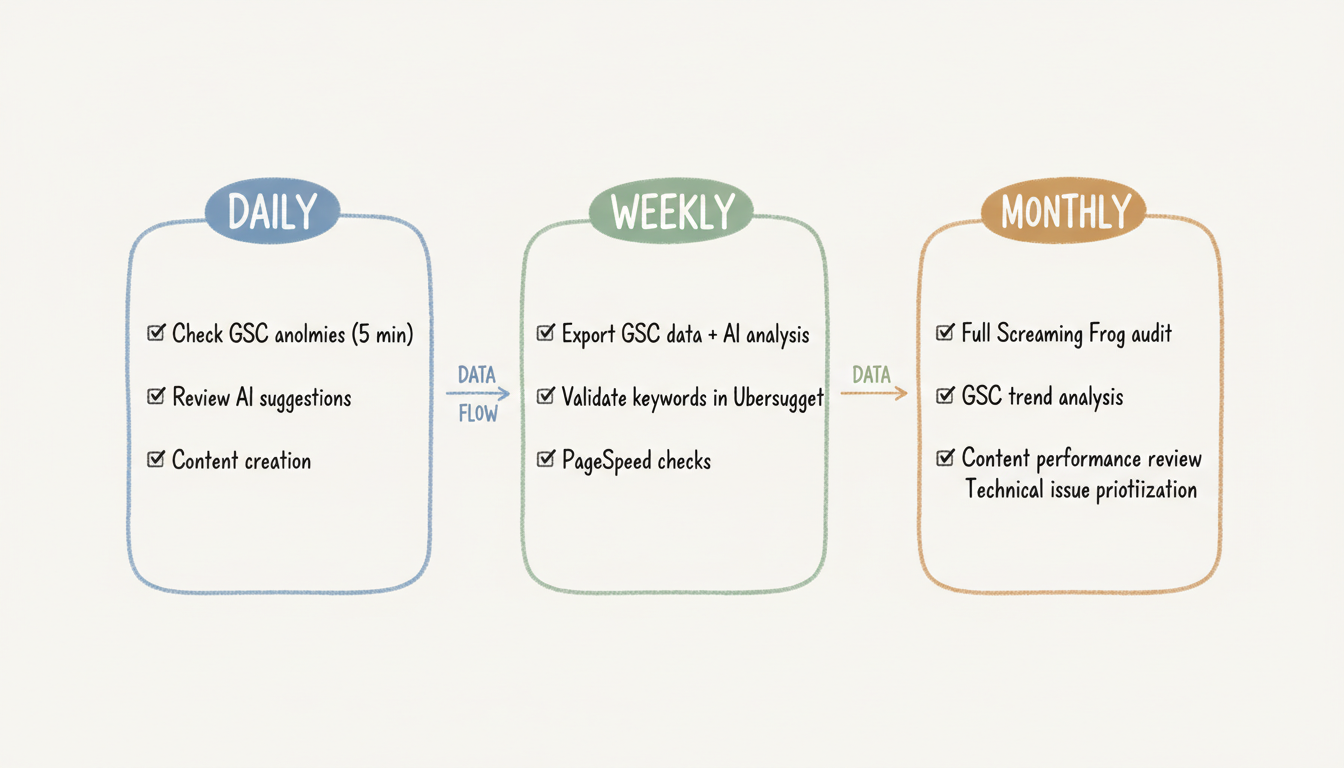
Free tools require manual integration. Build documented workflows that make tool switching efficient.
Daily Workflow:
Weekly Workflow:
Monthly Workflow:
Free tools have clear limits. Consider paid alternatives when:
The free stack works for focused SEO efforts. As scope expands, subscription tools provide efficiency gains that justify their cost.
Extract full value from your free stack by:
Documenting processes: Written workflows reduce friction between disconnected tools.
Scheduling consistently: Regular rhythms (daily, weekly, monthly) prevent SEO neglect.
Combining AI assistants: Use multiple free AI tiers to extend capacity.
Focusing on fundamentals: Free tools handle core SEO well. Master fundamentals before adding complexity.
A complete free AI SEO tech stack is achievable in 2026. The tools exist—success depends on the discipline to use them consistently.
By submitting this form, you agree to our Privacy Policy and Terms & Conditions.



