
February 19, 2026


You've optimized your content for AI search—but how do you know if it's actually working? Checking whether your site appears in Google AI Overviews requires manual verification since Google doesn't provide an AI Overview report in Search Console. This guide covers practical methods to confirm your visibility.
Google doesn't send notifications when your content gets cited. You need to check yourself.
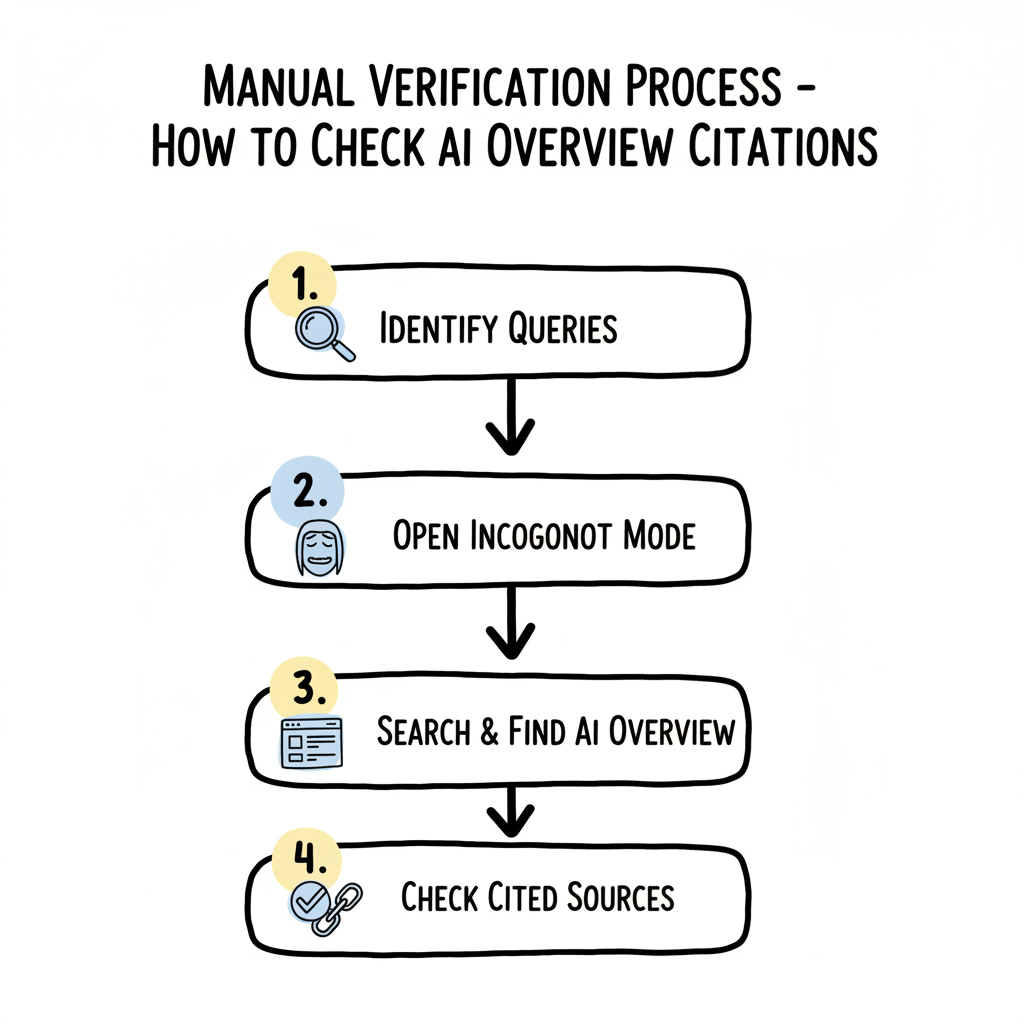
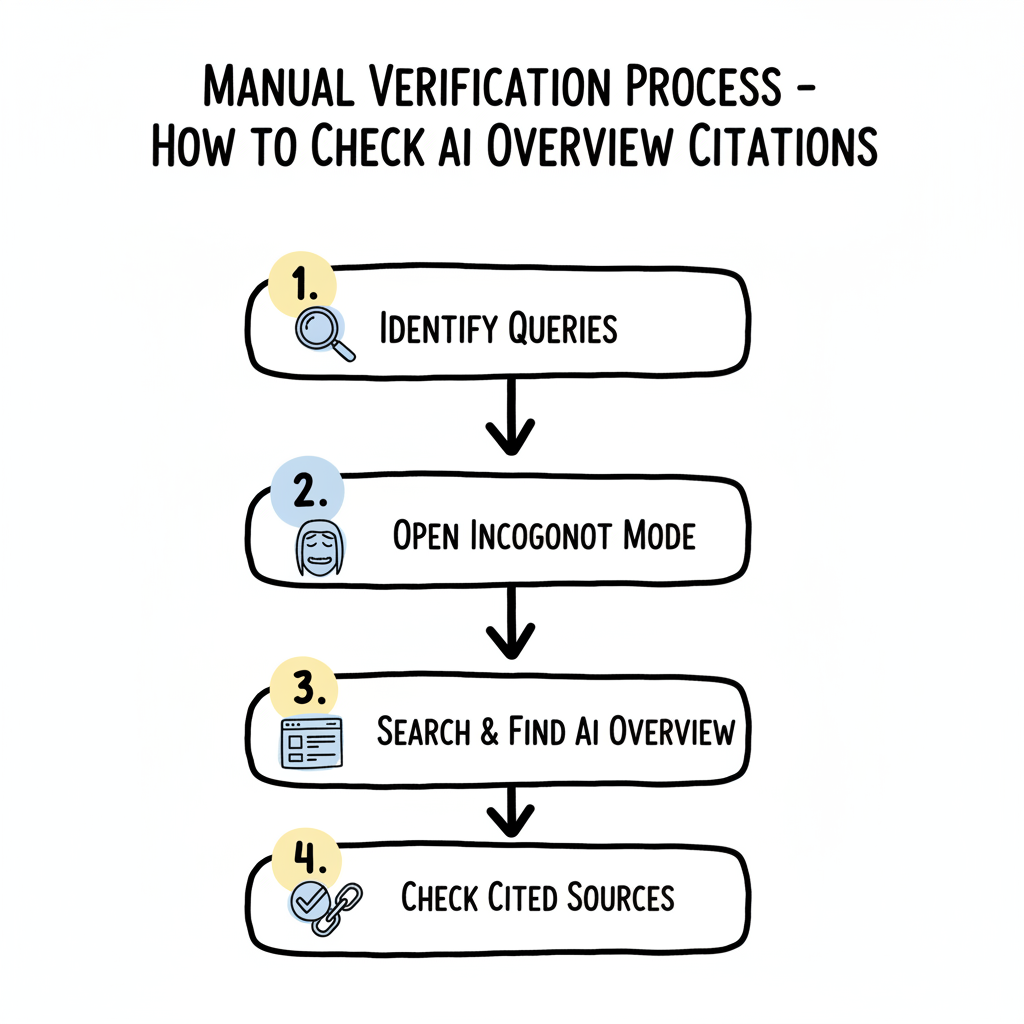
Basic verification steps:
This sounds simple, but effective verification requires systematic testing rather than random spot checks.
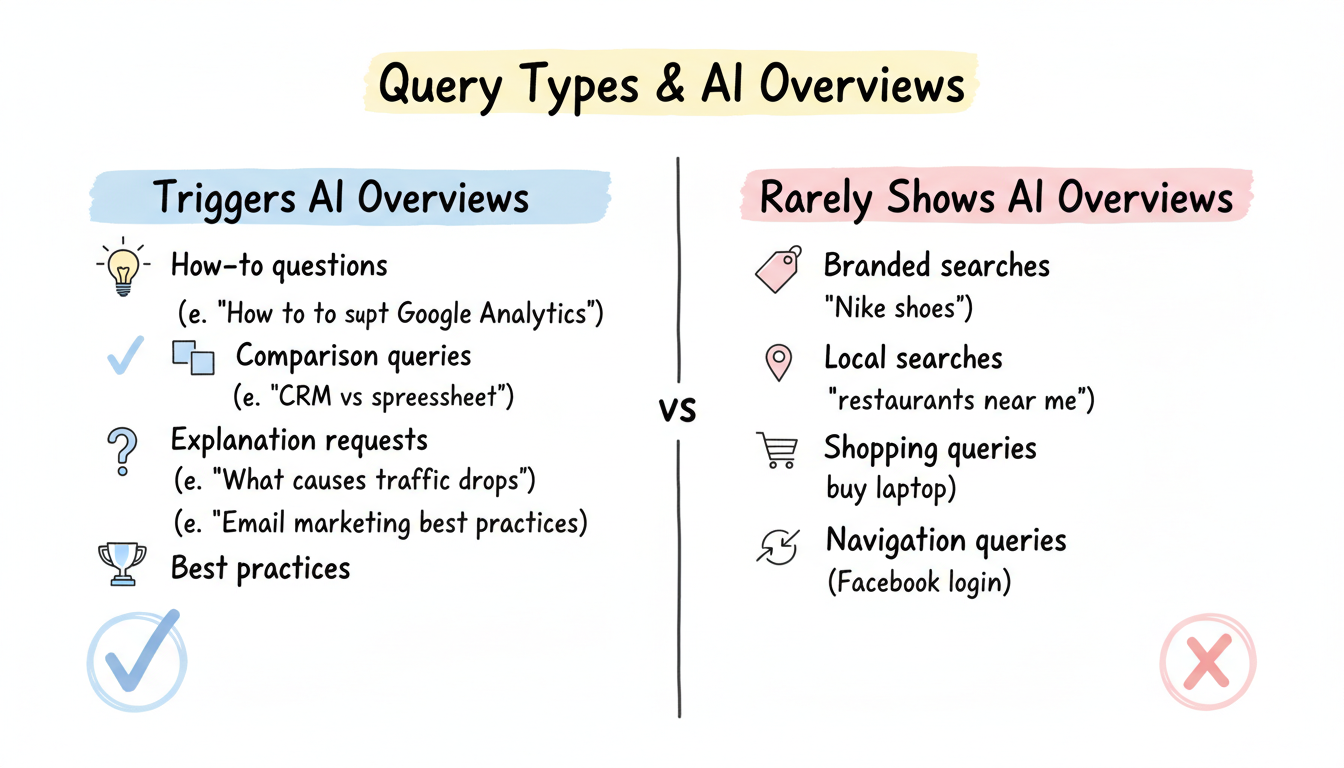
Not every query triggers AI Overviews. Test with queries that align with AI Overview patterns.
Query types most likely to show AI Overviews:
Query Type | Example | Why It Works |
How-to questions | "How to set up Google Analytics" | Educational intent |
Comparison queries | "CRM vs spreadsheet for sales" | Requires synthesis |
Explanation requests | "What causes website traffic drops" | Complex topics |
Best practices | "Email marketing best practices" | Multiple factors |
Query types rarely showing AI Overviews:
Build a list of 10-20 queries relevant to your content that match AI Overview trigger patterns.
Personalization affects search results. Test in a clean environment.
Why incognito matters:
Open an incognito/private window before testing.
Enter each query from your test list and examine results. Understanding how AI search content structure influences visibility can help you identify which queries are most likely to trigger citations.
What to look for:
AI Overview Location: Top of search results
                     (above organic listings)

Visual Indicators:
├── "AI Overview" label or similar header
├── Summarized answer text
├── Expandable sections (sometimes)
└── Source links with website icons

Source Section:
├── Small website favicons
├── Page titles as links
├── Usually 3-6 sources listed
└── "Show more" expansion option
When an AI Overview appears, check the source attribution.
Finding your site in sources:
Recording your findings:
Query | AI Overview Present | Your Site Cited | Position |
[query 1] | Yes/No | Yes/No | 1st/2nd/Not listed |
[query 2] | Yes/No | Yes/No | 1st/2nd/Not listed |
What different outcomes mean for your strategy.
Good signs:
Next steps:
Possible reasons:
Reason | Check | Solution |
Competitors dominate | Review cited sources | Analyze their content format |
Content doesn't match | Compare your content to query | Restructure for direct answers |
Technical issues | Verify indexing in GSC | Fix crawling problems |
E-E-A-T gaps | Assess authority signals | Build expertise indicators |
If you're consistently missing citations, reviewing winning in AI overview case studies can reveal what successful sites are doing differently.
This doesn't mean failure:
Try rephrasing the query or testing related variations. For platform-specific optimization, consult the platform specific AI search optimization guide to understand how different search environments behave.
AI Overview behavior varies by device.
Desktop vs. mobile differences:
Factor | Desktop | Mobile |
AI Overview frequency | Higher | Varies by query |
Source visibility | More sources shown | Condensed view |
Expansion behavior | Click to expand | Tap to expand |
Test on both desktop and mobile to get complete visibility picture.
AI Overviews roll out differently by region.
Testing across regions:
If your audience spans multiple countries:
For US-focused sites, test while connected to US networks.
One check shows a snapshot. Regular monitoring reveals trends. Setting up proper AI search performance reporting templates helps you track visibility systematically rather than relying on ad-hoc checks.
Simple tracking approach:
What to track:
Weekly AI Overview Check Log

Date: [date]
Query: [your test query]
AI Overview present: Yes/No
Your site cited: Yes/No
Your source position: [1-6 or N/A]
Competitors cited: [list domains]
Notes: [any changes from last week]
Citation isn't permanent. Sites can lose AI Overview visibility.
If you lose citations:
Don't panic over single-query fluctuations—AI Overviews shift regularly.
Verifying your AI Overview visibility:
Manual verification isn't as convenient as an automated dashboard, but it gives you direct confirmation of what users actually see when they search.
By submitting this form, you agree to our Privacy Policy and Terms & Conditions.



