
February 19, 2026


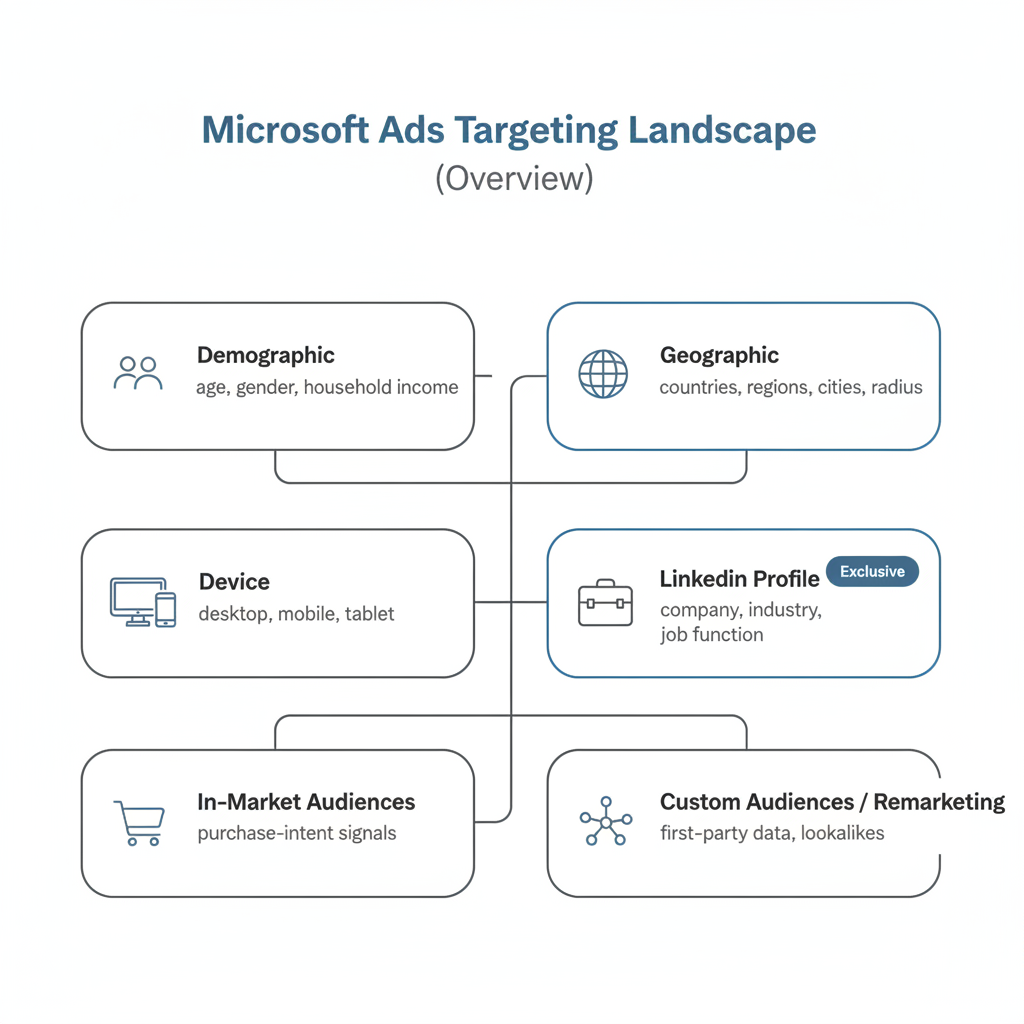
Effective targeting separates profitable Microsoft Ads campaigns from money-wasting ones. While the platform offers many of the same targeting options as Google Ads, Microsoft Advertising provides one major exclusive advantage: LinkedIn profile targeting—a feature impossible to replicate on any other search platform.
This comprehensive guide covers every Microsoft Ads targeting option available in 2026, from demographic filters to advanced remarketing strategies.
Microsoft Advertising offers layered targeting that lets you reach specific audiences across the Microsoft Search Network, which includes Bing, Yahoo, DuckDuckGo, AOL, and partner sites. The platform reaches over 100 million daily searchers, and its targeting capabilities help you find the right users within that audience.
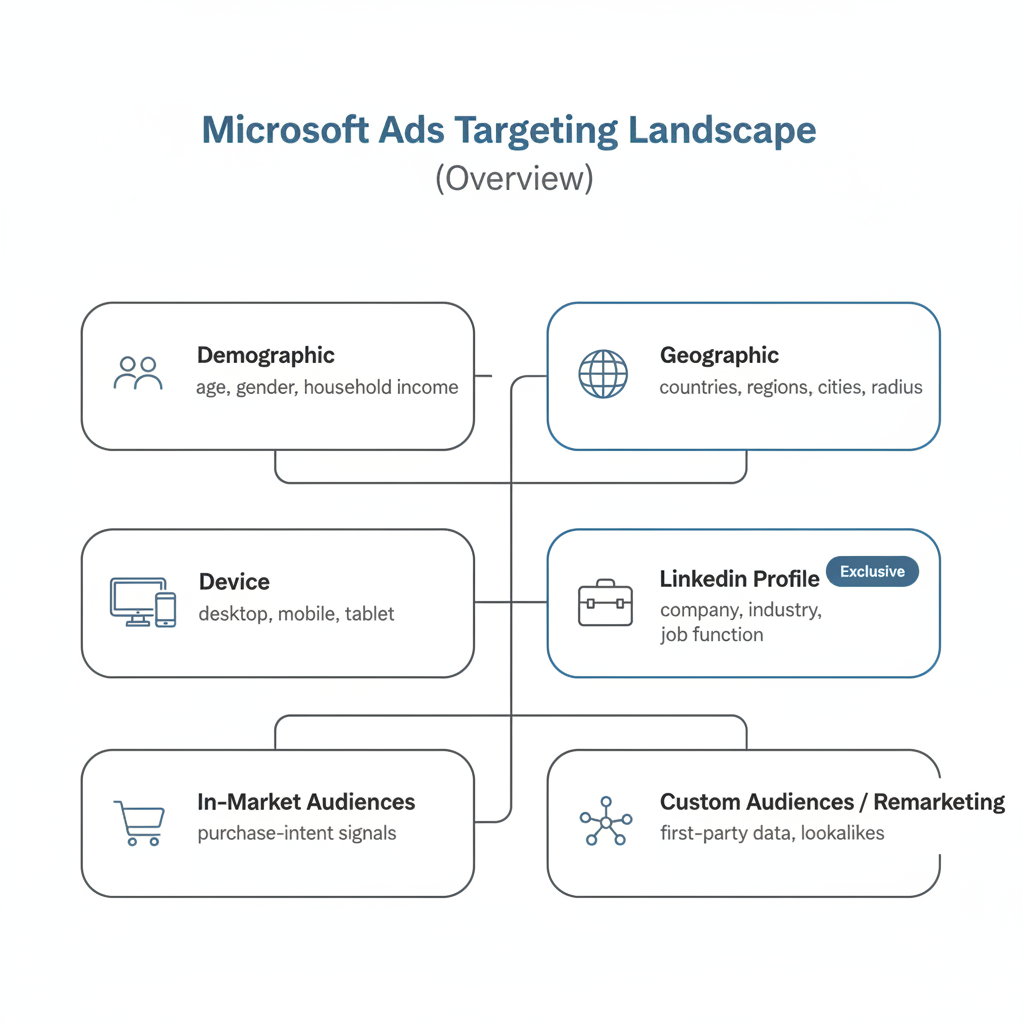
Microsoft's targeting options fall into several categories:
Targeting Type | Description | Best For |
Demographic | Age, gender, household income | Broad audience refinement |
Geographic | Location-based targeting | Local/regional businesses |
Device | Desktop, mobile, tablet | Platform-specific campaigns |
LinkedIn Profile | Company, industry, job function | B2B campaigns |
In-Market Audiences | Purchase-intent signals | Bottom-funnel targeting |
Custom Audiences | Your first-party data | Remarketing & lookalikes |
In January 2026, Microsoft announced a partnership with Epsilon for "Third-Party Search" targeting, adding even more precision targeting capabilities to the platform.
Microsoft Ads demographic targeting lets you filter your audience by personal attributes. These options work across Search, Audience, and Shopping campaigns, similar to how paid search advertising platforms handle audience segmentation.
Age Groups:
Gender:
Household Income (U.S. only):
Microsoft's audience tends to skew toward users 35+ years old with above-average household incomes, making demographic targeting particularly valuable for reaching affluent, professional audiences.
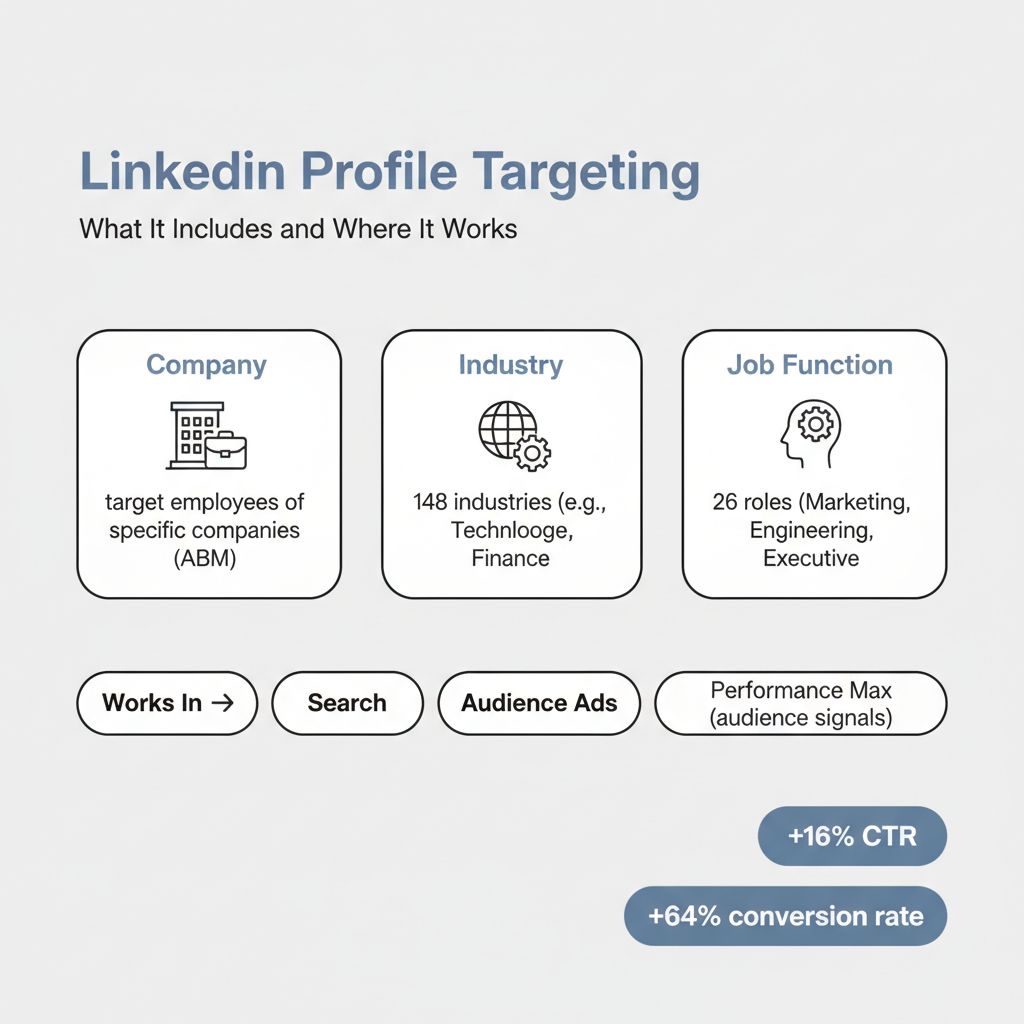
This is Microsoft Advertising's standout differentiator. Because Microsoft owns LinkedIn, it's the only platform outside LinkedIn offering LinkedIn Profile Targeting—a capability Google simply cannot match.
Company Targeting:
Industry Targeting:
Job Function Targeting:
According to Search Engine Land, LinkedIn Professional Demographics can be used in:
Microsoft reports impressive results from LinkedIn targeting:
For businesses exploring what is Microsoft Advertising platform capabilities, this LinkedIn integration represents the platform's most powerful competitive advantage.
In-market audiences let you reach users who are actively researching or comparing products and services in specific categories. Microsoft identifies these users based on their search and browsing behavior across the Microsoft network.
Microsoft analyzes signals including:
These behavioral signals align with broader paid search advertising strategies focused on capturing high-intent users.
Microsoft offers hundreds of in-market audience categories across verticals including:
Custom audiences let you leverage your own first-party data to reach users who have already interacted with your business. This approach is central to effective PPC campaign optimization tips.
Create audiences based on website visitors:
Upload your own customer data to target:
Enhanced Conversions connects your CRM data to track conversions more accurately and build better audience lists.
Microsoft can create lookalike audiences based on your remarketing lists or customer match data, finding new users who share characteristics with your existing customers.
Microsoft Ads offers flexible location targeting:
Location Types:
Targeting Methods:
Location Exclusions:
Target users by device type:
Device Bid Adjustments:
Microsoft's audience skews heavily toward desktop users, making desktop targeting particularly valuable on this platform. This demographic characteristic is one reason many marketers ask is Bing Ads worth it for their specific business.
Proper conversion tracking is essential for targeting optimization. Without it, you can't measure which audiences drive results—a fundamental principle across all types of search engine marketing.
The Universal Event Tracking (UET) tag is required for:
Microsoft's Enhanced Conversions use first-party data to improve tracking accuracy, especially important as third-party cookies phase out.
The most effective campaigns combine multiple targeting types:
This multi-layered approach is recommended by many search engine marketing agency professionals as best practice.
For B2B advertisers, combine:
Professional services like PPC advertising for attorneys and law firms benefit significantly from this ABM approach.
Audience Type | Suggested Bid Adjustment |
Remarketing (cart abandoners) | +30% to +50% |
LinkedIn (target companies) | +20% to +40% |
In-market (high intent) | +15% to +25% |
Demographics (ideal customer) | +10% to +20% |
Many businesses choose to outsource PPC management rather than handle this complex testing internally.
LinkedIn profile targeting lets you reach users based on their professional attributes—company, industry, and job function—within Microsoft Advertising search campaigns. Since Microsoft owns LinkedIn, this targeting is exclusive to Microsoft Ads and unavailable on any other search platform.
Install the Universal Event Tracking (UET) tag on your website, then create remarketing lists in the Audiences section of Microsoft Advertising. You can segment by pages visited, time on site, and recency. Minimum audience size is typically 300 users before the list becomes active.
Microsoft Advertising allows importing campaign structures from Google Ads, including some audience settings. However, Google-specific audiences (like Google's in-market segments) won't transfer directly—you'll need to recreate them using Microsoft's equivalent targeting options.
"Target" (target and bid) shows ads only to users in that audience. "Bid only" (observation) shows ads to everyone but lets you adjust bids for specific audiences. Start with "bid only" to collect data before narrowing to "target" mode.
Whether you're following a Bing Ads tutorial training guide or working with PPC advertising management professionals, mastering these targeting capabilities will dramatically improve your campaign performance.
By submitting this form, you agree to our Privacy Policy and Terms & Conditions.



