
February 19, 2026


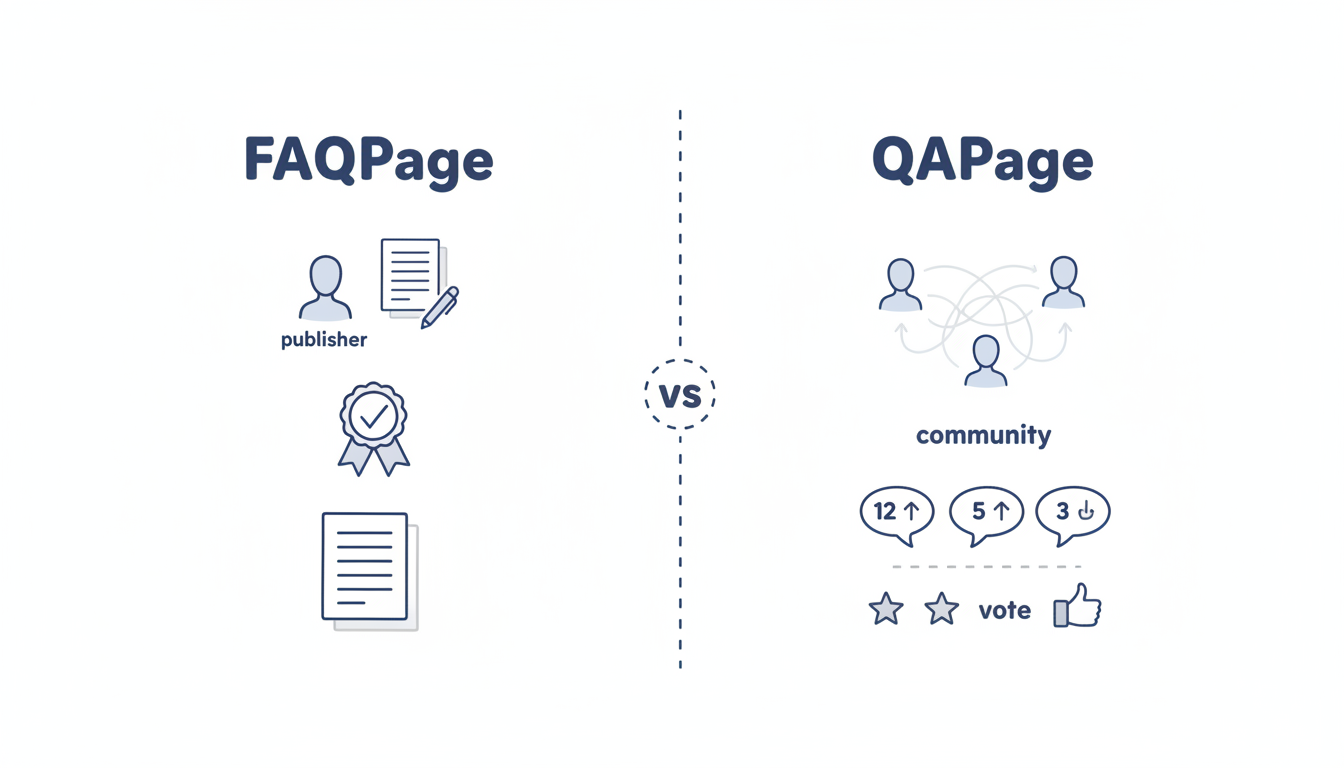
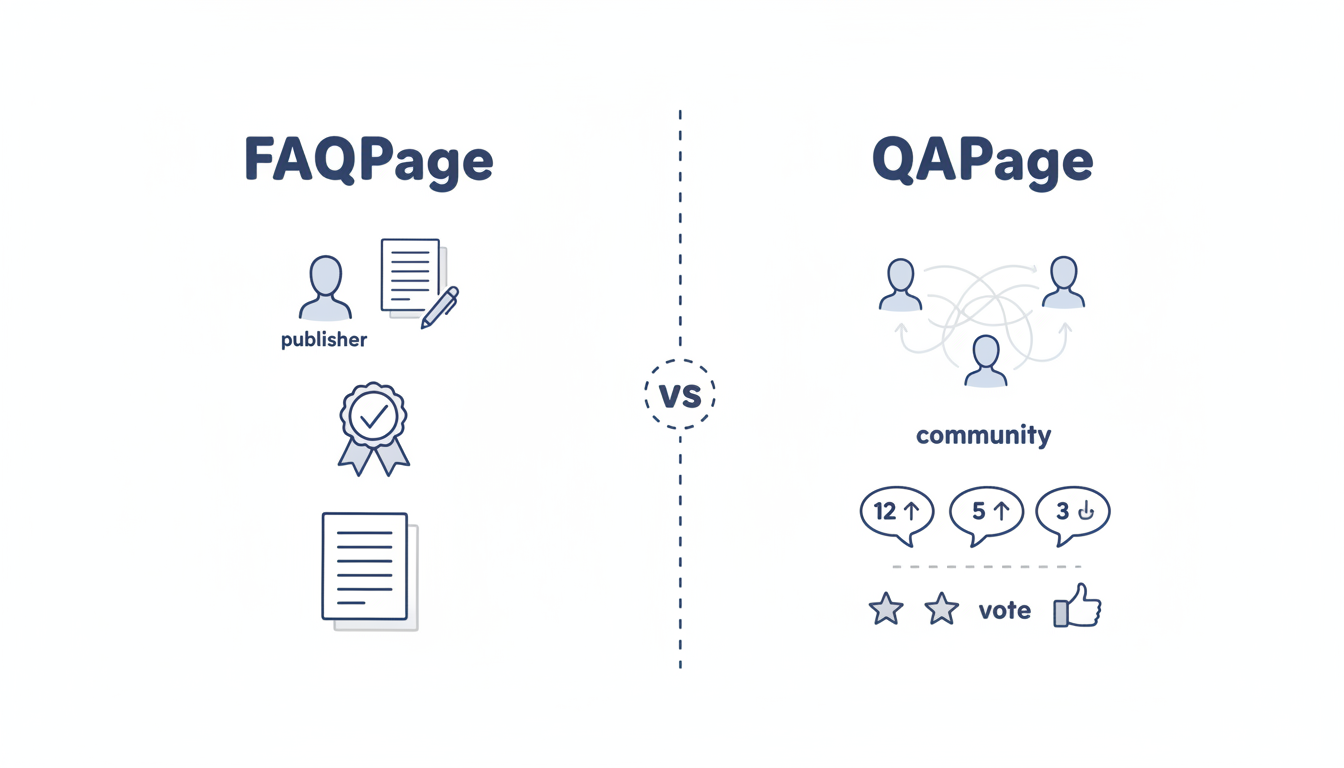
QAPage schema marks user-generated question-and-answer content for AI extraction. Unlike FAQPage (which is for publisher-controlled Q&A), QAPage is designed for community content where users submit both questions and answers—think Stack Overflow, Reddit, Quora, or forum discussions. AI systems increasingly cite community Q&A sources, making QAPage implementation valuable for platforms hosting user-generated expertise.
This guide covers when to use QAPage, implementation requirements, and optimization for AI citations.
The two schema types serve different content patterns.
Schema selection guide:
Scenario | Use QAPage | Use FAQPage |
Single author writes both Q&A | No | Yes |
Users submit questions | Yes | No |
Multiple answers per question | Yes | No |
Voting/ranking on answers | Yes | No |
Community/forum content | Yes | No |
Static FAQ sections | No | Yes |
Key differences:
FAQPage Schema:
├── Publisher controls both questions and answers
├── One answer per question
├── Static, authoritative content
└── Common on brand websites, help pages

QAPage Schema:
├── Questions submitted by users
├── Multiple answers possible
├── Answers ranked by community
└── Common on forums, Q&A sites, communities
Using the wrong schema type creates confusion. AI systems expect specific patterns from each.
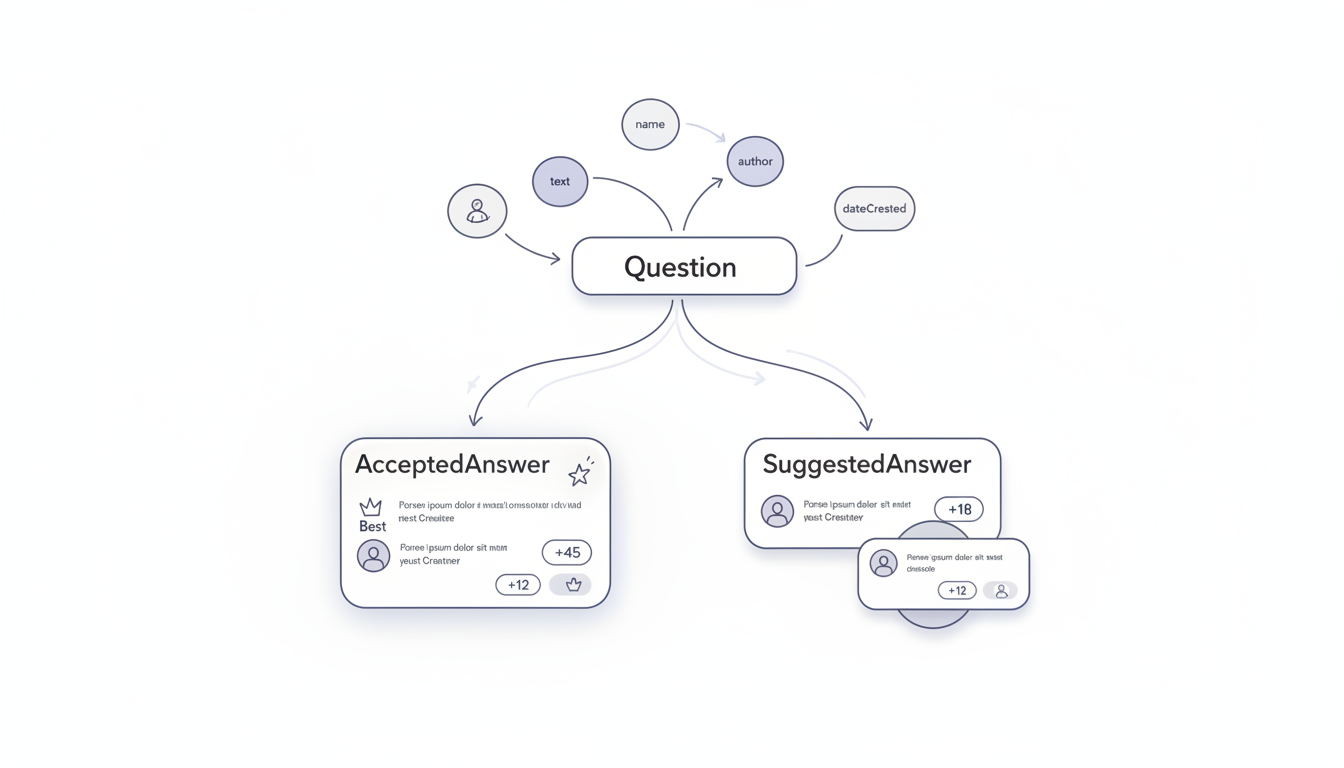
QAPage schema includes the question and one or more answers with metadata. When implementing structured data for AI search ranking factors, proper schema structure becomes critical for extraction accuracy.
Core structure:
{
  "@context": "https://schema.org",
  "@type": "QAPage",
  "mainEntity": {
    "@type": "Question",
    "name": "The question text",
    "text": "Expanded question with context",
    "answerCount": 3,
    "upvoteCount": 45,
    "dateCreated": "2026-01-10",
    "author": {
      "@type": "Person",
      "name": "User Name"
    },
    "acceptedAnswer": {
      "@type": "Answer",
      "text": "The accepted/best answer",
      "dateCreated": "2026-01-11",
      "upvoteCount": 28,
      "author": {
        "@type": "Person",
        "name": "Answerer Name"
      }
    },
    "suggestedAnswer": [
      {
        "@type": "Answer",
        "text": "Alternative answer",
        "upvoteCount": 12,
        "author": {
          "@type": "Person",
          "name": "Another User"
        }
      }
    ]
  }
}
QAPage includes several properties AI systems evaluate.
Question properties:
Property | Required | AI Benefit |
name | Yes | Query matching, extraction |
text | Recommended | Additional context |
answerCount | Recommended | Completeness signal |
upvoteCount | Optional | Popularity signal |
dateCreated | Recommended | Freshness evaluation |
author | Recommended | Attribution capability |
Answer properties:
Property | Purpose | AI Relevance |
text | The answer content | Primary extraction source |
upvoteCount | Community validation | Quality signal |
dateCreated | Answer freshness | Recency evaluation |
author | Who answered | Expertise attribution |
QAPage distinguishes between accepted and suggested answers.
Answer type hierarchy:
Answer Extraction Priority:
├── acceptedAnswer (highest priority)
│   └── Marked by question author or community as best
│
├── suggestedAnswer with high votes (medium priority)
│   └── Alternative quality answers
│
└── suggestedAnswer with low votes (lower priority)
    └── Additional perspectives
AI behavior with answer types:
Answer Type | AI Citation Likelihood |
acceptedAnswer | Highest - treated as definitive |
Top suggestedAnswer | Medium - alternative viewpoint |
Other suggestedAnswer | Lower - supplementary info |
Marking an acceptedAnswer tells AI which response to prioritize. Without it, AI must infer from upvotes.
Adapt QAPage to different community content types. For platforms looking to optimize community-generated content, understanding the broader context of SEO and AEO integration helps align technical implementation with discovery goals.
Platform implementations:
Platform Type | Implementation Approach |
Technical Q&A (Stack Overflow style) | Full schema with code blocks in answers |
Discussion forums | QAPage for threads with clear questions |
Product communities | QAPage for support questions |
Knowledge bases | Consider FAQPage unless user-submitted |
Forum thread example:
{
  "@context": "https://schema.org",
  "@type": "QAPage",
  "mainEntity": {
    "@type": "Question",
    "name": "How do I fix WordPress white screen of death?",
    "text": "My WordPress site shows a blank white page after updating plugins. I've tried clearing cache but it's still white.",
    "answerCount": 5,
    "upvoteCount": 23,
    "dateCreated": "2026-01-08",
    "acceptedAnswer": {
      "@type": "Answer",
      "text": "Disable plugins by renaming the plugins folder via FTP: 1) Connect to your server via FTP. 2) Navigate to wp-content. 3) Rename 'plugins' to 'plugins_old'. 4) Refresh your site. If it loads, re-enable plugins one by one to find the conflict.",
      "upvoteCount": 31,
      "dateCreated": "2026-01-08"
    }
  }
}
Maximize AI visibility with QAPage optimization. Tools that specialize in AEO tools software can help automate validation and monitoring of these implementations.
Content optimization:
Tactic | Implementation |
Clear question titles | Phrase questions as users search them |
Comprehensive answers | Include complete solution, not just hints |
Structured answer text | Steps, lists, or clear paragraphs |
Upvote accuracy | Reflect actual community voting |
Fresh content | Update dateCreated when answers edited |
Answer text formatting:
High AI extraction potential:
"To fix the issue: 1) Clear your browser cache.
2) Disable conflicting plugins. 3) Check your PHP
version. These three steps resolve 90% of cases."

Lower AI extraction potential:
"Try looking at the documentation, it might help.
Also some users have mentioned plugins could be
an issue but I'm not 100% sure about that."
Specific, actionable answers extract cleanly. Vague suggestions don't cite well.
Avoid errors that reduce AI visibility.
Mistakes and fixes:
Mistake | Problem | Solution |
Using FAQPage for forums | Wrong schema type | Switch to QAPage |
No acceptedAnswer | AI can't identify best response | Mark community-chosen answer |
Outdated upvoteCounts | Trust signals misaligned | Sync with actual votes |
Missing author info | Attribution gaps | Include author for both Q and A |
Answer text too long | Extraction truncation | Lead with key information |
Test QAPage implementation before relying on it. For automated validation workflows, consider using an AEO checker to continuously monitor schema accuracy.
Validation checklist:
QAPage schema for AI search optimization:
For platforms hosting community Q&A content, QAPage schema creates the machine-readable structure AI systems need to accurately extract and cite user-generated expertise.
By submitting this form, you agree to our Privacy Policy and Terms & Conditions.



