
February 19, 2026


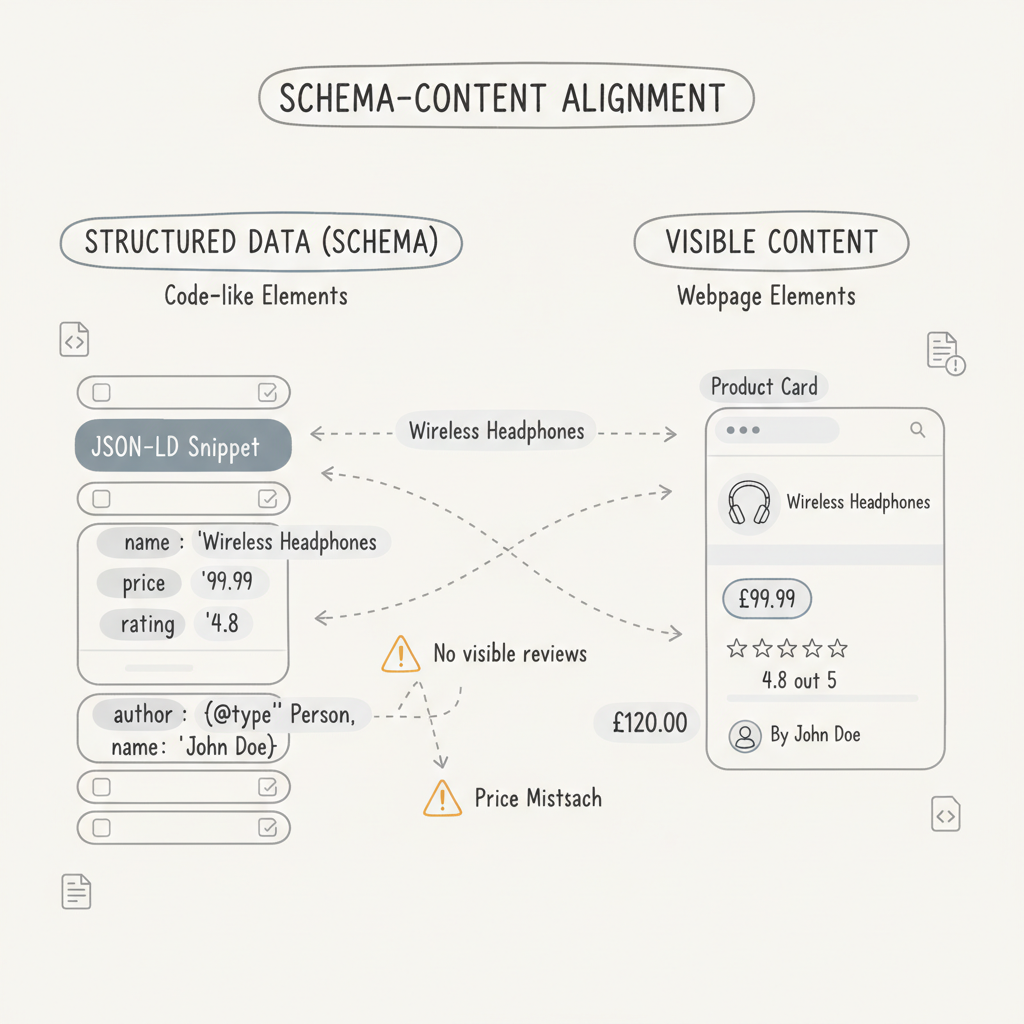
Schema markup only works when it accurately describes what users actually see on your page. Misalignment between structured data and visible content creates trust issues with both search engines and AI systems—and can cost you rich results, citations, and rankings.
In 2026, as AI search systems like Google's AI Overviews, ChatGPT, and Perplexity rely heavily on structured data to understand and cite content, alignment has shifted from best practice to requirement. This guide covers why schema-content alignment matters, how to audit for misalignment, and practical implementation strategies.
Schema markup tells search engines and AI systems what your content represents. When this structured data doesn't match your visible content, several problems emerge:
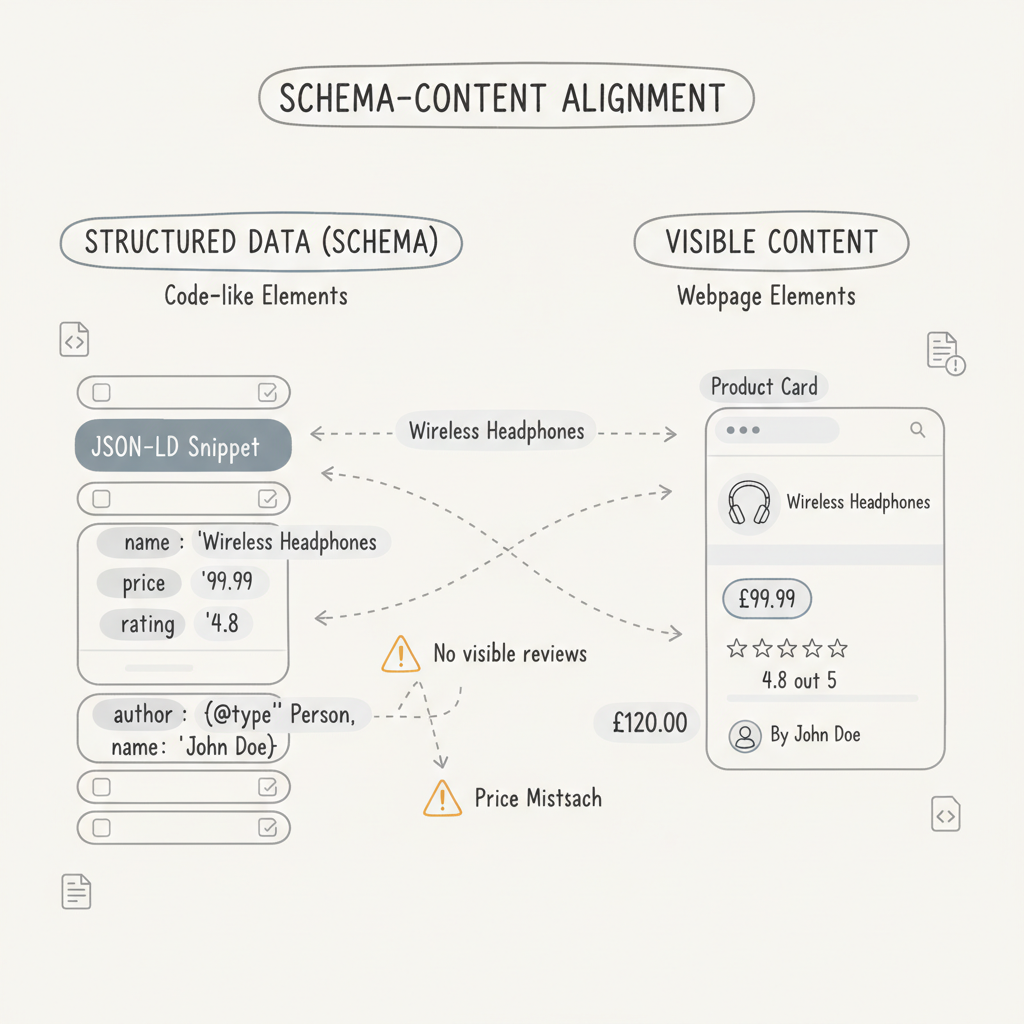
Google's algorithms cross-reference schema claims against page content. If your schema says you have 4.8-star reviews but users see no reviews on the page, that disconnect triggers trust issues. The same applies to prices, product availability, author credentials, and any other marked-up data.
Google specifically requires that structured data "represent the content of the page." Misaligned schema often leads to:
AI systems synthesizing answers need reliable, verifiable information. When schema claims don't match visible content, AI systems have less confidence in citing your pages. They rely on structured data for context, but verify against visible content for accuracy—a principle central to understanding how to optimize website AI-powered search engines.
Content optimization platforms like SurferSEO emphasize aligning structured data with visible content as a core optimization strategy. The principle is simple: schema should annotate what exists, not invent what doesn't. Your FAQ schema should contain questions actually displayed on your page. Your Product schema should reflect real prices, availability, and descriptions users can see.
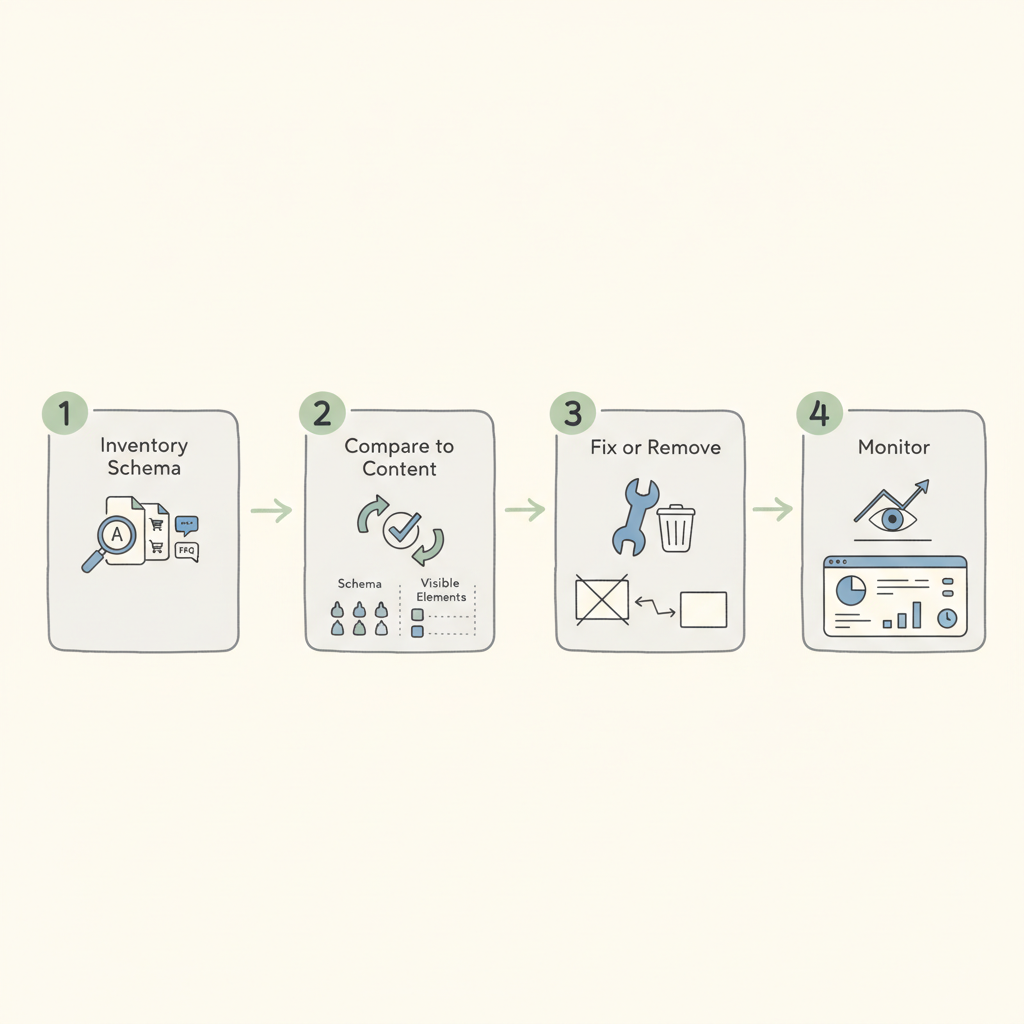
Follow these practical steps to ensure your structured data accurately represents your pages.
Start by documenting all schema types currently on your site:
For each schema type, verify that every property value appears on the page:
Schema Property | Verification Question |
name | Is this exact name displayed prominently? |
price | Does the visible price match exactly? |
rating | Are reviews/ratings shown to users? |
author | Is author name and info visible? |
description | Does visible text match or exceed this? |
availability | Is current stock status displayed? |
When you find misalignment, you have two options:
Option A: Update the page to display the information your schema references. If you're marking up author credentials, add an author bio section.
Option B: Remove the schema property that doesn't have visible content support. An accurate partial schema beats a comprehensive but inaccurate one.
Set up systems to catch future misalignment:
Avoid these frequent errors that create schema-content gaps.
Marking up AggregateRating without displaying reviews on the page. Google requires that "the page contains review content" for review schema.
Fix: Only implement review schema on pages that display actual reviews with ratings visible to users.
Product schema with prices that don't update when page content changes (sales, currency conversion, etc.).
Fix: Generate schema dynamically from the same data source that populates visible prices.
Adding FAQ schema to pages where questions and answers aren't displayed. Some sites hide FAQ content in JavaScript or don't display it at all.
Fix: FAQ schema requires "the full text of the question and answer must be on the page."
Marking up author properties for articles that don't display author names, bios, or credentials.
Fix: Add visible author information to article pages, or remove author schema until you do.
Schema that reflected accurate information when created but wasn't updated when page content changed.
Fix: Include schema updates in your content update workflows. When you edit page content, verify schema alignment.
Use this checklist for your alignment audit:
Organization/LocalBusiness Schema:
Article Schema:
Product Schema:
FAQ Schema:
Review Schema:
When your page displays:
Q: What is schema markup?
A: Schema markup is structured data vocabulary...
Your schema should contain the same content:
{
  "@type": "FAQPage",
  "mainEntity": [{
    "@type": "Question",
    "name": "What is schema markup?",
    "acceptedAnswer": {
      "@type": "Answer",
      "text": "Schema markup is structured data vocabulary..."
    }
  }]
}
Only mark up properties that users can verify:
{
  "@type": "Product",
  "name": "SEO Audit Service",
  "description": "Comprehensive technical SEO audit",
  "offers": {
    "@type": "Offer",
    "price": "499",
    "priceCurrency": "USD",
    "availability": "https://schema.org/InStock"
  }
}
Each value should match exactly what's displayed on your pricing page.
In 2026, schema-content alignment matters more than ever because AI systems use structured data differently than traditional search. As organizations invest in generative AI search engine optimization, they're discovering that proper schema alignment becomes non-negotiable:
Schema markup that accurately represents visible content becomes the foundation for AI visibility. The alignment principle isn't just about avoiding penalties—it's about building the machine-readable trust signals that AI-powered search engines require.
By submitting this form, you agree to our Privacy Policy and Terms & Conditions.



