
February 19, 2026


Last Updated: January 2026
Schema markup only works if it's implemented correctly. Invalid or broken schema provides no benefit—and may actually confuse AI systems trying to understand your content.
This guide covers the essential validation tools, common errors to fix, and testing workflows that ensure your structured data enhances AI search visibility.
Schema markup helps turn your content into a format machines can understand. When implemented correctly, structured data enables AI search systems to match your content to relevant queries and extract information for citations.
However, schema errors undermine these benefits:
Google has confirmed that structured data remains essential in the AI search era. But only valid, accurate schema provides the intended visibility benefits.
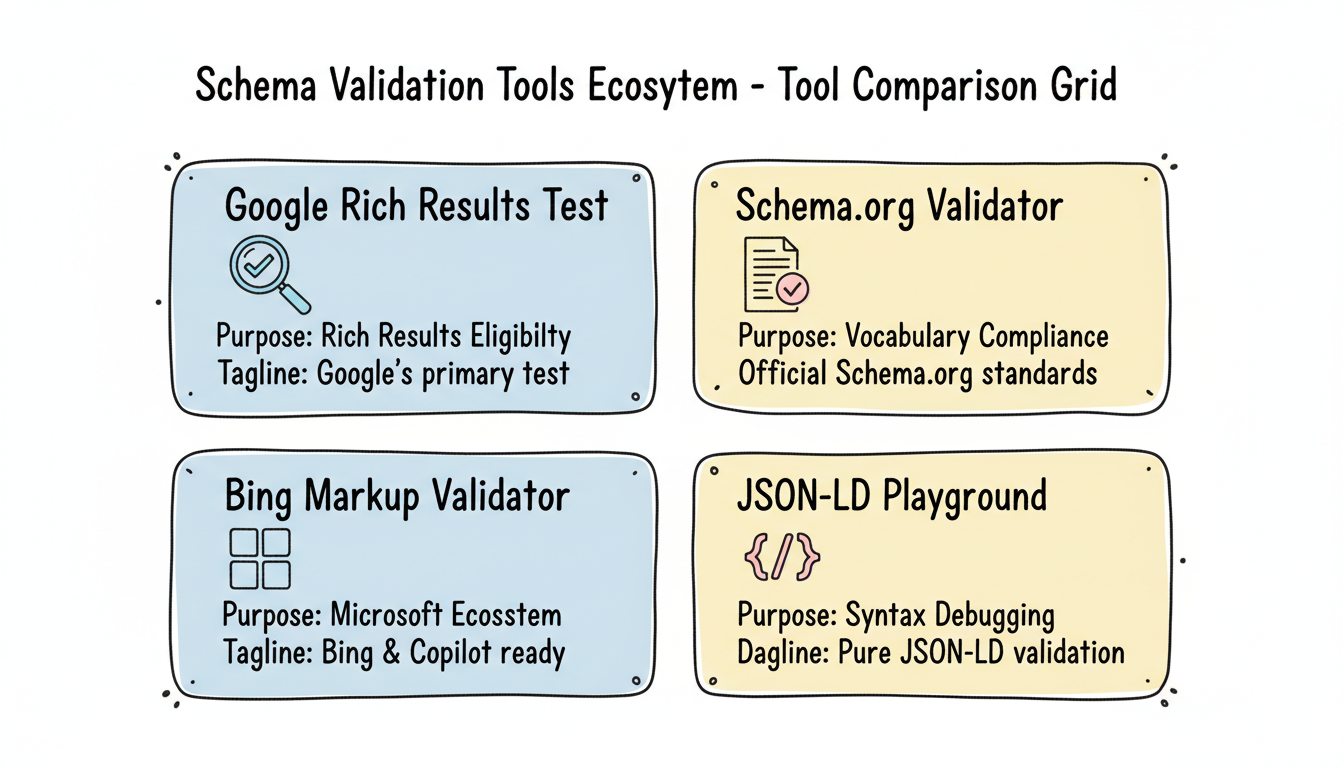
Four primary tools should be part of every schema validation workflow.
Google's Rich Results Test validates schema markup and shows whether Google can generate rich results from your structured data.
URL: https://search.google.com/test/rich-results
What it tests:
Best for: Confirming Google can read your schema and determining rich result eligibility. This is the primary test for any schema implementation.
Limitations: Only tests against Google's requirements. Schema that passes here may still have issues for other AI systems.
The official Schema.org validator checks markup against the full Schema.org vocabulary.
URL: https://validator.schema.org
What it tests:
Best for: Ensuring your schema conforms to Schema.org standards, which AI systems beyond Google also reference.
Limitations: Doesn't indicate rich result eligibility—only vocabulary compliance.
Microsoft's Bing Webmaster Tools includes schema validation for Bing's index.
Location: Bing Webmaster Tools > SEO > Markup Validator
What it tests:
Best for: Ensuring schema works for Bing Search and Microsoft Copilot visibility.
Limitations: Requires Bing Webmaster Tools account and site verification.
The JSON-LD Playground validates JSON-LD syntax independently of any search engine's requirements.
URL: https://json-ld.org/playground
What it tests:
Best for: Debugging complex JSON-LD before testing with search engine tools. Helpful for finding syntax errors that other tools may not clearly identify.
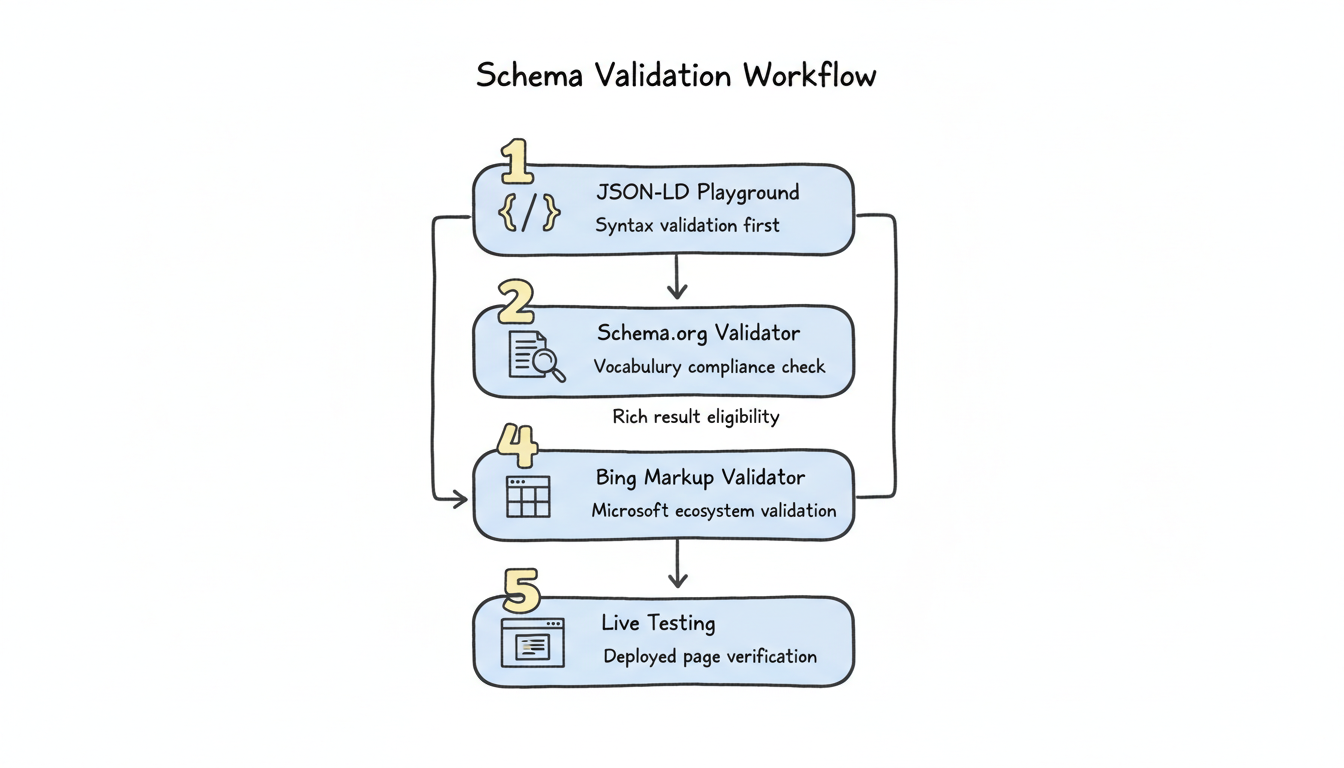
Follow this systematic process when implementing or auditing schema markup.
Start with syntax validation. Paste your JSON-LD into the playground and resolve any parsing errors before proceeding.
Common syntax issues:
Once syntax is clean, validate against Schema.org specifications. Check for:
Understanding how generative engine optimization works alongside traditional schema validation helps ensure your structured data serves both conventional search engines and AI-powered systems effectively.
Test against Google's requirements for rich result eligibility. Document:
Validate for Microsoft's ecosystem, particularly if targeting Copilot visibility.
After deployment, test actual live URLs rather than just code snippets. Use Google's Rich Results Test URL option to verify:
These errors frequently appear during validation—and all reduce AI search effectiveness.
Error: Schema claims information that differs from visible page content.
Examples:
Impact: AI systems may penalize sites with mismatched schema, viewing it as deceptive markup.
Fix: Implement schema generation that pulls from the same data source as visible content. Set up monitoring to catch when page content and schema diverge.
Error: Schema type lacks properties marked as required for rich results.
Examples:
Impact: Rich results won't generate, and AI systems receive incomplete entity information.
Fix: Review Google's structured data documentation for each schema type. Ensure all required properties are present.
Error: Property values use wrong data types.
Examples:
Impact: AI systems may fail to extract values or misinterpret information.
Fix: Follow Schema.org specifications for each property's expected data type. Use ISO 8601 for dates, numbers for prices (with separate currency property).
Error: Multiple conflicting schema blocks for the same entity.
Examples:
Impact: AI systems may use incorrect version or become confused by conflicts.
Fix: Audit all sources of schema markup. Disable duplicate generators. Consolidate to single, authoritative schema implementation.
Error: Schema contains stale data that no longer matches reality.
Examples:
Impact: AI systems may cite outdated information, creating accuracy problems and user trust issues.
Fix: Implement update workflows that refresh schema when content changes. Set calendar reminders for periodic schema audits.
Beyond standard validation, optimize schema for AI search specifically.
AI systems use schema to understand relationships between entities. Strengthen these connections by implementing comprehensive E-E-A-T signals for answer engine optimization, which help AI systems validate your content against authoritative sources.
sameAs Properties Link your Organization schema to authoritative profiles:
"sameAs": [
  "https://www.linkedin.com/company/yourcompany",
  "https://en.wikipedia.org/wiki/Your_Company",
  "https://www.wikidata.org/wiki/Q12345"
]
These connections help AI systems validate your entity against trusted sources.
Author Entity Linking Connect Article schema to Person schema for authors:
"author": {
  "@type": "Person",
  "@id": "https://yoursite.com/authors/name#person",
  "name": "Author Name",
  "jobTitle": "Senior Analyst",
  "worksFor": {"@id": "https://yoursite.com/#organization"}
}
This establishes E-E-A-T signals AI systems recognize.
FAQ schema makes question-answer pairs explicitly extractable for AI citations. Ensure:
When implementing FAQ schema, consider whether AEO is replacing SEO in your content strategy, as this influences how you structure question-answer pairs for maximum AI visibility.
While meeting minimum requirements enables rich results, comprehensive property coverage improves AI understanding. Include recommended properties, not just required ones.
Schema validation isn't one-time. Implement ongoing monitoring.
Monitor structured data reports for:
Set up automated schema validation in CI/CD pipelines for sites with dynamic schema generation. Catch errors before they reach production.
Schedule quarterly schema audits to verify:
For enterprise teams managing large-scale implementations, AI search performance reporting templates can help track schema validation metrics alongside other key performance indicators.
By submitting this form, you agree to our Privacy Policy and Terms & Conditions.



