
February 19, 2026


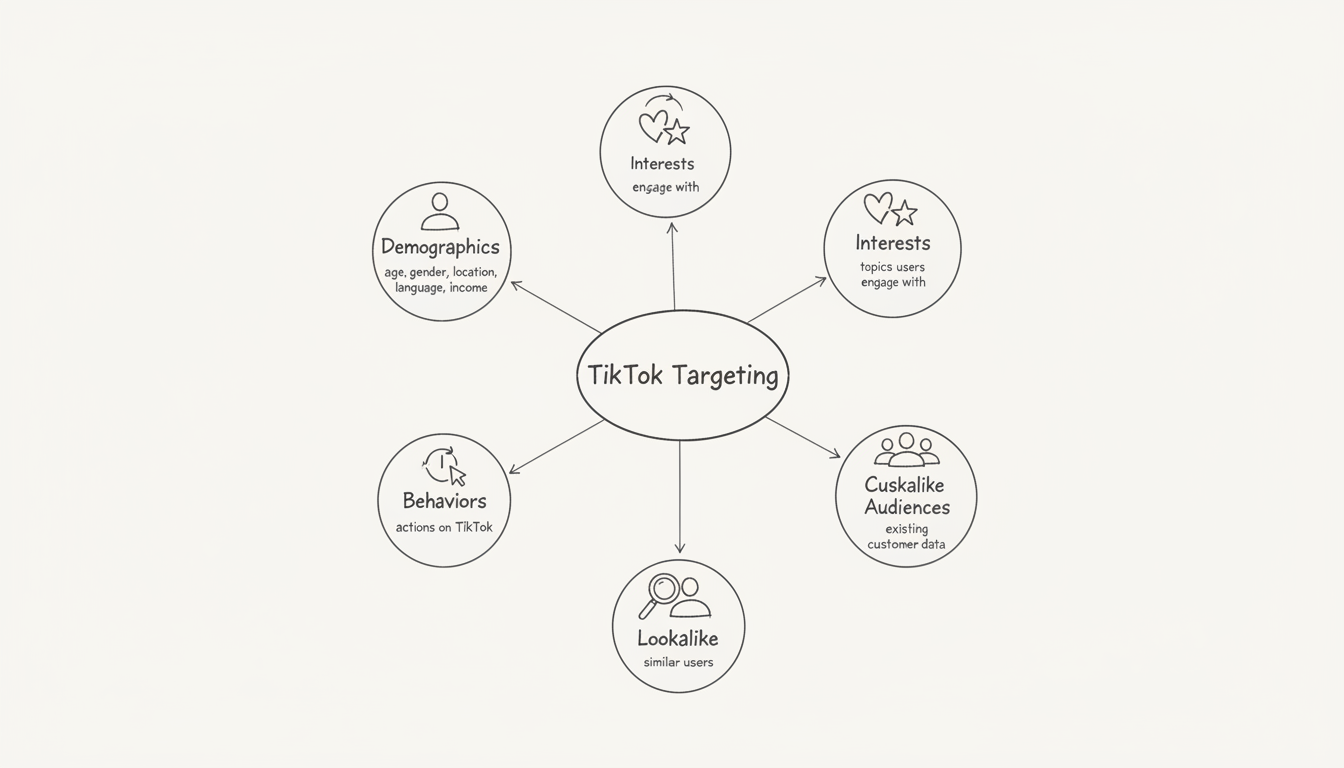
Effective TikTok advertising depends on reaching the right audience. TikTok offers sophisticated targeting options that let you connect with users based on demographics, interests, behaviors, and your existing customer data. This guide covers every targeting option available and how to use them effectively.
TikTok provides five main categories of targeting, which can be combined to create precise audience segments.
Category | What It Targets | Best For |
Demographics | Age, gender, location, language | Broad audience definition |
Interests | Topics users engage with | Prospecting new audiences |
Behaviors | Actions users take on TikTok | Intent-based targeting |
Custom Audiences | Your existing customer data | Retargeting, exclusions |
Lookalike Audiences | Users similar to your customers | Scaling acquisition |
According to TikTok advertising guides, the more specific your target audience, the higher your ad costs—but also potentially the higher your conversion rates. Finding the right balance is key.
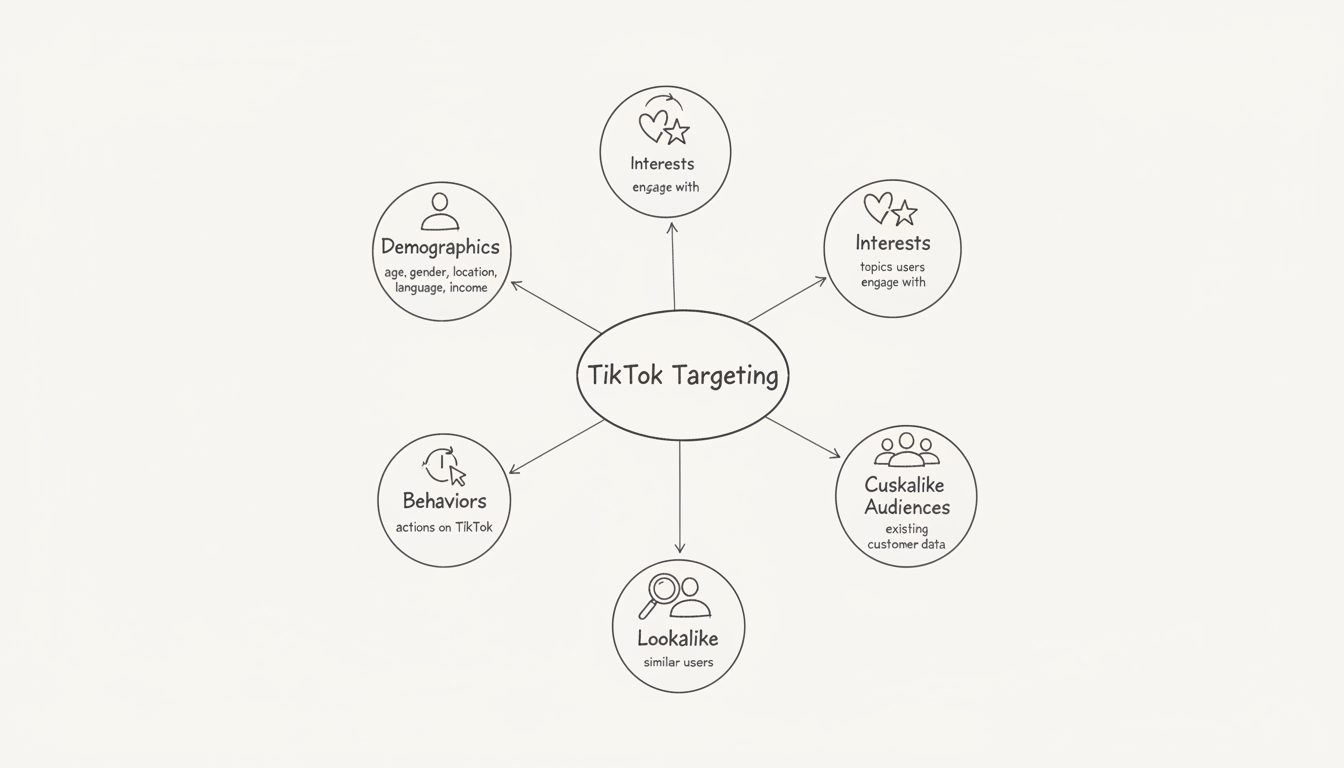
One important consideration: TikTok's algorithm often finds your ideal audience better than manual targeting alone. According to industry analysis, starting broad and letting TikTok optimize based on performance data frequently outperforms highly specific targeting from the start.
Demographics form the foundation of most TikTok targeting strategies. These options define the basic characteristics of who sees your ads.
TikTok provides age brackets rather than specific ages:
Key insight: According to demographic research, the 25-34 age group represents the largest segment of TikTok users (around 40%), not the 18-24 group as many assume. The platform has aged up significantly.
Options include:
TikTok's user base is approximately 54.6% male and 45.4% female, a shift from its earlier female-skewed demographics.
Location options vary by market but typically include:
Level | Availability | Example |
Country | All markets | United States |
State/Region | Most markets | California |
City | Major markets | Los Angeles |
Radius | Select markets | 25 miles from downtown |
Target users based on their app language settings. This is particularly useful for:
TikTok offers household income and spending power targeting in some markets:
This helps luxury brands and high-ticket sellers reach appropriate audiences.
Interest targeting connects your ads with users who engage with specific content categories on TikTok.
TikTok offers 20+ interest categories including:
Category | Sub-Interests Available |
Beauty & Personal Care | Skincare, Makeup, Haircare |
Fashion & Accessories | Streetwear, Luxury, Accessories |
Food & Beverage | Cooking, Restaurants, Recipes |
Travel | Destinations, Hotels, Adventures |
Technology | Gadgets, Apps, Gaming |
Business & Finance | Entrepreneurship, Investing |
Fitness & Sports | Workout routines, Sports, Health |
Entertainment | Movies, Music, TV Shows |
TikTok determines user interests based on:
Behavior targeting reaches users based on specific actions they've taken on TikTok. For campaigns focused on driving specific outcomes, combining behavioral signals with demographic filters creates powerful audience segments that complement strategies used in TikTok advertising case studies for app installs.
Target users who have:
Target users who have:
Target users who have:
TikTok identifies users showing purchase intent through:
This makes behavior targeting particularly powerful for e-commerce advertisers, especially when implementing TikTok ads for dropshipping in 2026.
Custom audiences let you target users based on your existing customer data and pixel tracking.
Source | Description | Minimum Size |
Customer file | Upload email/phone lists | ~1,000 users |
Website traffic | TikTok Pixel visitors | ~1,000 users |
App activity | Users of your mobile app | ~1,000 users |
Engagement | Users who engaged with TikTok content | ~1,000 users |
Lead generation | Users who submitted lead forms | ~1,000 users |
Shop activity | TikTok Shop interactions | ~1,000 users |
According to B2B targeting guidance, TikTok requires approximately 1,000 matched users for stable custom audience targeting.
With the TikTok Pixel installed, create audiences based on:
Understanding proper pixel configuration is essential for accurate custom audience creation, which is why following a comprehensive TikTok Pixel setup guide for 2026 ensures your tracking foundation is solid.
Target users who:
Upload lists containing:
TikTok matches these against its user database. Match rates typically range from 30-70% depending on list quality.
Lookalike audiences find new users who share characteristics with your best customers. When properly configured, these audiences can significantly expand your reach while maintaining relevance—a critical component detailed in TikTok lookalike audiences guides.
Size | Reach | Similarity | Best For |
Narrow (1-2%) | Lower | Highest | High-ticket products |
Balanced (3-5%) | Medium | Medium | Most campaigns |
Broad (6-10%) | Higher | Lower | Awareness campaigns |
Quality over quantity: According to targeting experts, a clean list of closed-won customers typically outperforms a larger list of low-intent leads as a lookalike source.
Segment your sources: Create separate lookalikes from:
Test multiple sizes: Run the same creative against narrow, balanced, and broad lookalikes to find your optimal audience size.
Follow these strategies to maximize your TikTok targeting effectiveness.
TikTok's Smart Targeting feature suggests interests and behaviors based on your:
It can also automatically expand your audience when delivery is limited. If your campaigns aren't getting traction, combining Smart Targeting with troubleshooting steps from guides on TikTok ads not spending can help identify and resolve delivery issues.
Layer targeting options strategically:
| Goal | Targeting Combination | | --- | --- | --- | | Prospecting | Demographics + Interests + Behaviors | | Retargeting | Custom audience (website visitors) | | Scaling | Lookalike + Interest overlap | | Exclusion | Custom audience (purchasers) excluded |
Avoid competing against yourself by checking audience overlap between ad groups. High overlap means you're bidding against your own campaigns.
TikTok recommends a minimum of 1,000 users for custom audiences and lookalikes to function effectively. For general targeting, broader audiences typically perform better as TikTok's algorithm needs data volume to optimize delivery.
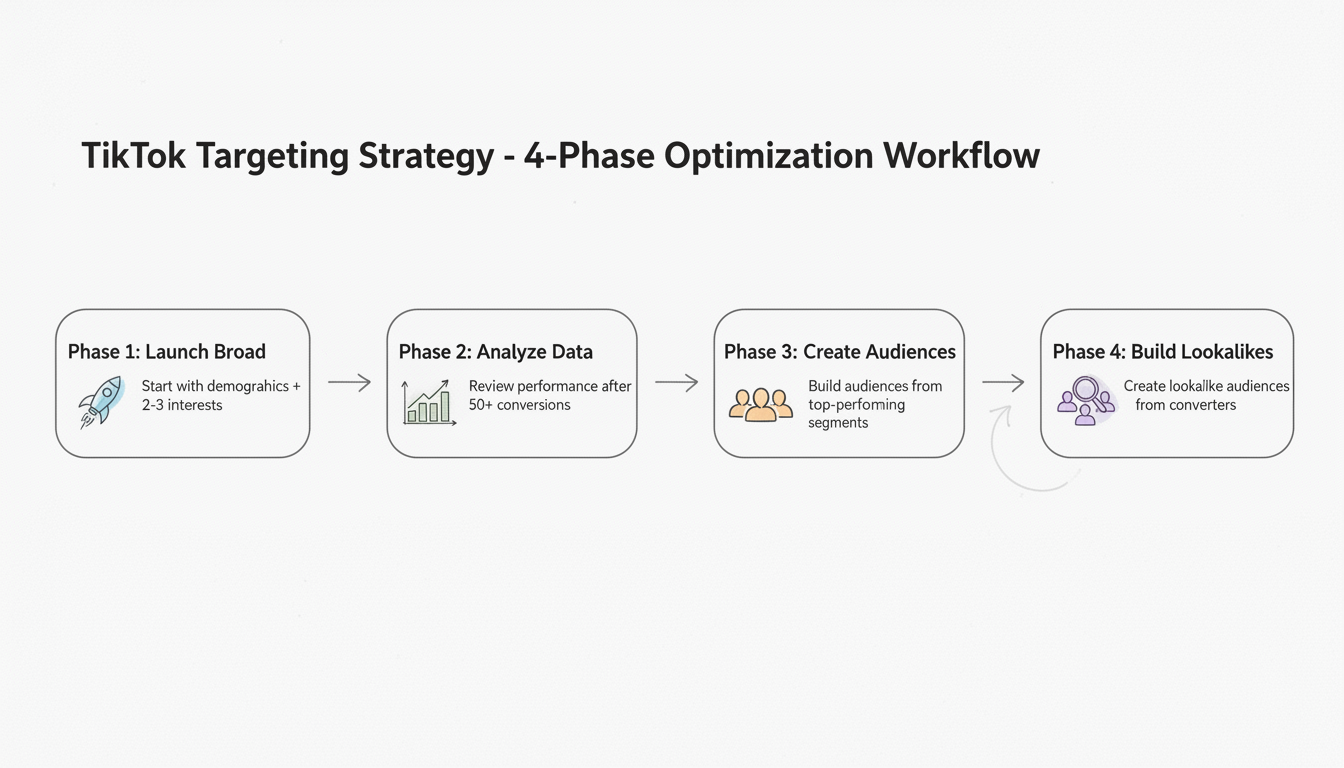
Start broad. TikTok's algorithm often finds your ideal audience better than manual targeting. Begin with basic demographics and 2-3 interests, let the campaign run, then narrow based on performance data rather than assumptions.
Use interest targeting for your competitors' product categories and behavior targeting for users who engage with similar content. You can also target users who follow accounts in your competitive space through creator interaction behaviors.
Yes, though B2B targeting is less granular than LinkedIn. Use interest categories like "Business & Finance" and "Technology," target users showing professional content engagement, and create custom audiences from your CRM data with business emails.
By submitting this form, you agree to our Privacy Policy and Terms & Conditions.



