
February 19, 2026


If you've ever seen a sponsored post in your Facebook feed or an Instagram Story with a "Shop Now" button, you've encountered Meta ads. But what exactly are Meta ads, and how do they work for businesses trying to reach customers in 2026?
In this guide, we'll explain everything you need to know about Meta advertising—from the platforms included to how the system works behind the scenes, and why millions of businesses use it as their primary paid advertising channel.
Meta ads are paid advertisements that appear across Meta's family of apps and services. When Facebook rebranded to Meta in 2021, the advertising platform unified under the Meta name, though many marketers still refer to it as "Facebook advertising."
At its core, Meta advertising lets businesses show targeted ads to specific audiences based on demographics, interests, behaviors, and more. According to Meta's investor reports, the platform reaches over 3.9 billion monthly active users across all its apps—making it the largest social advertising network in the world.
Unlike search ads (where users actively look for something), Meta ads are discovery-based. Users aren't searching for your product—they're scrolling through content from friends, family, and creators. Your ad appears based on Meta's algorithm determining that the user might be interested.
This creates unique opportunities:
When you create a Meta ad campaign, your ads can appear across four main platforms:
The original platform with over 3 billion monthly active users. Facebook ads appear in:
With over 2 billion monthly active users, Instagram offers highly visual ad placements:
If you're wondering how to use Meta ads Instagram specifically, the visual nature of the platform makes it ideal for product-focused campaigns.
Meta's messaging app supports:
This extends your reach to third-party apps and websites that partner with Meta. Formats include:
Most advertisers start with Facebook and Instagram placements, then expand to Messenger and Audience Network as they scale.
Understanding the mechanics helps you run more effective campaigns. Here's how Meta advertising works in 2026:
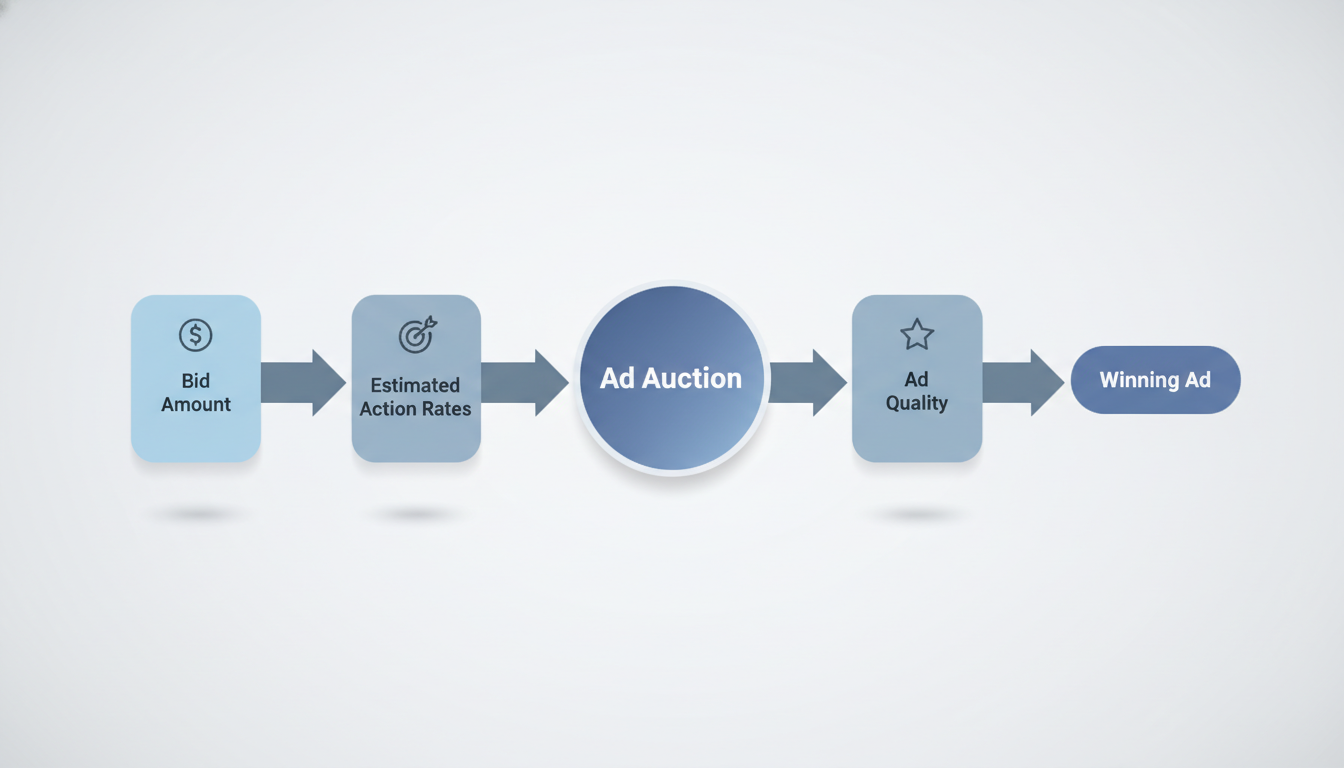
Meta ads operate on an auction model. When there's an opportunity to show an ad, Meta runs an auction among all advertisers targeting that user. The winner isn't just the highest bidder—Meta considers:
This means a lower bid can win if your ad is highly relevant to the user. Understanding the Meta ads bidding strategy can help you optimize your costs while maintaining competitive performance.
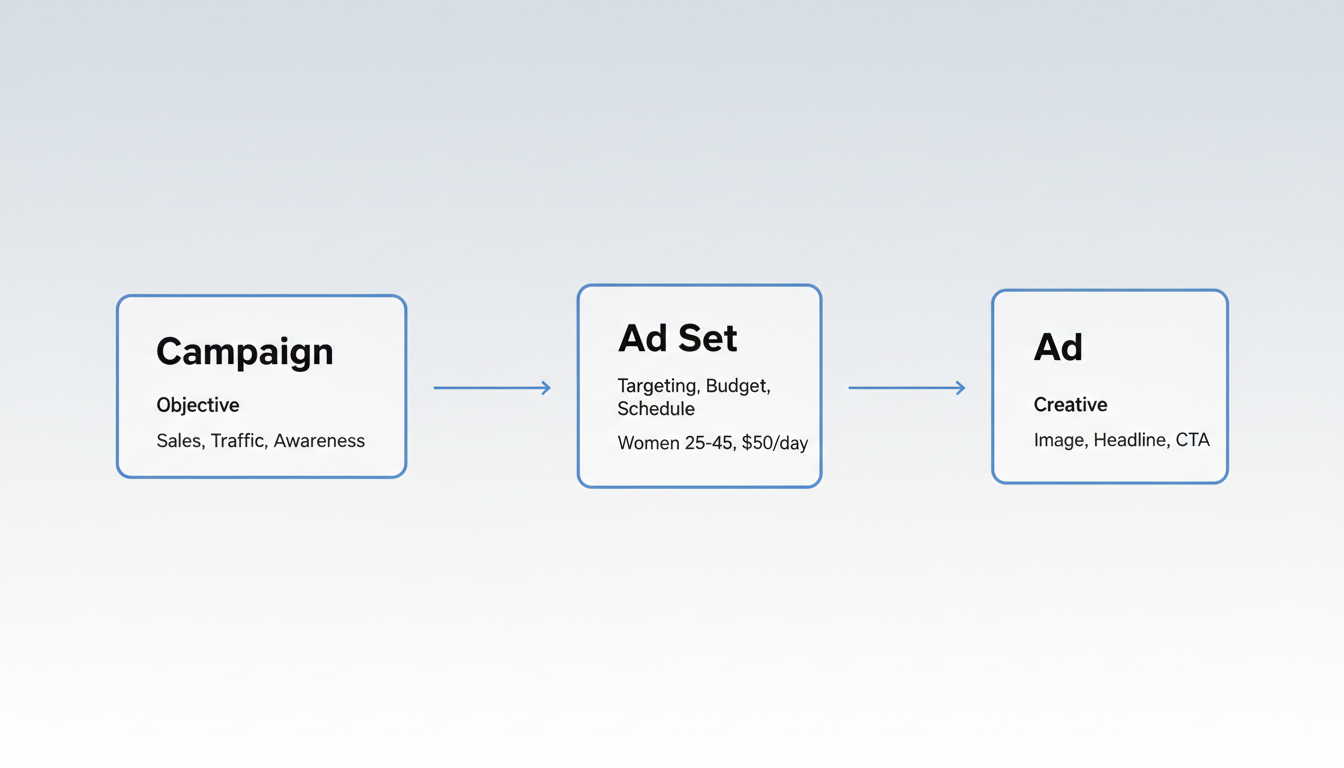
Meta Ads Manager uses a three-level hierarchy:
Level | Purpose | Example |
Campaign | Sets your objective | Conversions, Traffic, Awareness |
Ad Set | Defines targeting, budget, schedule | Women 25-45 interested in fitness, $50/day |
Ad | The creative users see | Image, headline, CTA button |
Meta simplified its objectives in recent years. You now choose from:
In 2026, Meta's Advantage+ suite uses machine learning to automate much of campaign optimization. According to Meta's business resources, Advantage+ features include:
These tools reduce manual optimization work while often improving performance—though experienced advertisers sometimes prefer manual control for specific strategies.
Why do over 10 million businesses advertise on Meta platforms? Several key advantages:
No other advertising platform offers access to nearly 4 billion users. Whether your audience is teenagers on Instagram Reels or professionals on Facebook, you can reach them. When comparing Facebook ads vs Google ads, the primary difference lies in user intent and discovery versus search-based advertising.
Meta's targeting options include:
Unlike text-based search ads, Meta ads support:
You can start with as little as $1/day, making Meta accessible for small businesses. There's no minimum spend requirement—you control daily or lifetime budgets at the ad set level. To estimate your investment, our Facebook ads cost calculator can help you plan based on your goals and audience size.
Meta provides detailed reporting on:
Understanding Meta advertising cost metrics helps you evaluate campaign performance and optimize your budget allocation.
Ready to launch your first campaign? Here's the basic process:
Before launching campaigns, familiarize yourself with Meta ads policy requirements to ensure your ads get approved quickly.
Choose what you want to achieve. For beginners:
Start with a defined audience based on your ideal customer. Avoid going too broad initially—a focused audience of 1-5 million is often more effective than 50+ million.
If you're new to the platform, consider taking a Meta ads course to learn advanced targeting and optimization techniques.
Your ad creative matters more than any other factor. Focus on:
Start with a modest budget ($10-20/day), let the campaign run for at least 3-4 days to exit the learning phase, then analyze results and adjust.
For a detailed walkthrough, see our complete guide on how to run Meta ads.
Yes, essentially. "Facebook ads" and "Meta ads" refer to the same advertising platform. Meta is the parent company (formerly Facebook, Inc.), and the advertising system covers all Meta properties—Facebook, Instagram, Messenger, and Audience Network. The platform is officially called Meta Ads Manager.
Meta ads work on an auction system, so costs vary widely. According to industry benchmarks, average cost-per-click (CPC) ranges from $0.50-$2.00 for most industries, while cost-per-thousand-impressions (CPM) averages $5-$15. Your actual costs depend on targeting, competition, ad quality, and objectives. Understanding Facebook ads cost per impression helps you budget effectively.
Technically, you need a Meta Business account to run Instagram ads through Ads Manager. However, you don't need to advertise on Facebook—you can select Instagram-only placements. Instagram also offers "Boost" functionality directly in the app for simpler promotions. Many businesses work with an Instagram ads agency to maximize their platform-specific campaigns.
Boosting is a simplified way to promote existing posts with basic targeting. Running ads through Ads Manager gives you full control over objectives, placements, audiences, and optimization. For serious advertising, Ads Manager is always recommended over boosting. Learning how to run Facebook ads through the full Ads Manager interface unlocks significantly more capabilities.
By submitting this form, you agree to our Privacy Policy and Terms & Conditions.



