
February 19, 2026


Running Facebook ads can transform your business—but only if you set them up correctly. With over 3 billion monthly active users, Facebook (now part of Meta) remains one of the most powerful advertising platforms available.
This guide walks you through everything you need to run your first Facebook ad campaign in 2026, from setting up your accounts to launching and optimizing your ads.
Before creating ads, you need to set up the foundational infrastructure. This takes about 15-30 minutes and only needs to be done once.
Meta Business Suite (formerly Business Manager) is the central hub for managing your advertising. Here's how to set it up:
Once created, you can add your Facebook Page and create an ad account from within Business Suite. If you're managing campaigns for multiple clients, consider learning how to run Facebook ads for clients to structure your Business Suite properly.
If you don't have a business page yet:
Your page represents your business identity on Facebook and Instagram—it's where your ads will appear to come from.
Ads Manager is where you'll create, manage, and analyze all your Facebook advertising campaigns.
From Meta Business Suite:
Or go directly to adsmanager.facebook.com.
The Meta Pixel is a small piece of code that tracks visitor actions on your website. It's essential for:
To install:
Set up standard events to track specific actions like purchases, add to cart, and leads. This data makes your campaigns significantly more effective, especially if you're running an ecommerce meta ads strategy.
Before investing heavily, use a Facebook ads cost calculator to estimate your budget needs based on your goals.
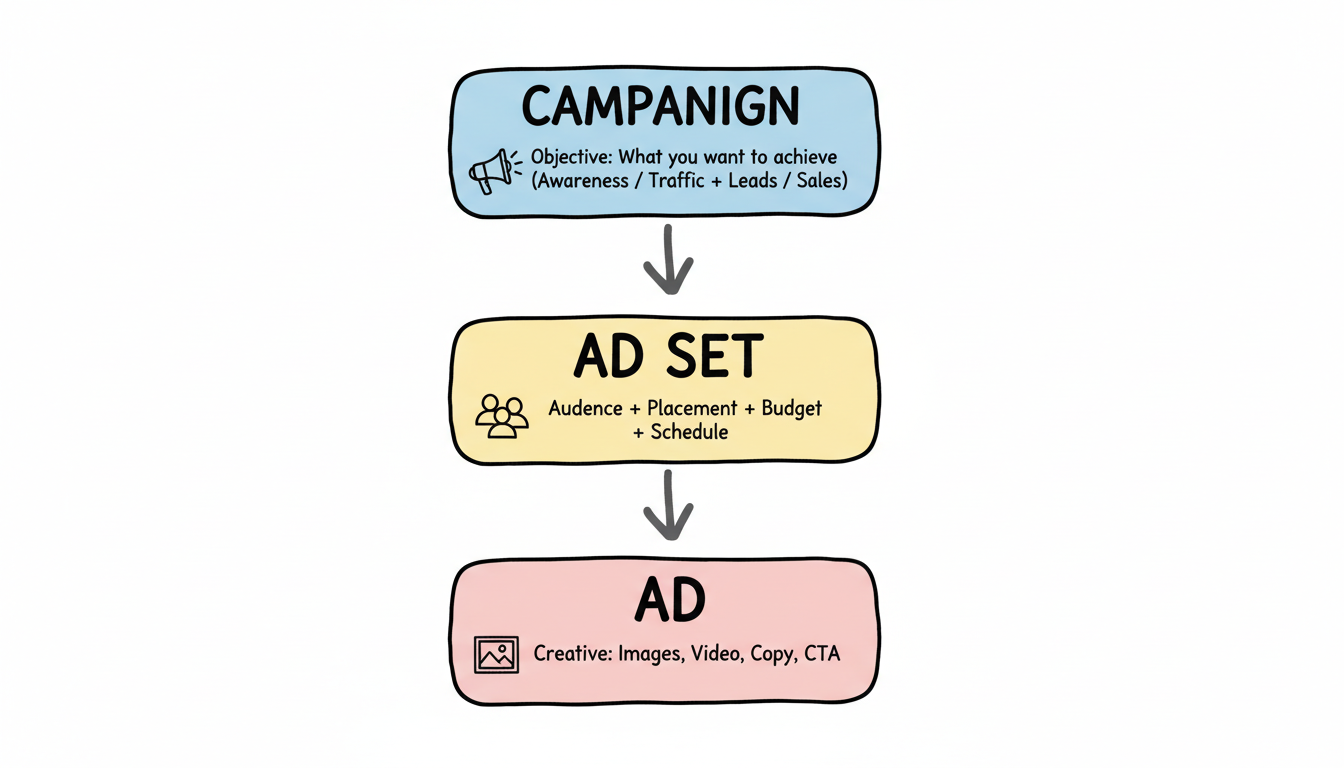
Facebook ads follow a three-level structure: Campaign > Ad Set > Ad. Understanding this hierarchy is crucial.
Level | What You Set |
Campaign | Objective (what you want to achieve) |
Ad Set | Audience, placement, budget, schedule |
Ad | Creative (images, video, copy) |
Your objective tells Facebook what result you want. Choose the one that matches your actual business goal.
Awareness Objectives:
Traffic & Engagement:
Conversion Objectives:
Pro tip: For most businesses starting out, the "Sales" or "Leads" objective with conversion optimization delivers the best ROI. Avoid optimizing for awareness unless you have a large budget.
Use a naming convention that helps you identify campaigns later:
[Objective]_[Audience]_[Offer]_[Date]
Example: Sales_Lookalike_SummerSale_Jan2026
You'll choose between:
For beginners, CBO is recommended—it lets Facebook's algorithm find the best opportunities. Understanding the average cost of Facebook ads in your industry helps you set realistic budgets.
Ad set level is where you define who sees your ads. Facebook offers the most sophisticated targeting options of any ad platform.
Build audiences based on:
Demographics:
Interests:
Behaviors:
Reach people who already know your business:
Facebook's most powerful feature. Upload a source audience (like your customers), and Facebook finds similar people likely to convert.
Source Size | Lookalike % | Best Use |
1,000-50,000 | 1-2% | Highest quality, smaller reach |
50,000+ | 3-5% | Broader reach, still relevant |
Large list | 5-10% | Maximum scale, lower precision |
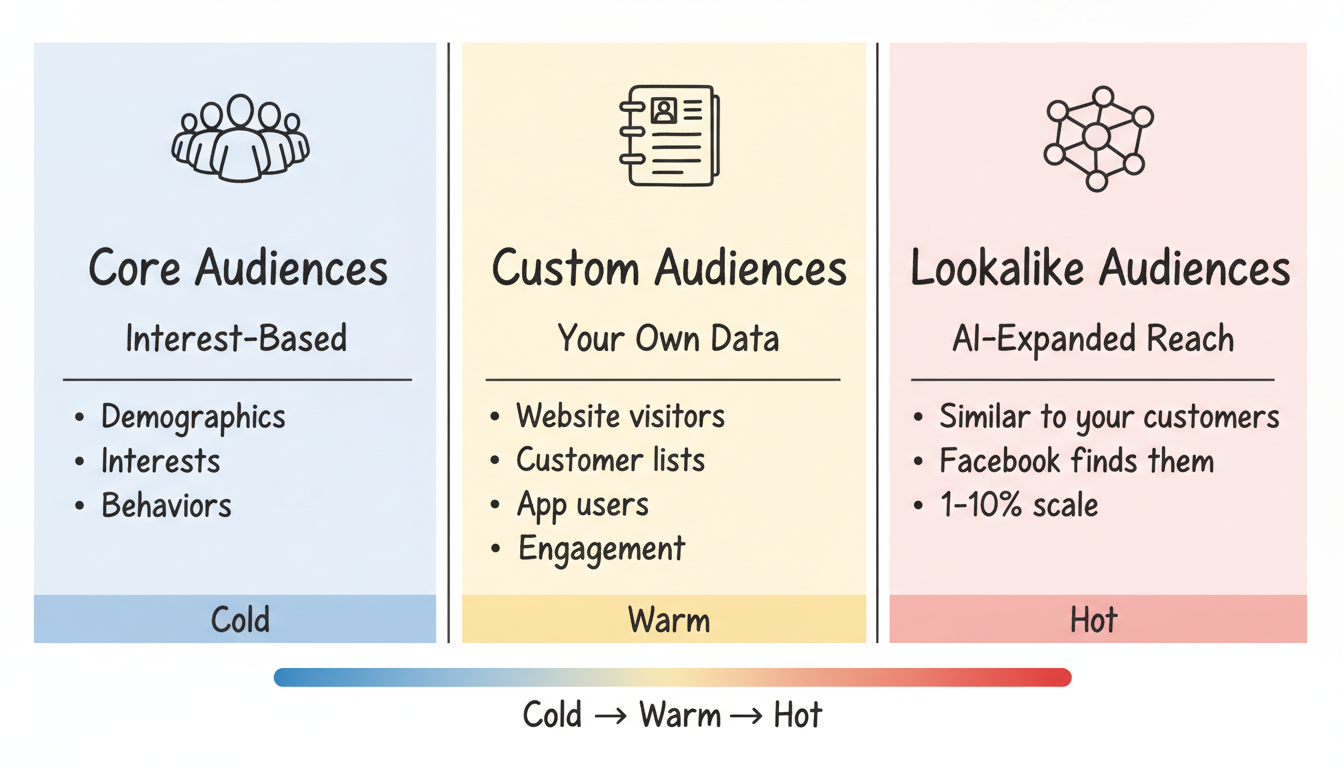
2026 Update: Facebook's Andromeda algorithm increasingly relies on your creative to determine targeting. Broad audiences often perform as well as highly targeted ones because AI handles optimization.
Choose where your ads appear:
For beginners, start with Advantage+ placements and let the algorithm optimize. If you need to run ads on Instagram without Facebook, you'll use manual placements to restrict delivery.
Setting the right budget prevents wasted spend and ensures your campaigns have enough data to optimize.
Daily budgets offer more flexibility; lifetime budgets work well for promotions with specific end dates.
According to industry best practices, campaigns under $1,000/month struggle to generate meaningful data. For beginners:
Start with Lowest Cost until you understand your typical costs, then experiment with caps. Your meta ads bidding strategy should evolve as you gather performance data.
Launching is just the beginning. Here's how to improve performance over time.
Every new ad set enters a "learning phase" where Facebook tests how to deliver your ads. During this period:
Avoid making significant changes during learning—each edit restarts the process.
Creative testing is critical in 2026. According to experts, brands scaling successfully are running 10-60x more creative variants than they did previously.
Test these elements:
For e-commerce brands, a structured meta ads funnel strategy helps you test the right creative at each stage of the customer journey.
Set up automated rules to manage campaigns while you sleep:
Metric | What It Tells You |
CTR (Click-Through Rate) | Ad relevance and creative performance |
CPC (Cost Per Click) | Efficiency of traffic generation |
Conversion Rate | Landing page effectiveness |
ROAS (Return on Ad Spend) | Overall campaign profitability |
Frequency | How often users see your ads |
Watch frequency closely—when it exceeds 3-4, ad fatigue sets in and performance typically drops. Understanding what is good ROI for Facebook ads helps you set appropriate performance benchmarks.
There's no minimum to start. Average costs in 2026 include CPC of $0.50-$1.12 and CPM of $5-$20 depending on your industry and targeting. Most experts recommend at least $20-50/day per ad set for meaningful results. Your total investment should also account for creative production and potentially management time or agency fees.
The learning phase typically lasts 7-10 days or until your ad set reaches 50 optimization events. You should see initial data within 24-48 hours, but allow 2-4 weeks before making major strategic decisions about what's working.
Meta Advantage Plus campaigns work well for e-commerce with established conversion data. However, manual campaigns offer more control for beginners learning the platform. Start manual to understand the mechanics, then test Advantage+ once you're comfortable.
Start with single image ads—they're easiest to create and test quickly. Once you understand what messaging works, graduate to carousel ads (multiple images) and video. Reels and Stories formats are increasingly effective in 2026 as users spend more time in those placements. If you're just learning how to create Facebook ads for beginners, stick with simple formats initially.
Define success before launching. For e-commerce, track ROAS (aim for 3-4x or higher). For lead generation, monitor cost per lead against your customer lifetime value. If a lead is worth $500 to your business, a $50 cost per lead is excellent. Track these metrics in Ads Manager and compare against your targets weekly. Use a Facebook ads ROI calculator to measure profitability accurately.
By submitting this form, you agree to our Privacy Policy and Terms & Conditions.



